
Have you ever stumbled upon a website and wondered who is powering its digital presence? Knowing the web host behind a site can be quite revealing.
It’s like peeking behind the curtain to understand the backbone of its operation. Whether you’re a curious web surfer or planning to launch your own site, discovering the web host can provide valuable insights and help you make informed decisions.
Imagine being able to pinpoint the service that ensures a site runs smoothly, loads quickly, and stays secure. By uncovering the web host, you gain knowledge that could transform your online experience and strategy. This article is here to guide you through the simple steps that will reveal this hidden information. Prepare to unlock the secrets of the digital realm and empower yourself with the knowledge to make wiser choices in your online endeavors. Let’s dive in, because once you know how, you’ll wonder why you didn’t do it sooner!
Identify Domain Registrar
WHOIS information helps find the domain registrar. It shows details about a domain. You can see who owns it. The WHOIS database has this information. You can access it online.
Many tools help in domain lookup. They are easy to use. Just type the domain name. Then, click search. These tools show the domain’s details. Examples are Whois.net and ICANN WHOIS. They provide accurate data.

Credit: www.hostinger.com
Trace Ip Address
Open the Command Prompt on Windows or Terminal on Mac. Type ping followed by the website name. This shows the IP address of the website. It’s like finding a house number on a street. Knowing the IP address is the first step. It helps you find the web host. Remember, some websites hide their IPs. They use security tools for privacy.
Many online tools help find web hosts. Just enter the website URL. The tool shows the IP address and host. Some popular tools are WhoIs.net and IP2Location. These tools are simple and fast. Just one click and you get results. It’s easy for anyone to use. These services are free or have basic free options. They are helpful for learning more about a website.
Inspect Dns Records
DNS stands for Domain Name System. It helps you find websites. Think of it as a phone book for the internet. When you type a website name, DNS finds the right address. This is how your computer knows where to go.
DNS records store important info. They tell you who hosts a website. Different records show different details. A Record is one type. It shows the IP address. NS Record tells about name servers.
Several tools help check DNS. DNS Lookup tools are useful. They show records easily. Whois tools give more details. They show who owns the website. Online platforms offer these tools for free. Just enter the website name. Results come fast. Use these tools to learn more about DNS.

Credit: www.webhostinghub.com
Analyze Hosting Provider
Websites often show clues about their hosting provider. Check the page source or inspect elements. Look for meta tags or comments. Sometimes, these tags mention the host name. Email headers can also reveal hosting details. The IP address is another clue. Use it to find the host name. Tools like WHOIS lookup can help. These tools give detailed information.
Many tools online help identify a website’s host. Hosting Checker is one popular tool. Enter a website URL to find its host. Who is Hosting This is another option. It shows the hosting company. Netcraft offers detailed reports. You can see the host and other data. These tools make it easy to find hosting info. Choose one and start your search.
Explore Website Source Code
Developer tools help find hosting details. Open your web browser. Press F12 or right-click and select Inspect. This opens the Developer Tools panel.
Look for the Network tab. Click it. Reload the webpage. Check the HTTP headers. Find the server information. It shows details about the host.
Some websites have unique hosting signatures. These are hints in the code. Look for words like cloudflare or amazonaws. These can show who hosts the site. Sometimes, tools like Netcraft help find more details.
Search for a name or service in the source code. It might reveal the hosting company. Using these methods can help you learn about the website’s host easily.
Utilize Online Services
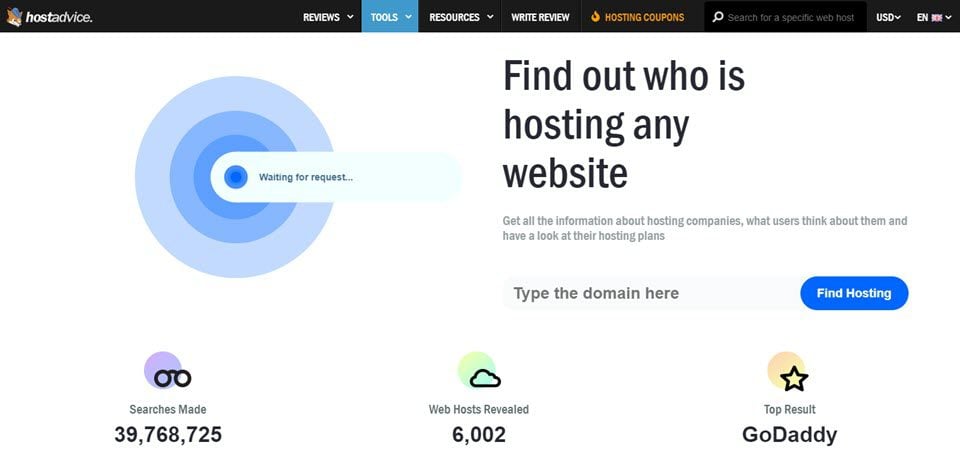
Many online tools can help you find a website’s web host. These tools are easy to use and often free. WhoIsHostingThis is popular. You enter a website’s URL, and it shows the host. Another tool is HostAdvice. It offers similar features. Site24x7 is also reliable. It provides detailed insights about the host. These tools save time and effort. You don’t need technical skills to use them.
Not all tools give the same results. Some are more accurate than others. It’s wise to compare results from different tools. This helps ensure you get the correct information. Try using at least two tools for better accuracy. This approach reduces errors. It’s a simple way to verify the host’s identity.
Credit: www.elegantthemes.com
Frequently Asked Questions
How Do I Find The Host Of A Website?
Use a WHOIS lookup tool to find a website’s host. Enter the website’s domain name to get details. Alternatively, use online services like Hosting Checker. These tools provide information about the hosting provider. Always verify with multiple sources for accuracy.
How Do I Know The Web Server Of A Website?
Use online tools like “Whois” or “WhatWebServer” to identify the web server. Check HTTP headers with browser developer tools for server information.
What Is Your Website Host?
Our website host is Bluehost. They offer reliable and secure hosting services. Bluehost provides excellent customer support and features. It ensures optimal website performance and uptime. Their hosting plans cater to various needs, from small blogs to large e-commerce sites.
Choose Bluehost for seamless hosting experience.
How To Find Out Who Manages A Website?
Check the website’s “Contact” or “About Us” page for management details. Use WHOIS lookup for domain registration info.
Conclusion
Identifying a website’s host is straightforward with the right tools. Check online services that reveal hosting information quickly. Use the command prompt for deeper insights. Domain registration sites offer useful data too. Knowing the host helps manage sites better. It enhances your control and troubleshooting abilities.
Remember, accurate host details are key for effective website management. With practice, finding this information becomes second nature. Always stay informed about your site’s technical aspects. This understanding boosts your confidence in handling web challenges. Keep exploring and learning about web hosting.
It’s a valuable skill for any website owner.


