
Looking to give your WordPress site a stunning new look? Installing the Fortuna theme might be just the fresh upgrade you need.
This theme is not only visually appealing but also packed with features that can transform your website into a sleek and professional platform. But how exactly do you get started with installing this theme? Don’t worry—you’re in the right place.
In this guide, you’ll find simple, step-by-step instructions to make the installation process smooth and hassle-free. By the end of this article, you’ll have the Fortuna theme up and running, setting the stage for a website that’s as unique as you are. Ready to get started? Let’s dive into the details and make your site shine.
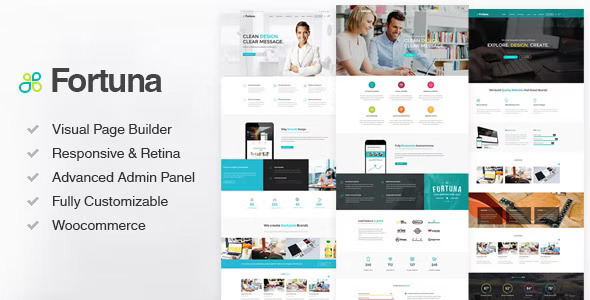
Credit: themeforest.net
Preparation Steps
Begin by downloading the Fortuna theme file from a trusted source. Next, access your WordPress dashboard and navigate to ‘Appearance’ then ‘Themes’. Click ‘Add New’, select ‘Upload Theme’, and choose the Fortuna file. Hit ‘Install Now’ followed by ‘Activate’ to complete the setup.
Ensure WordPress Compatibility
Check your WordPress version. Make sure it is up-to-date. Fortuna theme needs the latest version. Visit the WordPress dashboard. Click on ‘Updates’. Look for any available updates.
Some themes have specific requirements. Fortuna is one of them. Verify the theme’s compatibility. Check the theme’s page for details.
Backup Your Site
Backing up your site is crucial. Mistakes can happen. Use a backup plugin. Popular choices include UpdraftPlus and BackWPup. Follow the plugin instructions. Save your backup in a safe place.
Test the backup. Ensure everything works. You can restore it if needed. Better safe than sorry!
Download Fortuna Theme
First, visit the ThemeForest website. Search for the Fortuna Theme. Make sure to check the theme details. You must see if it fits your needs. Click on the buy button to purchase. After buying, you will get a download link. Click this link to download the theme. Save it on your computer.
Find the downloaded file on your computer. It is usually in the Downloads folder. The file is in a .zip format. Do not unzip it yet. You will need this file for the next steps. Ensure you have the right file before proceeding.
Install Fortuna Via WordPress Dashboard
Log into your WordPress Dashboard. Find the sidebar menu on the left. Click on Appearance. Then select Themes. This will open the themes section. You will see a button labeled Add New. Click it to proceed.
After clicking Add New, find the Upload Theme button. Click it to upload your theme file. You must have the Fortuna theme file ready. It should be in .zip format. Click Choose File and select the Fortuna zip file from your computer. Then click Install Now.
Once the theme file uploads, look for the Activate link. Click it to make Fortuna your active theme. Now, Fortuna is installed and active. You can start customizing it to fit your needs.

Credit: www.hermesthemes.com
Install Fortuna Via Ftp
Easily install the Fortuna theme in WordPress using FTP by uploading the theme files to your server. Access your WordPress dashboard, activate the theme, and customize it to your liking. Enjoy a new look for your website with Fortuna.
Connect To Ftp Client
Start by downloading an FTP client like FileZilla. Open the client and enter your FTP credentials. These include the host, username, and password. You can find these details from your hosting provider. Once connected, you will see your site’s files.
Upload Theme To Directory
Locate the ‘wp-content’ folder in your website files. Inside, find the ‘themes’ folder. Drag the Fortuna theme folder from your computer into this directory. Wait until the upload completes. Make sure all files are transferred.
Activate From Dashboard
Log in to your WordPress Dashboard. Go to Appearance and then click on Themes. You will see Fortuna in the list. Click Activate to use the theme on your site. Check your site to confirm the theme is active.
Customize Fortuna Theme
Installing the Fortuna Theme in WordPress involves downloading and activating it through the dashboard. Start by accessing ‘Themes’ under ‘Appearance’. Next, upload the theme file, then click ‘Activate’ to set it live. Enjoy customizing with its versatile options.
Explore Theme Options
Fortuna theme offers many customization options. You can change colors, fonts, and layouts. Each option is easy to understand. Click on Theme Options to see choices. Make your site unique and interesting. Explore each setting to find what you like.
Set Up Widgets And Menus
Widgets make your site useful and fun. Add widgets to show information. Set up menus to help visitors find pages. Drag and drop widgets to the right place. Use simple names for menus. Keep it easy for everyone to navigate. This makes your site visitor-friendly.
Adjust Theme Settings
Theme settings help you control your site’s look. Adjust header and footer styles. Change the sidebar position. Make the website mobile-friendly. Test settings and see changes live. Save settings once you’re happy. Adjusting settings is quick and simple.

Credit: blueowlcreative.com
Troubleshooting Common Issues
Sometimes, themes do not activate. First, check your internet connection. Ensure it is stable. Then, clear your browser’s cache. Try activating the theme again. If it still fails, check your WordPress version. It must be up-to-date. Older versions may cause issues. Also, disable any conflicting plugins. Some plugins do not work well with Fortuna. Finally, contact the theme support for help. They can guide you further.
Display errors can be frustrating. Start by refreshing the page. This may fix minor glitches. Next, check your theme settings. Ensure all settings are correct. Incorrect settings can cause display problems. Consider switching to a default theme. Then switch back to Fortuna. This can reset any glitches. If errors persist, examine your plugins. Deactivate plugins one by one. Some plugins can cause display issues.
Frequently Asked Questions
How Do I Install The Fortuna Theme In WordPress?
To install the Fortuna theme, log in to your WordPress dashboard. Navigate to Appearance > Themes > Add New. Search for “Fortuna” in the search bar, then click “Install. ” After installation, click “Activate” to make it your site’s active theme.
Is The Fortuna Theme Free To Use?
The Fortuna theme is a premium WordPress theme. You need to purchase it from a marketplace like ThemeForest. After purchase, you can download and install it using your WordPress dashboard.
Can I Customize The Fortuna Theme Easily?
Yes, the Fortuna theme is highly customizable. It offers a powerful theme options panel. You can adjust layouts, colors, and fonts. Additionally, it provides various pre-built templates to streamline customization.
Does Fortuna Theme Support Responsive Design?
Yes, the Fortuna theme is fully responsive. It ensures your website looks great on all devices. From desktops to mobile phones, the layout adapts seamlessly.
Conclusion
Installing the Fortuna theme on WordPress is straightforward and rewarding. Follow each step carefully to ensure a smooth process. Customize your site to reflect your style and needs. Explore the theme options to enhance your site’s appearance. Remember, patience is key during setup.
Enjoy the new features and design possibilities. With Fortuna, your WordPress site will look polished and professional. Keep experimenting with different settings for optimal results. Your website deserves a theme that stands out and performs well. Start creating content and let your site shine with its new look.


