
Are you struggling to customize your WordPress theme but can’t find the documentation? You’re not alone.
Many WordPress users find themselves in a similar situation. Understanding your theme’s documentation can save you time, headaches, and bring your website vision to life. Imagine being able to make changes confidently, knowing exactly where to click or what code to tweak.
Sounds great, right? In this guide, you’ll discover simple steps to locate and utilize your theme’s documentation effectively. So, let’s dive in and transform your WordPress experience from overwhelming to empowering.
Locating Theme Documentation
Start at the official website of the theme. Most themes have a support or documentation section. This is where the important details are found. Look for links or buttons labeled “Support” or “Documentation”. They often have guides and FAQs. These sections help with installation and setup.
The WordPress Repository is a great resource. Search for the theme in the repository. Each theme page often has a support tab. This tab might contain documentation links. It’s a reliable place for finding theme details. Always check the reviews and ratings too. They give insights into user experiences.

Credit: www.radiustheme.com
Using WordPress Dashboard
Start by logging into your WordPress dashboard. Look for the Appearance section on the left side. Click on Themes. Here, you will find all your installed themes. Choose the theme you want to explore. Click on it to view more details.
After selecting the theme, look for a button labeled Theme Details. This will show you more information about the theme. Check for a Documentation link or a Support link. These links will guide you to the theme’s official help pages. You can learn about the theme’s features and settings here.
Online Community Resources
WordPress forums are helpful. Many people ask questions there. You can find theme documentation easily. Look for topics with many replies. Those are popular. Experts often answer questions there. Search for your specific theme name. Read through the discussions. Find links to official documentation. You can also ask your own questions. Get answers from experienced users.
Social media groups are active. Many users share tips. Join groups related to WordPress. Check Facebook and Twitter. Look for theme discussions. People often share links to documentation. Group members help each other. You can post a question. Wait for quick responses. Many users share their experiences. Find the best resources there.
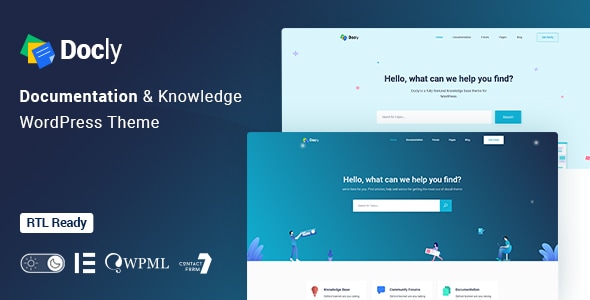
Credit: themeforest.net
Contacting Theme Developers
To find a theme’s documentation on WordPress, visit the theme’s official page. Check for a “Documentation” or “Support” link provided by the developer. This often includes installation guides, customization tips, and troubleshooting help.
Direct Support Channels
Theme developers can help solve many problems. Contacting them directly is often the best way. Use the support channel given by the theme. This could be an email, chat, or support form. Always provide clear details about your issue. This helps them understand and respond quickly.
Developer Websites
Many theme developers have official websites. These sites often have important information. Look for a “support” or “help” section. Here, you might find FAQs, guides, and tutorials. These resources can answer many questions. If you can’t find help, contact them via a form or email. Always check for updates and new features. Developers share these on their websites.
Utilizing Search Engines
Use clear words to find theme docs. Type the theme name with “WordPress documentation”. Try using different words. Like “user guide” or “manual”. Short phrases help. Keep it simple and direct. This saves time and effort. Finding the right doc becomes easier.
Always check the website source. Look for official sites. They have up-to-date info. Community forums can help too. But be careful. Not all info is correct. Look for trusted sources. This ensures you get good advice. Helps keep your site running well.

Credit: wpmayor.com
Frequently Asked Questions
How Do I Locate WordPress Theme Documentation?
To find WordPress theme documentation, visit the theme developer’s official website. Check the theme’s support section or documentation page. Alternatively, explore WordPress. org if the theme is listed there. Documentation typically includes setup guides, customization options, and troubleshooting tips.
Why Is Theme Documentation Important For WordPress?
Theme documentation is crucial for understanding how to set up and customize your WordPress theme. It provides step-by-step instructions and solutions to common issues. Proper documentation ensures a smoother user experience and helps you make the most of your theme’s features.
Where Can I Find Theme-specific Tutorials?
You can find theme-specific tutorials on the theme developer’s website or support forums. Additionally, YouTube and WordPress community sites often offer video guides. These resources provide practical insights and tips for using and customizing your theme effectively.
What Should I Do If Documentation Is Missing?
If documentation is missing, contact the theme developer for support. They may provide guidance or direct you to helpful resources. Additionally, explore online forums or communities where users share their experiences and solutions.
Conclusion
Finding theme documentation in WordPress is straightforward and crucial. First, check the theme directory. Often, documentation is included there. Next, visit the theme developer’s website. Many provide detailed guides and FAQs. Don’t forget community forums. Many users share experiences and solutions.
Lastly, explore WordPress support forums. They often have valuable insights. Using these resources can simplify your theme journey. Remember, documentation helps maximize your theme’s potential. It can enhance your site’s design and functionality. Stay informed and make the most of your WordPress experience.
Your theme documentation is your guide.


