
Have you ever wondered what happens behind the scenes every time you visit a website? The magic of bringing a website to life is all thanks to web hosting.
But how exactly is web hosting done? Understanding this process can empower you to make informed decisions for your personal or business website. Imagine having the ability to choose the best web hosting service, ensuring your website runs smoothly and efficiently.
This knowledge can transform how you engage with the digital world. So, if you’re curious about how your favorite sites are made accessible to you, and how you can harness this power for your own projects, keep reading. By the end of this article, you’ll have a clear picture of the web hosting process, and you’ll be ready to make your mark online.

Credit: www.crazyegg.com
Types Of Web Hosting
Shared hosting means many websites on one server. Costs are low. Resources are shared. Performance can slow with heavy use. It’s good for new websites.
Dedicated hosting provides a server for one website. Resources are not shared. It’s fast and secure. Best for big sites. Costs are higher.
VPS hosting splits a server into parts. Each part acts as a server. More control than shared hosting. Less costly than dedicated. Good for growing websites.
Cloud hosting uses many servers. Data spreads across servers. Scalable and flexible. Costs vary with use. Good for sites with changing needs.
Choosing The Right Hosting Provider
A good hosting provider offers many features. Look for reliable uptime and fast speed. Check if they provide SSL certificates. This keeps your site safe. Storage space is also important. Does the provider offer enough space? Some providers have limited bandwidth. Make sure your choice matches your needs.
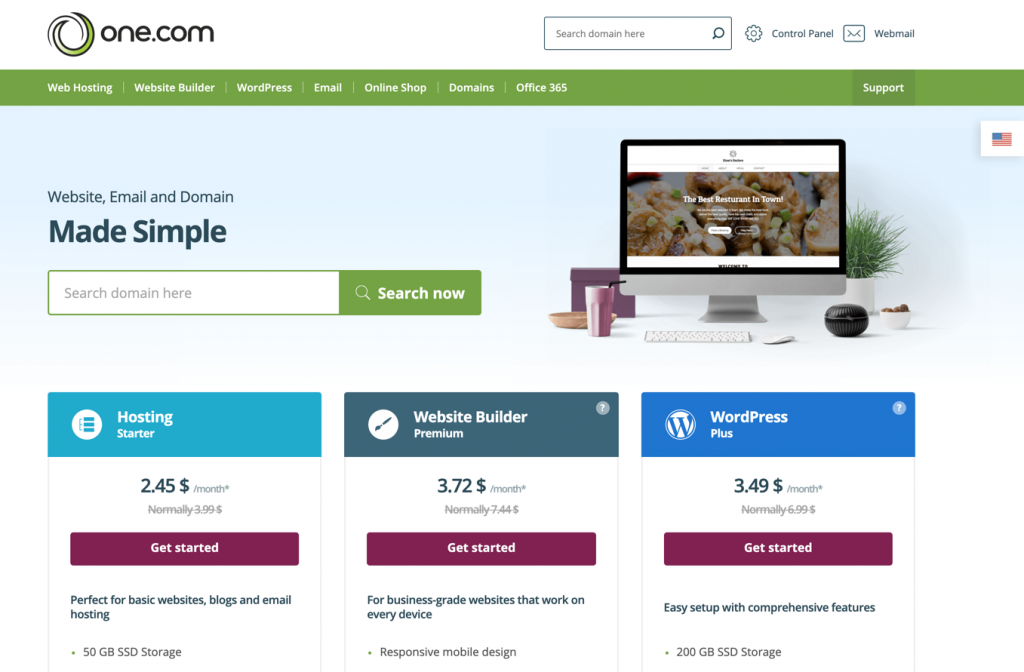
Costs differ between providers. Some offer cheap plans, but with fewer features. Others may be expensive but provide better services. Always check for hidden fees. Look for discounts or special offers. Compare prices to find the best deal for your needs.
Customer support is very important. Good providers offer 24/7 support. Check if they have live chat or phone support. Read customer reviews to see if support is helpful. A good team can solve problems quickly. This helps keep your site running smoothly.
Setting Up A Web Host Account
Choose a unique domain name for your website. Make it easy to remember. Visit a domain registrar to check if your name is available. Pay a small fee to register it. Now, the domain is yours to use.
DNS helps the internet find your website. Enter your host’s DNS details into the registrar’s site. This links your domain to your hosting account. Wait for the DNS to update. It may take a few hours.
Log in to your hosting control panel. It’s like a dashboard for your website. You can create email accounts here. Also, you can upload files and install apps. Explore the options available in the panel.
Credit: www.greengeeks.com
Uploading Website Files
FTP stands for File Transfer Protocol. It helps you move files from your computer to a server. To use FTP, you need an FTP client. This is a program like FileZilla. You enter your server details in the client. Then, you can drag and drop files to the server. FTP is useful for many files at once. It is a simple and common method.
Many hosts offer web-based file managers. These are tools in your hosting account. You log into your account first. Then, you can upload files directly. It’s like using a file explorer on your computer. This method is easy for small changes. No need for extra software. Web-based managers are handy and quick.
Automated tools make file uploads faster. They work well for developers. Tools like GitHub Actions help manage files. You set rules for when to upload files. Changes on your computer can update the server. This saves time and reduces mistakes. Great for big projects or teams. Automation helps keep sites fresh.
Managing Server Resources
Hosting needs good bandwidth management. It helps keep websites fast. Too much bandwidth use slows down sites. Tools can track bandwidth usage. They help find what uses the most data. This keeps sites quick for everyone.
Storage space is like a closet. Keeping it tidy is key. Files must be small and neat. Old files should be deleted. This makes room for new files. A tidy server runs better. Keeps things smooth and fast.
Security keeps websites safe. Firewalls block bad traffic. They protect important data. Regular updates fix holes in security. Passwords must be strong. They stop hackers from getting in. Safety first for peace of mind.
Credit: html.com
Handling Website Traffic
Websites grow. Traffic increases. Resources must be scaled. More servers are added. Bandwidth is increased. This helps handle more visitors. Storage might also grow. It keeps the site running smoothly. No crashes or slowdowns. Scaling ensures readiness for more users.
Load balancing is vital. It spreads traffic evenly. Helps servers work together. Prevents overload on one server. Keeps the site fast. Load balancers direct traffic. They choose the best server. This reduces waiting time. Ensures visitors get a quick response.
Traffic patterns tell a lot. They show how people use the site. Peak hours are identified. Popular pages are noted. This data helps plan resources. Adjusts server needs. Guides marketing strategies. Understanding patterns is key. It helps improve user experience.
Ensuring Website Security
Web hosting plays a crucial role in ensuring website security. A reliable host provides strong security measures and regular updates. This helps protect websites from cyber threats and data breaches.
Ssl Certificates
SSL Certificates keep your data safe. They encrypt information. This protects it from hackers. Websites with SSL show a padlock symbol. Visitors trust these sites more. SSL also helps in better search rankings.
Regular Backups
Backups save your site’s data. They store copies of your files. Regular backups prevent data loss. You can restore your site if something breaks. It’s like a safety net for your website.
Malware Protection
Malware is harmful software. It can damage your website. Malware protection stops these attacks. It scans your site for threats. Keeping your site clean is crucial. Protect your site to keep visitors safe.
Troubleshooting Common Issues
Downtime can upset users. Check server status first. Servers might be overloaded. Reduce load if necessary. Restart the server to see if it helps. Check your internet connection too. Sometimes, it’s the network issue. Review error logs for clues. Logs might show what’s wrong. Contact support if problems persist. They help identify issues.
Slow websites frustrate visitors. Check bandwidth usage first. High usage slows websites. Optimize images to reduce load. Large images take longer to load. Use caching to speed things up. Cache stores data for quick access. Check server resources too. Limited resources slow down performance. Upgrade plans for more resources. Better plans improve speed.
Security breaches can be scary. Update software regularly. Old software has vulnerabilities. Use strong passwords for safety. Weak passwords are easy to guess. Enable firewalls for protection. Firewalls block threats. Monitor suspicious activities closely. Alert systems notify unusual behavior. Contact security experts for help. Experts provide solutions to secure sites.
Frequently Asked Questions
How Does The Web Hosting Work?
Web hosting stores website files on servers, making them accessible online. It ensures your site loads quickly and securely. Hosting providers offer different plans based on needs and traffic. Choose a reliable host for better performance. Optimize with SEO practices for improved visibility and user experience.
How To Web Hosting Step By Step?
Choose a reliable web hosting provider. Register a domain name. Select a hosting plan. Set up your hosting account. Upload your website files.
How Much Do I Pay To Host A Website?
Website hosting costs vary from $3 to $300 monthly. Factors include hosting type, provider, and features. Shared hosting is affordable, while dedicated servers cost more. Consider your needs and budget.
What Are The Three Types Of Web Hosting?
There are three main types of web hosting: shared hosting, VPS hosting, and dedicated hosting. Shared hosting is affordable and beginner-friendly. VPS hosting offers more resources and flexibility. Dedicated hosting provides exclusive server access for maximum performance. Each type caters to different needs and budgets.
Conclusion
Web hosting makes your website accessible to everyone online. Choosing the right host is crucial. It affects your website’s performance and security. Understand the types of hosting available. Shared, dedicated, VPS, and cloud hosting each offer unique benefits. Consider your website’s needs and budget.
Reliable hosting ensures your site runs smoothly. It enhances user experience and supports growth. Research and select a hosting provider wisely. Make informed decisions for the best results. With the right host, your website can thrive. Enjoy a seamless online presence and reach your audience effectively.


