
Ever wondered how to give your WordPress site a unique look that truly stands out? Designing your own WordPress theme might be the answer.
Imagine crafting a site that reflects your style and captivates your audience from the very first click. Creating a theme isn’t just about making things look pretty; it’s about shaping user experiences, boosting engagement, and strengthening your brand identity. This guide will walk you through the steps to design themes in WordPress, even if you’re not a tech wizard.
By the end of this article, you’ll be equipped with the knowledge to transform your site into a digital masterpiece, leaving your visitors eager to explore more. Ready to dive in and unleash your creative potential? Let’s get started!

Credit: wordpress.org
Getting Started With Theme Design
Picking the right tools is key for WordPress theme design. First, choose a good code editor. Popular choices are Visual Studio Code and Sublime Text. These editors help you write clean code. Next, install Adobe Photoshop or GIMP. These tools let you create stunning graphics. Lastly, consider using local server software like XAMPP or MAMP. They let you test your theme locally.
A local environment is a safe space to build themes. First, download and install XAMPP or MAMP. These tools help create a local server on your computer. After installation, start the server. Next, download WordPress from its official site. Unzip it in your server’s root folder. Finally, create a database using PHPMyAdmin. Now, your local setup is ready.
Understanding WordPress Theme Structure
WordPress themes have many files. The most important is style.css. It controls how your site looks. Another key file is index.php. It displays your content. Don’t forget functions.php. It adds custom features to your theme.
header.php and footer.php are important too. They show the top and bottom parts of your site. page.php is for individual pages. single.php is for blog posts.
WordPress uses a template hierarchy to choose files. It decides which file to use for each page. For home pages, it uses home.php. Archives use archive.php. This helps keep things organized.
If a file is missing, WordPress finds another. It goes down the hierarchy. This makes your theme flexible. So, understanding this order is important.
Creating A Custom Theme
Start by creating a basic template. Use HTML to set up a structure. The header, footer, and sidebar are essential parts. These parts will help organize your theme. Save these files with a .php extension. This helps WordPress understand them. You can use a text editor like Notepad++. It is easy to use and free. Remember, each file has a specific job. The header file holds the top part. The footer file has the bottom part. The sidebar file keeps extra content.
CSS gives your theme its style. It changes how things look. Use CSS to change colors and fonts. Add a style.css file to your theme folder. This file tells WordPress about your theme. Make text bold, underline, or italic. Change background colors with ease. Ensure you use clear and simple colors. This helps keep the theme clean. Always test your changes. This makes sure everything looks good.
Enhancing Theme Functionality
WordPress hooks are like magic words. They help in adding new features. Hooks are special words in the code. They tell WordPress to do something extra. Two main types exist: actions and filters. Actions make things happen. Filters change data. You can use hooks to add a new button. Or to change a color. Hooks make themes better.
Custom Post Types make your site unique. They are like special pages. Normal posts are for blogs. But custom types can be anything. Recipes, books, or events. This makes your site more fun. You can create them using code. Or use a plugin. Custom Post Types add more features. Your site becomes more exciting.
Customizing Theme Appearance
The Customizer API helps change the look of your theme. It is a tool in WordPress. You can use it to change colors and fonts. This makes your site unique. You can see changes live. This means you don’t have to save first. It is fun to try different styles. You can make your theme look just how you like it.
Custom widgets give extra features to your site. They are small boxes with content. You can add text, images, or links. Widgets make sites more interesting. You can put them in sidebars or footers. It is easy to add them. Just drag and drop where you want. Widgets help make your site special. They are fun to use.
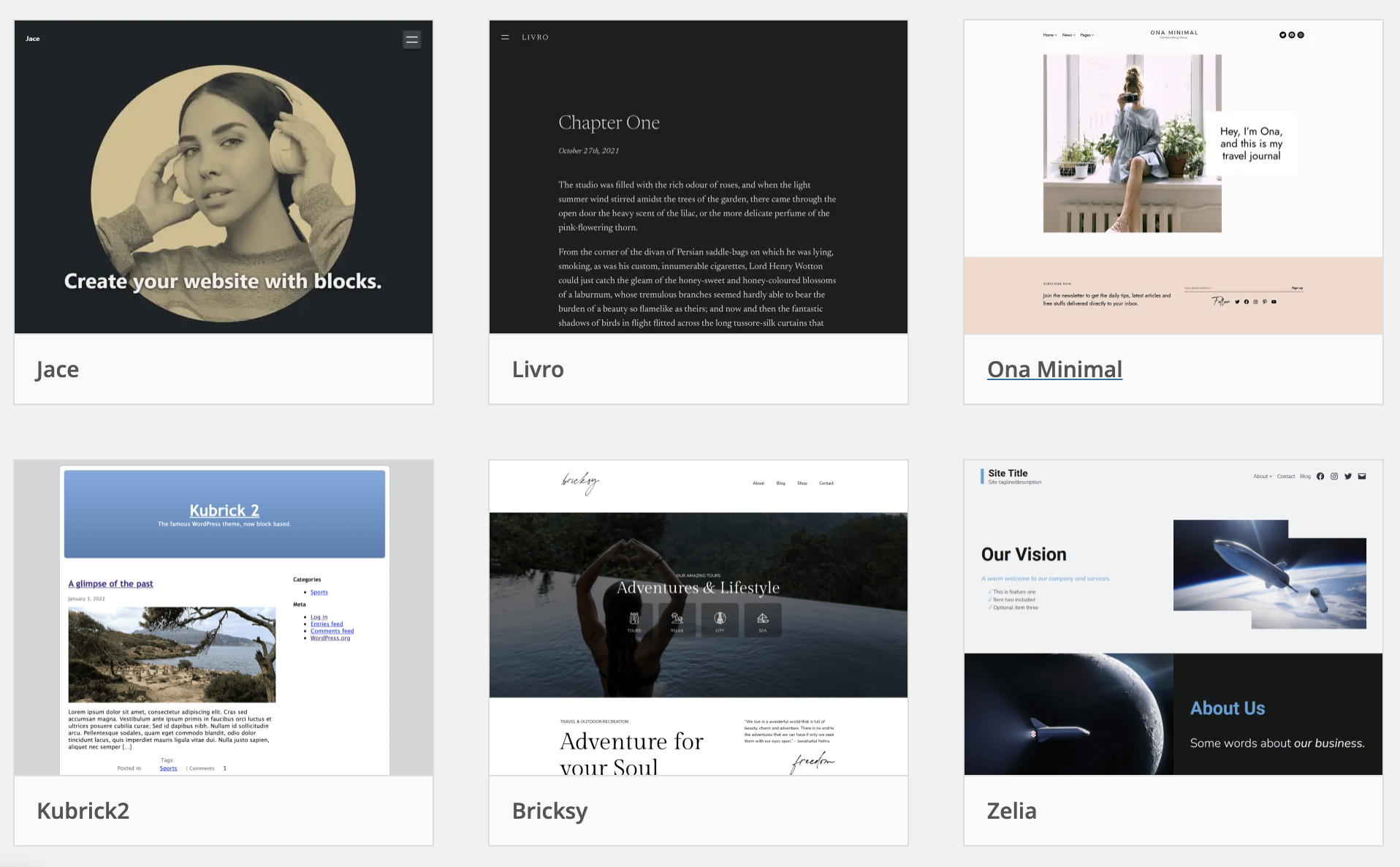
Credit: wptavern.com
Testing And Debugging Themes
Themes must work on all browsers. Some users use Chrome. Others use Firefox or Safari. Test your theme on each browser. Check for any visual issues. Fix any problems you find. Users expect themes to look the same. No matter the browser.
Errors in HTML or CSS can break a theme. Use tools to check your code. Tools like the W3C Validator. Fix any errors that show up. Clean code means fewer problems. A valid theme runs smoothly. Users will have a better experience.
Optimizing Theme Performance
Designing themes in WordPress involves streamlining elements for better load speed. Focus on lightweight design and efficient coding. Simplified layouts enhance user experience and boost site performance.
Minimizing Load Times
Faster websites keep people happy. Reduce the size of images. Use compressed formats like JPEG or PNG. Limit the use of heavy scripts. Choose lightweight plugins. Smaller files make pages load quickly. Use lazy loading for images. Only load pictures that are visible. This helps speed up the site. Minimize CSS and JavaScript code. Remove unused parts. Clean code makes faster sites.
Implementing Caching Strategies
Caching stores data for quick access. Use browser caching to save files locally. It avoids fetching files repeatedly. Use server-side caching. It speeds up content delivery. Choose plugins that manage cache. They simplify the process. Regularly clear cache to avoid outdated content. Keep cache settings up-to-date. Review performance regularly.
Ensuring Theme Security
User input can be risky. Hackers use it to enter bad code. Always clean user data. This is called sanitizing. It keeps your site safe. Use WordPress functions like sanitize_text_field(). They help remove dangerous stuff. Validate input too. Make sure it fits what you expect. Don’t just trust user data. Check it before using it.
Coding standards are rules. They help keep code neat. Follow WordPress standards. They make your theme work well. Use proper indentation. This makes code easy to read. Name your functions well. Choose names that say what they do. Check your code often. Errors can cause problems. Fix them fast. Follow these rules always. Your theme will be strong and safe.
Deploying Your WordPress Theme
Submitting your theme to the WordPress repository is important. It helps users find your theme. Quality and functionality are checked before approval. Follow the guidelines provided by WordPress. Ensure your code is clean and free from errors. Include a detailed readme file. Explain your theme features clearly. This helps users understand what your theme offers. Make sure you test your theme thoroughly. Address any issues found during testing. This ensures your theme works well for everyone.
Updates keep your theme secure and fresh. Regular updates fix bugs and add new features. Notify users when updates are available. This keeps them informed. Use version numbers for each update. This helps users know what has changed. Provide clear instructions for updating. Ensure updates are simple to apply. Users appreciate easy updates. Frequent updates show your theme is well-maintained. This builds trust with your users.

Credit: wordpress.org
Frequently Asked Questions
How Do I Start Designing A Theme In WordPress?
To start designing a WordPress theme, understand HTML, CSS, and PHP basics. Use a local development environment like XAMPP or WAMP. Familiarize yourself with WordPress Codex and theme structure. Begin with a starter theme or framework for easier development. Customize design elements using CSS and PHP functions.
What Tools Are Essential For Theme Design?
Essential tools for WordPress theme design include a code editor like Visual Studio Code, a local server environment such as XAMPP, and graphic design software like Adobe Photoshop or Figma. Additionally, using version control systems like Git helps manage changes efficiently.
Browser developer tools are also crucial for testing and debugging.
Can I Use Templates For WordPress Themes?
Yes, you can use templates for WordPress themes. Starter themes or frameworks like Underscores or Genesis provide a solid foundation. These templates offer pre-built structures, allowing you to focus on customization. Templates save time and ensure adherence to WordPress coding standards, enhancing functionality and aesthetics.
How Can I Ensure My Theme Is Mobile-friendly?
To ensure your theme is mobile-friendly, implement responsive design principles using CSS media queries. Test your theme across various devices and screen sizes. Use flexible grid layouts and scalable images. Consider using frameworks like Bootstrap for easier responsiveness. Regularly test and adjust to improve user experience on all devices.
Conclusion
Creating WordPress themes enhances your site’s uniqueness and functionality. Start simple. Experiment with different designs and features. Use tools and plugins to simplify the process. Focus on user experience and mobile responsiveness. Keep the design clean and intuitive for easy navigation.
Regularly update and test your theme. This ensures compatibility and security. Learn from online tutorials and communities. Engage with fellow designers for inspiration. Remember, patience and practice are key. Your theme should reflect your brand and vision. Enjoy the creative journey.
Happy designing!


