
Are you ready to elevate your WordPress site with a unique theme that reflects your personal style or brand identity? Imagine having the power to customize every detail, making your website stand out in a sea of templates.
Creating a WordPress theme might sound intimidating, but with the right video tutorial, it becomes an exciting and rewarding process. In this guide, you’ll discover step-by-step instructions on how to craft a stunning theme for your WordPress site. Whether you’re a beginner or a seasoned developer, this video will provide you with the insights and techniques you need to transform your website into something extraordinary.
Stay tuned to unlock the secrets of theme creation and take your website’s design to the next level.
Getting Started With WordPress Themes
Picking the right theme framework is key. Ease of use is important. Some popular frameworks are Genesis, Divi, and Avada. Each offers unique features. Beginners should choose a user-friendly option. Frameworks can affect site speed. A lightweight framework helps your site load fast. Always check the support and documentation available. Good support helps solve problems quickly.
Creating a local environment is easy. You need a few tools. XAMPP or MAMP are popular choices. These tools mimic a server on your computer. Install WordPress locally for testing. This setup helps you work offline. You can make changes without affecting the live site. Backup your work often. Mistakes happen, and backups save time.
Credit: www.wpzoom.com
Essential Tools And Software
Text editors help you write code. You can use Notepad++ or Sublime Text. These tools are simple. They help you see code clearly. Integrated Development Environments (IDEs) are more powerful. They have extra features. Visual Studio Code is popular. It helps you find errors. Choose what you like best.
Git keeps track of code changes. It saves every version. This helps in teamwork. You can go back to older versions. Git is used with GitHub. GitHub is a website. It helps you share code. You can work with others there. Learning Git is important.
Browsers have special tools. These tools help fix website problems. Chrome Developer Tools is one example. It shows how your site looks. You can see errors there. It is helpful for testing. You can learn how your site works. Every browser has these tools.
Designing Your Theme
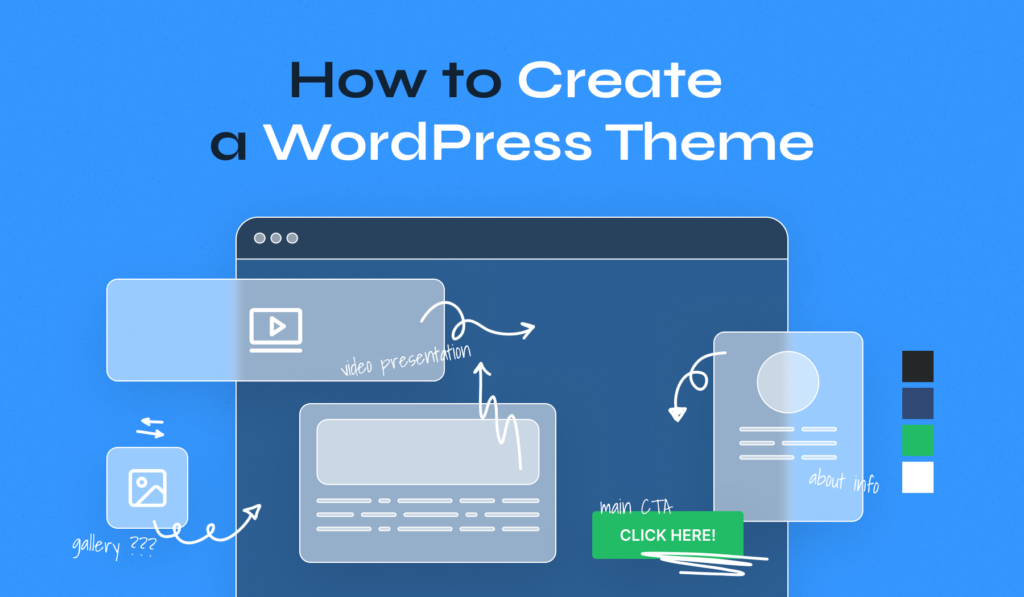
Start by sketching basic shapes. Use these to plan your website. Wireframes show where each part will go. Next, make mockups. They add color and images. This helps you see the full picture. Mockups are more detailed than wireframes. Both are important steps in design.
Choose colors that match your brand. Colors can make users feel different things. Pick two or three main colors. Also, select a font. It should be easy to read. Fonts give personality to your site. Try different combinations. Find what looks best together.
Websites must look good on all devices. This means phones, tablets, and computers. Make sure your layout changes for each. Test it on different screens. Responsive designs help users have a good experience. Think about how images and text move. Keep it simple and clear.
Building The Theme Structure
WordPress uses a template hierarchy to decide which file to use. Each page has a specific template file. If it can’t find one, it uses the next in line. This hierarchy helps in choosing the right file for display. Start with the index.php for a simple theme.
Essential files are needed for every theme. The most important is style.css. This file contains the theme’s style rules. Another key file is functions.php. It adds features to your theme. Don’t forget the index.php. It is the fallback template for your pages.
Combine HTML and CSS to build your theme’s look. HTML creates the structure. CSS makes it pretty. Use CSS to change colors, fonts, and sizes. Make sure your HTML is clean and easy to read. This will help in styling with CSS later.
Adding Dynamic Features
Discover how to create a theme in WordPress and make it dynamic with engaging features. Learn step-by-step methods to integrate interactive elements in your WordPress video tutorials, enhancing user experience and design.
Implementing WordPress Hooks And Filters
Hooks and filters make WordPress powerful. Hooks let you add or change code. Filters let you change content. Both are easy to use. Use hooks to add new things. Use filters to change old things. This makes your theme smart and flexible.
Creating Custom Widgets And Shortcodes
Widgets and shortcodes are helpful tools. Widgets sit on the sidebar. Shortcodes go inside posts or pages. You can create custom widgets. You can make your own shortcodes. They let you add cool features fast. Custom ones are great for special needs. They make your site look nice and work well.
Enhancing With Javascript And Jquery
JavaScript and jQuery add fun effects to your site. JavaScript makes things move. jQuery is a library for JavaScript. It simplifies tasks. Use them for slideshows. Use them for pop-up messages. They make your site lively and interactive. Learning them helps you create better themes.
Credit: motopress.com
Testing And Debugging
Themes must work on all browsers. Testing helps find problems early. Use tools like BrowserStack or CrossBrowserTesting. Check for layout issues and missing features. Make sure the theme looks the same everywhere. It must be easy for users to navigate. Users might use Chrome, Firefox, or Safari. Each browser may show things differently.
Errors can break a theme. They make the site look bad. Fixing errors is important. Use the WordPress Debugging Tool. It shows what is wrong. Check for broken links and wrong codes. Sometimes, plugins cause errors. Update plugins to the latest version. Test the theme again after fixing. Errors can scare users away.
Fast themes are better. Optimization makes themes quick. Use fewer images and scripts. Compress files to make them smaller. Use caching plugins like WP Super Cache. They help speed things up. Slow sites make users leave. Users want pages to load fast. Check speed using Google PageSpeed Insights. It gives tips to improve speed.
Deploying Your Theme
First, choose a reliable FTP client. FileZilla and Cyberduck are popular choices. Connect to your server using your credentials. Locate the wp-content/themes folder. Drag and drop your theme files into this folder. Check your site to ensure the theme loads correctly.
Test your theme on different browsers. Chrome, Firefox, and Safari are essential. Make sure it works on mobile devices. Use tools like BrowserStack for thorough testing. Check for broken links and missing images. Ensure plugins work smoothly with your theme.
Create a readme.txt file. Include details about your theme. Zip your theme files into one package. Go to the WordPress theme submission page. Follow the guidelines and submit your theme. Wait for approval from the WordPress team.
Creating The Video Tutorial
Make a simple plan for your video. Write down the main points you want to show. Break them into small parts. Use a script to keep your ideas clear. Scripts help you stay on track. This makes the video easy to follow.
Use a good camera or phone for clear video. Find a quiet place to record. Use a microphone for better sound quality. Edit your video with simple tools. Cut out mistakes. Add text or music if needed. Keep your video short and interesting.
Share your video on YouTube or other platforms. Use a clear title and description. This helps people find it. Share the video link with friends and groups. Ask them to share it too. Post about it on social media. This way, more people can watch your video.

Credit: www.youtube.com
Frequently Asked Questions
How To Start Creating A Theme In WordPress?
Begin by setting up a local environment using software like XAMPP or MAMP. Install WordPress and access the theme directory. Use a starter theme or create a new folder for your theme. Write basic PHP, HTML, and CSS files to define the theme’s structure.
What Tools Are Needed To Create A WordPress Theme?
You’ll need a code editor like Sublime Text or Visual Studio Code. Use software like XAMPP or MAMP to set up a local environment. Familiarity with PHP, HTML, CSS, and JavaScript is crucial. Optional tools include Git for version control and Photoshop for design assets.
Can I Create A Theme Without Coding Skills?
Basic coding skills are necessary for creating custom themes. However, you can use theme builders like Elementor or Divi. These tools offer drag-and-drop functionality, minimizing coding requirements. For more advanced customization, learning PHP, HTML, and CSS is recommended.
How To Test A WordPress Theme?
Testing a WordPress theme involves checking its responsiveness and compatibility. Use browsers like Chrome and Firefox for cross-browser testing. Utilize tools like BrowserStack for more comprehensive checks. Ensure your theme is mobile-friendly and validates HTML/CSS standards.
Conclusion
Creating a WordPress theme through video tutorials can be a straightforward process. Videos provide visual guidance, simplifying complex tasks. Watching experts demonstrate steps boosts your confidence. You see every detail clearly. This method suits all learning styles, making it accessible.
Start with simple themes. Practice regularly. Learn from each attempt. Your skills will grow with time. Experimenting with different designs helps develop creativity. Stay updated with WordPress changes. Join forums for support. Engaging with a community offers valuable insights. You can gradually build expertise.
It’s a rewarding journey. Keep exploring. Your perfect theme awaits!


