
Creating a WordPress website can feel like stepping into a whole new world. But don’t worry, you’re not alone.
Whether you’re starting a blog, launching a business site, or showcasing your portfolio, WordPress is a fantastic platform to bring your ideas to life. The best part? You don’t need to be a tech genius to get started. With premium themes, your site can look professional and polished without hours of design work.
Imagine having a stunning website that captures your visitors’ attention from the first click. Sounds exciting, right? In this guide, we’ll walk you through the process step-by-step, showing you how to set up your WordPress website using premium themes that make your site stand out. Are you ready to turn your vision into a digital reality? Let’s dive in and make it happen!
Choosing A Domain And Hosting
A good domain name is important. It should be simple and easy to remember. Think about what your website will be about. Choose words that fit your topic. Avoid long names. Short names work best.
Next, find a hosting service. The hosting service stores your website. Some popular choices are Bluehost, SiteGround, and HostGator. They have good support for beginners. Look for affordable plans. Check the reviews before you decide.
Many hosting services offer a free domain for the first year. This can save you money. Make sure to check the renewal costs. Choose a plan that fits your budget.
Installing WordPress
Start by choosing a reliable hosting provider. This is where your website will live. Look for easy tools that help beginners. Many hosts have one-click WordPress installations. This means you don’t need technical skills. Just click a button, and WordPress installs itself. Simple, right?
After installing WordPress, log into your new site. You will see a dashboard. This is your control center. From here, you can add pages, posts, and themes. Remember to keep your login details safe. Write them down or save them somewhere secure. This way, you won’t forget them later.
Explore the dashboard and its features. You can customize your site easily. Add plugins for more functions. Plugins are like apps for your site. They can add contact forms, galleries, and more.
Selecting A Premium Theme
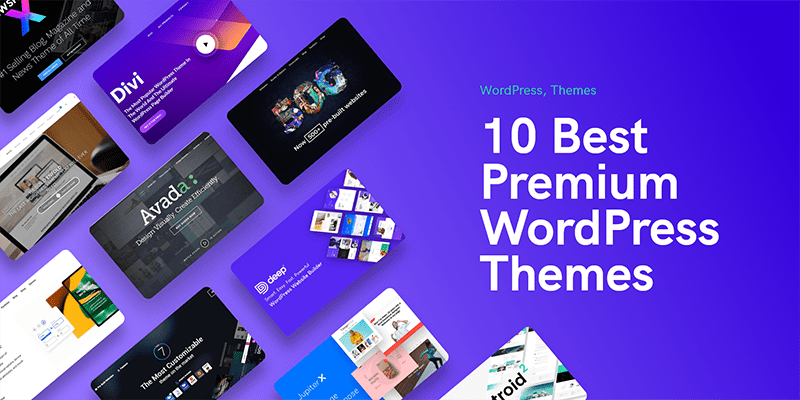
Premium themes offer many advantages over free ones. These themes come with better designs and more features. They also provide regular updates and support. This makes your website look professional and work well. Choosing a premium theme can help your website stand out.
Many websites sell premium themes. Some popular sites are ThemeForest and Elegant Themes. You can also find themes on TemplateMonster and StudioPress. These sites offer many choices for different needs. Always check reviews before buying.
Look for a theme that fits your website style. Check if it has good customer support. Make sure it is responsive and works on all devices. See if the theme is easy to customize. Choose one that updates often for security.
Customizing Your Theme
The WordPress Customizer is easy to use. It helps to change your website’s look. You can edit colors, fonts, and layouts. Just go to the dashboard. Find “Customize” under “Appearance”. Try different settings. See changes in real-time. This makes your site feel personal.
Plugins add more features to your site. Search for plugins in the dashboard. Click “Plugins” and then “Add New”. Choose plugins for SEO, contact forms, or security. Install and activate them. They make your website better and more useful.
Colors and layouts can change a site’s mood. Choose bright colors for fun sites. Use simple layouts for business sites. Go to “Customize” to change these. Test different styles. Make sure it looks good. Visitors will enjoy the experience more.
Creating Essential Pages
Creating essential pages is key to building a WordPress website. Choose premium themes for a polished look. These themes help beginners design pages that attract visitors.
Home Page
The home page is the first place visitors see. It should be clear and inviting. Use simple language. Show your best content. Add easy-to-find links. Make it easy to navigate. Use friendly images. This helps in making a good impression.
About Page
The about page tells your story. Share who you are. Explain what you do. Talk about your mission. Keep it simple and honest. Use clear sentences. People like personal stories. Add photos if you have them. Show your team. Make it personal and warm.
Contact Page
The contact page is where people reach you. Give clear contact details. Use a simple form. Make it easy to fill out. List your email. Add your phone number. Show your social media links. Keep it simple. Help visitors connect with you easily.
Credit: webnus.net
Optimizing For Seo
SEO plugins help your website rank better. They offer tools to check keyword usage. Yoast SEO is popular among beginners. All in One SEO gives easy tips. Plugins make SEO tasks simple. They help with meta tags and descriptions. Good plugins improve site visibility.
Finding the right keywords is crucial. Google Keyword Planner is a free tool. It helps you find popular search terms. Keywords must be relevant to your content. Use them naturally in your text. Avoid stuffing keywords everywhere. Balance is key for effective SEO.
Fast websites keep visitors happy. Slow sites drive users away. Compress images to load faster. Caching plugins can help reduce load time. Choose themes that are lightweight. Fast websites rank higher on search engines. Site speed is important for user experience.
Enhancing Security
Security plugins protect your website. They stop hackers. They keep data safe. Always choose a trusted plugin. Popular options include Wordfence and Sucuri. Install and set up easily. Follow simple steps. Regular updates are crucial. They fix bugs. They improve security. Always keep plugins updated.
Backups save your work. They protect against loss. Use plugins like UpdraftPlus. Backups are easy with them. Set automatic schedules. Store backups safely. Cloud storage is best. It keeps data secure. Restore files quickly. Never skip a backup. Always check backup success.
Updates improve security. They fix issues. Keep themes and plugins current. Check for updates weekly. Install updates promptly. Outdated versions are risky. They invite hackers. Updates enhance features. They boost performance. Always update for safety. Follow instructions carefully.

Credit: www.youtube.com
Launching Your Website
Before you launch, conduct final checks on your website. Ensure all links work correctly. Check that your images display properly. Review your website’s layout and design. Make sure it looks good on phones and tablets. Test your site speed. A fast site keeps visitors happy. Fix any issues you find. These steps help your site run smoothly.
After checks, start publishing content. Create a few posts to engage visitors. Write about topics you love. Use simple words and short sentences. Add pictures to make posts interesting. Update your site regularly. Fresh content keeps visitors coming back. Encourage readers to leave comments. This helps you connect with them.
Now, focus on promoting your site. Share your posts on social media. Tell your friends and family about your site. Join online groups related to your topics. Share your website link there. Engage with others in the group. This spreads the word about your site. Over time, more people will visit.

Credit: www.youtube.com
Frequently Asked Questions
What Is A Premium WordPress Theme?
A premium WordPress theme is a professionally developed template offering advanced features, customization options, and support. It provides a polished design, enhancing your website’s appearance and functionality. These themes are usually paid, offering superior quality compared to free themes, helping to create a unique and engaging user experience.
How To Choose A WordPress Theme?
Choosing a WordPress theme involves considering your website’s purpose, design preferences, and functionality needs. Look for themes with good reviews, regular updates, and responsive designs. Ensure it supports essential plugins and offers customization options. Always preview the theme to ensure it aligns with your brand’s aesthetic and requirements.
Are Premium Themes Worth The Investment?
Yes, premium themes are worth the investment due to their superior quality and features. They offer unique designs, enhanced functionality, and dedicated support. Premium themes often provide regular updates, ensuring compatibility with new WordPress versions. This investment can enhance your website’s performance and professional appearance.
Can Beginners Use Premium Themes Easily?
Yes, beginners can use premium themes easily. These themes often come with detailed documentation and support to guide users. Many offer drag-and-drop builders, simplifying customization. They are designed to be user-friendly, allowing beginners to create professional-looking websites without extensive coding knowledge.
Conclusion
Creating a WordPress site with premium themes is straightforward. Start with clear goals. Choose a theme that fits your style and needs. Install it and customize as you like. Use plugins to enhance features. Keep your design simple and user-friendly.
Regular updates maintain security and functionality. Remember, your content should engage visitors and reflect your brand. Stay patient as you learn. Practice leads to improvement. Your WordPress site becomes a powerful tool with time and effort. Enjoy the journey of building your online presence.


