
Are you tired of your static HTML page? Dreaming of transforming it into a dynamic WordPress theme?
You’re in the right place. Converting an HTML page to a WordPress theme can open up a world of opportunities for you. Imagine having the power to update content easily, add plugins, and enhance your site’s functionality without needing to dive into code every time.
This transformation isn’t just about looks; it’s about taking control and offering your visitors a seamless experience. Stick around, and you’ll discover how to make this shift effortlessly, tapping into the full potential of WordPress to boost your online presence. Ready to turn your static site into a dynamic powerhouse? Let’s dive in and make it happen!
Benefits Of Converting Html To WordPress
WordPress is easy to use. Even for beginners. With WordPress, you can manage content without coding. This saves time and effort. WordPress has many themes and plugins. They help make your site look good. They also add new features.
Search engines like WordPress sites. This helps your site get more visitors. It is because WordPress has SEO-friendly features. Updates are easy with WordPress. You do not need to worry about security.
There is a big community to help you. If you have a problem, you can get help. Many people use WordPress. This makes finding help easy. Converting to WordPress can save money. You do not need a big team.
Preparing Your Html Files
Keep your HTML code tidy. Use clear and simple names for your files. Group related files together. Put images in an images folder. CSS files go in a styles folder. JavaScript files belong in a scripts folder. This helps in finding files easily. It also helps when moving to WordPress.
Check if your HTML works on different browsers. Make sure it looks good on phones too. Use tools to test your page. Fix any errors you find. This step is important. It makes sure your theme works for everyone. Older browsers might need extra care. Always aim for a smooth experience.
Setting Up A Local Development Environment
First, download WordPress from its official site. You need a tool like XAMPP or MAMP for installation. These tools help your computer act like a server. Install the tool and start it. Put the WordPress files into the tool’s htdocs folder. Open your browser and type localhost/wordpress. Follow the steps to finish installation.
Navigate to the wp-content/themes directory. Create a new folder for your theme. Name it whatever you like. Inside this folder, make a file named style.css. Add basic theme info in the file. Create another file named index.php. These files are essential for your theme to work. Your theme folder is now ready.
Converting Html Structure To WordPress
First, open your HTML file. You need to break it into parts. Each part becomes a WordPress template file. Start with the header. Save it as header.php. Next, find the footer. Save it as footer.php. The main content goes in index.php. This way, WordPress knows how to build the page.
WordPress uses a special order to pick files. This is called the template hierarchy. If you want a special page, you can use single.php. For a list of posts, use archive.php. WordPress looks for the right file to show the page. This makes your site work well.
Integrating WordPress Functions
Adding Dynamic Header and Footer is crucial. Use WordPress functions to make them work. PHP code helps in this task. Place your header code in header.php. Footer code goes in footer.php. These files make your page dynamic. WordPress uses them on every page. The code is reused. This saves time and effort. Your header and footer will change on all pages. A real time saver!
Implementing the Loop for Content is a key step. The Loop displays posts. It checks for posts in the database. Then it shows them on the page. Use PHP code for the Loop. It’s simple yet powerful. The Loop repeats for each post. Your content updates automatically. No need to add posts manually. This keeps your site fresh. Readers see new content each visit.

Credit: wpmudev.com
Styling And Scripts
To add styles, use the wp_enqueue_style function. This helps load CSS files properly. Always put this in the theme’s functions.php file. For scripts, use wp_enqueue_script. This loads JavaScript files. It makes the site work better. Only load what you need. This keeps the site fast.
Use the WordPress Customizer to change themes easily. It lets users pick colors and fonts. You can add options in the customize_register function. This adds settings users can change. Make sure options are easy to find. Users should not feel lost.
Testing And Debugging
Transforming an HTML page into a WordPress theme requires careful testing and debugging. Ensure functionality by checking for errors and fixing code issues. Finalize your theme by verifying compatibility across browsers and devices.
Checking For Errors And Warnings
Ensure your theme runs smoothly. Use a tool for error checking. Look for any errors or warnings. Fix them as soon as possible. Errors can break your website. Warnings might slow it down. Always double-check your code. Make sure everything is correct. Good code means a good website.
Ensuring Mobile Responsiveness
Make your website friendly for phones and tablets. Check how it looks on a small screen. Use responsive design techniques. Flexbox and grid can help. Test on different devices. Ensure text and images resize well. Everything should work with a touch. Mobile visitors should have a good experience. Happy visitors might return.
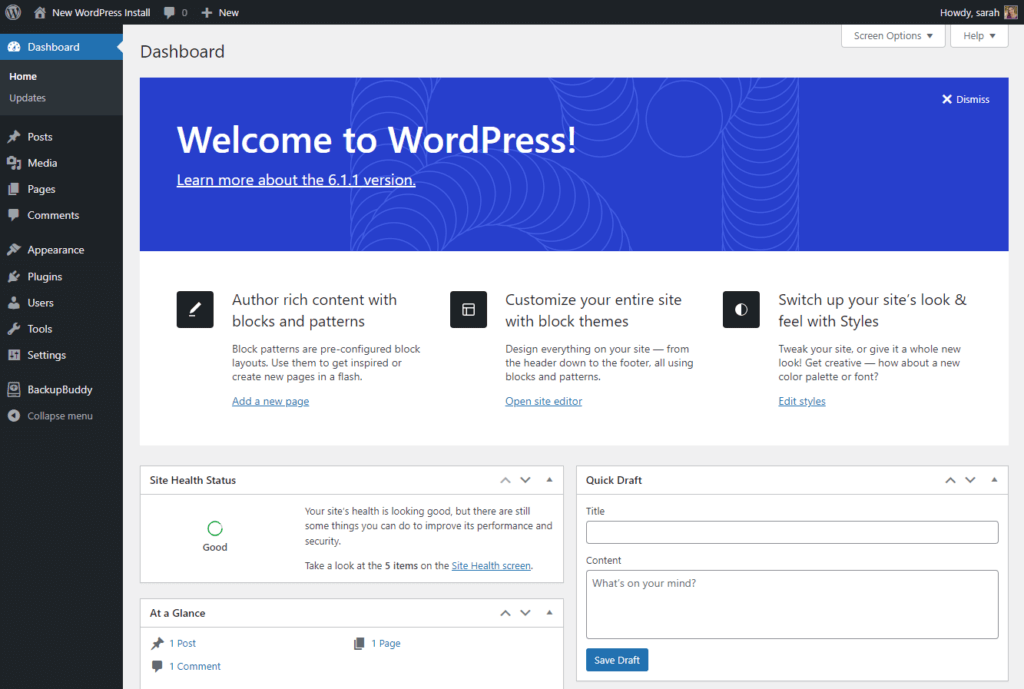
Credit: 10web.io
Deploying Your WordPress Theme
First, zip your theme folder. Open your FTP client. Connect to your server. Navigate to the wp-content/themes directory. Upload your theme zip file. Extract the zip file. Ensure all files are uploaded correctly. Check file permissions. Set permissions to allow access. Verify theme files are complete. Troubleshoot any upload issues. Seek help if needed.
Log in to your WordPress admin. Go to the Appearance tab. Find your theme under Themes. Click activate. Test your theme. Check for errors. Ensure all features work. Navigate through pages. Test on different browsers. Check mobile view. Fix any bugs. Adjust settings as needed. Ask for feedback from users. Improve your theme.
Maintaining And Updating Your Theme
Regular Updates ensure your theme works well. Updates fix bugs and add new features. It’s important to keep your theme fresh. Sometimes, updates improve security. Always check for new updates. Update often to keep your site safe.
Security Patches protect your site from hackers. Patches fix security holes. Apply patches quickly. They help keep your site safe. Safety is very important for your site. Never ignore security updates.
Incorporating Feedback helps improve your theme. Listen to users. They can give useful ideas. Feedback shows what works well. Feedback also shows what needs fixing. Use feedback to make your theme better.
Improvements make your theme more user-friendly. Small changes can have a big impact. Improvements help keep users happy. Happy users visit more often. Always look for ways to improve your theme.

Credit: www.youtube.com
Frequently Asked Questions
How Do I Start Converting Html To WordPress?
To start converting HTML to WordPress, you first need a basic understanding of both HTML and WordPress. Begin by creating a new theme folder in the WordPress directory. Then, copy your HTML files into this folder and split your HTML code into various PHP files, such as header.
php and footer. php.
Can I Convert Any Html Page To WordPress?
Yes, any HTML page can be converted to a WordPress theme. However, the complexity varies based on the HTML code and desired functionality. Simple HTML pages are easier to convert. More complex pages might require additional customization and coding. Understanding WordPress theme structure and PHP is essential for a successful conversion.
What Tools Help In Html To WordPress Conversion?
Several tools can assist in converting HTML to WordPress. Tools like Pinegrow and Elementor help streamline the process. Additionally, plugins like HTML Import 2 can aid in content migration. While these tools simplify the conversion, understanding the WordPress theme structure is crucial for effective use.
Is Coding Knowledge Necessary For Conversion?
Yes, coding knowledge is essential for converting HTML to WordPress. Understanding HTML, CSS, and PHP is important for building a WordPress theme. Basic WordPress functions and template hierarchy knowledge are also necessary. While tools can help, coding ensures greater control and customization during the conversion process.
Conclusion
Transforming your HTML page into a WordPress theme is achievable. Follow each step carefully. Start by understanding WordPress structure. Learn about templates and PHP files. Then, integrate your HTML content. Keep design elements intact. Test your theme thoroughly. Ensure responsiveness and functionality.
Check compatibility with plugins. Use resources and forums for support. This process might seem complex. But practice makes it easier. Create unique themes for your website. Enhance your WordPress skills. Enjoy the flexibility it offers. Make your site stand out.
Happy coding!


