
Ever stumbled upon a website that left you wondering about its web hosting provider? You’re not alone.
Knowing the web hosting company behind a website can reveal a lot about its performance, reliability, and even security. Whether you’re curious about a competitor, considering switching your own hosting, or just looking to satisfy your curiosity, discovering the web hosting company of any site is easier than you might think.
In this guide, you’ll uncover simple yet effective strategies to identify a website’s web host. Stick with us, and you’ll gain insights that could empower your online presence and decision-making. Ready to dive in? Let’s demystify the world of web hosting together!
Credit: www.elegantthemes.com
Identifying Hosting Information
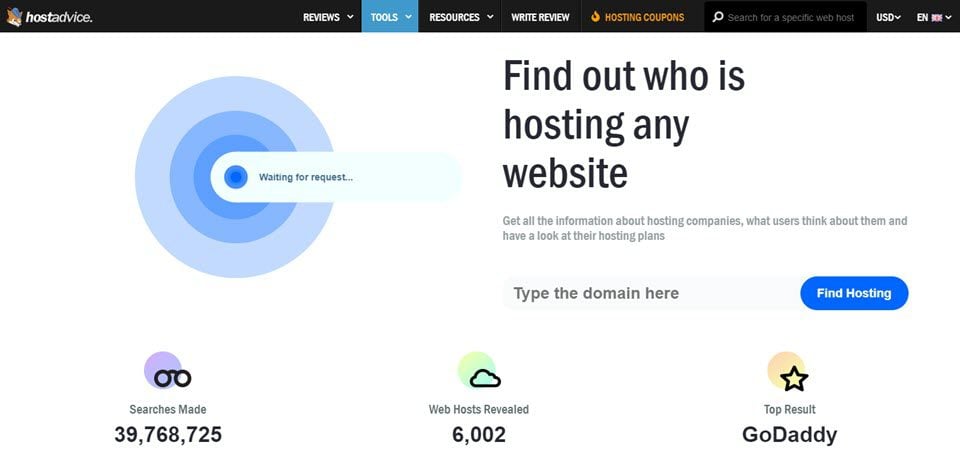
Online tools help find a website’s hosting company. Visit a tool like WhoIsHostingThis or HostAdvice. Enter the website’s URL in the search box. The tool will show you the hosting company name. This is quick and easy.
DNS records give clues about hosting. Use a DNS lookup tool like MXToolbox or DNSstuff. Enter the website’s domain name. Look at the NS (Name Server) and A records. These often show the hosting provider. Sometimes, the records are a bit tricky. But with practice, it gets easier.
Popular Tools For Hosting Checks
Whois Lookup is a tool to find a website’s hosting details. It shows the domain name’s owner and registration details. This tool is easy to use. Just enter a website’s URL. It will show the hosting company’s name. Whois Lookup is helpful for checking domain expiration too. It can show when the domain was registered. Also, it tells when it will expire. This information is useful. Especially for website owners.
Many websites can check hosting details. Some of the popular ones include WhoIsHostingThis and Site24x7. These sites help find the hosting provider. Users just need to enter the website’s URL. The tool shows the hosting company’s name. These tools are free to use. They are quick and easy. Most people can use them without trouble. They give fast results. And they help in knowing more about a website.
Manual Methods For Verification
Finding a website’s IP address can reveal its host. Use an online tool to discover the IP. This is like finding the website’s home. Once you have the IP, search online for the hosting provider. Some websites hide their IPs. In that case, use other methods.
Server location tells where the website is hosted. It can affect website speed. Use online services to check the server’s place. This helps in understanding the host better. Sometimes, hosts have servers in many places. This can make your search a bit tricky. Always verify the server location carefully.
Understanding Dns Configuration
Nameservers help computers find websites. They act like guides. Every website has nameservers. They tell browsers where to go. Without nameservers, websites are lost. Nameservers store important data. This data helps in website hosting. Hosting companies use nameservers to manage sites. Checking nameservers reveals hosting info. Each hosting company has unique nameservers. Identifying these is crucial for web hosting.
Hosting identification depends on nameservers. Nameservers show where sites are hosted. They reveal the hosting company. This helps in troubleshooting. Nameservers give clues about hosting plans. Knowing nameservers aids in checking hosting details. It simplifies the process. Accurate nameservers are vital. They ensure correct hosting identification. Always verify nameservers for hosting info.
Common Challenges
Finding the hosting company can be tricky. Tools might give wrong results. Sometimes they show old information. Websites change hosts often. It can confuse tools. Some tools may not update quickly. Always double-check with more than one tool. Some tools are better than others. Choose wisely to get correct answers. Look for tools with good reviews. They might be more accurate.
Some websites hide their hosting details. This makes it hard to find them. Privacy settings can block tools. They protect website information. Hosts offer privacy services. These services keep hosting info secret. This is good for website owners. But it makes finding hosts harder for others. Not all websites use privacy. Some are open about their hosts. Always respect privacy settings. It’s important to follow rules.

Credit: www.nameboy.com
Tips For Accurate Hosting Checks
Finding a website’s hosting company can be tricky. Use multiple tools to get the best results. Websites like Whois show hosting info. Check out HostAdvice for more details. Sometimes, results can be wrong. That’s why using different sources is smart. Tools might show different things. Cross-checking helps find the truth. Always use more than one tool. It makes the search more reliable.
Make sure details match. Look at DNS records. They show hosting data. Compare them with your tool’s info. Use IP address checks too. They reveal hosting links. If details don’t match, check again. It’s like solving a puzzle. More checks mean better answers. Get the most accurate info by cross-referencing.

Credit: hostingchecker.com
Frequently Asked Questions
How To Find Out What Platform A Website Is Hosted On?
Use online tools like BuiltWith or Wappalyzer to discover a website’s hosting platform. Inspect the website’s code for clues. Check the WHOIS information for hosting details. Look for web hosting badges or mentions in the website’s footer. These methods can help identify the hosting provider quickly.
How Do I Know The Web Server Of A Website?
Use online tools like “WhatWeb” or “BuiltWith” to identify a website’s web server. Simply enter the website URL, and the tool provides server details. You can also check HTTP headers using browser developer tools for server information.
How Do I Know If My Website Is Hosted?
Check your website by entering the URL in a browser. If it loads, it’s hosted. Alternatively, use online tools or contact your domain registrar for hosting details. Ensure your hosting provider offers reliable uptime and support. Regularly monitor your site’s performance for optimal results.
How Do I Find My Dns Hosting Provider?
To find your DNS hosting provider, check your domain registrar’s website. Look for DNS or nameserver settings. Alternatively, use online tools like “whois” to find DNS details. This information helps identify your DNS host. Always ensure you have access to your domain registrar account for accurate details.
Conclusion
Finding a website’s hosting company is straightforward. Use online tools for easy access. Check the website’s domain registration details. Explore the WHOIS database for hosting information. Most tools provide quick results. Look for hosting details in the website’s source code.
These methods help identify hosting providers. Understanding hosting can improve your website management. Knowing your hosting company aids in troubleshooting. It’s vital for web optimization. These steps simplify the process. Explore hosting information to make informed decisions. Boost your website efficiency by knowing the host.
Stay informed about your website’s hosting company.


