
Struggling to make your WordPress website truly stand out? You’re not alone.
Many WordPress users want to customize their sites without risking their hard work. That’s where a Divi Child Theme comes in. Creating a child theme allows you to tweak and tailor your site’s design safely. Imagine having the freedom to experiment with new styles or features without the fear of losing your original design.
Sounds great, right? In this guide, you’ll learn how to create a Divi Child Theme step-by-step, empowering you to enhance your website effortlessly. Ready to unlock the full potential of your WordPress site? Let’s dive in!
What Is A Divi Child Theme?
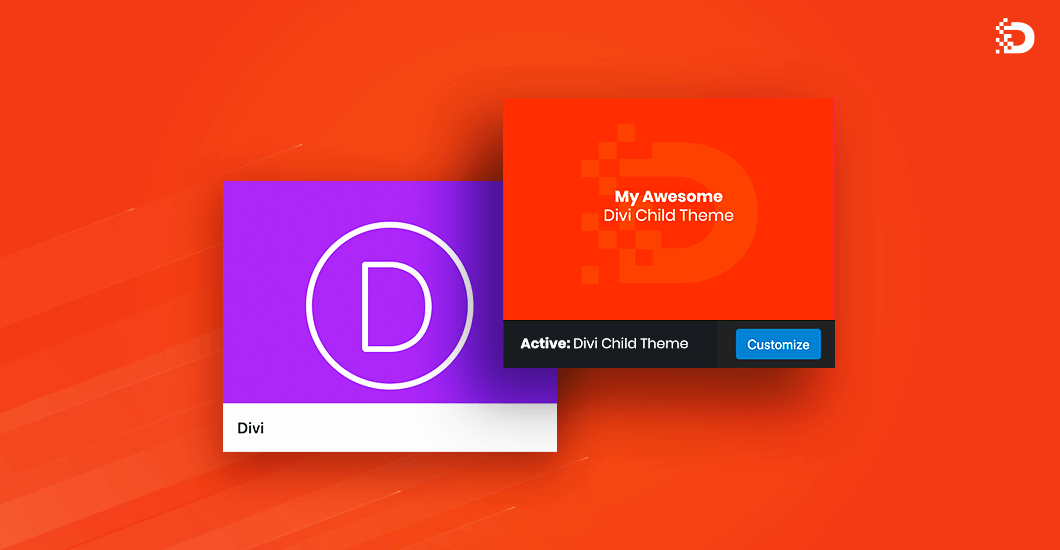
A Divi Child Theme is like a small helper. It sits on top of the main Divi theme. It lets you make changes without touching the main theme. This keeps your changes safe during theme updates. Imagine a child copying what a parent does but with its own style. That’s what a child theme does. It copies the main theme but allows for your special tweaks.
Using a child theme is smart. It keeps your website customized and secure. You can change the look of your site easily. You don’t lose work if the main theme updates. Many people use child themes for this reason. It’s a safe way to personalize your site.

Credit: diviflash.com
Benefits Of Using A Child Theme
Child themes help keep your site safe from updates. When the main theme updates, your changes stay intact. This means you won’t lose any custom work. Using a child theme makes customization easier and safer. You can change styles without touching the main theme files. This keeps your site clean and organized. Child themes also help with trouble-free upgrades. You can update the parent theme without worry. Problems are less likely, so your site stays running smoothly.
Child themes allow easy experimentation. Try new designs without the risk of breaking your site. This is ideal for learning and testing new ideas. With child themes, you have full control over your site. Make changes, knowing you won’t affect the main theme.
Prerequisites For Creating A Child Theme
Creating a child theme needs some basic tools and skills. You must have a working knowledge of WordPress and the Divi theme. A text editor like Notepad++ or Sublime Text is necessary. You will also need FTP access to your website. Basic understanding of HTML, CSS, and PHP helps a lot. Make sure you have an idea of how WordPress themes work. Back up your website before making changes. This keeps your data safe. A little patience is helpful too. Learning this process takes time. But it is rewarding.
Creating A New Folder And Files
Create a new folder in your WordPress theme directory. Name it something like “divi-child”. This folder will hold all your child theme files. It is important to choose a simple name. This makes it easy to remember.
Inside the new folder, create a file named style.css. This file tells WordPress about your child theme. Add this code at the top:
    /
    Theme Name: Divi Child
    Template: Divi
    /
The Theme Name can be anything you like. The Template must match the parent theme’s folder name.
Create a functions.php file in the child theme folder. This file can add or change functions. Add this code:
php
    function child_theme_enqueue_styles() {
        wp_enqueue_style('parent-style', get_template_directory_uri() . '/style.css');
    }
    add_action('wp_enqueue_scripts', 'child_theme_enqueue_styles');
    ?
This code connects the parent theme’s styles. It helps keep everything looking good.
Enqueuing The Parent Theme Styles
Divi child themes need the parent theme styles. This keeps the design consistent. Use a simple code snippet to do this. Place it in the functions.php file. This file is in your child theme folder.
Use the wp_enqueue_style function. This loads the parent theme stylesheet. Use the proper handle name for the stylesheet. This ensures it connects correctly.
Here is an example code snippet:
php
        function enqueue_parent_styles() {
            wp_enqueue_style('parent-style', get_template_directory_uri() . '/style.css');
        }
        add_action('wp_enqueue_scripts', 'enqueue_parent_styles');
        ?
Copy and paste this code. Save your changes. Now, your child theme uses the parent theme styles. Your site should look right.

Credit: www.elegantthemes.com
Customizing Your Child Theme
Crafting a Divi child theme in WordPress allows safe customization without altering the parent theme. Begin by creating a new folder in your WordPress themes directory for your child theme, then add a stylesheet and functions file to define its structure.
This method preserves updates while offering flexibility to tailor the design.
Adding Custom Css
CSS helps style your website. It makes your site look unique. First, open the WordPress dashboard. Go to Appearance and then Customize. Find the Additional CSS section. You can add your custom styles here. Remember, changes appear in real-time. Use simple CSS properties. For example, change colors or fonts. Always save your changes. Refresh your site to see the updates.
Modifying Template Files
Template files control your site’s layout. Copy files from the parent theme. Paste them in the child theme folder. Never edit the parent theme directly. This keeps updates safe. You can change the header, footer, or single post layout. Use a text editor for changes. Save each file after editing. Check your site to see the new look. Make sure everything works well.
Activating Your Child Theme
Open your WordPress dashboard. Find the Appearance tab. Click on Themes. You will see a list of themes. Find your child theme. It should be listed there. If not, check your upload process. Ensure you uploaded it correctly. Click on your child theme. Then click on Activate. This makes your child theme live. Always check your site after activation. Look for changes or errors. Ensure everything works well. If something looks wrong, check your child theme files. Sometimes small errors can cause big problems. Always keep a backup of your site. This helps if something goes wrong.
Testing And Troubleshooting
Creating a Divi child theme in WordPress involves testing and troubleshooting to ensure functionality. Install the child theme, activate it, and check for errors. Resolve any issues to maintain a smooth website experience.
Common Issues
Some errors might happen while making a Divi child theme. Sometimes, styles won’t show as expected. Or, plugins might stop working. Broken links are another problem. They might lead to a 404 error page. Missing files can cause issues too. If files are not in the right folder, the theme might break. Always check paths to files and ensure they are correct.
Debugging Tips
Start by checking the error messages. They show what’s wrong. Use the browser’s developer tools. They help find problems in the code. Disable plugins one by one. This can pinpoint a plugin causing issues. Check file paths. Ensure they are correct. Compare your child theme to the parent theme. Sometimes, missing code in the child theme causes errors. Backup your website before making changes. This keeps your site safe.
Maintaining Your Child Theme
Creating a Divi child theme in WordPress helps customize your website safely. It protects your changes during theme updates. Follow simple steps to set up your child theme, ensuring your website remains unique and functional.
Updating Safely
It’s important to keep your child theme updated. Updates fix problems and add new features. Before updating, always check if the update is safe. Reading update notes can help. This will inform you about what is new or fixed. If you find issues, wait before updating. Sometimes, updates can break things. Make sure to always update your parent theme too. This ensures everything works well together.
Backing Up Your Customizations
Before making changes, always back up your work. Use tools like FTP or cPanel to save files. This way, you can restore them if needed. Also, keep a record of what you changed. This helps you remember why you made changes. Saving your customizations prevents loss. If something goes wrong, you can easily go back. This keeps your website safe and secure.
Credit: www.divi-pixel.com
Frequently Asked Questions
What Is A Divi Child Theme?
A Divi child theme is a separate theme that inherits functionalities from the main Divi theme. It allows customization without altering the main theme files. This ensures that updates to the Divi theme do not overwrite your changes, providing a safe environment for modifications.
Why Create A Child Theme In WordPress?
Creating a child theme in WordPress helps preserve customizations during updates. It allows you to modify styles and functionalities without affecting the main theme. This approach is essential for developers wanting to make extensive changes while ensuring their work remains intact after theme updates.
How Do You Install A Divi Child Theme?
To install a Divi child theme, first create a folder in the themes directory. Add a style. css and functions. php file. Then, upload the child theme via the WordPress dashboard. Activate it to start using its customization capabilities while keeping the main Divi theme intact.
Can A Divi Child Theme Be Customized?
Yes, a Divi child theme can be customized extensively. You can add custom CSS, modify templates, and change functionalities. By using a child theme, you keep your changes safe from updates to the main Divi theme, ensuring your customizations remain unaffected.
Conclusion
Creating a Divi child theme in WordPress is simple and effective. It protects your customizations during theme updates. Follow the steps outlined for a smooth process. Start by creating a new folder for your child theme. Add a style. css file and functions.
php file. These files are essential for the child theme. Activate your child theme through the WordPress dashboard. This ensures your changes remain safe. Now, you can customize your site without worry. Enjoy a personalized website experience with ease. Explore more options and enhance your site’s look and functionality.


