
Imagine the satisfaction of crafting your own unique WordPress theme, one that perfectly reflects your brand or personal style. Creating your own website theme might sound challenging, but with the right guidance, it’s a rewarding endeavor.
You can break free from the limitations of pre-made themes and have full control over your site’s design and functionality. In this guide, you’ll discover how to code your own WordPress theme step-by-step, even if you’re a beginner. Dive in to unlock the power of customization and make your website stand out in the digital crowd.
Your vision deserves to be brought to life, and this is where it starts.
Essential Tools And Software
A good text editor or IDE is important. Visual Studio Code is popular. It is free and easy. Sublime Text is fast and clean. Both support many plugins. Plugins make coding easier.
Git is the most used version control system. It helps track changes. GitHub works well with Git. It stores your code online. This makes sharing easy. Learning Git is helpful.
WordPress has many development plugins. WP Debugging helps find errors. Query Monitor checks database queries. Both are very useful. They help improve website speed.
Understanding WordPress Theme Structure
WordPress themes consist of several core files. These files are crucial. They include style.css and index.php. The style.css file controls your theme’s look. It sets colors and fonts. The index.php file is vital. It displays content on your site. Themes also have directories like images and scripts. These store media and code. Properly organizing these directories helps your theme function.
WordPress uses template hierarchy. This system determines which file to use. It changes based on your page’s type. For instance, single.php shows individual posts. archive.php displays lists of posts. Understanding hierarchy helps you customize pages. Each file serves a specific purpose. Learn these to make your theme unique.
Themes need essential components to work well. They require header.php and footer.php. These files structure your site. Header.php is at the top. It includes navigation and logos. Footer.php is at the bottom. It shows important links. Other components like functions.php add features. These components are key to a working theme.
Setting Up The Development Environment
Begin by setting up a local development environment on your computer. This lets you work on your website without going online. Use software like XAMPP or MAMP. These tools create a virtual server on your machine. It’s like having a mini internet just for you.
Download the WordPress package from the official site. Extract the files to the htdocs or www folder. Open your browser and type localhost/wordpress to start the setup. Follow the on-screen instructions. Create a database using phpMyAdmin.
A testing server is important. It helps to see changes in real-time. Configure the server by editing the wp-config.php file. Add your database information here. Save and refresh your browser. Your local WordPress site should be working now.

Credit: wordpress.com
Creating A Basic Theme
Create a new folder for your WordPress theme. Name it clearly. Inside, make two files: index.php and style.css. These are the core files. They help WordPress recognize your theme. The style.css file needs a special comment at the top. This comment tells WordPress about your theme. Include details like the theme name and author.
Open the style.css file. Add basic styling rules. This makes your theme look good. Use the index.php file for simple HTML. This file shows content on your site. Add a basic HTML structure here. Include a header, footer, and a content area. These are important for layout.
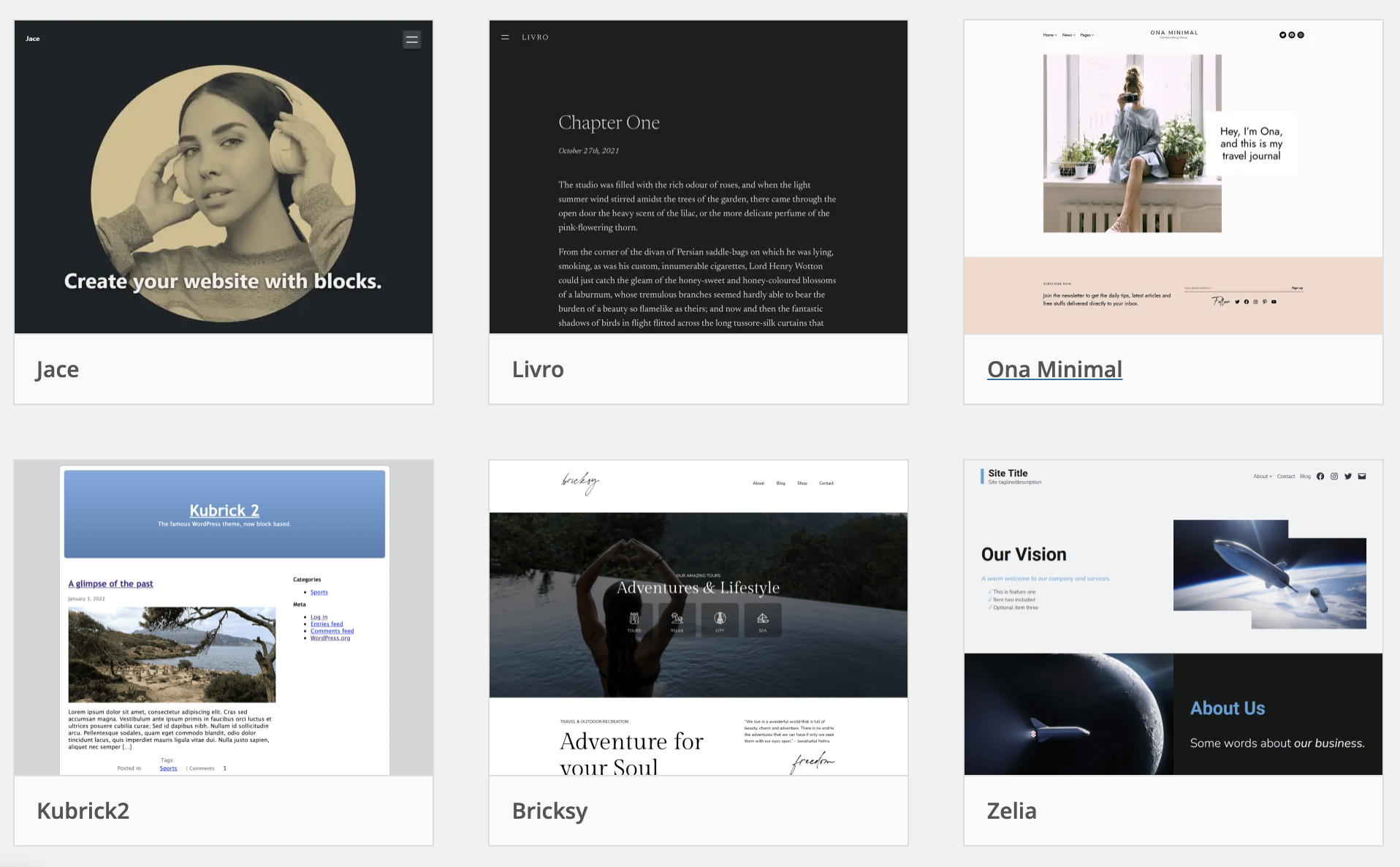
Go to your WordPress dashboard. Find the Appearance menu. Click on Themes. You will see your new theme listed. Click Activate to use it. Your theme is now live. You can now visit your website. Check how it looks with the new theme.
Customizing Theme Design
CSS helps you make your theme look nice. Change colors and fonts with CSS. You can also adjust spacing and layout. These changes make your site unique. CSS is like magic for your design.
Fonts give your site a special feel. Use Google Fonts or upload your own. Custom fonts make your site stand out. Choose fonts that match your theme style. Fonts can change how visitors feel. Different fonts send different vibes.
Responsive design is important. It helps your site look good on phones and computers. Use media queries to adjust layouts. Flexible grids make your site adapt to screen sizes. Visitors like sites that work everywhere. Responsive sites are easier to navigate.
Adding Dynamic Features
Widgets make a website more fun. Custom widgets show unique content. They make your theme special. Widgets are easy to create. Use simple code snippets. Add them to your theme’s code. This helps you show different content. Like videos, images, or text. Try it out and see your site become unique.
Shortcodes help you add features fast. They are small codes. These codes do big tasks. Like adding buttons or forms. Place them anywhere in your posts. Shortcodes save time. They make your posts look great. Just type a few words. Your post will shine.
Hooks are like magic in WordPress. They let you add or change features. Hooks can be actions or filters. Actions let you add new things. Filters let you change existing things. Learning hooks is fun. They make your theme powerful. Play with hooks and see the magic.
Enhancing User Experience
Navigation menus make websites easy to use. Users find things quickly. Simple menus are best. Keep them tidy. Use clear names. Avoid too many links. This helps users. They stay longer. Happy visitors return.
Custom page templates give sites a unique look. Design pages your way. Match the theme. Make templates fit your style. Users like fresh designs. They enjoy exploring. Custom pages make the site special.
Optimizing load speed is vital. Fast sites work better. Users dislike slow pages. They leave quickly. Speed up images. Use smaller files. Quick pages keep users engaged. Fast sites rank higher. Everyone wins.
Credit: wptavern.com
Testing And Debugging
Coding a WordPress theme requires careful testing and debugging. Fix errors to ensure smooth functionality. Identify and solve issues for a seamless website experience.
Browser Compatibility Checks
Ensure your website looks good in all browsers. Test in Chrome, Firefox, Safari, and Edge. Each browser may show things differently. Find and fix these differences. Always check your theme on phones and tablets too. This ensures everyone sees the same design.
Using Debugging Tools
Debugging tools help find errors in code. Chrome DevTools is popular. It shows code mistakes and helps fix them. Firefox Developer Edition is another good tool. Use these tools to see how your theme works. Fixing errors makes your theme better.
Fixing Common Issues
Some issues are easy to fix. Broken links and missing images are common. Check links and paths in your code. Fix any mistakes you find. Always clear your browser cache after changes. This shows the latest version of your theme.
Preparing For Theme Launch
Check your theme for any errors. Look for broken links or images. Make sure the site loads quickly. Test on different devices. This ensures it looks good everywhere. Ask friends to give feedback. Make last changes as needed. A smooth experience is important for users.
Write clear instructions. Explain how to set up the theme. Include steps for customization. Add screenshots if needed. This helps users understand better. Keep the language simple. Documenting makes it easier for others to use the theme.
Ensure your theme follows guidelines. Check for required files. Submit the theme through the official process. Wait for the approval. Once approved, your theme will be live. Others can then use your theme on their sites.
Credit: www.nosegraze.com
Frequently Asked Questions
How Do I Start Coding A WordPress Theme?
Begin by setting up a local development environment. Use tools like XAMPP or MAMP. Familiarize yourself with WordPress theme structure, including PHP, HTML, CSS, and JavaScript. Start with a basic theme template, and gradually customize it to fit your design and functionality needs.
What Tools Are Needed To Code A Theme?
Essential tools include a code editor like Visual Studio Code or Sublime Text. You need a local server environment such as XAMPP or MAMP. Familiarity with WordPress documentation and developer resources will be helpful. Version control tools like Git can also streamline your development process.
Can I Use Existing Themes As A Base?
Yes, using existing themes as a base is common. Start with a theme that closely matches your design goals. Customize the code to suit your needs. This approach saves time and helps you understand theme structure. Ensure to check the theme’s licensing before modifications.
Do I Need Coding Experience For Theme Development?
Basic coding knowledge is essential for WordPress theme development. Understanding HTML, CSS, PHP, and JavaScript is crucial. Many resources and tutorials can help beginners start. The more experience you have, the easier it will be to customize and troubleshoot your theme effectively.
Conclusion
Creating your own WordPress theme can be rewarding. It adds personal touch to your site. Start with basic coding skills. Learn HTML, CSS, and PHP. Use WordPress Codex for guidance. Break tasks into small steps. Customize design and layout. Test your theme thoroughly.
Ensure it functions smoothly. Keep learning and improving your skills. Coding your own theme boosts creativity. It gives your website a unique look. Feel proud of your achievement. You’ve built something valuable. Enjoy your new, personalized website theme.


