
Are you worried that your WordPress site might be under threat from hidden malware? You’re not alone.
Many website owners face this concern, and it’s crucial to ensure your site’s safety. You’ll discover simple yet effective ways to check your WordPress theme for any lurking malware. By the end of this guide, you’ll have the confidence to secure your site and protect your valuable content.
So, let’s dive into the essential steps to safeguard your online presence and give you peace of mind. Keep reading to learn how to keep your WordPress site safe and secure.
Importance Of Secure WordPress Themes
Using a secure WordPress theme is very important. It keeps your website safe from hackers. Bad themes can have malware. Malware can harm your website. It can steal your data. It can also slow down your site. Always choose themes from trusted sources. They are checked for safety. Free themes can be risky. Check reviews before using them.
Regular updates are key. They fix bugs and improve security. A good theme is updated often. Outdated themes may have security holes. Always update your themes. Back up your site before making changes. This keeps your data safe.

Credit: www.youtube.com
Common Signs Of Theme Malware
Strange ads pop up on your site. This could mean malware. Your site might slow down. Malware can cause this. Watch for unknown links. They may lead to harmful sites. Check your site for weird code. It might be hidden malware. Visitors could see fake login pages. This is a major sign of danger.
Tools For Malware Detection
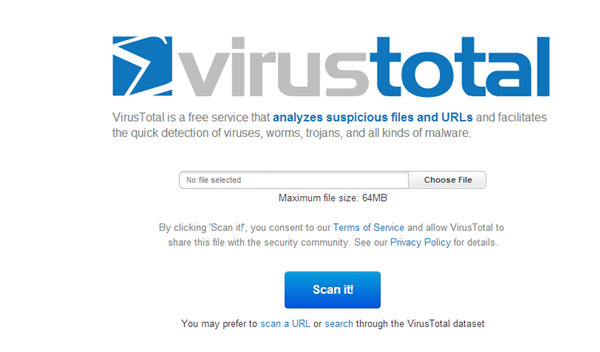
Free scanners can help find malware in WordPress themes. They are easy to use. No need to install anything. Just enter your website URL. Some popular tools include Sucuri SiteCheck and VirusTotal. These tools scan your site for malicious code. They also look for blacklisting status. Results come quickly. Often in just seconds. These tools are very helpful. But they might miss some threats. Regular checks are important. Keep your site safe.
Premium plugins offer more features. They give real-time protection. Plugins like Wordfence and iThemes Security are well-known. They scan your WordPress themes deeply. Premium options often include firewalls and malware removal tools. They are more thorough. But they come with a cost. These plugins provide automatic updates too. This keeps security strong. Investing in premium plugins can be wise. Your site will be more secure.

Credit: www.youtube.com
Manual Inspection Techniques
Open the theme folder. Look at the files carefully. Check for files with strange names. These could be malicious files. Pay attention to files ending in .php. These files can be risky. Compare the files with a clean theme. Spot any unusual differences.
Open the theme’s code. Look for code that is hard to read. Such code is often hidden. It might be doing bad things to your site. Use a code editor. It helps you see the code clearly. Search for words like “eval” or “base64”. These words often hide malware.
Using Malware Scanning Plugins
Scanning plugins help keep your WordPress site safe. They check for malware and other security threats. Many plugins are popular for this task.
Popular Plugins To Consider
- Wordfence Security: Known for its firewall and malware scanner.
- Sucuri Security: Offers site auditing and integrity monitoring.
- MalCare: Detects and removes malware instantly.
- Anti-Malware Security: Regularly updates to find new threats.
How To Use Scanning Plugins
First, install the plugin from the WordPress directory. Activate it on your site. Go to the plugin settings. Select the scan option. Start the scan process. Wait for the scan to finish. Check the results for issues. Follow steps to fix any problems found.
Credit: woorkup.com
Updating And Maintaining Themes
Detecting malware in your WordPress theme protects your site. Use security plugins like Wordfence or Sucuri for scanning. Regular checks ensure safety.
Importance Of Regular Updates
Regular updates keep your theme safe. New updates fix bugs. They close security holes too. Themes get new features with updates. These features improve site looks. Updates can also boost speed. Fast sites keep visitors happy. Outdated themes can be risky. Hackers find old code easy to break. Keep your theme up-to-date. This protects your site from harm. Check for updates often. Set themes to update automatically. This saves time and keeps you safe.
Backup Strategies
Backups are very important. They save your work. Mistakes happen. A backup can fix them. Backups protect against data loss. Make backups before updates. Updates can sometimes break things. A backup can restore your site. Use plugins for backups. They are easy and quick. Store backups in a safe place. Cloud storage is a good choice. Don’t forget to test your backups. Make sure they work well. Regular backups keep your site safe.
Best Practices For Theme Security
Scanning your WordPress theme for malware is crucial for security. Use trusted plugins like Wordfence to identify threats. Regular updates and backups enhance your site’s protection against malicious code.
Choosing Reliable Sources
Picking a theme from the WordPress directory is a smart choice. These themes are checked for security. Many trusted developers also offer safe themes on their websites. Always read reviews before downloading. Reviews can show if a theme is safe. A theme with good ratings is usually trusted. Avoid themes with many negative comments.
Avoiding Nulled Themes
Nulled themes are dangerous. These themes are hacked versions. They can have malware hidden inside. Hackers use malware to steal data or break websites. Using nulled themes can harm your site. Always buy themes from trusted sellers. Paid themes from reliable sources are safer. Investing in a safe theme protects your site. Your site’s security is very important.
Responding To A Malware Infection
First, stay calm and take action. Disconnect your site from the internet. This stops the spread of malware. Notify your hosting provider right away. They can help and guide you. Change all passwords: admin, FTP, and database. Use strong passwords to protect your site.
Scan your site with a trusted malware scanner. Remove any infected files. Backup your clean files. Keep them safe. Update your themes and plugins. Restore your site using a clean backup. Make sure it’s free from malware. Monitor your site regularly. Check for any unusual activity.
Frequently Asked Questions
How Can I Detect Malware In My WordPress Theme?
Detecting malware in your WordPress theme involves using security plugins. Tools like Wordfence or Sucuri can scan your theme. They identify malicious code and potential threats. Regular scans and updates enhance protection. Also, ensure your theme is from a reputable source.
What Signs Indicate A Theme Has Malware?
Signs of malware include slow website performance and unusual pop-ups. Unexpected redirects or strange files can also indicate infection. Check for unauthorized changes in your settings. Regularly monitoring site activity helps detect these issues early.
Can Malware Affect WordPress Site Ranking?
Yes, malware can negatively impact your site’s ranking. Search engines may flag your site as unsafe. This leads to decreased traffic and credibility. Removing malware quickly is essential to maintain SEO performance. Regular security checks are crucial.
How To Prevent Theme Malware In WordPress?
To prevent malware, always use trusted themes. Regularly update your themes and plugins. Employ security plugins for additional protection. Avoid downloading themes from unknown sources. Regular backups ensure recovery in case of an attack.
Conclusion
Checking your WordPress theme for malware is crucial. Protect your site and data. Regular scans keep threats at bay. Use trusted tools for accurate results. Stay informed about common malware signs. Quick actions prevent long-term damage. Backup your files regularly.
Secure your site with strong passwords. Update themes and plugins frequently. A safe site boosts user trust. It also improves search engine rankings. Keep your WordPress environment healthy and secure. A little vigilance goes a long way in safeguarding your online presence.
Your site deserves the best protection. Stay proactive and keep threats away.


