
Are you tired of your WordPress theme dictating the look and feel of every page on your site? You’re not alone.
Many site owners crave the flexibility to create unique pages that stand out, without being limited by a theme’s constraints. Imagine having complete creative control, where each page reflects exactly what you envision. This guide will show you how to bypass your WordPress theme for a specific page, unleashing a world of customization possibilities.
You’ll discover simple, effective techniques that empower you to tailor-make your website’s pages, making them as unique as your brand. Ready to transform your site? Let’s dive in and unlock the true potential of your WordPress website.
Understanding WordPress Themes
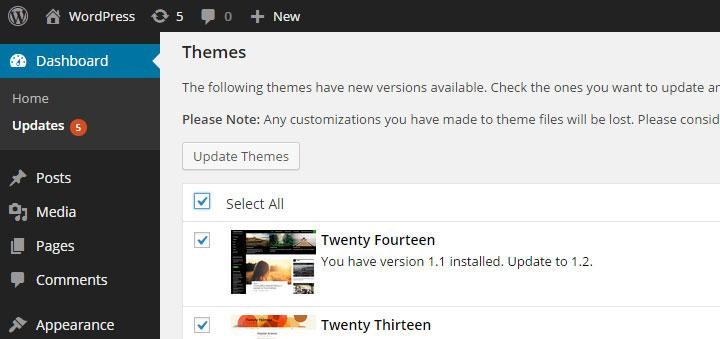
A WordPress theme is a collection of files. These files control the look of your site. They include design and layout. Themes make your site look nice and work well. You can change themes. This changes your site’s appearance. There are many free themes. Some themes cost money. Choose a theme that fits your needs. Themes are easy to install. You can switch themes anytime.
Themes are very important for WordPress sites. They give your site a unique look. They also help with site functions. A good theme can improve site speed. It can also improve user experience. Themes can affect how your site ranks on search engines. Choose a theme that is SEO-friendly. This helps more people find your site. Themes also make your site easy to navigate. This keeps visitors happy and engaged.
Credit: www.acunetix.com
Reasons To Bypass A Theme
Some themes limit your design choices. You might want a special look. Custom styles can make your page stand out. Adjusting layouts is sometimes hard with themes. You need freedom to change every part. This helps make pages unique and personal.
Themes can be heavy. They slow down your site. Fast pages keep visitors happy. Removing extra theme parts speeds things up. Simple designs load quicker. Less clutter helps servers work better. People like quick websites.
Every page needs its own look. Themes often use the same style everywhere. Variety keeps things fresh. Custom pages show your brand better. You can highlight important info. Tailored designs make pages special.
Pre-requisites And Tools
Basic HTML and CSS knowledge is helpful. Understanding WordPress themes is good. Learn about child themes. Know how to use the WordPress dashboard. This is important.
Grasp simple PHP functions. This helps in editing. Know how to upload files via FTP. It helps with page changes. These skills make the task easier.
Use a code editor like Notepad++. It’s free and easy. FileZilla helps with FTP transfers. It’s a useful tool.
Install the Duplicator plugin. It aids in backups. The Elementor plugin can help build pages. These tools are handy.
Creating A Custom Template
A child theme helps keep changes safe. First, create a new folder in the themes directory. Name it your theme name with “-child” at the end. Add a style.css file inside. This file tells WordPress it’s a child theme. Include a template line in the file. It should point to the parent theme. This way, WordPress knows the connection. Lastly, add a functions.php file. This file loads the parent’s styles. Your child theme is ready!
A custom page template lets you change how a page looks. First, make a new file. Name it with “page-” and your choice. Add “.php” at the end. Use a text editor to open it. At the top, add a template name comment. This comment tells WordPress what the template is called. Now, add your HTML and PHP code. This controls the page design. Save the file in your child theme folder. Your custom template is ready!
Open your WordPress dashboard. Go to Pages. Click the page you want to change. Find the “Template” option on the right. Choose your custom template from the list. Click “Update” to save. Now, view the page. It should look different with your template. Easy, right? Just like magic!
Using Page Builders
Page builders allow users to design pages without relying on WordPress themes. They offer flexibility and ease in customization. Create unique layouts by using these tools, bypassing default theme restrictions.
Advantages Of Page Builders
Page builders offer easy customization. No need to code. You can drag and drop elements. This makes design fun and simple. They save time. Build pages faster. New designs are easy to create. User-friendly for everyone.
Popular Page Builder Options
Elementor is a great choice. Many features included. Divi is also popular. Offers unique tools. Beaver Builder is another good one. Easy to use and reliable. Each has unique benefits. Choose what suits you best.
Integrating With Existing Themes
Page builders work well with themes. They enhance the design. Add new features easily. No need to replace the theme. Builders fit in smoothly. They give more design options. Make your page look amazing.
Credit: www.wpbeginner.com
Utilizing Custom Css And Javascript
Custom CSS can change your page’s look. Add your own styles to make it unique. Use the WordPress Customizer to add CSS. Go to Appearance, then Customize, and find Additional CSS. Paste your CSS there. It changes how your page looks. Make fonts big or change colors. Keep your code simple. Test changes often. Check on different devices. This makes sure it looks good everywhere.
JavaScript adds cool features to your page. Use it to make buttons work better. Add JavaScript in the header or footer. Use a plugin for this. Plugins help add code safely. Test your JavaScript code. Make sure it works well. Try it on different browsers. This ensures everyone sees the same thing. Keep your JavaScript code short and clear.
Testing And Debugging
Ensuring Compatibility is crucial for a smooth website experience. First, test the page without the theme. Check if all elements load correctly. Look at fonts, images, and layout. They should appear as intended. Use different browsers for testing. Ensure that the page looks good everywhere. Check mobile compatibility too. Use tools to simulate phones and tablets. This helps in catching errors early.
Troubleshooting Common Issues can be tricky. If the page breaks, look for missing files. Check if scripts are loading properly. Errors in the console can give clues. Sometimes plugins conflict with themes. Disable plugins one by one. See if the issue resolves. Keep backups before making changes. This prevents data loss. Always document changes. It helps in tracking errors.
Credit: www.wpbeginner.com
Best Practices
Maintaining theme consistency is key. Keep the colors and fonts similar. Use the same logo across pages. Users should feel they are on the same site. This builds trust. Consistency also improves user experience. Avoid drastic changes in layout.
Ensuring mobile responsiveness is crucial. Most users browse on phones. Test your page on different devices. Make sure buttons are easy to click. Text should be readable without zooming. Images should fit screens well.
SEO considerations matter for traffic. Use keywords wisely. They should be relevant to your page. Avoid keyword stuffing. Write meta descriptions for better visibility. Use alt tags for images. This helps search engines understand your content.
Frequently Asked Questions
What Is A WordPress Theme Bypass?
A WordPress theme bypass lets you use a different design for specific pages. It overrides the default theme settings, giving you flexibility. This approach is ideal for landing pages or custom designs. You can achieve this using plugins, custom templates, or code snippets.
Why Bypass A WordPress Theme?
Bypassing a theme allows for customized page designs without affecting the rest of your site. It’s useful for creating unique layouts or testing new designs. This approach enhances user experience and aligns specific pages with branding goals.
How Can I Bypass A Theme For One Page?
To bypass a theme for one page, use a custom page template. Create a new template file and assign it to your page. Alternatively, use plugins that offer page-specific design options. Both methods are effective for achieving unique page layouts.
Are Plugins Needed For Theme Bypass?
Plugins are not always required for theme bypass. You can use custom templates or code snippets instead. However, plugins can simplify the process, offering user-friendly interfaces for design customization. They are useful for non-developers seeking easy solutions.
Conclusion
Bypassing a WordPress theme for a page is quite doable. It allows you more control over your website’s appearance. This technique can enhance user experience significantly. Start by using a page builder or custom templates. These tools help create unique layouts without altering the main theme.
Always remember to back up your website before making changes. This ensures safety and prevents data loss. Experimenting with different designs can inspire creativity. Try different options to find what fits best. Keep the process simple and follow step-by-step guidelines.
With patience, your website will look exactly how you envision.


