
Creating member profiles on your WordPress site can transform how you engage with your community. Imagine giving your users a personalized experience that not only makes them feel valued but also boosts interaction and loyalty.
You’re about to discover how to create a member profiles WordPress theme that can revolutionize your website. Whether you’re running an online forum, a membership site, or a social platform, having member profiles can set you apart from the competition.
This guide will reveal the secrets to designing a theme that not only looks great but also functions seamlessly. Ready to elevate your site? Let’s dive into the details that will captivate your users and keep them coming back for more.
Choosing The Right Theme
There are free and premium WordPress themes. Free themes cost nothing. They have basic designs. They may lack features. Premium themes cost money. They offer more options. They are often more polished. Free themes are good for beginners. Premium themes are better for professionals. They often include support and updates.
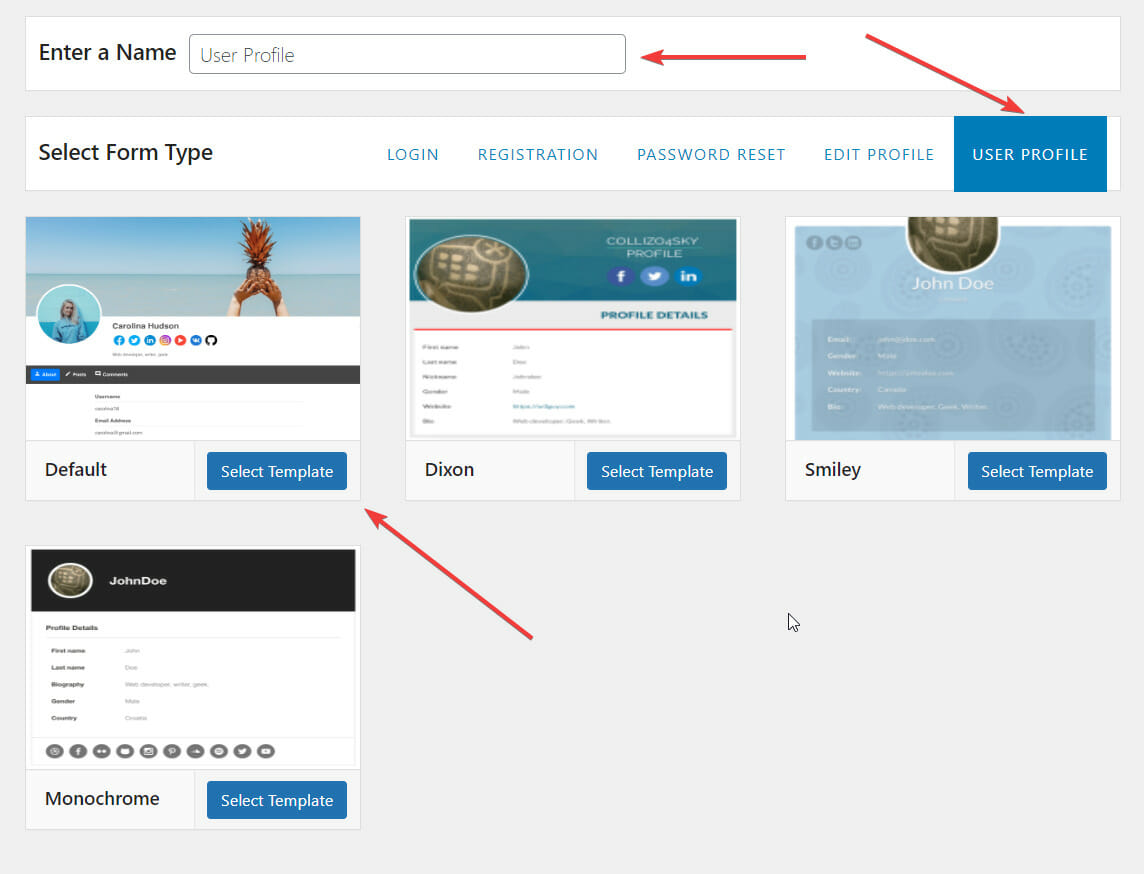
Themes have customizable features. You can change colors and fonts. Add widgets and menus. Modify the layout. Some themes are very flexible. Others are more rigid. Choose one that fits your needs. Customizable themes allow for creativity. They make your site unique. Always check for responsive design. It should look good on phones and tablets.
Credit: profilepress.com
Installing The Theme
Visit the WordPress repository. Search for the theme you want. Click the download button. Save the file to your computer. This file is in a zip format. Keep it safe for the next step.
Open your FTP client. Connect to your website server. Find the wp-content folder. Open the themes folder inside it. Upload the downloaded theme here. Unzip the file once uploaded. Check if the theme is visible on your site.
Setting Up Member Profiles
WordPress offers many built-in features for member profiles. These features help in creating simple profiles. First, navigate to the User section. Here, you can see all users listed. You can edit and add details like name and bio. Ensure to fill out important fields for better profiles. Always save your changes after editing. These steps make profiles look more professional.
Profile plugins enhance your site with extra features. They offer more options than built-in tools. To install a plugin, go to the Plugins menu. Click on Add New and search for profile plugins. Some popular choices include BuddyPress and MemberPress. Choose a plugin that fits your needs. Click on Install and then Activate. These plugins help create dynamic and interactive profiles.

Credit: docs.ultimatemember.com
Customizing Profile Fields
Adding custom fields can make profiles better. Users can add details like hobbies or job titles. This makes profiles more personal. It is easy to add these fields in WordPress. Use a plugin to help. Plugins make adding fields simple. Choose the right plugin for your needs. Plugins like Advanced Custom Fields are popular. They help create new fields fast.
Sometimes you want some fields to stay hidden. Control who sees each field. This keeps information private. Use settings in WordPress. Settings let you choose visibility. Make some fields visible to all. Hide others for privacy. This keeps users’ data safe. Users feel secure with private profiles.
Designing Profile Layouts
Page builders are tools to create custom layouts. They let you drag and drop elements. You can add images, text, and buttons. This makes design easy for everyone. Page builders offer many templates. Use them to start your design quickly. Customize the colors and fonts to match your theme. They help in achieving a unique look.
Utilizing Page Builders
Choose a page builder that fits your needs. Popular ones are Elementor and Beaver Builder. They are easy to use. These tools offer real-time editing. You see changes instantly. This saves time. Use their widgets to add special features. This enhances your profile layout.
Editing Theme Templates
Templates are pre-made designs. They guide the layout of your profiles. Edit them to fit your style. Change header, footer, and sidebars. Add custom fields for more information. Make sure your design is responsive. It should look good on all devices. Test the layout on different screens. This ensures everyone can see it properly.
Enhancing User Experience
Making your theme responsive is very important. It helps your site look good on all devices. Users can view profiles on phones, tablets, and computers. This increases user satisfaction and keeps them engaged. Designing a responsive theme requires flexible layouts. It adjusts to the screen size. This makes navigating easier for everyone.
Simple navigation is key for a good user experience. Users find what they need quickly. Include a clear menu with all main sections. A search bar helps users find profiles fast. This saves them time and effort. Good navigation makes users feel comfortable on your site. It encourages them to explore more.
Ensuring Security And Privacy
User data must stay safe and private. Always use strong passwords. Encrypt all information. Keep software updated. Backup data regularly. Limit data access to trusted people. Use a secure server. Protect against hacking.
Install a firewall for protection. Use SSL certificates for safe connections. Monitor activity on the site. Scan for viruses often. Use plugins for extra security. Avoid sharing admin details. Teach users about security risks.
Testing And Debugging
Crafting member profiles in WordPress requires meticulous testing and debugging. Ensure functionality by checking profile creation, editing, and viewing processes. Identify and fix errors to enhance user experience and maintain seamless interactions within the theme.
Identifying Common Issues
Issues can pop up with member profiles. Slow loading is a common problem. It can annoy users. Wrong display of user details is another problem. Misspelled names or incorrect dates can confuse. Profiles may not update as expected. This leads to frustration. Inactive links can break navigation. They stop users from accessing pages. Search bars may not work properly. Users can’t find profiles easily. These issues need quick fixes. Regular checks help spot problems early. Fixing them improves user experience.
Using Debugging Tools
Debugging tools help find errors fast. They show where the code breaks. Firebug is popular for this. It helps inspect HTML and CSS. Chrome Developer Tools is another choice. It checks JavaScript errors. These tools are easy to use. They make debugging simpler. Fixing bugs improves theme performance. Faster profiles make users happy. Debugging tools save time. They help keep the theme smooth. Regular debugging avoids future problems.
Launching Your Member Profiles
Ensure all member profiles display correctly. Check that images are clear and sharp. Verify that each user’s information is accurate and complete. Make sure navigation to profiles is easy. Test links to ensure they work properly. Review privacy settings for each profile. This keeps user data safe. Double-check for any spelling mistakes. A small error can confuse users.
Share the new feature on social media. Tell your followers about it. Include a link to the member profiles. Write a short post explaining the benefits. Encourage users to explore and create their own profiles. Ask for feedback. This helps you improve the feature. Use email newsletters to reach more users. Highlight the new feature in your next update.
Credit: profilepress.com
Frequently Asked Questions
How To Start Creating Member Profiles?
To start, install a WordPress theme that supports member profiles. Use plugins like Profile Builder for customization. You can add fields, edit profiles, and manage member roles. Ensure your theme is compatible with these plugins for a seamless setup. Always test changes before going live.
Which Plugins Are Best For Member Profiles?
Profile Builder and Ultimate Member are popular choices. They offer extensive customization options for member profiles. Both plugins support custom fields, user roles, and user registration forms. Choose based on your specific needs and compatibility with your WordPress theme.
Can I Customize Member Profile Layouts?
Yes, customization is possible with the right plugins and themes. Use Profile Builder or Ultimate Member for custom fields and layouts. Modify CSS for advanced styling needs. Always ensure compatibility between your theme and plugins for optimal performance.
Do WordPress Themes Affect Profile Features?
Yes, themes can impact profile features. Choose a theme that supports member profiles and is compatible with plugins. Check for responsiveness and customization options. A well-chosen theme enhances user experience and functionality for member profiles.
Conclusion
Creating member profiles in WordPress is straightforward. Begin with a user-friendly theme. Customize features to fit your community’s needs. Ensure easy navigation and accessibility. Secure your site with reliable plugins. Regularly update your content to keep it fresh. Engage users with interactive elements.
Monitor site performance for a smooth experience. A well-structured profile boosts user engagement. It creates a sense of belonging. Your community grows stronger. Achieving this requires patience and creativity. Enjoy building your online community. Keep learning and adapting. Your efforts will pay off in the long run.


