
Are you curious about the theme running on your WordPress site? Whether you’re looking to update your design, enhance your website’s performance, or simply satisfy your curiosity, knowing how to check your WordPress theme is essential.
Imagine effortlessly navigating your site’s aesthetics and functionality with just a few clicks. In this guide, we’ll unravel the mystery behind your WordPress theme, empowering you to make informed decisions for your website’s look and feel. Stay with us as we explore simple, step-by-step methods that will transform the way you manage your online presence.
Your website deserves the best, and it all starts with understanding its foundation. Let’s dive in and discover the tools and techniques that will put you in control.
Credit: www.inmotionhosting.com
Importance Of Theme Checking
Checking a WordPress theme is very important. A good theme can make your site look nice and work well. It helps your site load faster. A slow site can make people leave.
Themes also help with security. Bad themes can have bugs or holes. These can let bad people in. Good themes are updated often. Updates fix problems and keep your site safe.
A good theme should also work on phones and tablets. Many people use phones to visit sites. If your site does not look good on a phone, people might leave. Always check if the theme is responsive.
Compatibility With Latest WordPress Version
Checking if a theme works with the latest WordPress version is important. Start by visiting the theme’s official page. Look for updates or details on compatibility. Many themes show a version number. Check if it matches WordPress’s latest update. Next, read user reviews. They often mention if the theme works well with new WordPress versions. Another method is to test the theme on a staging site. This helps see if there are any issues without affecting the main site. Use tools like Theme Check plugin for scanning. It checks for old code that might not work anymore.
Reviewing Theme Documentation
Theme documentation helps you understand your WordPress theme. It’s like a guidebook. Always read the introductory section first. It tells you what the theme can do. Installation steps are usually next. Follow them to set up your theme. Look for troubleshooting tips if something goes wrong.
Theme documentation often includes customization options. These options let you change colors or fonts. You can make the theme look different. Shortcodes might be available. These are special codes to add features easily.
Check for frequent updates in the documentation. Updates fix bugs and add features. Support information is also crucial. It tells you how to get help if needed. Reading documentation saves time and prevents issues.
Testing Theme Responsiveness
A theme must look good on all devices. This includes phones, tablets, and computers. Open your website on a phone. Check if everything looks fine. Text should not be too small. Images must not be cut off. Try it on a tablet too. Make sure buttons are easy to click. Responsive themes adjust to any screen size. This is important for user experience.
Use tools like Google’s Mobile-Friendly Test. It checks your theme on different devices. Enter your site URL and see results. This tool is free. It shows what works and what needs fixing. You can also use your browser’s inspect tool. Right-click on your webpage and select “Inspect”. Switch to mobile view. This shows how your site looks on phones and tablets.
Analyzing Theme Speed And Performance
Fast loading themes make websites better. They help users stay longer. Slow themes drive users away. Check theme speed with online tools. Use Google PageSpeed Insights. It shows how fast your theme loads. Another tool is GTmetrix. It gives a detailed speed report. These tools are free and easy to use.
Test theme on different devices. See if it loads well on phones. Check on tablets too. Performance should be good everywhere. Mobile users are important. They visit sites often. Poor mobile performance loses visitors.
Update themes regularly. New updates fix problems. They can improve speed. Always use the latest version. It keeps your site safe too. Themes with old versions might have bugs. Bugs slow down your site.
Inspecting Security Features
Themes should be safe. Security is very important. A secure theme protects your site. Always check if the theme updates often. Updates fix problems. Look for reviews or comments. What do others say about the theme? Read carefully.
Check for SSL support. This makes your site safe. Does the theme support strong passwords? Strong passwords keep bad people away. Make sure the theme has a security guide. Guides help you understand.
Ask for help if you don’t understand. Friends or forums can help. Security should never be ignored. Keep your website safe and secure.
Evaluating Customization Options
Themes must allow users to change colors. This makes your site unique. Look for themes with many font choices. Fonts can change the look of your site. Some themes let you add your own logo. This helps in building your brand. Make sure the theme supports different layouts. You might want a grid or a list. Check if you can add custom widgets. Widgets add extra features to your site. A good theme should let you change the header and footer. This gives you more control over the design.
Checking Seo Friendliness
SEO is very important for any website. A theme must be SEO friendly. Check if the theme has clean code. Clean code helps search engines understand your site. Look for fast loading times. Fast sites rank better on Google.
Check if the theme uses responsive design. Responsive design means the site looks good on phones and computers. This is important for SEO. Make sure the theme supports SEO plugins. Plugins like Yoast help boost SEO.
Verify if the theme has structured data support. Structured data helps search engines read your content. This can improve rankings. Also, check if the theme has HTML tags like title and header tags. These tags are key for SEO.
Assessing Plugin Compatibility
Plugins are small programs. They add new features to your website. It is crucial to check if a plugin works with your theme. This ensures your website runs smoothly. First, visit the plugin page. Look for a list of compatible themes. Check the plugin’s last update. An outdated plugin may cause issues. Next, read the user reviews. They often mention if the plugin works well. Finally, test the plugin on a staging site. This is a safe space to try new things. If everything works fine, install it on your main site.
Credit: winningwp.com
Verifying Theme Support And Updates
Many themes offer regular updates. Updates keep your site safe. They also bring new features. Check if your theme has frequent updates. Visit the theme’s website. Look for an updates section. Updates mean the theme is actively supported.
Another important factor is support. Good themes offer support. You can contact the theme developer. Ask them questions. This helps if you face problems. Support is crucial for a smooth experience.
Don’t forget compatibility. Themes should work with the latest WordPress. Old themes might not work well. Always check compatibility before using a theme. It saves time and effort. A compatible theme ensures everything runs smoothly.
Credit: www.greengeeks.com
Frequently Asked Questions
How Do I Find My WordPress Theme Name?
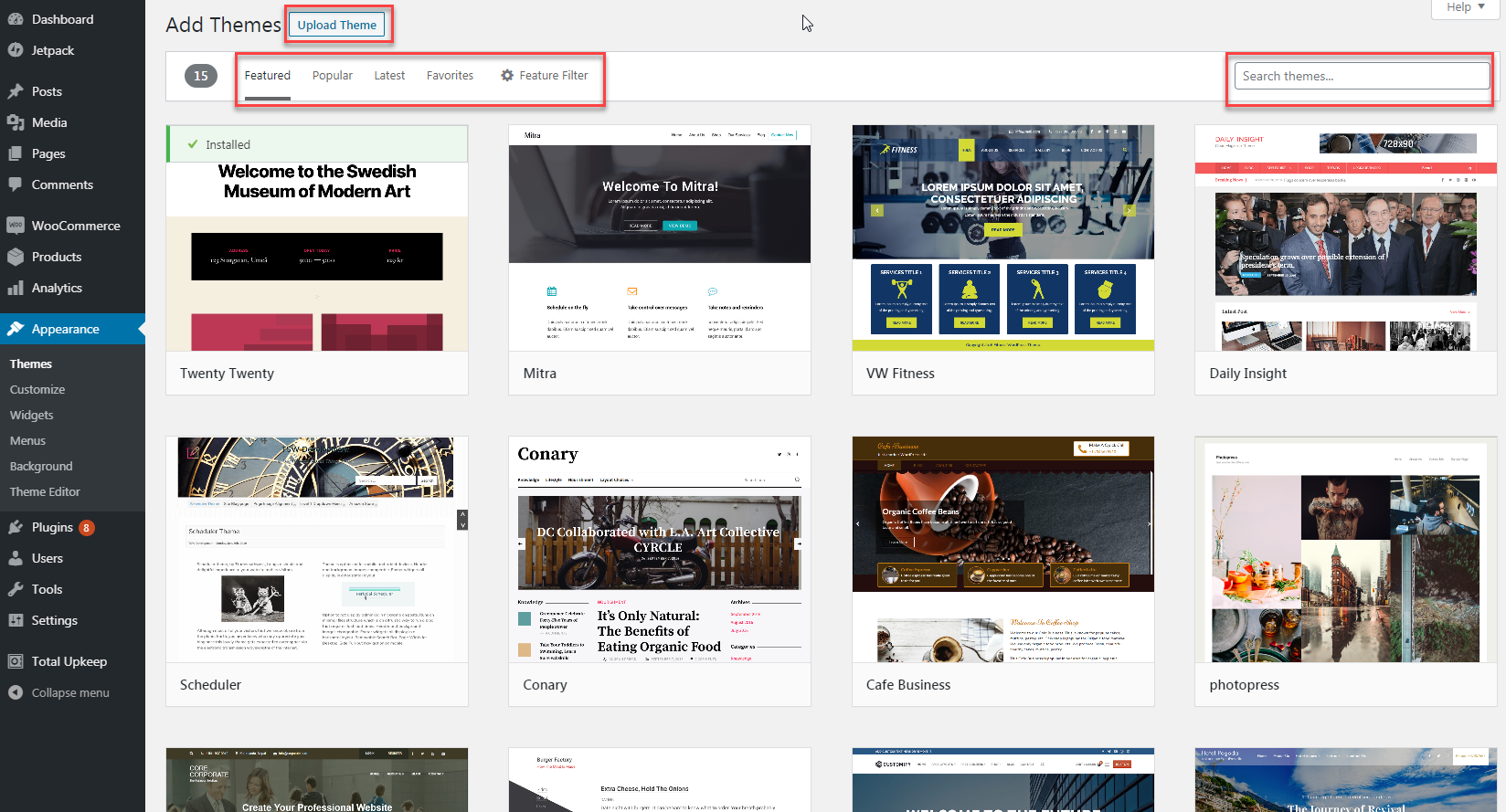
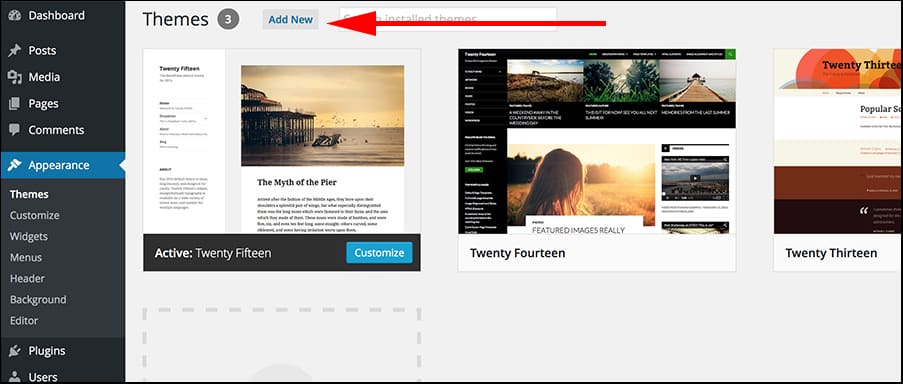
To find your WordPress theme name, navigate to your dashboard. Go to Appearance, then Themes. Your active theme will be displayed at the top.
Can I Check My Theme Without Logging In?
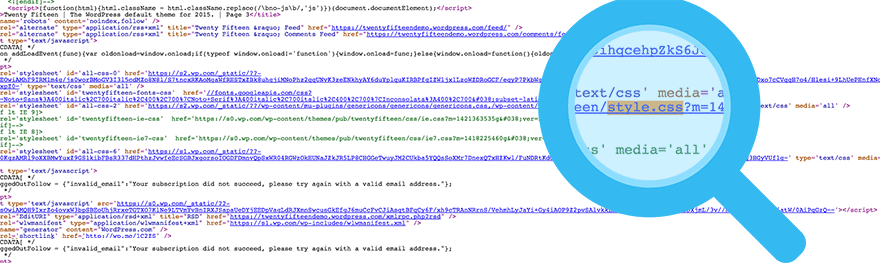
Yes, you can check your theme without logging in. Visit your site, right-click, and select ‘Inspect’. Look for the theme name in the HTML or CSS files.
What Tools Help In Identifying WordPress Themes?
Several online tools can identify WordPress themes. Tools like WPThemeDetector or WhatWPThemeIsThat analyze websites and reveal theme details effectively.
How Can I Know If A Theme Is Updated?
To check if your theme is updated, visit the WordPress dashboard. Navigate to Updates under Dashboard, and you’ll see update notifications for themes.
Conclusion
Checking your WordPress theme is crucial. It ensures your site runs smoothly. Regular checks help catch errors early. This keeps your site user-friendly. Use tools to test theme compatibility. Always update themes for security. A reliable theme boosts your site’s performance.
Stay informed about new updates. This helps maintain a professional look. Remember, a well-checked theme enhances user experience. It also improves site functionality. Keep your WordPress theme in top shape. This ensures visitors return to your site. Happy blogging!


