
Choosing the right WordPress theme can feel like hunting for a needle in a haystack. With countless options available, each promising to transform your website into a digital masterpiece, the decision can be overwhelming.
But don’t worry; you’re not alone in this quest. Whether you’re building a personal blog, an online store, or a portfolio, finding the perfect theme is crucial for showcasing your brand and engaging your audience. You want a theme that not only looks stunning but also functions seamlessly.
In this guide, you’ll discover practical tips and insights to help you navigate through the theme jungle of 2019. Let’s unlock the secrets to making your website stand out with the perfect WordPress theme. Ready to dive in and find the one that clicks with your style and needs? Let’s get started.
Credit: www.sitepoint.com
Understanding Your Website Needs
Every website has a different purpose. Identify your website’s main goal. Is it for a business or a blog? Knowing the purpose helps in choosing the right theme. For example, a business site needs a professional look. A blog might need a simple design. The theme should match your goals.
Think about who will visit your site. Are they young or old? Do they use phones or computers? The theme should be user-friendly for them. Choose a theme that appeals to your audience. This makes them stay longer. A happy visitor might come back again.
Different sites have different content. Some show a lot of text. Others have many pictures or videos. Your theme should support your content type. If you have a photo gallery, choose a theme that highlights images. For text-heavy sites, make sure the text is easy to read. The right theme makes your content shine.
Exploring Theme Types
Free themes cost nothing. They offer basic features and simple designs. Paid themes cost money. They give advanced features and unique designs. Free themes are easy to find. Paid themes need a purchase. Free themes might have fewer updates. Paid themes get regular updates. Free themes can be limited. Paid themes have more options. Choose based on your needs and budget.
Niche themes are made for special topics. They fit specific websites. Example: food blogs, travel sites, or online stores. They offer custom features for each niche. Designs match the topic well. Niche themes help your site look professional. They save time on design. Easy to use and setup. Perfect for focused sites.
Multipurpose themes work for many kinds of sites. They offer flexible designs. Great for blogs, business sites, or portfolios. They include lots of features. Easy to adjust and change. Multipurpose themes are versatile. They can grow with your site. Good choice for varied needs.
Evaluating Theme Features
A good theme looks great on all devices. Make sure the theme is mobile-friendly. Check if it adjusts well on tablets and phones. This is important. Most people use phones to surf the web. A responsive theme improves user experience. Users stay longer on your site.
Look for themes with many customization options. These allow you to change colors and fonts easily. You can make your site unique. Many themes offer drag-and-drop features. This helps in designing pages without coding. It saves time and effort.
Choose a theme that is SEO friendly. It should have clean code. Fast loading speed is also important. Search engines prefer fast sites. A well-coded theme helps in better search rankings. Check for SEO plugins compatibility too. This boosts your site’s visibility.

Credit: www.kadencewp.com
Checking Theme Performance
Fast loading themes are crucial. Slow themes can frustrate users. Choose a theme with optimized code. This helps in reducing load time. A fast theme enhances user experience. It also improves SEO ranking.
Make sure the theme supports popular plugins. Themes must work with plugins like Yoast SEO. This ensures your site has the right features. It also boosts functionality. Compatibility makes the website more versatile.
A good theme should work on all browsers. This includes Chrome, Firefox, and Safari. Check theme support on different browsers. This guarantees a consistent user experience. Cross-browser compatibility is crucial for accessibility.
Assessing Theme Design
Choosing a theme with stunning visuals is key. Images and layouts should be clear. Look for themes that use high-quality graphics. They should grab attention instantly. The design should align with your brand. Consistency in visual elements is important.
Focus on easy navigation. Visitors should find what they need quickly. The theme should load fast. Slow themes frustrate users. Choose a theme that works on all devices. Responsive design is necessary. User-friendly designs keep visitors coming back.
Fonts should be easy to read. Avoid complex or fancy fonts. Simple fonts look best. Colors set the mood of your site. Choose colors that match your brand. Avoid clashing colors. Harmony in typography and color enhances appeal.
Reviewing Developer Support
Good documentation helps you understand the theme better. It explains features and settings clearly. Look for themes with step-by-step tutorials. These guides make it easy to set up your website.
Videos can be very helpful too. They show you what to do. A strong documentation collection is a good sign. It shows the developer cares about users.
Customer support is important when picking a theme. You might have questions or need help. Check if the developer offers email or chat support. Some themes come with 24/7 support. This means help is always there.
Fast and friendly support can save time. It reduces stress when building your site. Always read reviews about support quality.
Community feedback offers honest opinions on themes. Read what other users say about their experiences. Forums and discussion boards are good places to start. They can tell you if a theme is easy or hard to use.
Users often share tips and tricks. They help you solve problems quickly. A theme with positive feedback is usually a safe choice.
Testing And Compatibility
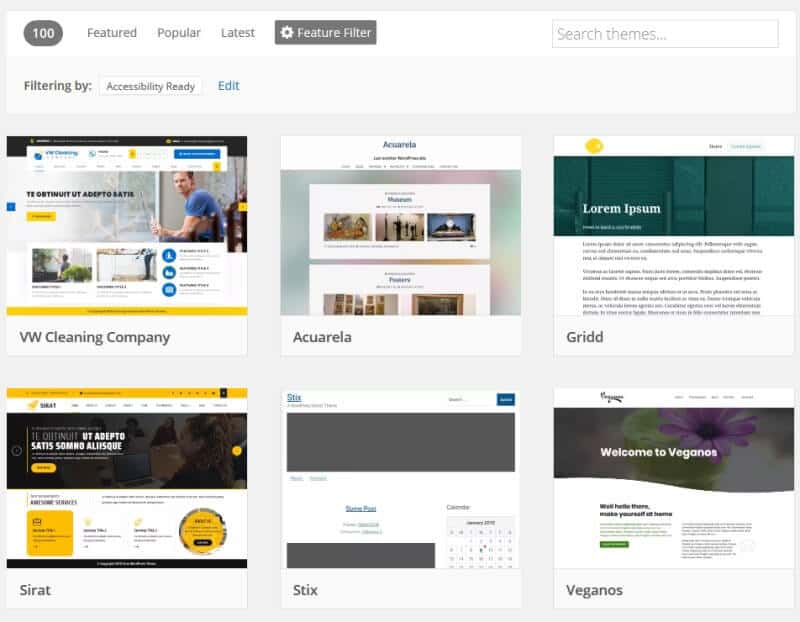
Demo Testing is crucial before picking a WordPress theme. Check the theme’s live demo to see how it looks. Make sure it meets your design needs. Look for any broken links or images. Ensure all elements load quickly. A slow theme can annoy visitors.
Mobile Compatibility is essential today. Most people use phones to browse. Your theme must look good on all devices. Test the demo on a phone and tablet. Check if the menu works. Make sure text is easy to read. Images should fit the screen without needing to scroll sideways.
Cross-Browser Testing ensures your site works for everyone. People use different browsers like Chrome, Firefox, and Safari. Test the theme on each browser. Look for any layout issues or missing parts. A theme that works well on all browsers reaches more people.
Credit: www.abrightclearweb.com
Security And Updates
WordPress themes need regular updates. Updates fix bugs. They improve security. Without updates, themes get old fast.
Good themes have strong security features. Look for themes with built-in security. They protect your site from hackers.
A theme with a good reputation is important. Check reviews. Read user feedback. A trusted theme means fewer problems.
Frequently Asked Questions
What Are Key Features Of A Good WordPress Theme?
A good WordPress theme should be responsive, SEO-friendly, and customizable. It must offer clean code, quick loading times, and compatibility with essential plugins. Ensure it provides excellent support and regular updates. These features enhance user experience and improve your site’s performance and visibility.
How Does Theme Compatibility Affect Site Performance?
Theme compatibility ensures smooth operation with WordPress updates and plugins. Incompatible themes can cause conflicts, leading to site issues or crashes. Always check for compatibility to maintain optimal site performance and user experience. Choosing a theme with regular updates can help prevent compatibility problems.
Why Is Mobile Responsiveness Important For Themes?
Mobile responsiveness ensures your site looks good on all devices, including phones and tablets. A responsive theme improves user experience and boosts search engine rankings. With increasing mobile users, a non-responsive site can lead to high bounce rates and lost traffic.
How To Identify Seo-friendly WordPress Themes?
SEO-friendly themes have clean code, fast loading times, and support for structured data. They should integrate seamlessly with SEO plugins. Check for features like responsive design and proper heading structure. These elements help improve your site’s search engine visibility and user engagement.
Conclusion
Choosing the right WordPress theme can transform your website. Start by considering your site’s purpose. Is it a blog, e-commerce, or portfolio? Match your theme to your needs. Look for responsive design. Make sure it works well on mobile devices.
Check customization options. You want a theme you can easily tweak. Review support and updates. Reliable themes offer regular updates. Test speed and performance. Slow themes can hurt your site’s success. Don’t forget SEO-friendly features. These help your site rank better.
Explore demos to see themes in action. Find the perfect theme to reflect your brand and engage your audience.


