
Are you ready to bring your vision to life with a stunning WordPress website? Choosing the right theme is one of the most important decisions you’ll make.
It’s like picking the perfect outfit for a big event—it sets the tone, makes a first impression, and reflects your style. But with thousands of options out there, finding the ideal theme can feel overwhelming. Imagine the relief of knowing you’ve made the best choice for your brand or personal site.
In this guide, you’ll discover simple yet powerful tips to ensure your WordPress theme aligns perfectly with your goals, enhancing both functionality and aesthetics. Dive in and transform your website from just another page on the internet into a captivating digital experience.
Identify Website Purpose
Understanding the purpose of your website is very important. A blog about travel needs a different theme than a business site. Themes must match the type of content you want to share. A store theme helps sell products. A portfolio theme displays art or projects.
Colors and layout should match your website’s aim. Choose a theme that fits your brand. Easy navigation is crucial for users. Select themes that are simple to use. Users should find what they need quickly. Mobile-friendly themes are a must. Many people use phones to browse websites.
Consider how you want your website to grow. Some themes allow easy expansion. Look for themes that offer customization. Choose wisely for your website’s success.
Consider User Experience
A responsive design means your site works well on any device. Phones, tablets, and computers all need good access. Themes must adapt to screen size changes. Users will leave if sites are hard to use. Responsive themes help keep users happy. They improve engagement and reduce bounce rates.
Simple navigation ensures users find information quickly. Menus should be easy to understand. Important pages must be reachable in one or two clicks. Complex menus confuse visitors. Simple structures increase user satisfaction. Clear links guide users through the site smoothly. Navigation simplicity
Evaluate Theme Features
The theme should offer easy customization. Colors, fonts, and layouts should be simple to change. A good theme will allow you to add widgets. Check for options like logo upload and header styles. More options mean a unique website.
Choose a theme that is SEO-friendly. This means it should have clean and structured code. A good theme will also support SEO plugins. Themes with responsive design help in ranking better. Google loves mobile-friendly sites.
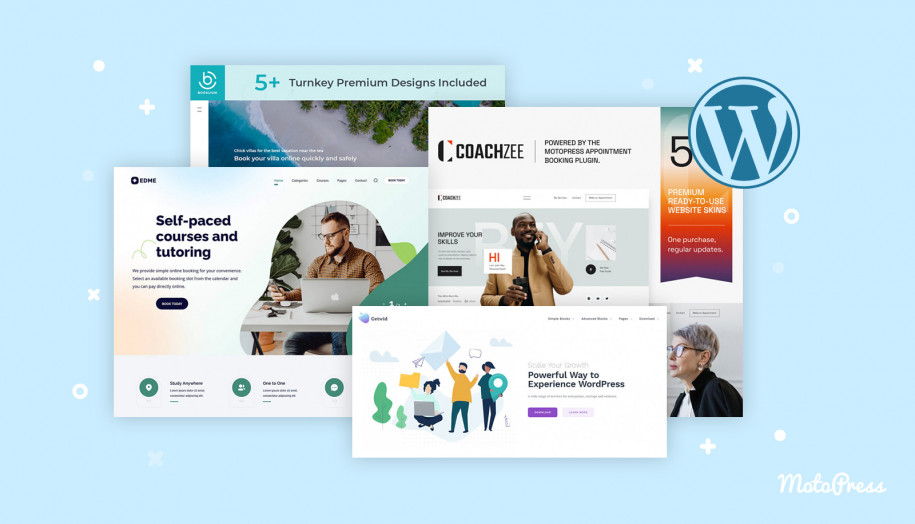
Website speed matters. A fast theme will load in seconds. Check if the theme uses lightweight code. Images and scripts should not slow the site. Speed affects user experience. Users leave slow websites quickly.
Credit: motopress.com
Check Compatibility
Plugins make your site do cool things. But not all themes work with all plugins. Check the theme’s details. See if it supports the plugins you need. Important plugins like SEO tools must work smoothly. Without this, your site might break or not work well. Try testing a few plugins before making a final choice. This ensures everything runs smoothly.
People use different browsers like Chrome, Firefox, and Safari. A good theme works on all browsers. Check how the theme looks on each one. Some themes look great on Chrome but not on Firefox. Test it out. Open the theme in different browsers. Make sure it looks nice everywhere. This keeps all visitors happy. No matter what browser they use.
Assess Design Aesthetics
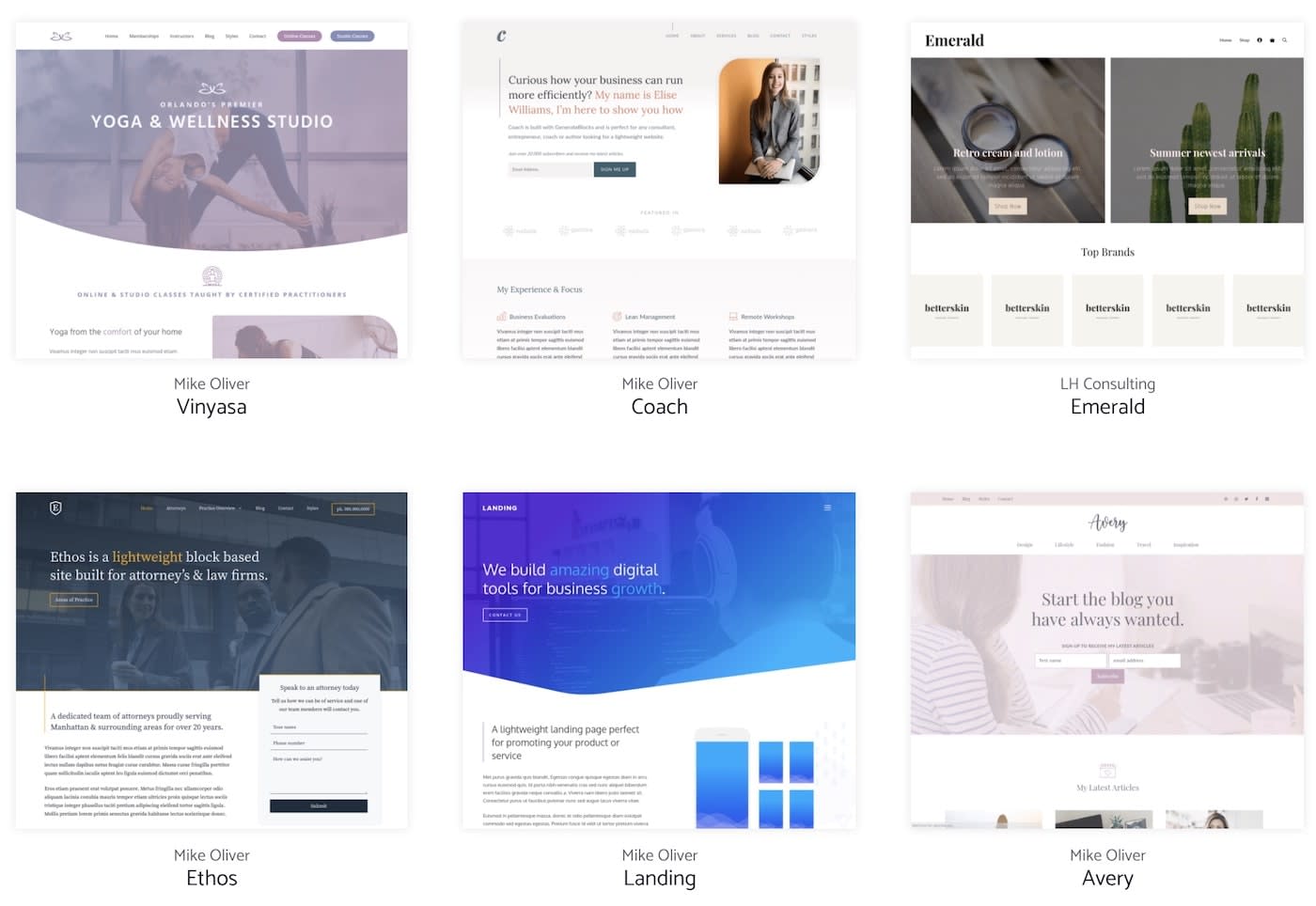
Visual appeal is key when picking a theme. It draws eyes to the site. Choose themes that are clean and simple. Avoid cluttered designs. They confuse visitors. Let colors complement your brand. Bright colors grab attention. Soft shades soothe the eyes. Always check the layout. Make sure it’s user-friendly. Navigation should be easy. Fonts matter too. Pick readable ones. They should match the site’s mood. Keep it consistent throughout. Consistency builds trust. Trust keeps visitors coming back.
Color schemes set the mood of the site. Warm colors feel inviting. Cool colors bring calm. Pick colors that fit your message. Avoid too many colors. Too many colors distract users. Stick to a few shades. Use them wisely. Contrast is important. Make text easy to read. Use contrasting colors for text and background. Test different schemes. Find what works best. Ensure the colors look good on all devices. Mobile and desktop views matter. Consistency is key.
Credit: www.wpzoom.com
Review Ratings And Feedback
Customer reviews tell you if a theme is good or bad. Many people leave reviews after using a theme. These reviews share their thoughts. High ratings often mean the theme works well. Low ratings can show problems. Reading these reviews helps. You learn from others. It saves time and trouble.
Developer support is important when using a theme. Good support helps solve issues fast. Some themes have strong support teams. They answer questions quickly. Others might not help much. Check if the theme has good support. Quick help makes things easy. It reduces stress.
Test Demo Versions
Demo versions let you see a theme in action. They show how a theme looks and works. It’s important to check the layout and design. Make sure it fits your content well. Try clicking on links and buttons. Check if they work smoothly. Notice the loading speed. Slow themes can annoy visitors. Look for themes that load fast. You can also test them on different devices. See if they look good on phones and tablets. This is called responsive design. It’s key for a good user experience. Trying demo versions is a smart step. It helps you choose the best theme for your site.
Consider Budget Constraints
Free themes can save money. They offer basic features and designs. Suitable for beginners and small projects. Premium themes cost money. They offer advanced features and unique designs. Support and updates are included. This can be helpful. Think about your needs. Decide what fits your budget.
Free themes may lack updates. This can cause problems later. Premium themes often provide regular updates. This ensures your site stays secure. Think about future growth. Will your theme grow with your site? Consider support. Premium themes usually have customer support. This can be useful if issues arise. Choose wisely for the long term.
Credit: zapier.com
Frequently Asked Questions
What Should I Consider When Choosing A Theme?
When selecting a WordPress theme, consider your website’s purpose, target audience, and design preferences. Ensure the theme is responsive, SEO-friendly, and compatible with essential plugins. Check for customization options, regular updates, and good support. Prioritize themes that enhance user experience and align with your branding.
How Do I Know If A Theme Is Seo-friendly?
An SEO-friendly theme typically has clean code, fast loading times, and responsive design. It supports schema markup, integrates well with SEO plugins, and uses proper heading tags. Check user reviews for SEO performance insights. A well-optimized theme boosts your site’s visibility in search engine results.
Can I Customize A WordPress Theme?
Yes, most WordPress themes offer customization options. You can change colors, fonts, layouts, and add widgets. Use the WordPress Customizer for easy modifications. Some themes offer drag-and-drop builders for advanced customization. Ensure your theme supports custom features to match your branding and functionality needs.
Are Free WordPress Themes Reliable?
Free themes can be reliable if sourced from reputable developers. They offer basic features and regular updates. Check user reviews and ratings for reliability insights. Free themes may lack advanced customization and support. Evaluate if a free theme meets your site’s requirements before choosing.
Conclusion
Choosing the right WordPress theme shapes your website’s look and feel. Consider your site’s purpose and audience. Reflect on design and functionality. Themes should be easy to use and customize. Look for responsive designs that work on all devices. Check reviews and ratings for user feedback.
Test demo versions for experience. Balance aesthetics with performance. Ensure compatibility with plugins. Prioritize security and support. A well-chosen theme enhances user experience and site success. It reflects your brand and engages visitors. Choose wisely, and your site will thrive.


