
Are you looking to monetize your WordPress site with the Soledad theme? You’re in the right place!
Whether you’re running a blog, news site, or a niche online magazine, integrating ads can be a lucrative way to generate income. But, let’s be honest, figuring out how to add ads to your Soledad theme can feel like untangling a complex web.
The good news? You’re not alone, and it doesn’t have to be complicated. Imagine effortlessly transforming your site into a revenue-generating machine, all while maintaining its sleek, professional design. In this guide, we’ll walk you through the step-by-step process of adding ads to the Soledad WordPress theme. You’ll discover how to do it seamlessly, without compromising the user experience or cluttering your site. With some simple tweaks, you can unlock the potential of your site and watch your earnings grow. Ready to dive in and maximize your site’s profitability? Let’s get started on turning your Soledad-powered platform into a well-oiled income stream. Stay with us as we reveal the secrets to effective ad placement that keeps your audience engaged and enhances your site’s performance.
Credit: www.sitesaga.com
Choosing The Right Ad Network
Popular Ad Networks offer many choices for website owners. Google AdSense is one of the most known. It provides easy integration and a wide reach. Media.net is another great option. It focuses on contextual ads. Ezoic is also popular for its advanced testing features. These networks help you earn money easily. They are trusted by many people.
Selecting Ads for Your Audience is important. Choose ads that match your site’s content. This way, visitors stay interested. If you run a tech blog, show tech-related ads. This increases chances of clicks. Sports sites can display sports gear ads. This keeps your audience engaged. Always consider what your audience likes. It helps in making more money.
Preparing Your WordPress Site
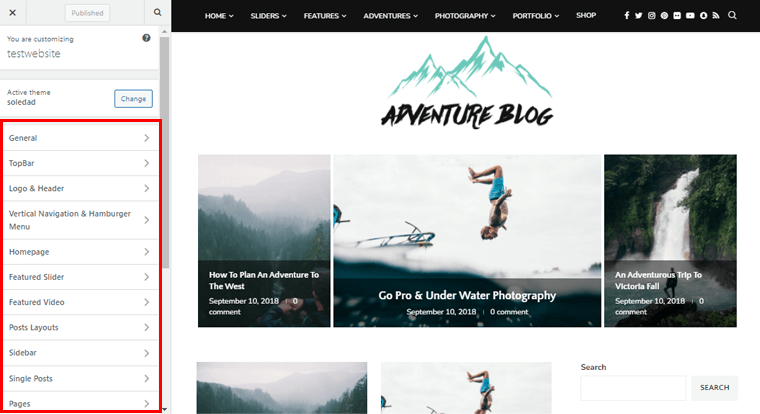
Easily add ads to the Soledad WordPress theme by accessing the theme’s customizer. Use widgets or plugins for ad placement. This approach ensures your site efficiently displays ads without disrupting the user experience.
Backup Your Website
Backing up your website is crucial. It keeps your data safe. Use a plugin like UpdraftPlus. This plugin is easy to use. It stores your backup in the cloud. Choose from options like Google Drive or Dropbox. Schedule backups regularly. Keep your site secure. Always have a copy of your files. Restore them if anything goes wrong.
Update Soledad Theme
Updating the Soledad theme is important. It brings new features. It also fixes bugs. Go to your WordPress dashboard. Navigate to the Themes section. Click on “Update” for Soledad. Make sure your site stays current and secure. Updating often ensures better performance. It also helps with compatibility.
Incorporating Ads Through Widgets
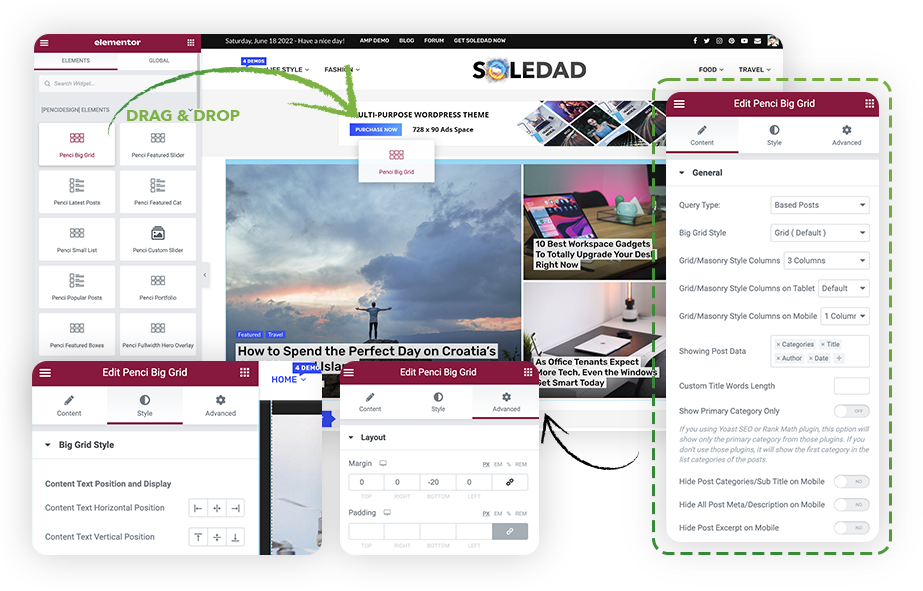
Adding ads to the Soledad WordPress theme is simple with widgets. Customize ad placement by dragging ad widgets into sidebars or footers. This enhances visibility and fits naturally within your site’s design.
Accessing Widget Settings
First, go to your WordPress dashboard. Find the Appearance section and click on Widgets. Here, you see a list of available widgets. Each widget can be added to different parts of your site. Choose the area where you want your ad. It could be the sidebar or footer. Select the area that suits your design.
Adding An Ad Widget
Click the Add Widget button. Scroll through the list and find Text Widget. Click on it to add it. This widget allows you to insert HTML code. Paste your ad code inside the text box. Save your changes by clicking the Save button. Check your site to see the ad displayed. Make sure the ad fits well with your site layout.
Credit: soledad.pencidesign.net
Using Soledad’s Built-in Ad Features
Soledad theme offers many options for ads. First, go to the theme options in your WordPress dashboard. Look for the ‘Ads’ section. Here, you can find settings for different ad types. You can add images or scripts for ads. Choose where you want ads to show. Options include the sidebar, header, and footer. Always remember to save changes.
To add ads in the header, locate the header ad section. Upload your ad image or paste the ad script. Save your settings. For footer ads, scroll to the footer ad section. Repeat the same steps. Make sure ads are the right size. This helps them fit well on the page. Check your site after adding ads. This ensures they display correctly.
Customizing Ad Placement With Code
Editing theme files safely is key. Always backup your files first. This step is crucial. Use a child theme. It protects your changes. Access your WordPress dashboard. Navigate to Appearance, then Editor. Find the file you need. Usually, header.php or footer.php. Open the file. Make edits carefully. Avoid errors that might break the theme.
Inserting ad code manually requires precision. Copy the ad code. Find the spot in your theme. Paste the code exactly as given. Don’t alter the code. This could cause errors. Save your changes. Check your site. Ensure the ad displays correctly. If not, recheck your steps. Adjust as needed. Test thoroughly to ensure functionality.
Credit: soledad.pencidesign.net
Monitoring Ad Performance
Using Analytics Tools is key to understanding how ads work. Google Analytics is popular. It helps track clicks and views. You can see which ads get more attention. This helps make smarter choices. Use these tools to improve ad placement. Better placement can lead to more success.
Adjusting Ads for Better Results is crucial. If an ad does not perform well, try changes. Change the size or color. Maybe change the wording. Look at the analytics. See what works and what doesn’t. Small adjustments can make a big difference. Keep testing and tweaking for best results.
Ensuring Compliance With Ad Policies
Each ad network has specific rules. These rules keep ads fair and safe. Google AdSense is a common network. It has clear guidelines. Violating rules can lead to penalties. Read and follow network rules carefully. This protects your website.
Ads should not disturb visitors. Place ads in areas that are easy to see but do not block content. This helps users focus on what they came for. Avoid too many ads. This can make the site slow and annoying. Keep the site clean and neat. This makes visitors happy.
Frequently Asked Questions
How Do I Add Ads In Soledad Theme?
To add ads in Soledad, use the theme’s built-in ad management system. Navigate to the Soledad options in your WordPress dashboard. Select ‘Advertisements’ and configure your ad settings. You can insert ad codes into various positions like header, sidebar, or footer.
Customize placements based on your strategy.
Can I Use Google Adsense With Soledad?
Yes, Google AdSense works seamlessly with Soledad. Generate your AdSense code from your account. Paste the code into the Soledad ad management section. Ensure your ad placements comply with AdSense policies. Regularly check your ads’ performance to optimize for better results and increased revenue.
Where Can I Place Ads In Soledad Theme?
You can place ads in multiple locations within the Soledad theme. Common placements include the header, sidebar, and footer areas. Additionally, you can integrate ads within posts or pages. Customize these placements to align with your monetization strategy and maximize visibility without disrupting user experience.
Is It Easy To Add Custom Ads To Soledad?
Yes, adding custom ads to Soledad is straightforward. Access the ad management settings in the theme options. Paste your custom ad code into the designated fields. Choose the placement options that suit your needs. Ensure your ads are responsive to provide a seamless experience across devices.
Conclusion
Adding ads to your Soledad WordPress theme is straightforward. Follow the steps carefully. Customize your ad placement to suit your site’s design. Ensure ads do not disrupt user experience. Test different ad formats to see what works best. Monitor ad performance regularly.
This helps optimize your earnings. Stay updated with WordPress and ad network changes. This keeps your site running smoothly. Consistency is key. Keep your content engaging while displaying ads. Balance is crucial to maintain audience trust. With these tips, your site can effectively generate revenue.
Happy blogging!


