
Creating your own WordPress theme for Gutenberg can seem like a daunting task at first. But what if you could design a website that truly reflects your unique style and needs?
Imagine having the power to customize every element, ensuring your site stands out in a crowded digital landscape. By diving into the world of theme building, you unlock the potential to transform your online presence. You might be wondering where to start or if it’s even possible without extensive coding skills.
The good news is, it is more accessible than you think. As you continue reading, you’ll discover step-by-step guidance and insider tips that will empower you to craft a theme that not only meets your expectations but exceeds them. Ready to turn your vision into reality? Let’s dive in and explore how you can master the art of building a WordPress Gutenberg theme.
Understanding WordPress Gutenberg
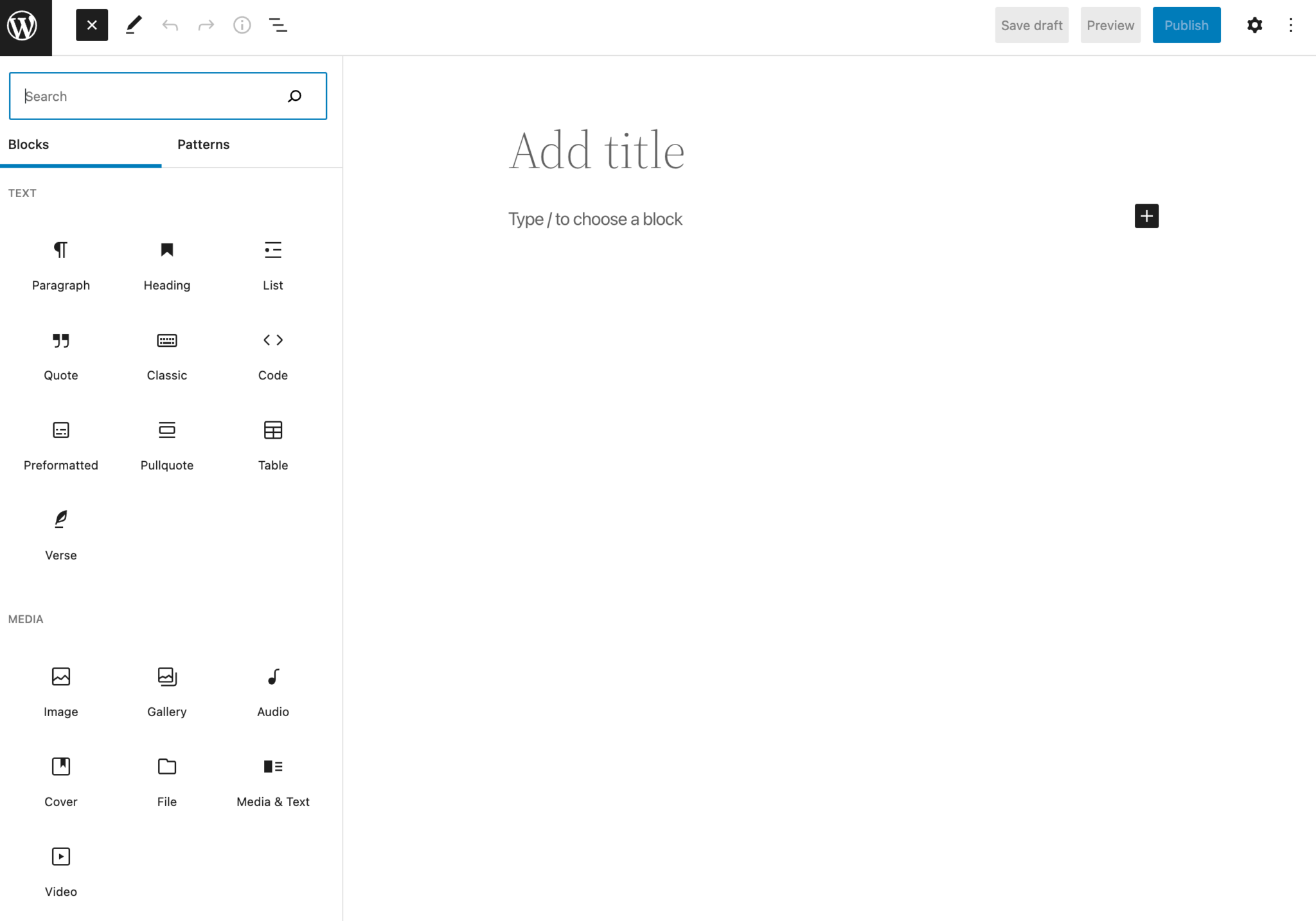
WordPress Gutenberg is a powerful editor for building websites. It uses blocks to create content. Each block is like a building piece. You can add text, images, and more. These blocks make editing simple and fun.
Gutenberg allows you to customize your site easily. You can move blocks around. You can change their size and style. This gives you full control over your design. No need to know coding. Anyone can use it.
Themes work with Gutenberg to make your site look great. Choose a theme that supports blocks. This will help you create a stunning website. Enjoy the creative process with Gutenberg.
Setting Up Your Development Environment
Create a WordPress Gutenberg theme by setting up your development environment with essential tools. Install Node. js, npm, and a code editor. Use these to start building your custom theme efficiently.
Essential Tools And Software
Start with a good text editor. Visual Studio Code is great. It helps you write code easily. You will also need Node.js. It lets you run JavaScript outside your browser. Git is important too. It tracks changes in your code. You can use GitHub to store your code online. WordPress CLI is useful. It lets you manage WordPress with commands.
Creating A Local WordPress Installation
Set up a local server. Use XAMPP or MAMP. These tools help run WordPress on your computer. Download WordPress from its website. Put the files in your server’s folder. Create a database for WordPress. Use phpMyAdmin for this. Install WordPress through your browser. Follow the setup instructions. Now, WordPress is ready locally. You can start building your theme.
Designing Your Theme
Crafting a theme for WordPress Gutenberg involves customizing blocks, colors, and typography. Focus on user-friendly design for easy navigation. Ensure your theme is responsive to enhance mobile experience.
Planning Your Layout
Start by sketching your theme’s layout on paper. Draw boxes for different sections. Think about the header, footer, and sidebar. Keep it simple. Too many elements can confuse users. Place important content at the top. Make sure the layout is easy to navigate.
Choosing Color Schemes And Fonts
Pick colors that match your brand. Use no more than three colors. Too many colors can make it hard to read. Choose two fonts. One for headings, another for body text. Make sure they are easy to read. Bold important words to grab attention. Consistency is key in design.
Developing Theme Files
The style.css file is important. It tells WordPress about your theme. Add a comment block at the top. Write the theme name, author, and description. Use simple CSS rules for styling. Make your theme look nice. Use colors and fonts wisely. Keep the design clean and clear. This file helps the theme to be recognized by WordPress.
The functions.php file is like a toolbox. It adds features to your theme. Use it to include support for menus and widgets. You can register theme features here. Include custom scripts and styles. Keep the code organized. This helps in adding new functionalities easily. Make your theme flexible and powerful with this file.
Integrating Gutenberg Blocks
Creating a WordPress theme involves integrating Gutenberg blocks seamlessly. These blocks help design visually appealing pages easily. Learn to build themes by using block patterns and styles, enhancing user experience while maintaining simplicity.
Understanding Block Types
Gutenberg blocks make webpage design easy. Each block serves a unique purpose. Text blocks are for writing. Image blocks display pictures. Video blocks play videos. Gallery blocks show many images together. Quote blocks highlight special words. These blocks help create beautiful pages.
Creating Custom Blocks
Custom blocks allow for personalized design. Use basic coding to build them. Start with simple HTML and CSS. JavaScript gives blocks special powers. Custom attributes make blocks unique. Choose colors, fonts, and styles. Test blocks before using them live. This ensures they work well.

Credit: www.youtube.com
Testing And Debugging
Testing and debugging are crucial steps in building a theme for WordPress Gutenberg. These processes ensure the theme works well and looks great on all devices. Spotting errors early helps create a smoother user experience.
Using Browser Developer Tools
Browser Developer Tools help in finding errors in your theme. Open the tool by right-clicking on the page and selecting “Inspect”. Look for the Console tab to see any errors listed. This helps find JavaScript errors that could break your theme. The Elements tab helps in checking HTML and CSS issues. You can see how your theme renders in different screen sizes using the Responsive Design Mode. These tools are vital for debugging and improving your theme.
Running Cross-browser Tests
Ensure your theme works on all major browsers. Test on Chrome, Firefox, Safari, and Edge. Each browser may show your theme differently. This helps to check if CSS or JavaScript behaves well. Use online tools like BrowserStack for testing without installing many browsers. Always aim for a consistent look across platforms. It’s important for user experience and satisfaction.
Optimizing Performance
Crafting a custom theme for WordPress Gutenberg enhances site speed and user experience. Focus on clean code and lightweight design elements. Implementing efficient coding practices ensures seamless integration with Gutenberg blocks, offering a fluid editing experience.
Minimizing Css And Javascript
Reducing the size of CSS and JavaScript files boosts website speed. Smaller files load faster, improving user experience. Use tools like Minify to compress these files. This removes unnecessary spaces and comments. Fewer HTTP requests also help in faster loading. Combine files wherever possible. This means fewer server requests. Less data means faster site loading. Always test changes to ensure nothing breaks. A fast site keeps visitors happy.
Implementing Caching Strategies
Caching stores website data for quick access. It reduces server load. Users access stored data instead of reloading everything. This speeds up the site for returning visitors. Use plugins like W3 Total Cache for WordPress. They make caching simple. Cached pages load faster. Faster sites improve user satisfaction. Happy users mean more visits. Always clear cache after big changes. This ensures users see updated content.
Credit: torquemag.io
Publishing Your Theme
Creating a WordPress Gutenberg theme involves understanding blocks and layouts. Start by designing a responsive template. Use simple coding to customize styles and functions. Test your theme thoroughly to ensure compatibility and user-friendliness. Finally, publish your theme to offer a seamless experience for your audience.
Submitting To The WordPress Repository
Submitting your theme to the WordPress Repository is a key step. It’s where users find your theme. Start by creating a WordPress account. Next, check the guidelines. Follow them closely. Your theme needs a unique name. It should be catchy yet simple. Ensure your theme is bug-free. Test it thoroughly. Add detailed instructions. Make them clear and easy to follow. Include screenshots. They help users understand your theme. Write a concise description. Highlight main features. Be honest about limitations. Now, submit your theme. Wait for review. This can take time. Be patient. Respond to feedback quickly. Make necessary changes. Once approved, your theme is live. Users can now download it. This boosts visibility and trust.
Marketing Your Theme
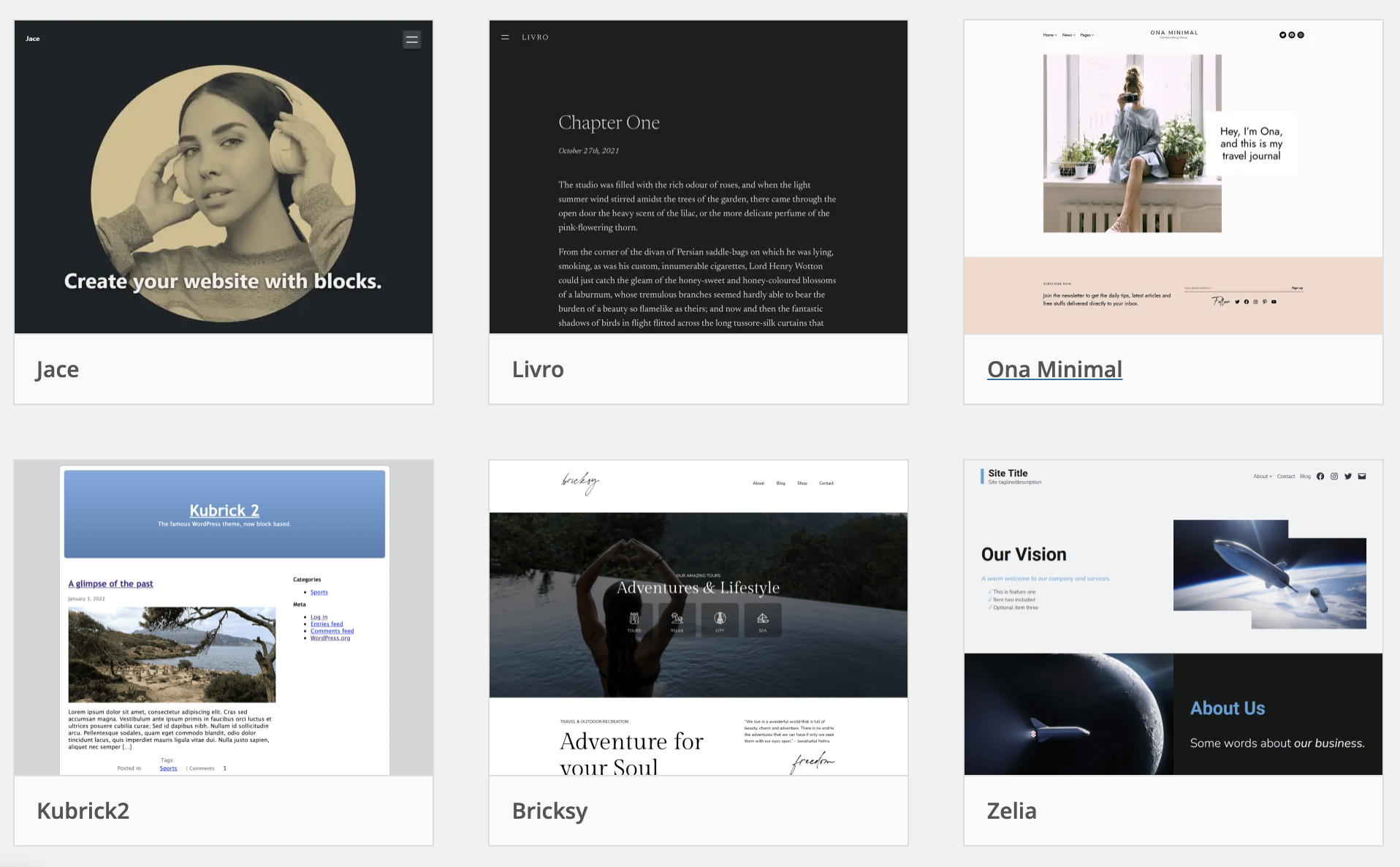
Marketing helps your theme reach more people. Start by creating a simple website. Describe your theme there. Use clear language. Show its benefits. Add a blog. Share tips and updates. Encourage feedback. Use social media. Share posts about your theme. Keep them short and engaging. Use clear images. Join WordPress forums. Engage with the community. Offer support to users. Collect reviews. Positive reviews attract more users. Consider collaborations. Partner with other theme developers. This widens your reach. Always update your theme. Keep it fresh and bug-free. Users appreciate reliable themes.
Credit: wptavern.com
Frequently Asked Questions
What Is A WordPress Gutenberg Theme?
A WordPress Gutenberg theme is designed for the block editor. It allows users to build content using reusable blocks. This flexibility ensures easy customization and layout changes without coding. Gutenberg themes enhance user experience by offering modern design capabilities.
How Do I Start Building A Theme?
Start by setting up a local development environment. Familiarize yourself with WordPress theme structure and Gutenberg blocks. Use starter themes like _s (Underscores) to get a head start. Incorporate custom blocks using JavaScript and PHP.
What Tools Are Needed For Theme Development?
Essential tools include a code editor like Visual Studio Code. Use Node. js for JavaScript dependencies and Git for version control. A local server like XAMPP aids testing. Browser developer tools help in debugging and refining designs.
Why Choose Gutenberg For Theme Design?
Gutenberg offers flexibility with its block-based approach. It allows easy content customization without coding. Users can create dynamic layouts with pre-built blocks. It enhances content creation and design consistency across the website.
Conclusion
Creating a WordPress Gutenberg theme is simpler than it seems. Follow the steps carefully. Start with a solid plan. Understand your audience and their needs. Use clean code. Keep design minimal yet engaging. Test your theme thoroughly. Ensure compatibility across devices.
Stay updated with WordPress changes. Always prioritize user experience. Building a theme requires patience and practice. Learn from feedback. Improve continuously. With time, your skills will grow. Soon, you’ll craft themes effortlessly. Remember, focus on simplicity and functionality. Your theme should enhance, not complicate.
Dive in and start building today.


