
Struggling to give your bbPress forum a fresh look? You’re in the right place.
Changing the theme of your bbPress forum in WordPress might seem daunting at first, but it’s easier than you think. With just a few steps, you can transform the appearance of your online community and enhance user experience. Imagine logging into your forum and being greeted by a sleek, new design that not only pleases the eye but also functions smoothly.
This guide will walk you through the process, ensuring you make the switch effortlessly. Ready to breathe new life into your forum? Let’s dive in and discover how you can make this transformation happen.
.png)
Credit: webdesign.tutsplus.com
Setting Up Your WordPress Environment
Always create a backup before making changes. This keeps your data safe. Use plugins like UpdraftPlus or BackupBuddy. Follow their simple steps. Save backups on your computer. Or use a cloud service. This way, you can easily restore your site. Better safe than sorry!
Check if the new theme works with Bbpress. Some themes may not be compatible. Look for themes that say they support Bbpress. This helps avoid problems. Read reviews and comments. Make sure other users had no issues. Testing is important. Install the theme on a test site first. Check all features work well.
Choosing The Right Bbpress Theme
Browse different theme options for Bbpress. Some themes have special features. Others are simple and clean. Look for themes with good design. Make sure they match your style. Some themes are colorful. Some have soft colors. Choose a theme that makes your site look nice. Themes can change the whole look of your site.
Responsive themes are important. They work well on all devices. Check if the theme adjusts to mobile screens. Users will have a good experience on phones. A responsive theme is easy to use. It looks good on tablets too. Make sure the theme is fast. Slow themes are not good.
Read user reviews. They tell you if a theme is good. Reviews show user experiences. Some themes have high ratings. Others have low ratings. Choose themes with good reviews. Users share their thoughts. This helps you decide. A theme with many reviews is popular. Popular themes are usually reliable.
Installing A New Bbpress Theme
Find a theme you like. Make sure it is for Bbpress. Click the download button. Save the file on your computer. Check if it is a zip file. Do not unzip it.
Log into your WordPress dashboard. Find the “Appearance” tab. Click on “Themes”. Look for the “Add New” button. Click on “Upload Theme”. Choose the theme file. Ensure it is the downloaded zip file. Click “Install Now”. Wait for the upload to complete.
After installation, find the “Activate” link. Click on it to activate the theme. Visit your website. Check if the new theme is live. Ensure everything looks correct. If not, check your steps again.
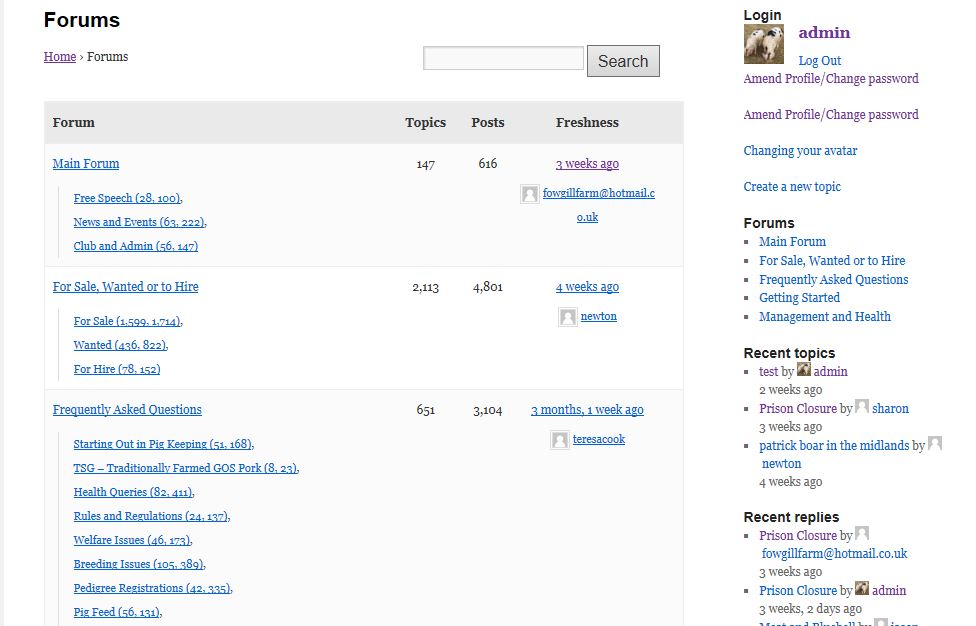
Credit: codex.bbpress.org
Customizing Your Bbpress Theme
First, go to your WordPress dashboard. Find the Appearance section. Click on Customize. This will open the Theme Customizer. Here, you can change your theme’s look. It’s simple and fun to use.
You can change how your site looks. Choose different layouts. Try out new designs. It’s important to keep your site user-friendly. Make sure everything is easy to find. This helps visitors stay longer.
Colors make your site look nice. Choose colors that match your brand. You can change the background, text, and link colors. Pick colors that are easy to read. Bright colors can make your site pop.
Testing The New Theme
Check Functionality: Explore your website to see if all parts work. Ensure buttons click. Make sure links lead to the right pages. Review the forum layout for any errors.
Ensure Mobile Compatibility: Open the site on a phone. Make sure everything fits the screen. Test all features. Confirm that images load properly. Check text size for readability.
Resolve Any Issues: Identify problems with the theme. Use the WordPress support forum for help. Check if plugins conflict with the theme. Fix broken links or images. Update the theme if needed.

Credit: bbpress.org
Maintaining Your Bbpress Theme
Themes need updates. Updates keep your theme fresh and secure. Developers fix bugs often. New features are added too. Always install updates quickly. This helps keep your site safe. Also, updates improve performance. Regular updates can prevent many problems.
Security is very important. Check your theme for security issues. Use security plugins to help. These plugins find and fix threats. Stay informed about security news. Developers often post updates on forums. Keep your users’ data safe. A secure site builds trust.
Feedback helps you grow. Ask your community for feedback. They can tell you what works. They can also tell you what does not. Use surveys or polls to get opinions. Listen to your users. This can help improve your theme. Happy users will stay longer.
Frequently Asked Questions
How To Install A New Bbpress Theme?
To install a new Bbpress theme, navigate to your WordPress dashboard. Click on “Appearance” and then “Themes. ” Choose “Add New,” search for your desired Bbpress theme, and click “Install. ” Once installed, activate the theme to apply it to your forum.
Can I Customize Bbpress Theme Settings?
Yes, you can customize Bbpress theme settings. Go to “Appearance” and select “Customize. ” Here, you can modify various aspects like colors, fonts, and layout. This helps tailor the theme to suit your forum’s branding and design preferences effectively.
What Are The Best Bbpress Themes?
Some popular Bbpress themes include “ForumEngine,” “Kleo,” and “Thrive. ” These themes offer responsive designs, customization options, and seamless integration with Bbpress. They enhance user experience and provide a professional look to your WordPress forum.
How To Switch Bbpress Themes Safely?
Switching Bbpress themes safely involves creating a backup of your site first. Use a plugin like UpdraftPlus for backups. Then, in WordPress, navigate to “Appearance” > “Themes” and select a new theme. Activate it and check for any compatibility issues.
Conclusion
Changing your Bbpress theme in WordPress is simple. Follow the steps outlined above. You can customize your forum to match your brand. A unique design enhances user experience. Visitors will appreciate a tailored look. Your forum can stand out with the right theme.
Always preview before activating changes. Ensure compatibility with your plugins. Regular updates keep your site secure. Experiment with different themes. Find the best fit for your audience. Enjoy creating a welcoming space for discussions. Your community will thrive with the right theme.
Now, take action and transform your forum today.


