
Are you ready to dive into the world of WordPress theme development? Building your own WordPress theme might sound intimidating, especially if you’ve never tried it before.
But don’t worry, with a step-by-step approach, you can create something truly unique and functional. Imagine having the ability to bring your vision to life, customize every detail, and stand out in the crowded digital landscape. In this guide, you’ll discover how to build a WordPress theme like it’s 2018, leveraging the tools and techniques that made that year pivotal for theme development.
Whether you’re looking to boost your website’s aesthetics or tailor it to your specific needs, this guide is crafted to help you achieve just that. Get ready to explore, learn, and create something extraordinary. Keep reading to unlock the secrets of WordPress theme development and unleash your creativity.
Getting Started
Start by setting up your development environment. Ensure you have a local server. Popular choices include XAMPP and WAMP. These tools help run WordPress on your computer. Download and install one. Then, create a new folder in the htdocs directory. This will hold your WordPress files. Remember to set up a database in phpMyAdmin. This step is crucial for WordPress to store data.
Choose the right tools to make development easy. Use a good text editor like Sublime Text or Visual Studio Code. These editors offer helpful features. They make coding faster and easier. Also, install a version control system. Git is a great option. It keeps track of changes in your code. This is very useful for developers.
Understanding Theme Structure
Every WordPress theme has a unique structure. The main parts are files and directories. These parts work together. The style.css file is important. It holds the theme’s name and details. Another key file is functions.php. It adds features to your theme.
Directories like template-parts keep your theme organized. They store different parts of your site. Assets folder is where images and scripts go. This keeps the theme tidy and easy to manage. Understanding these parts is crucial for building a theme.
Template hierarchy decides which file WordPress uses. It picks the right file for each page. index.php is the default file. If a page-specific file exists, WordPress uses it first. For example, single.php for single posts. Page.php handles regular pages.
Hierarchy helps in customizing themes. It allows unique designs for different pages. Knowing the hierarchy is key to theme building. It guides you on which file to edit for changes.
Designing Your Theme
A design blueprint is like a map for your website. It helps you plan where everything will go. This includes your logo, menus, and content. Sketch your layout on paper or use design software. Think about how users will navigate. Make sure it is simple and clear. A good blueprint saves time later. It helps avoid mistakes. You can show it to others for feedback. This is an important step in theme design.
Colors and fonts give your theme a personality. Choose colors that match your brand. Use no more than three main colors. This keeps your design clean. Fonts should be easy to read. Avoid using too many different fonts. Consistent fonts and colors make your theme look professional. Test how they look on screens. Bright colors can be hard to read. Balance is key in design.
Credit: themeforest.net
Coding The Theme
Start with the header and footer files. They are important parts of a theme. The header usually contains the site title and navigation menu. The footer shows contact info and links. Use HTML tags like . Make sure to include WordPress functions like wp_head() and wp_footer(). These functions help in loading important scripts. Remember to save your files with .php extension.
The main template file is index.php. This file shows your posts and pages. Use the loop to display posts. WordPress uses this loop to get and show posts. Add HTML tags for structure. Use and tags. They help organize your content. Check your work often to see changes.
Styles make your theme look nice. Create a style.css file. This file controls how everything looks. Use CSS rules to set fonts, colors, and layouts. Place this file in the theme folder. Link it in the header with tag. Use simple selectors to target HTML elements. Test different styles to see what works best.
Incorporating WordPress Functions
WordPress functions are essential for themes. They make your theme work. Using them correctly is important. Hooks help in adding functions. They connect different parts of your theme. Action hooks execute code at specific times. Filter hooks change data during execution. Both are useful. They keep your theme flexible. Hooks are like bridges. They connect your code to WordPress. Without hooks, themes lose flexibility. So, always use hooks wisely. They enhance theme performance.
Using WordPress Hooks
Hooks are easy to use. They need simple code. For actions, use `add_action()`. For filters, use `add_filter()`. These functions are standard. They work efficiently. Hooks simplify coding. They save time. Easy to understand and apply. Hooks are essential for WordPress themes. They help in theme customization. Use them to improve your theme.
Implementing Custom Widgets
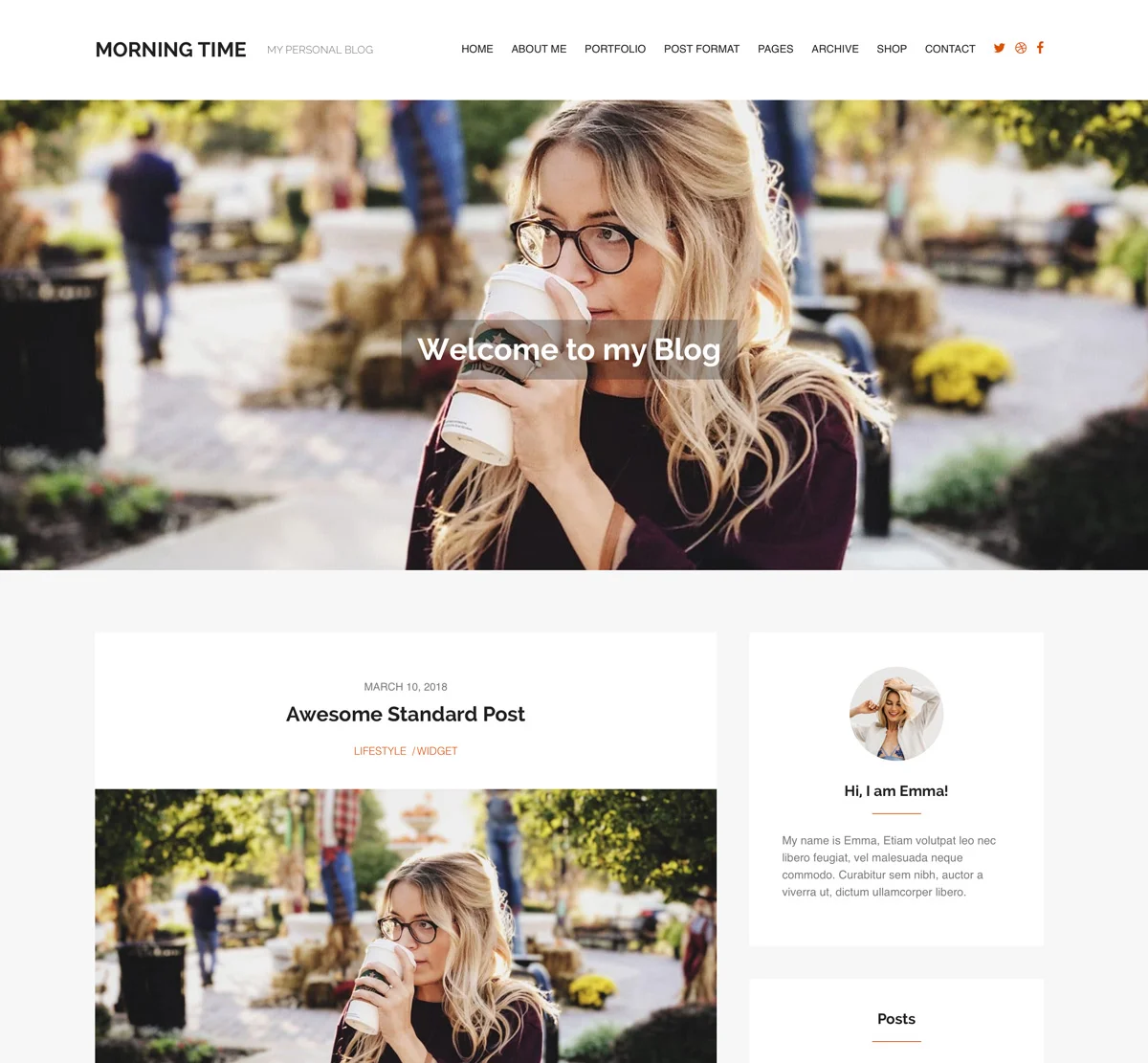
Custom widgets make themes unique. They add special features. Widgets are blocks. They show content on your site. Use them wisely. They enhance user experience. Widgets can be simple or complex. Easy to create using PHP. They need simple code. Custom widgets personalize your site. They engage visitors. Use widgets to show important information. They make websites interactive. Widgets are vital for theme design.
Credit: wplook.com
Testing And Debugging
Different browsers show websites in their own way. It’s important to test your theme on all popular browsers. These include Chrome, Firefox, Safari, and Edge. Sometimes, a theme looks good on one browser but not on another. Use online tools to check how your theme looks. Tools like BrowserStack can help. They let you see your site on different browsers easily. Make sure your theme looks good everywhere. This keeps all users happy.
Debugging helps find problems in your code. Tools like Xdebug and Firebug are useful. These tools show you where the code breaks. They help fix errors fast. Good debugging makes your theme better. It helps the theme run smoothly. Try to use these tools often. They save time and make work easier. Remember, debugging is a friend. It helps keep your theme error-free.
Optimizing For Performance
Fast websites are important. Users don’t like waiting. Large images slow pages. Compress images for speed. Use lazy loading for non-essential visuals. This loads images as users scroll. Enable browser caching. This saves static files on users’ devices. It reduces load times on return visits. Minimize HTTP requests. Fewer requests mean faster loading. Combine CSS and JavaScript files. This lowers requests and speeds up your site.
Mobile users are many. Websites need to fit all screens. Use responsive design. It adjusts layouts to different devices. Media queries help with this. They change styles for various screen sizes. Check your theme with mobile emulators. This ensures everything looks good. Touch-friendly buttons are a must. They help users easily click on mobile devices.
Preparing For Launch
Creating a WordPress theme in 2018 involves understanding the basics of HTML, CSS, and PHP. Start by setting up a local development environment. Use starter themes like Underscores to simplify the process.
Ensuring Security Measures
Security is very important for your WordPress theme. Your theme must be safe from hackers. Use strong passwords for admin access. Update your theme regularly. Regular updates fix bugs and improve security. Check for vulnerabilities often. Use security plugins for extra safety. These plugins help keep your site secure. Always backup your website. Backups protect your data if something goes wrong.
Creating Documentation
Good documentation helps users understand your theme. Write clear instructions for setup. Explain how to customize the theme. Use simple language and short sentences. Include images to show steps. Images make instructions easier to follow. Provide troubleshooting tips for common issues. Users appreciate quick solutions. Keep your documentation updated. Updates ensure users have the latest information.
Credit: ohklyn.com
Frequently Asked Questions
What Are The Basics Of A WordPress Theme?
A WordPress theme consists of template files, stylesheets, and images. It defines the design and functionality of your site. Themes control the look and feel, including layout, typography, and color schemes. Understanding these basics is essential for creating custom themes that meet your specific needs.
How Do I Start Building A Theme?
Begin by setting up a local development environment with WordPress installed. Create a new theme folder in the wp-content/themes directory. Develop essential files like style. css and index. php. Use HTML, CSS, and PHP to build your theme structure. Test and debug thoroughly before deploying.
What Tools Are Needed For Theme Development?
You need a code editor, like Visual Studio Code or Sublime Text. A local server environment, such as XAMPP or WAMP, is essential. Version control systems like Git help manage code changes. Additionally, design tools like Adobe XD or Figma can assist in planning your theme’s layout.
How To Customize A WordPress Theme?
Customize by editing theme files or using the WordPress Customizer. Modify CSS for styling changes and PHP for functionality. Create a child theme to safely customize without affecting the original theme. Use plugins to extend functionality and customize settings through the WordPress dashboard.
Conclusion
Creating a WordPress theme in 2018 is rewarding. You gain valuable skills and insights. The process may seem complex at first. But with practice, it becomes easier. Understanding key concepts is crucial. Start with simple projects. Gradually, build more advanced themes.
Use online resources for guidance. They provide step-by-step instructions. Experiment with different designs and features. This enhances creativity and problem-solving. Always keep your audience in mind. Their experience matters most. Test themes for functionality and user-friendliness. Consistent learning is important.
Stay updated with WordPress trends and tools. Happy theme building!


