
Are you ready to elevate your WordPress business site to the next level? Adding plugins can be the game-changer you’re looking for.
Plugins are like magical tools that can enhance your website’s functionality, improve user experience, and ultimately, help your business grow. Imagine having a website that’s not just a static page but a dynamic hub that attracts and engages visitors. The best part?
You don’t need to be a tech wizard to make it happen. This guide will walk you through the simple steps to add plugins to your WordPress business theme, ensuring your site stands out in the crowded digital marketplace. Ready to unlock the potential of your website? Let’s dive in!
Choosing The Right Plugins
Start by thinking about what your website needs. Focus on features that can help your site. Do you need a contact form? Maybe a gallery to show photos? Write down all your ideas. This helps in picking the right plugin.
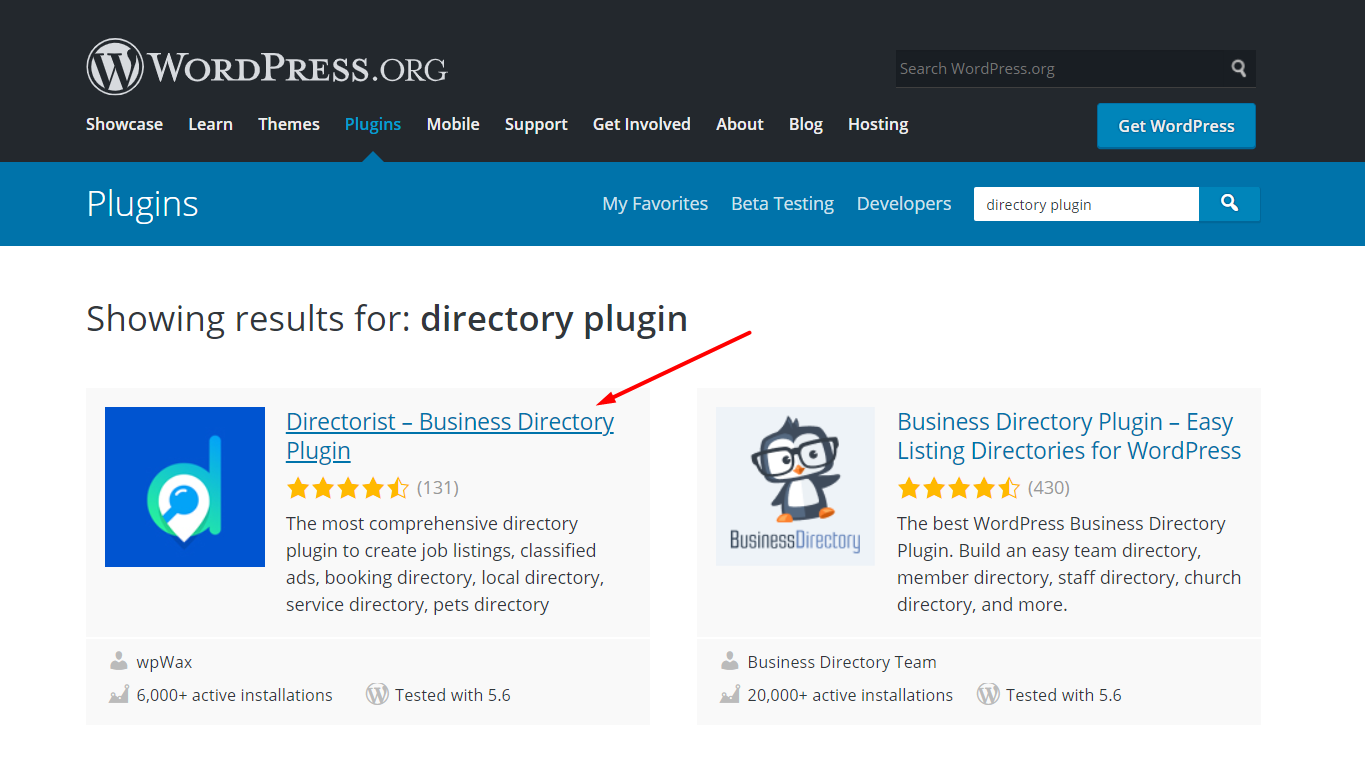
Search for plugins that match your needs. Look in the WordPress Plugin Directory. Read reviews to see what others think. Check how many people use the plugin. This shows if it is popular. Popular plugins often work well.
Ensure the plugin works with your theme. Check the plugin’s page for compatibility info. Look for any warnings or errors. Some plugins may not work with certain themes. Test the plugin on a small part of your site first.

Credit: wordpress.org
Installing Plugins Via Dashboard
Start by logging into your WordPress dashboard. Look for the sidebar on the left. Find the Plugins tab and click it. This opens the plugin menu. You can see installed plugins and add new ones.
Use the search bar to find plugins. Type the name of the plugin you want. Many plugins will appear. Choose the one that fits your needs. You can see ratings and reviews. Read them before choosing.
Click the Install Now button next to your chosen plugin. Wait for the installation to finish. Then click Activate to start using the plugin. Activation makes the plugin ready to use. Always check the plugin settings after activation.
Uploading Plugins Manually
Manually adding plugins to a WordPress Business Theme is simple. Start by downloading the plugin’s ZIP file. Then, upload it through the WordPress dashboard under “Plugins” and activate it. This method allows you to customize your site with ease.
Downloading Plugins From External Sources
First, find the plugin you want. Many websites offer plugins. Ensure the source is trustworthy. Download the plugin file. It often comes as a .zip file. Save it on your computer. Remember where you saved it.
Using The Upload Plugin Feature
Go to your WordPress dashboard. Find the Plugins section. Click on Add New. Look for the Upload Plugin button at the top. Click it. Choose the .zip file you downloaded. Press Install Now. Wait for it to finish. It’s quick!
Activating Uploaded Plugins
After uploading, find the plugin under the Installed Plugins list. You will see an Activate link. Click on it to turn on the plugin. Now, it is active. Enjoy using your new plugin!
Credit: directorist.com
Configuring Plugin Settings
Accessing plugin settings is quite easy. First, go to your WordPress dashboard. Find the plugins section. Click on it. A list of installed plugins will appear. Choose the plugin you want to configure. Click on its settings link. You will see all available options.
Customizing plugin features is fun. Each plugin has different features. Toggle options to see what changes. Adjust settings to fit your needs. Some plugins have sliders or checkboxes. This makes changes easy. Explore each feature carefully.
Saving and testing changes is important. Always save your work. Click the save button after making changes. Then, check your website. See if the plugin works properly. If not, go back and adjust settings again. Test until everything looks good.
Ensuring Plugin Security
Updating plugins is very important. It keeps your site safe. Updates fix security holes and bugs. Developers release them often. Check for updates every week. This way, your site stays secure.
Vulnerabilities are weaknesses in plugins. Hackers can exploit these. Use tools to scan for vulnerabilities. They warn you of risks. Fix issues quickly to avoid problems.
Security plugins help protect your site. They block bad traffic. They stop hackers. Choose a trusted plugin. Read reviews first. Install it for extra safety.
Troubleshooting Common Issues
Adding plugins to a WordPress Business Theme can encounter common issues. Ensure compatibility to avoid conflicts. Activate one plugin at a time for easy troubleshooting.
Dealing With Plugin Conflicts
Plugins may not work well together sometimes. This can cause site problems. First, disable all plugins. Enable them one by one. This helps find the problem. Once found, look for an alternative plugin. Update both plugins if possible. This might fix the issue.
Resolving Installation Errors
Sometimes plugins don’t install. Check your internet connection. Ensure you have enough storage space. Try installing from the WordPress dashboard. If it fails, download and install manually. Follow the plugin’s instructions. Double-check for any extra steps.
Seeking Support And Documentation
Help is available if issues continue. Visit the plugin’s support page. Read the plugin’s documentation. Many problems have easy fixes. You can also ask in WordPress forums. Users and experts can give advice. Always keep a backup before making changes.

Credit: wptavern.com
Frequently Asked Questions
How Do I Add Plugins To WordPress Business Theme?
To add plugins, go to your WordPress dashboard. Click ‘Plugins’ then ‘Add New’. Search for the desired plugin. Click ‘Install Now’ and then ‘Activate’. Ensure your theme supports the plugin for seamless integration. Always check compatibility before installing to avoid any issues.
Can Plugins Affect My WordPress Site Performance?
Yes, plugins can impact site performance. Heavy or poorly coded plugins may slow down your site. Always choose well-reviewed plugins. Regularly update them to ensure optimal performance and security. Consider deactivating or deleting unused plugins to improve speed and efficiency of your WordPress site.
Are All Plugins Free For WordPress Users?
Not all plugins are free. WordPress offers a mix of free and premium plugins. Free plugins provide basic features. Premium plugins offer advanced features and dedicated support. Choose based on your business needs and budget. Always review features before purchasing to ensure they meet your requirements.
How Can I Update Plugins On WordPress?
To update plugins, go to your WordPress dashboard. Click ‘Plugins’ then ‘Installed Plugins’. Check for available updates. Click ‘Update Now’ for each plugin. Regular updates ensure security and compatibility. Make sure to backup your site before updating to prevent data loss or conflicts.
Conclusion
Adding plugins to your WordPress business theme is simple. It enhances your site’s functionality. Choose plugins that suit your needs. Always keep plugins updated for security. Follow the steps we outlined for smooth installation. Remember, plugins help your website perform better.
They can improve user experience and efficiency. Explore different plugins to find the best fit. With the right plugins, your site can stand out. They can make management easier too. Stay informed about new plugin updates. This keeps your site fresh and competitive.
Now, you’re ready to enhance your WordPress site.


