
Imagine your WordPress site as a stage, and your theme is the spotlight. It’s the first impression your visitors get, and as you know, first impressions matter.
Branding your WordPress theme is like crafting a unique signature that tells the world who you are. Do you want your site to stand out and be remembered? Then it’s time to dive into the art of branding your WordPress theme.
In this guide, you’ll discover simple, effective strategies to transform your theme from ordinary to unforgettable. By the end, you’ll have the tools to make your website not just another face in the crowd, but a memorable experience. Ready to make your mark? Let’s get started.
Understanding Branding Basics
Branding is how your website looks and feels. It tells people who you are. Colors, logos, and fonts are important in branding. Consistency is key. Use the same colors everywhere. Choose a logo that people remember. Fonts should be easy to read. Your theme should show your brand’s personality. Is it fun or serious? Think about your audience. What do they like? Images should match your brand’s style. They help tell your story. Keep everything simple and clean. Too much can confuse visitors. Your theme should be unique. Make it stand out. People should know it’s you at first glance.
Identifying Your Target Audience
Understand what users like. Study their habits. Learn their interests. Survey them to know more. Ask specific questions. Find popular designs they prefer. Do they like bright colors or simple designs? Check their age group. Are they young or older? Find patterns in their choices. This helps in making your theme popular.
Look at themes from other companies. Study their designs. Notice the features they offer. Compare them to yours. See what works for them. What do users love about those themes? Find out what is missing in them. This helps in making your theme unique. Identify your strengths. Use them to attract more users.
Creating A Unique Theme Identity
A name gives your theme its first impression. Think of a name that is catchy and easy to remember. Use words that describe the theme’s purpose. A good name should stand out. Avoid long and complex words. Short names are often more memorable. Ensure the name is original and not already used.
A logo is the face of your theme. It should be simple and eye-catching. Use colors that match the theme style. The design should be clear and not cluttered. Logos with unique shapes or fonts grab attention. Make sure it looks good in small and large sizes. A strong logo helps people remember your theme.
Customizing Visual Elements
Choosing the right color scheme is key. Colors make a theme unique. Bright colors feel happy. Dark colors feel serious. Pick colors that match your brand. Use a tool to see colors together. Make sure text is easy to read.
Fonts show your brand’s style. Use big letters for titles. Small letters are good for reading. Choose fonts that match your theme. Some fonts are fancy. Others are simple. Mix fonts to make it fun. But not too much. Keep it easy to read.
Crafting A Compelling Narrative
Your brand story is your theme’s identity. It should be clear and unique. Everyone should understand it easily. Begin with the origin of your theme. Explain why it exists. Share the journey of its creation. Let people know your mission. What problem does your theme solve? How does it help users?
Include personal experiences. This makes the story relatable. Talk about challenges faced. Describe how you overcame them. People love stories of persistence. Let them see the human side of your theme. Make them feel connected.
Values are the heart of your theme. They guide its actions. Make sure these are clear. Users should know what you stand for. Highlight integrity and quality. These build trust. Display your commitment to user satisfaction. Show how your theme respects users’ needs.
Emphasize innovation. Your theme should offer fresh ideas. It should be different from others. Mention its unique features. Let users see its special qualities. This helps in connecting emotionally. When users feel aligned with your values, they become loyal.

Credit: www.bluchic.com
Optimizing Theme User Experience
Navigation should be simple. Users find items easily. Use clear menu labels. Avoid clutter. Icons help. Keep it clean. Organize content well. Logical structure is key. Dropdown menus can confuse. Test navigation paths. Feedback helps improve.
Fast loading is crucial. Users leave if slow. Optimize images. Compress files. Use caching plugins. Remove unnecessary code. Minimize HTTP requests. Prioritize speed in design. Regularly check performance. Keep updates consistent. Speed affects user satisfaction.
Establishing An Online Presence
Your website is your digital home. It shows your theme’s style. Use colors and fonts that fit your brand. Make sure the site is easy to use. Visitors should find information quickly. Add a blog to share ideas and updates. Include an About Us page to tell your story. Connect the website to social media. This helps users find your theme everywhere. Regular updates keep the site fresh and interesting.
Social media is a powerful tool. Share posts about your theme. Use images and videos to grab attention. Respond to comments and messages. Engage with followers to build a community. Share tips and tricks related to your theme. Collaborate with influencers to reach more people. Track engagement to see what works. Adjust your strategy based on feedback. Consistency in posting keeps your brand visible.
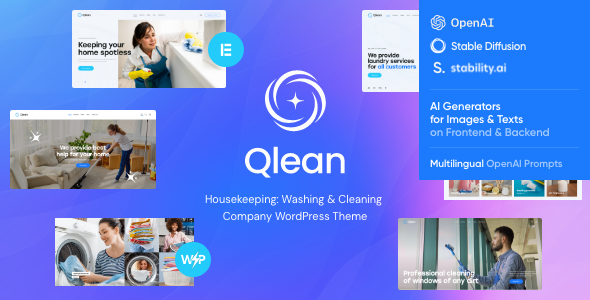
Credit: themeforest.net
Engaging With Your Community
Building a user forum can make your community stronger. Users can ask questions and share ideas. This helps everyone learn and grow. Forums help users feel connected. They become a part of something big. It is like having a friendly chat with neighbors. You can use plugins to set up a forum on your site. Choose a plugin that is easy to use. This makes it simple for users to join and talk.
Ask your users what they think. Feedback helps make things better. Users feel happy when you listen to them. Use feedback forms on your website. Keep the forms short and easy. This way, more people will share their thoughts. Thank users for their feedback. This shows you care about their ideas. It also helps you make your theme the best it can be.
Leveraging Seo For Visibility
Keywords are important. They help people find your website. Choose words people use often. Use them naturally in your content. Place them in titles, headers, and throughout the text. Never overuse keywords. This can hurt your SEO. Search engines might ignore your site.
Meta descriptions are short summaries. They appear in search results. Write clear and catchy descriptions. Use important words in them. Keep them under 160 characters. This helps search engines understand your content. Good descriptions bring more clicks. More clicks mean better visibility.
Monitoring And Adapting Your Brand
Check your brand’s success often. Use tools like Google Analytics. They help you see how users interact. Monitor page views and clicks. Look for trends in user behavior. Are visitors staying on your site? Are they clicking on your links? These answers show your brand’s strength.
Feedback is important. Listen to user comments and reviews. They tell you what people like or dislike. Change your strategies if needed. Maybe your design is too complex? Simplify it. Maybe your colors are not attractive? Try new ones. Small changes can make a big difference.

Credit: www.wpexplorer.com
Frequently Asked Questions
How Do I Customize A WordPress Theme?
Customizing a WordPress theme involves editing its design and features. You can use the WordPress Customizer for basic changes. For advanced customization, modify theme files using a child theme. Plugins can also enhance functionality and design. Always back up your site before making changes to avoid data loss.
Can I Brand My WordPress Theme Without Coding?
Yes, you can brand your WordPress theme without coding. Use the WordPress Customizer to change colors, fonts, and images. Install branding plugins for additional features like logo integration. Many themes offer built-in customization options. These tools make branding accessible even for beginners without coding skills.
What Tools Help In Branding WordPress Themes?
Several tools can assist in branding WordPress themes. The WordPress Customizer offers design options like colors and fonts. Branding plugins provide features like logo integration. Page builders like Elementor offer drag-and-drop customization. These tools simplify branding tasks and enhance your theme’s appearance efficiently.
Is Branding WordPress Themes Important For Seo?
Branding WordPress themes is crucial for SEO. A unique and consistent brand improves user experience and builds trust. Well-designed themes enhance site navigation, leading to better engagement. Quality branding helps differentiate your site, potentially boosting search rankings. It also increases visitor retention and conversion rates.
Conclusion
Branding your WordPress theme sets your site apart. It builds identity and trust. Helps visitors remember your site. Reflects your values and style. Customize colors, fonts, and logos. Make it unique to your brand. User experience matters. Keep it simple and intuitive.
Test your theme on different devices. Ensure it looks good everywhere. Stay updated with trends. But keep your core style consistent. Branding is ongoing. Keep refining and improving. Listen to feedback. Adapt and grow with your audience. Your WordPress theme is your digital face.
Make it memorable and engaging.


