
Are you feeling stuck with your current website’s look and vibe? Want to make a change but not sure where to start?
You’re not alone. Many WordPress users find themselves in a similar situation. The good news? Changing your WordPress theme can breathe new life into your site, and it’s easier than you might think. If you’re using the Vice theme and ready for a makeover, this guide is for you.
We’re about to dive into the step-by-step process of how to change your theme without losing your content or messing up your layout. Get ready to transform your website into something fresh and exciting, capturing the attention of every visitor that comes your way. Let’s get started on this journey to give your site the facelift it deserves!
Preparation Steps
Always keep a backup of your website. Use a plugin like UpdraftPlus. It saves your site’s data. This includes posts, pages, and settings. Save the backup on your computer. You can also use cloud storage. This helps in case something goes wrong. Your backup will protect your work.
Ensure the new theme is compatible. Visit the theme’s page. Read user reviews. See if others faced issues. Check the theme’s version. It should match your WordPress version. This prevents errors. Also, test the theme in a staging environment. This is a safe space. Here, you can see if the theme works well.
Installing The Vice Theme
Start by getting the Vice Theme files. Visit the theme website. Look for the download button. Click it. Save the files on your computer. Make sure you know where they are saved.
Open your WordPress dashboard. Find the ‘Themes’ section. Click ‘Add New’. Choose ‘Upload Theme’. Select the Vice Theme files from your computer. Wait for the upload to finish. Then, click ‘Activate’. Your site now has a new look.
Activating The Theme
Access the WordPress dashboard with your login details. Look for the Appearance option on the left menu. Click on it, then choose Themes. You will see a list of available themes. Find the Air WordPress Vice Theme. Click on the Activate button under the theme. The theme is now active.
To ensure the theme is active, visit your site’s homepage. Check if the layout has changed. The new design should be visible. If changes are not visible, clear your browser cache. Check again to confirm.
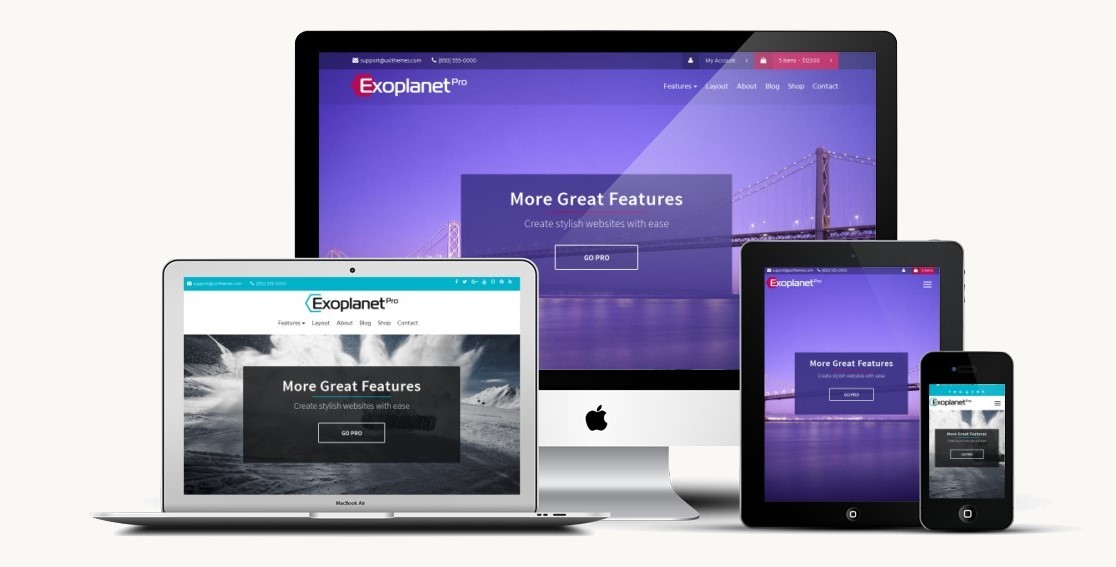
Credit: uxlthemes.com
Customizing The Vice Theme
The Customizer helps change your site easily. Open the WordPress dashboard. Go to Appearance and click on Customizer. Here, you can see many options. Change the site title and tagline. Pick a new background image. Make your site unique. It’s fun and simple.
Visit the Layout section in the Customizer. Choose a layout style you like. Change the colors of your site. Select colors for headings and backgrounds. Make sure the text is easy to read. Bright colors can be fun. Dark colors look serious. It’s up to you!
Widgets add cool features to your site. Go to the Widgets section. Drag and drop a widget to a sidebar. Add a calendar or recent posts. You can even add a search bar. Widgets make your site better. Try different ones and see what you like.
Configuring Theme Features
Music features make your site special. Use audio players for songs. They are easy to set up. Add videos next to music. Videos can show your band or events. People love to see action.
Use playlists for music collection. Playlists keep songs organized. Visitors can enjoy them in a row. Add video galleries for more fun. Galleries show many videos at once. They are great for sharing.
Events need calendars to stay planned. Calendars show dates and times. Add events for concerts or shows. People can see what’s coming. Podcast options let you share talks. Podcasts tell stories or news.
Use RSS feeds for podcasts. Feeds keep episodes updated. Visitors get new shows fast. Events and podcasts make your site lively. They give more reasons to visit.

Credit: blog.usro.net
Testing And Troubleshooting
Check for Errors in your WordPress theme. Start by opening your website. Look for any changes that seem odd. Sometimes, changes in themes can break things. Check if your menus and links work. Make sure images display correctly. If something looks wrong, it might be a theme error.
Resolve Common Issues by checking your plugins. Some plugins might not work with your new theme. Turn off all plugins first. Then turn them back on one by one. See which plugin causes the problem. Also, clear your browser cache. Sometimes old files cause errors. Updating your WordPress version can fix many problems too. Keep everything updated.
Optimizing For Performance
Changing the Air WordPress Vice Theme boosts site performance. Access the theme settings and modify layout, colors, and fonts. Regular updates and optimizing images further improve speed and user experience.
Speed Enhancements
Fast websites make users happy. WordPress Vice Theme needs speed. Loading time matters a lot. Many visitors leave if a site is slow. Optimize images for better speed. Use smaller sizes. Compress files like CSS and JavaScript. This reduces load time. Use a reliable hosting service. It should support quick loading. Caching plugins can help too. They store data for fast access.
Seo Best Practices
SEO helps your site rank well. Use keywords wisely. They should be in titles and content. Meta descriptions need to be clear. They should describe the page. Alt text for images is important. It helps search engines understand images. Internal links improve site navigation. They connect pages within your site. External links add value too. They lead to trusted sources. Always keep your site updated for better SEO.

Credit: css-tricks.com
Frequently Asked Questions
How Do I Customize The Vice Theme In WordPress?
To customize the Vice theme, navigate to your WordPress dashboard. Click on “Appearance” and select “Customize. ” Here, you can modify colors, fonts, and layouts. Each section has specific settings to tailor your site. Save changes to see them live on your website.
Can I Change The Vice Theme’s Color Scheme?
Yes, you can change the Vice theme’s color scheme. Go to “Appearance” in your WordPress dashboard, then “Customize. ” Find the “Colors” section to adjust your site’s color palette. Make sure to preview changes before publishing them to your website.
How Do I Update The Vice Theme?
To update the Vice theme, log in to your WordPress dashboard. Go to “Appearance” and click “Themes. ” Check for available updates for Vice. If an update is available, click “Update Now. ” Regular updates improve security and functionality.
Is Vice Theme Mobile-friendly?
Yes, the Vice theme is mobile-friendly. It is designed to be responsive on all devices. This ensures a seamless user experience across smartphones, tablets, and desktops. Testing on different devices is recommended to ensure compatibility.
Conclusion
Changing the Air WordPress Vice Theme is straightforward. Start by accessing your WordPress dashboard. Navigate to “Appearance” and select “Themes. ” Choose the Vice Theme and click “Activate. ” Customize by clicking “Customize” under “Appearance. ” Adjust colors, fonts, and layouts to fit your style.
Save your changes. Your new theme is now live. Explore different settings for the best look. Enjoy your refreshed website. Regular updates keep your site secure. Learning these steps enhances your WordPress skills. Practice makes perfect. Happy blogging and designing!


