
Are you ready to transform your WordPress site into something truly unique? Imagine having the power to create a theme that not only reflects your personal style but also captivates your audience.
Building your own WordPress theme might sound daunting, but it’s more achievable than you think, especially with the right resources at your fingertips. Think about the possibilities: a custom look tailored to your brand, improved site functionality, and a better user experience.
This guide will lead you through the process step-by-step, with the added bonus of YouTube tutorials to make learning a breeze. Ready to dive in and see how you can elevate your website? Let’s get started on unlocking the potential of your online presence!

Credit: www.youtube.com
Getting Started With WordPress Themes
Creating WordPress themes can be exciting and rewarding. Explore tutorials on YouTube to learn theme development step by step. Engage with the community and enhance your skills through practical examples and expert guidance.
Choosing The Right Tools
Building a WordPress theme needs the right tools. First, choose a good text editor. Editors like Visual Studio Code or Sublime Text work well. They help you write clean code. Next, get a version control system. Git is popular. It helps save code changes. Finally, use a browser for testing. Make sure your theme looks good on all screens.
Setting Up A Local Environment
You need a local environment to test themes. Begin with installing XAMPP or MAMP. These tools create a local server. After that, download and install WordPress locally. Place it in the htdocs or web directory. This setup lets you work fast. No need for internet access. It is safe to try new things here.
Understanding WordPress Theme Structure
WordPress themes have important files and directories. The main directory is the theme folder. It holds all theme files. The style.css file is key. It defines the theme’s look. The functions.php file adds features. There is also the index.php file. It is the main template file. These files work together to create a theme.
Template hierarchy helps WordPress find the right file. It starts with the index.php. If specific files exist, WordPress uses them. Like single.php for single posts. Or page.php for pages. The hierarchy is a map. It shows WordPress where to look. It keeps the site working well.
Designing Your Theme
Start by sketching your theme layout on paper. Visualize the key sections. Think about the header, footer, and sidebar. Keep it simple and user-friendly. Organize content in a way that makes sense. Each part should have a clear purpose. Decide on colors and fonts. They should match your brand. Make sure your layout is easy to navigate. This helps users find information fast.
Your theme must work on all devices. Phones, tablets, and computers. Use a responsive design approach. This means the layout adjusts to screen size. Use flexible grids and layouts. Images should resize automatically. Text should be readable on small screens. Test your theme on different devices. Make sure everything looks right. Responsive design ensures everyone can use your site easily. It’s important for a good user experience.
Developing The Theme
Start with the header and footer. These parts are important. The header is at the top. It often has a logo. It may have a menu too. The footer is at the bottom. It usually has contact info. Sometimes, it includes social media links.
Use HTML for structure. CSS styles the look. PHP can make it dynamic. Make sure the header and footer are consistent on all pages. This helps users navigate easily.
Custom page templates give a unique look. They help in showing special content. Use them for pages that need a different layout.
In WordPress, create a new PHP file. Name it clearly. Add a template name at the top. This makes it easy to pick in WordPress. Design the layout with HTML and CSS. Add PHP for dynamic content. This keeps it interactive.
Styling With Css
Use separate style sheets for different parts. Keep things tidy. Store fonts in one sheet. Store colors in another. This helps find stuff. Makes changes easy. Keep it simple. Use clear names for sheets. This helps everyone understand.
Add your own custom styles. Make your site look special. Use your favorite colors. Pick cool fonts. Try different layouts. Change sizes of things. Make buttons big or small. Use lots of CSS tricks. Have fun styling your site.
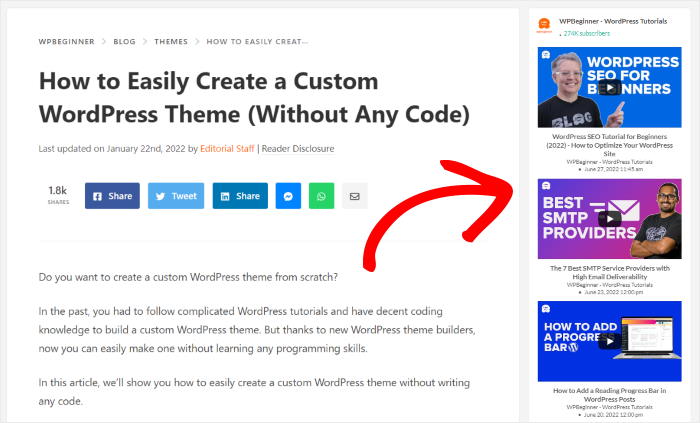
Credit: smashballoon.com
Integrating Javascript
JavaScript makes websites lively. Users enjoy interactive sites. Adding buttons and sliders is easy. JavaScript helps with this. Users can click and see changes. This makes them happy. They stay longer on the site.
Pages can change without loading again. JavaScript does this magic. It updates content quickly. No waiting needed. Users like speedy pages. You can add pop-ups too. They show extra info without leaving the page. This keeps users engaged.
Testing And Debugging
Building a WordPress theme on YouTube involves testing and debugging for seamless functionality. Fixing errors ensures smooth performance and enhances user experience. Regular checks help identify issues early and maintain theme quality.
Testing Across Different Devices
Test your WordPress theme on phones, tablets, and computers. Make sure everything looks good on each device. Check buttons and links to see if they work. Different devices might show your theme differently. Pay attention to how images and text appear. Testing helps you find problems early. Different browsers can also show things differently. Use Chrome, Firefox, and Safari to test. Each browser may show colors and fonts in a unique way. Make sure your theme works well everywhere.
Debugging Common Issues
Debugging means finding and fixing errors in your theme. Sometimes, images don’t load or links don’t work. Start by checking the code for mistakes. HTML and CSS errors are common. Use a tool to check your code. Fix small issues first before moving to big ones. If your theme is slow, look for large files. Reduce file sizes to speed up your site. Always save your work before making changes.
Publishing Your Theme
Before launching, check your theme carefully. Ensure it is bug-free and user-friendly. Test it on different devices. Make sure it works well. This includes phones and tablets. A good theme looks nice everywhere.
Write a clear description for your theme. Explain what it does. List its features. Use simple words. This helps users understand. Add screenshots to show your theme. Pictures are very helpful.
First, create a WordPress account. Then, go to the theme submission page. Fill in the needed details. Upload your theme files. Make sure everything is correct. The review team checks your theme. They look for errors. They also check for security issues. If all is good, your theme gets approved. Now, users can find and use it.
Promoting Your Theme On Youtube
Video content attracts more viewers. Show your theme in action. Use clear and simple words. Explain what makes your theme special. Keep videos short. Around five minutes is good. Add music or voice to keep it lively.
Share your videos on social media. Encourage people to subscribe. Ask them to leave comments. Reply to comments to engage viewers. Connect with other creators. Collaborate on projects. Create a series of videos for more viewers. Keep your content fresh.
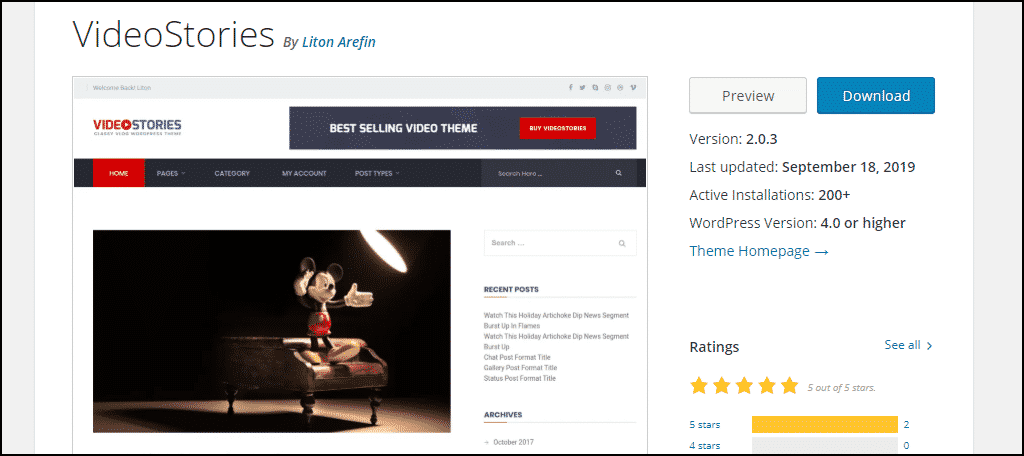
Credit: www.greengeeks.com
Frequently Asked Questions
How To Start Building A WordPress Theme?
To start, choose a design layout and install WordPress locally. Use a starter theme or blank template. Familiarize yourself with PHP, HTML, CSS, and JavaScript. Customize the theme by editing files within the theme directory. Test your theme thoroughly before deploying it live.
Can I Build A Theme Without Coding Skills?
While coding skills are beneficial, you can use page builders and theme frameworks. Tools like Elementor simplify the design process. Use pre-made templates for customization. However, understanding basic HTML and CSS enhances your ability to personalize your theme effectively.
Which Tools Are Essential For Theme Development?
Essential tools include a code editor like Visual Studio Code. Use local development software such as XAMPP or Local by Flywheel. Leverage design software like Photoshop or Sketch. Version control with Git is crucial for managing changes efficiently.
How To Test A WordPress Theme?
Testing involves checking responsiveness and browser compatibility. Validate code using tools like W3C Validator. Use WordPress debugging features for error detection. Test functionalities, such as plugins and widgets, to ensure seamless integration. Regularly update and refine based on user feedback.
Conclusion
Creating a WordPress theme for YouTube is rewarding. You learned each step, from setup to design. Now, your site looks great and functions well. You’ve gained valuable skills in coding and customization. Practice makes perfect, so keep refining your theme.
Experiment with new features and styles. Your unique theme can stand out and attract visitors. Enjoy the journey of learning and creating. Share your work and inspire others. Building themes opens doors to creativity. Happy designing!


