
Are you feeling stuck with your current WordPress theme? Maybe you started with a simple blog, but now your vision has expanded.
You want a full-fledged website that captivates visitors and showcases your brand. You’re not alone. Many WordPress users face the same challenge and wonder how to make the transition smoothly. Imagine having a website that not only looks stunning but also aligns perfectly with your goals.
You deserve a platform that enhances your content, improves user experience, and boosts your online presence. The good news? Changing your WordPress theme from a blog to a website doesn’t have to be a daunting task. In this guide, you’ll discover the secrets to transforming your WordPress site effortlessly. We’ll walk you through each step, ensuring you avoid common pitfalls and make informed decisions. By the end, you’ll have the tools and confidence to choose the perfect theme that resonates with your audience and elevates your brand. Let’s dive in and unlock the potential of your WordPress site together!
Choosing The Right Theme
Switching your WordPress theme can transform a simple blog into a full-fledged website. Consider design, functionality, and compatibility while selecting a theme to match your site’s purpose. This ensures a seamless transition and enhances user experience.
Evaluating Your Needs
Choosing a theme depends on what you need. First, think about your site’s purpose. Is it a blog, a store, or a portfolio? This choice matters. Next, consider your audience. What do they like? A simple design or something more colorful? Finally, consider your content. Will you post pictures, videos, or articles? Your theme should support these. Remember, a good theme makes your site easy to use and nice to see.
Popular Theme Options
Many themes are available online. Some popular ones include Astra, Divi, and OceanWP. Astra is fast and easy to use. Divi offers many design options. OceanWP is great for e-commerce sites. Before picking, read reviews and ratings. Check if the theme updates often. Regular updates help keep your site secure and up-to-date. Make sure the theme fits your needs and style.
Preparing For The Transition
Backup is important. It keeps your data safe. Use plugins for this task. UpdraftPlus and Duplicator are good choices. They save your work. Backup files regularly. Always store copies offline. You never know when you’ll need them. It protects against loss. Mistakes happen. Be prepared.
Staging is like practice. It helps avoid errors. Set up a staging site. Test changes here first. It prevents problems on the main site. Use plugins like WP Staging. They’re easy to install. They make testing simple. Check everything twice. Ensure themes work well. It’s safer this way.
Installing A New Theme
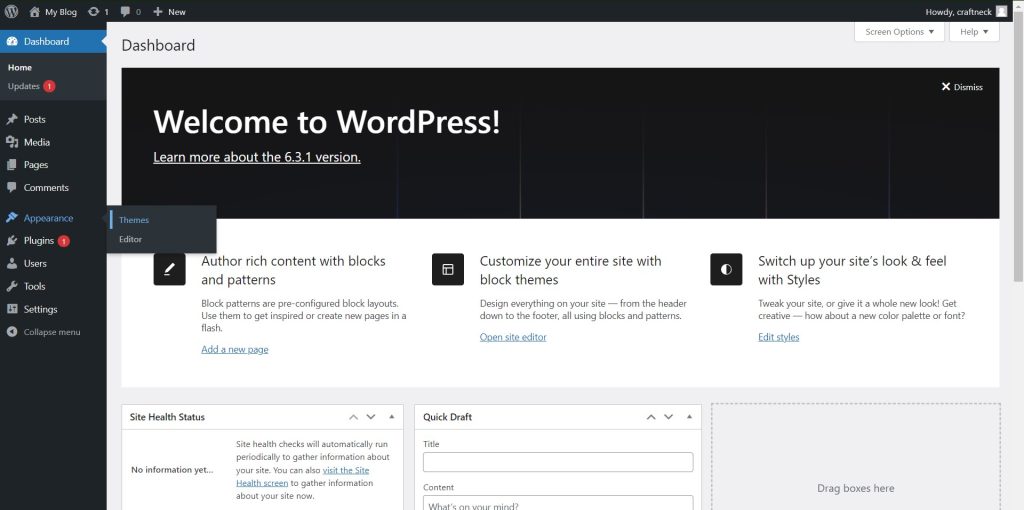
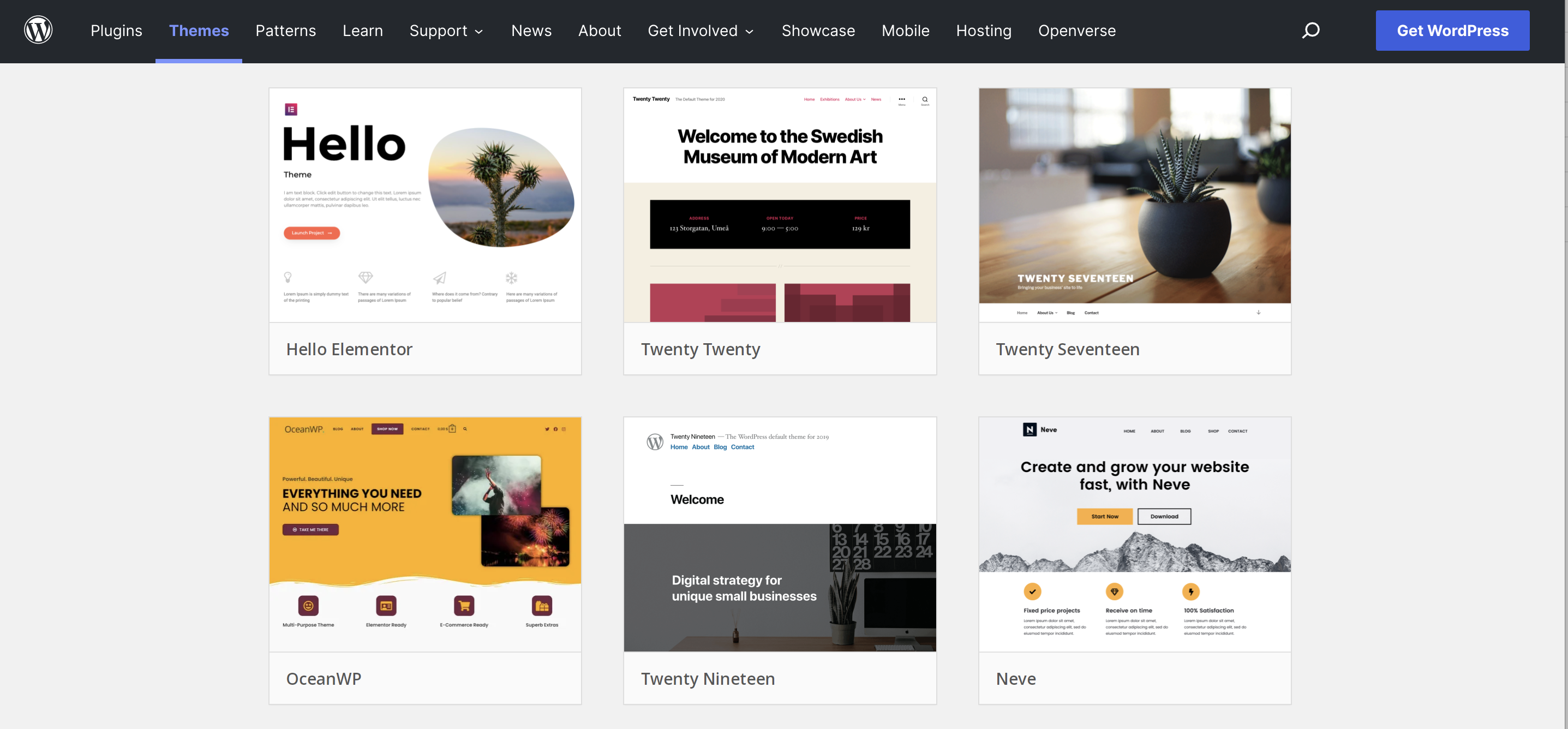
Find the Appearance option in the WordPress dashboard. Click on Themes. Search for a new theme using the search bar. Filter by features like color and layout. Click Install on the chosen theme. After installation, press Activate to use it. Explore different themes for varied designs. Each theme offers a unique style. Change your theme anytime.
Download the theme file from a trusted source. Go to the dashboard and click on Appearance. Choose the Themes option. Click on Add New button. Then select Upload Theme. Browse and upload the theme file. Hit Install Now. Once installed, activate the theme. Ensure the theme is compatible with your WordPress version. Check for theme updates regularly.
Credit: bdthemes.com
Customizing The Theme
Adjusting layout and design is easy with WordPress. Start by choosing a theme that fits your vision. You can find themes in the WordPress theme directory. Once selected, go to the theme customizer. There, you can change colors, fonts, and layouts. Try different settings to see what looks best. Save changes often to avoid losing work. Keep it simple and neat for easy navigation.
Adding custom widgets and plugins makes your site unique. Widgets add features to your site. Plugins add extra functions. Find them in the WordPress dashboard. Choose ones with good reviews and regular updates. Install and activate them carefully. Each widget or plugin has settings. Adjust settings for best results. This way, your site will look and work great.
Optimizing For Performance
Improving Load Times is crucial for your website. Fast websites keep visitors happy. Slow ones drive them away. Check your theme’s files. Clean up any unnecessary code. Minimize image sizes. Use compressed formats. This speeds up your site.
Ensuring Mobile Responsiveness is key. Many users browse on phones. Test your theme’s design on different devices. Make sure buttons and links are easy to click. Text should be readable. Images should fit the screen. A responsive theme improves user experience.
Credit: jetpack.com
Testing And Launching
Ensure your website works on all browsers. Test it on Chrome, Firefox, and Safari. Each browser may display things differently. Look for broken images or text. Fix any problems you find. This ensures a good experience for all visitors. Testing takes time, but it is worth it. Everyone should see your site as you designed it.
User experience is very important. Check if links work properly. Ensure pages load quickly. Visitors should find what they need fast. Make sure buttons are easy to click. Text should be readable. Use big fonts and clear colors. Ask friends to test your site. Get their feedback. Improve any issues they find. A happy visitor returns.
Maintaining Your New Website
Transform your blog into a professional website by changing the WordPress theme. Access the dashboard, select ‘Appearance’, and choose ‘Themes’. Explore options suited for business, portfolio, or personal websites. Customize to reflect your brand’s identity. Enjoy a seamless transition without losing content.
Regular Updates And Security
Keeping your website updated is very important. Updates fix bugs and add new features. Always install the latest updates for WordPress and plugins. This keeps your site safe. Older versions can have security issues. Hackers look for these to break in.
Back up your website often. If something goes wrong, you can restore it. Choose a strong password for your admin account. This stops unwanted access. Use a security plugin to add extra protection. It helps to monitor and block threats.
Content Management Best Practices
Plan your content. Make a schedule. Post regularly to keep readers engaged. Quality content attracts more visitors. Use clear titles and simple language. This makes your content easy to read. Use images to make posts interesting. They help explain your ideas better.
Check your content for mistakes. Fix any spelling or grammar errors. This makes your site look professional. Encourage comments and feedback. Interact with your audience. This builds a community around your site.

Credit: onesmartsheep.com
Frequently Asked Questions
How Do I Switch WordPress Themes?
To switch WordPress themes, navigate to your dashboard, click ‘Appearance’, then ‘Themes’. Choose a new theme and click ‘Activate’. Ensure your content aligns well with the new design. Always back up your site before making changes to avoid data loss.
Test the new theme thoroughly for compatibility issues.
Can Changing Themes Affect My Website’s Seo?
Yes, changing themes can impact SEO. Ensure the new theme is SEO-friendly, mobile-responsive, and fast-loading. Verify that header tags, meta descriptions, and alt texts remain intact. Use SEO plugins to maintain rankings. Always check for broken links or missing elements after switching themes to prevent SEO issues.
How To Customize A WordPress Theme?
Customize WordPress themes through the ‘Customizer’ in your dashboard. You can change colors, fonts, and layouts. Use widgets and plugins for added functionality. Always preview changes before saving. If coding is required, consider child themes to preserve customizations during updates.
Regularly update your theme for security enhancements.
Will My Content Change If I Switch Themes?
Switching themes won’t alter your content but may affect its appearance. Ensure your new theme supports your existing content structure. Check if widgets and plugins integrate seamlessly with the new design. Always back up your content before switching themes to prevent data loss.
Test thoroughly to ensure everything displays correctly.
Conclusion
Changing your WordPress theme transforms your blog into a dynamic website. With the right theme, your site will look professional and appealing. It’s crucial to choose a theme that suits your brand and audience. Test different themes to find the perfect match.
Remember, customization options enhance user experience and improve functionality. Keep your site updated to ensure security and performance. Regular updates and backups safeguard your content. A well-chosen theme can elevate your website’s presence. Enjoy the process of creating a site that stands out and engages visitors effectively.
Your journey to a better site starts with the right theme.


