
Are you using the Salient theme on your WordPress site and wondering how to enhance it with a comprehensive FAQ section? You’ve come to the right place.
Adding an FAQ not only improves user experience by answering common questions but also boosts your site’s SEO by incorporating more relevant keywords. This guide will walk you through the straightforward process of adding an FAQ section to your WordPress child theme in Salient.
Imagine the relief your visitors will feel when they find answers to their questions quickly and effortlessly. And, think about the extra time you’ll save by addressing inquiries proactively. Let’s dive in and make your website more user-friendly and efficient.

Credit: www.youtube.com
Understanding WordPress Child Themes
A child theme lets you change your website without touching the original files. This means your changes are safe. Updates won’t mess them up. You can make your site look special. You can add new features too. Everything stays in the child theme. The main theme stays clean and safe. This is why many people use child themes.
Using a child theme is easy and safe. You can try new ideas. If something goes wrong, your main theme is fine. This gives you freedom to learn. It’s also great for updates. Your changes won’t disappear. With a child theme, your site stays up-to-date. It also stays unique.
Introduction To Salient Theme
The Salient Theme is popular for creating websites. It offers many features that make design easy. Users love its customization options and stylish designs.
Salient provides a responsive layout. This means your site looks good on all devices. It’s important for user experience.
With SEO optimization, your site can rank higher in search results. This helps more people find your website. Salient also includes page builder tools. These tools make it easy to create pages without coding.
- Responsive Design: Looks great on phones and computers.
- Customizable Options: Change colors and fonts easily.
- SEO Tools: Improve your site’s search engine ranking.
- Page Builder: Create pages without coding knowledge.
Salient is a versatile theme. It fits many types of websites, like blogs and stores. It’s easy to use for beginners and experts.
Many users praise its performance and speed. Fast websites keep visitors happy. Salient also offers regular updates. This keeps your site secure and fresh.
With great support, you can solve problems quickly. This makes managing your site stress-free.
Setting Up A Child Theme In Salient
First, create a new folder. Name it salient-child. This folder will hold your child theme files. Inside, make a style.css file. This file tells WordPress about your theme. Add this code at the top:
    /
    Theme Name: Salient Child
    Template: salient
    /
Next, create a functions.php file. This file will control the theme’s functions. Keep it simple for now. It will grow as you add features.
In the functions.php file, add code to load styles. Use wp_enqueue_style for CSS. Also, use wp_enqueue_script for JavaScript. This keeps your files organized. It also ensures they load in the right order.
Here is a sample code:
    function salient_child_enqueue_styles() {
        wp_enqueue_style('salient-style', get_template_directory_uri() . '/style.css');
        wp_enqueue_style('salient-child-style', get_stylesheet_directory_uri() . '/style.css', array('salient-style'));
    }
    add_action('wp_enqueue_scripts', 'salient_child_enqueue_styles');
With these steps, your child theme is set. You’re ready to customize!

Credit: www.youtube.com
Common Issues And Troubleshooting
Struggling with adding FAQs to a WordPress child theme in Salient? Ensure your theme files are correctly set up. Check for conflicts with plugins or themes that might hinder the process.
Fixing Plugin Conflicts
Sometimes plugins can cause problems. They might not work well together. Start by disabling each plugin one by one. Check if the problem goes away after each try. This will help find the bad plugin. It’s like playing a game of hide and seek with your plugins. Once you find the problem, look for an update or a better plugin. Always keep your plugins updated. It helps prevent future issues.
Dealing With Style Discrepancies
Style issues can make your website look odd. First, check the CSS files in your child theme. Ensure they are not conflicting with the parent theme. Use browser tools to inspect elements. This helps see which styles are applied. Sometimes, adding extra code to your child theme can fix it. Always back up your files before making changes. This keeps your work safe.
Best Practices For Managing Faqs
Keep your FAQs fresh by updating them often. Users appreciate timely answers. Remove outdated questions. Add new ones to stay relevant. Check links in FAQs. Broken links confuse users. Ensure all links work correctly. Regularly check for errors. Fix any mistakes quickly. This shows you care about users.
FAQs should be easy to read. Use simple words and short sentences. Organize FAQs clearly. Use headings to group similar questions. Make FAQs searchable. Add a search bar if possible. This helps users find answers fast. Highlight important words in answers. Bold them for easy reading. Encourage feedback. Ask users if FAQs help them. This improves the FAQ section.
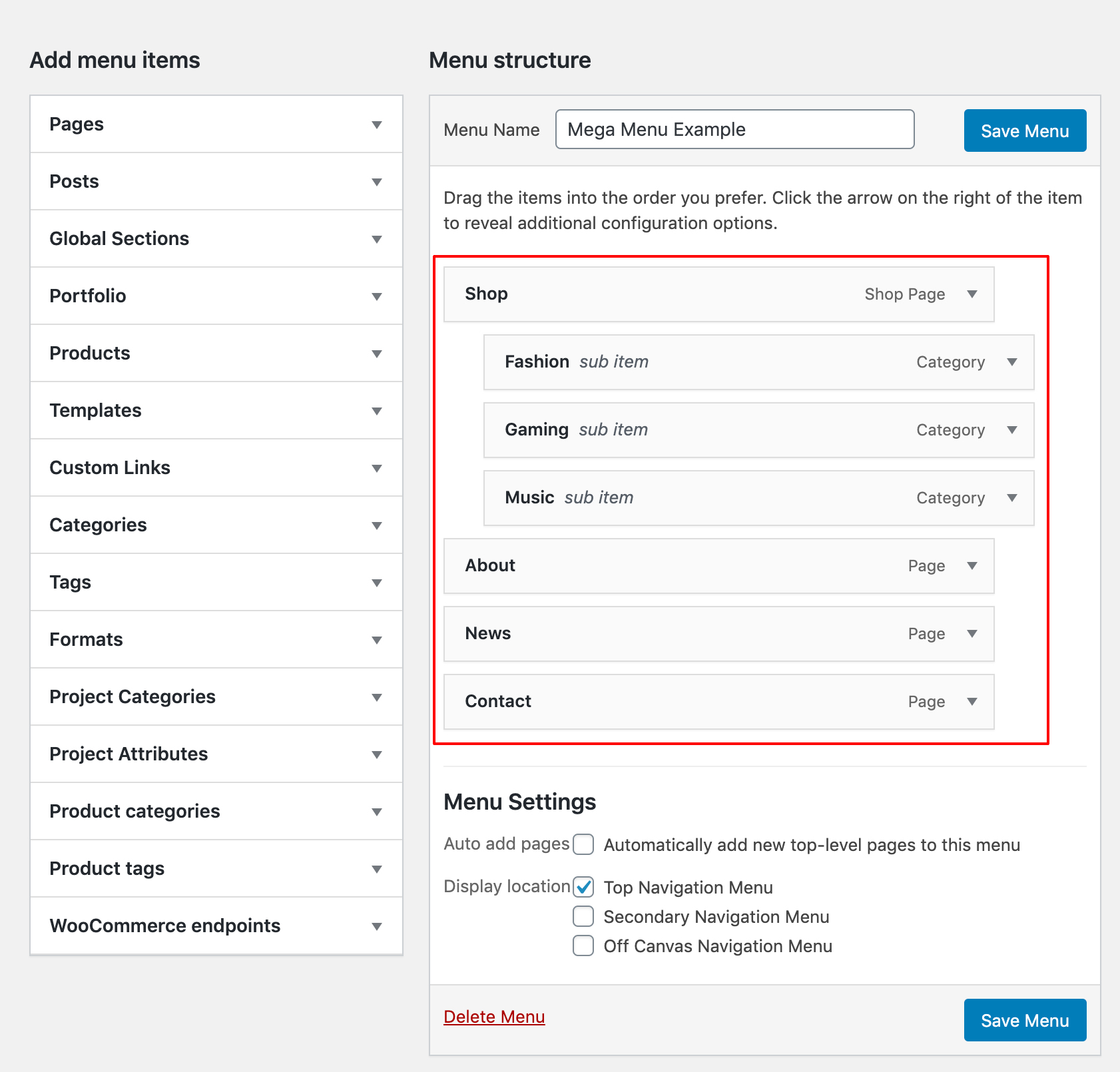
Credit: themenectar.com
Frequently Asked Questions
How To Create A Child Theme In Salient?
Creating a child theme in Salient involves copying the parent theme files. First, make a new folder in wp-content/themes. Then, copy the style. css file and add a Template header pointing to Salient. Activate the child theme through the WordPress dashboard.
Can I Add Faqs Using WordPress Plugins?
Yes, you can add FAQs using WordPress plugins. Search for FAQ plugins in the WordPress repository. Install and activate your chosen plugin. Follow its setup instructions to create and display FAQs on your site effortlessly.
What Is The Benefit Of Using A Child Theme?
Using a child theme preserves your customizations when the parent theme updates. This ensures that your changes won’t be lost. It allows you to experiment and customize without affecting the main theme. It’s a best practice for theme customization.
How Do You Customize Salient Theme Settings?
Customize Salient theme settings via the WordPress Customizer. Access it through the Appearance menu. Modify colors, fonts, and layout options. Use the theme panel for advanced settings. Save your changes to see them live instantly.
Conclusion
Adding FAQs to your WordPress child theme in Salient is simple. Follow the steps provided. Customize your FAQ section to suit your needs. This enhances user experience. Visitors will find answers quickly. They stay longer on your site. Easy navigation is crucial.
Keep your site organized. Make sure your FAQs are clear. Use straightforward language. Your readers will appreciate this. It builds trust. A well-structured FAQ section benefits your site. It’s worth the effort. Now, start implementing these tips. Watch your site improve.


