
Are you ready to transform your website into a visually stunning and highly functional platform? Building a WordPress Rara Theme is your perfect solution.
Imagine having a theme that not only looks professional but also functions seamlessly, making it easier for your visitors to navigate and engage with your content. Whether you’re a seasoned web developer or someone taking their first steps into the world of website creation, this guide will show you how to build a WordPress Rara Theme effortlessly.
Why settle for average when you can have extraordinary? By following our step-by-step instructions, you’ll discover how easy it is to create a unique and appealing site that stands out from the crowd. Plus, we’ll share insider tips that will keep your audience coming back for more. Ready to elevate your digital presence? Let’s dive in and start building something amazing together!

Credit: www.facebook.com
Choosing The Right Rara Theme
Think about what you need from a theme. Do you want a simple look? Or a fancy one? Knowing your needs makes choosing easier. Consider if you need a blog or a shop. Some themes are better for blogs. Others are better for shops. List your must-haves. This helps narrow down choices.
Rara themes come in many styles. Start by checking the theme gallery. Look for colors you like. See if the layout matches your needs. Check for reviews. Happy users mean a good theme. Try a demo if you can. It shows how the theme looks live.
Setting Up Your WordPress Environment
Start by downloading WordPress from its website. Save the file to your computer. Next, unzip the file. You will see a folder named “wordpress”. Open this folder.
Inside, there are many files. Upload these files to your web server. Use a tool like FileZilla for this. Connect to your server and transfer the files. Once done, visit your domain. Follow the setup steps shown on your screen. Enter database details and click install.
Log in to your WordPress dashboard. Find the settings menu on the left. Click on “General”. Change your site title and tagline. Choose your preferred time zone. Save changes.
Next, go to “Permalinks”. Select the post name option. This helps with SEO. Save changes again. Visit “Reading” settings. Set your homepage display. Save your settings. Now your WordPress is ready for Rara theme!
Installing The Rara Theme
First, go to the Rara Theme website. Find the theme you like. Click the download button. Save the file to your computer. The file will be in a .zip format. Keep it safe. You will need it soon.
Open your WordPress dashboard. Click on Appearance. Then, click on Themes. Find the Add New button. Next, click on Upload Theme. Choose the .zip file you saved. Click Install Now. Wait for the upload. Click Activate to start using your new theme.

Credit: www.youtube.com
Customizing The Theme
The Theme Customizer is a helpful tool. It lets you change the look of your site. You can see changes live. This tool is easy to use. Colors, fonts, and backgrounds can be changed. This makes your site look unique.
Adjust the layout to suit your needs. Choose a layout that fits your style. You can change the number of columns. You might like one column or two. Widgets can be added to the sidebar. This adds more features. Make sure the design is clean. A clean design looks nice and is easy to read.
Adding Essential Plugins
Plugins make WordPress themes better. Rara themes work well with many plugins. Choose plugins to add new features. These plugins help in different ways.
Recommended Plugins For Rara Themes
Yoast SEO helps improve site visibility. Contact Form 7 allows users to contact you. WooCommerce turns your site into a store. Elementor helps design pages easily. Akismet protects your site from spam.
More plugins improve functionality. Choose plugins for your site needs. Wordfence offers security for your site. Jetpack provides many tools for performance. MailChimp helps with email marketing.
Plugins give your site more power. Choose wisely. Ensure compatibility with Rara themes. Update plugins regularly. Keep your site safe and fast.
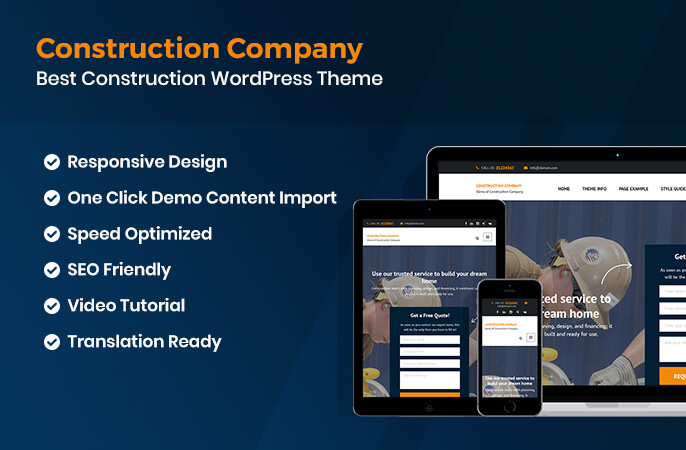
Credit: rarathemes.com
Optimizing For Performance
Building a WordPress Rara Theme requires optimizing for performance. Focus on clean code and image compression. Ensure fast loading times for a better user experience.
Improving Load Times
Fast websites make users happy. Use a good hosting service. Choose one with high-speed servers. Compress images to save space. Smaller images load faster. Minify CSS and JavaScript files. This makes them smaller. Use caching plugins. Caching saves data for later. Speed matters.
Ensuring Mobile Responsiveness
Phones are everywhere. Websites must fit on them. Use a responsive design. This makes pages look good on any device. Test on different phones. Check how the site looks. Use tools that help with testing. Make sure buttons are easy to click. Large buttons help users. No one likes hard-to-click buttons.
Testing And Launching Your Site
Building a WordPress site with a Rara theme requires testing before launch. Check links, images, and responsiveness on different devices. Ensure plugins work smoothly and optimize loading speed for a better user experience.
Checking For Issues
Check your website for any errors or bugs. Ensure all links work properly. Click each link to see if it goes to the right page. Look at your site on different browsers. Check on Chrome, Firefox, and Safari. Make sure your site looks good on each one. Test on phones and tablets too. See if the site is easy to use there. Check for spelling mistakes. Fix any typos you find. Ask a friend to look at your site. They might see things you missed.
Going Live
Pick a good day to make your site live. Avoid weekends when people are busy. Backup your site before going live. This keeps your work safe. Upload your website to your hosting server. Check again that everything works. Look at your site once more. Make sure it loads quickly. Celebrate your hard work and share your site with friends!
Frequently Asked Questions
What Is A Rara Theme In WordPress?
A Rara Theme is a WordPress template designed for easy customization. It offers various features for creating visually appealing and functional websites. These themes are user-friendly and cater to different niches, ensuring your site looks professional without requiring extensive coding knowledge.
How To Install A Rara Theme?
To install a Rara Theme, log into your WordPress dashboard. Navigate to ‘Appearance’ and select ‘Themes. ‘ Click ‘Add New,’ search for your chosen Rara Theme, and click ‘Install. ‘ Once installed, activate the theme to start customizing your website.
Can I Customize A Rara Theme Easily?
Yes, Rara Themes are designed for easy customization. They come with built-in options for changing colors, fonts, and layouts. You can use the WordPress Customizer or theme settings to tailor your site to match your brand without needing advanced coding skills.
Are Rara Themes Mobile-friendly?
Rara Themes are responsive, meaning they adjust to different screen sizes. This ensures your website looks great on mobile devices, tablets, and desktops. Mobile-friendly themes improve user experience and help with search engine rankings, making them a smart choice for your WordPress site.
Conclusion
Building a WordPress Rara theme can be straightforward. Follow the steps carefully. Customize your theme to suit your style. Use the theme options wisely. Add plugins for extra features. Test your site regularly. Ensure your site is responsive. Keep your content fresh and engaging.
Optimize for SEO to attract visitors. Regularly update your theme for security. Practice makes perfect. With patience and creativity, your site will shine. Enjoy the process and learn as you go. Your WordPress Rara theme is ready to impress.


