
Are you looking to enhance your WordPress site with interactive features? Adding JavaScript and div elements can transform a static webpage into a dynamic user experience.
Whether you want to incorporate animations, interactive forms, or custom functionalities, integrating JavaScript into your WordPress theme is the way to go. You might think it’s a daunting task, especially if you’re not a developer. But don’t worry—it’s easier than you imagine, and we’re here to guide you every step of the way.
By the end of this article, you’ll know exactly how to add JavaScript and divs seamlessly, without breaking a sweat. So, let’s dive into the world of coding magic and take your WordPress site to the next level!
Setting Up A Child Theme
First, find your WordPress theme folder. It is inside the wp-content/themes directory. Inside, create a new folder. Name it something like yourtheme-child. This folder will store your changes. It keeps them safe during updates.
Create a file named style.css inside your child theme folder. This file is for your styles. At the top, add a comment block. Include the Theme Name and Template. The template is your parent theme’s folder name. This tells WordPress which theme to use.
Add your styles below the comment block. These styles change how your site looks. They will not affect the main theme. This is the beauty of a child theme.
Incorporating Javascript
Begin by creating a new JavaScript file. Save this file in your theme folder. Use a name like scripts.js. This helps keep it organized. Write your code inside this file. Keep the code simple and clear. Remember, neat code works better.
Open your functions.php file. This file is in your theme folder. Add a function to load your JavaScript. Use wp_enqueue_script(). This tells WordPress to use your script. Give your script a unique name. Always test after adding code. Testing prevents problems.
Adding Html Div Elements
First, find the right template file in your theme. Look for header.php, footer.php, or page.php. These files often contain the HTML structure. You can use a file manager or FTP client. Open the file with a text editor. Make sure to create a backup first. This keeps your theme safe.
To add a new div, open the template file. Add your tag inside the file. Place it where you want the content to appear. You can add text or other HTML inside the div. Save the file when done. Check your website to see the new content.
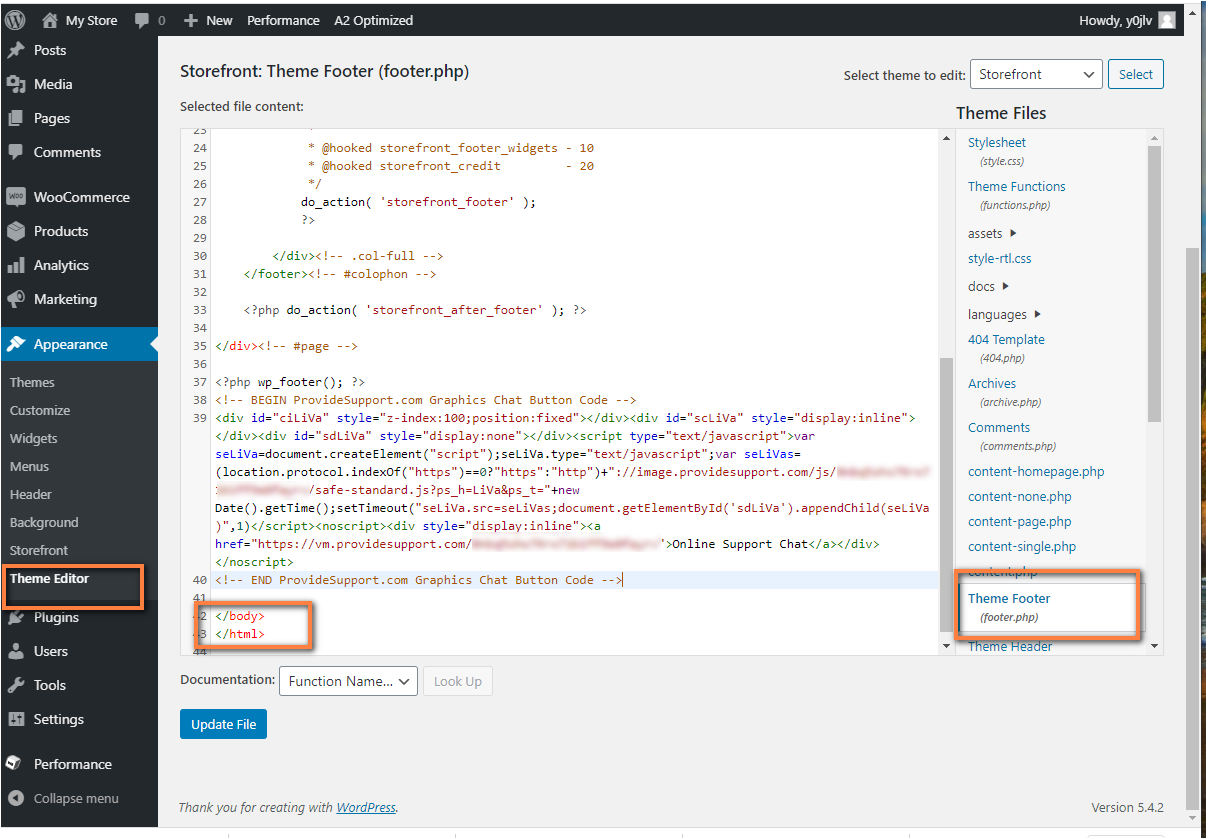
Credit: www.providesupport.com
Using WordPress Hooks
Action hooks help you add Javascript. They allow you to insert code. Actions trigger at specific times. You can add code at these times. Use the function add_action(). It connects your script to a hook. Remember to enqueue your scripts properly. This ensures they load at the right time.
Filter hooks change content. They help in modifying Divs. Use add_filter() to connect to a hook. This changes how your content appears. You can make your Divs unique. Use simple CSS for styling. Filters are great for customization.
Testing And Debugging
Integrating JavaScript and div elements into a WordPress theme enhances functionality and design. Use the WordPress admin panel to add scripts and divs through the theme editor, ensuring seamless interaction. Proper testing and debugging are crucial for maintaining performance and preventing errors.
Checking For Javascript Errors
Find JavaScript errors using browser tools. Open the console to see messages. Error messages help you fix problems. Look for lines that say “error” or “warning.” These show where code breaks. Check your code again. See if you missed a semicolon or bracket. Even small mistakes matter. Fix them to make your site work well.
Validating Html Structure
Check HTML to ensure it’s correct. Use online tools for validation. They find HTML errors quickly. Look for unclosed tags or missing attributes. Correct these errors to improve site performance. Valid HTML helps browsers understand your page. It makes your site work better. Pay attention to details. Small fixes can have a big impact.

Credit: wordpress.stackexchange.com
Best Practices
Maintaining code organization is key for a clean project. Group similar functions together. This helps in finding them easily. Use comments to explain tricky parts. Keep your code neat and tidy.
To ensure theme compatibility, always test changes. Start with a child theme. This prevents problems in the main theme. Check your theme’s documentation. It often has useful hints. Test your site on different devices. Make sure everything looks right.
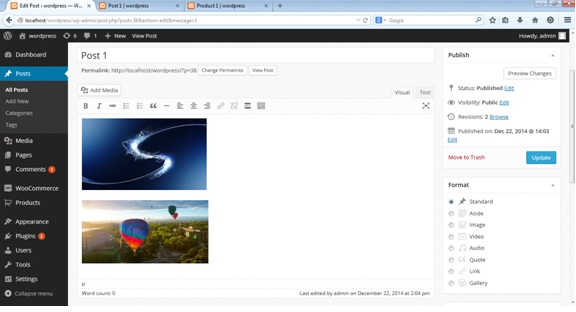
Credit: www.themelocation.com
Frequently Asked Questions
How Do I Insert Javascript Into A WordPress Theme?
To insert JavaScript, use the `wp_enqueue_script` function in the theme’s `functions. php` file. This method ensures proper script loading. Place your JavaScript file in your theme directory and enqueue it in the `functions. php` file. This approach is safe and recommended for WordPress themes.
Can I Add A Div In WordPress Theme?
Yes, you can add a div in WordPress themes. Edit the theme’s template files, such as `header. php` or `footer. php`. Insert your div code where you want it to appear. Ensure to follow HTML standards to maintain the theme’s structure and design.
What Are The Best Practices For Adding Javascript?
Use the `wp_enqueue_script` function to add JavaScript responsibly. Avoid directly editing theme files for better updates. Load scripts in the footer to improve page speed. Always test your changes on a staging site before applying them to a live site.
Is It Safe To Modify WordPress Theme Files?
Modifying WordPress theme files is safe if done correctly. Always create a child theme before making changes. This ensures your modifications aren’t lost during theme updates. Back up your site before making any changes to avoid any data loss.
Conclusion
Adding JavaScript and div tags to a WordPress theme is simple. Follow the steps carefully to ensure success. Start by editing the theme files. Use a child theme for safety. Insert your JavaScript code between script tags. Add div tags where needed in the template files.
Preview changes before saving. This ensures everything works correctly. Understanding these basics helps improve your site’s functionality. Practice makes it easier each time. Keep learning and exploring new techniques. Your WordPress theme can now be more dynamic and interactive. Enjoy customizing your website with ease.


