
Are you struggling to monetize your WordPress Newspaper theme effectively? You’re not alone.
Many website owners face the same challenge of finding the perfect spot to place ads without disrupting the reader’s experience. But what if I told you there’s a way to seamlessly integrate ads into your theme, enhancing both your revenue and your site’s aesthetics?
In this guide, you’ll discover step-by-step instructions on how to add ads to your WordPress Newspaper theme effortlessly. By the end, you’ll not only know where to place your ads but also how to optimize them for maximum impact. So, if you’re ready to turn your website into a revenue-generating machine while keeping your readers engaged, keep reading. Your path to a more profitable website starts here.
Credit: tagdiv.com
Choosing The Right Ad Placement
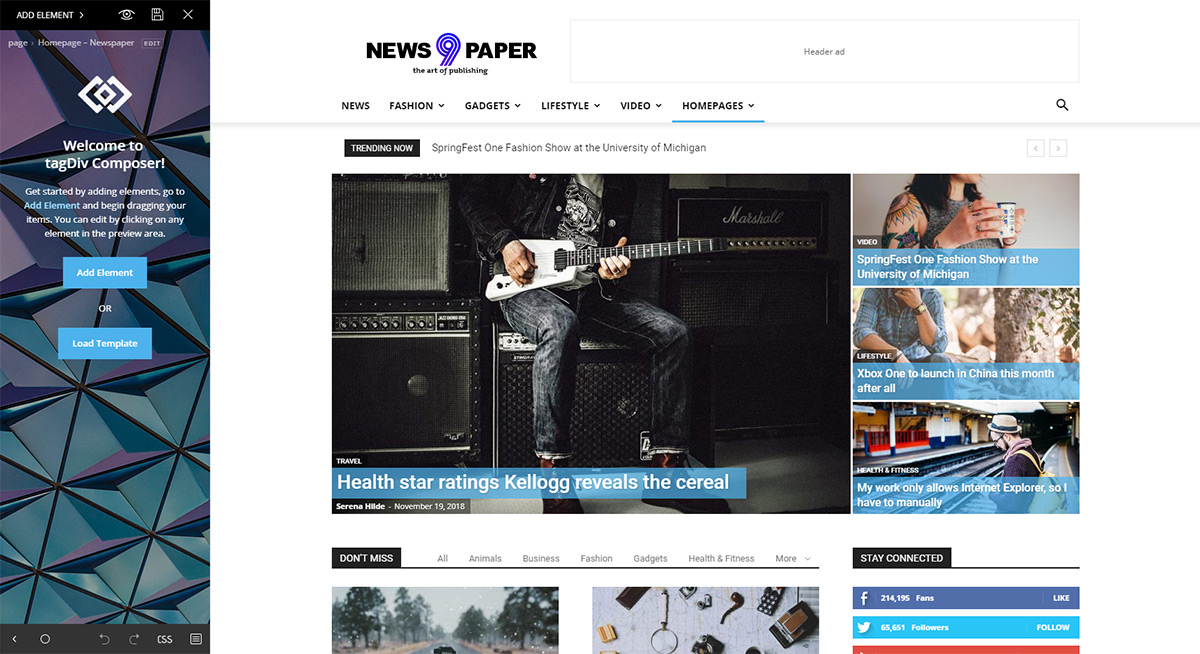
Placing ads in the right spots is crucial. Key areas often include the header, sidebar, and footer. These locations catch the eye. They don’t interrupt content flow. Readers can easily see them. Ads placed here often perform well.
User experience is very important. Too many ads can annoy visitors. It can make them leave the site. Balance is key. Use ads that fit with content. Ensure they are not too large. Ads should not cover important parts of the site. Keep the layout clean and organized. A pleasant experience keeps readers coming back.

Credit: www.youtube.com
Setting Up An Adsense Account
Visit the AdSense website. Click on Sign Up. Enter your email address and website URL. Follow the steps. Fill in the required information. Accept the terms and conditions. Click Create Account. Your account is ready.
Log into your AdSense account. Navigate to the Ads section. Choose New Ad Unit. Select ad type and size. Customize the ad style. Click Save and Get Code. Copy the generated code. Use it on your WordPress site.
Integrating Ads With Newspaper Theme
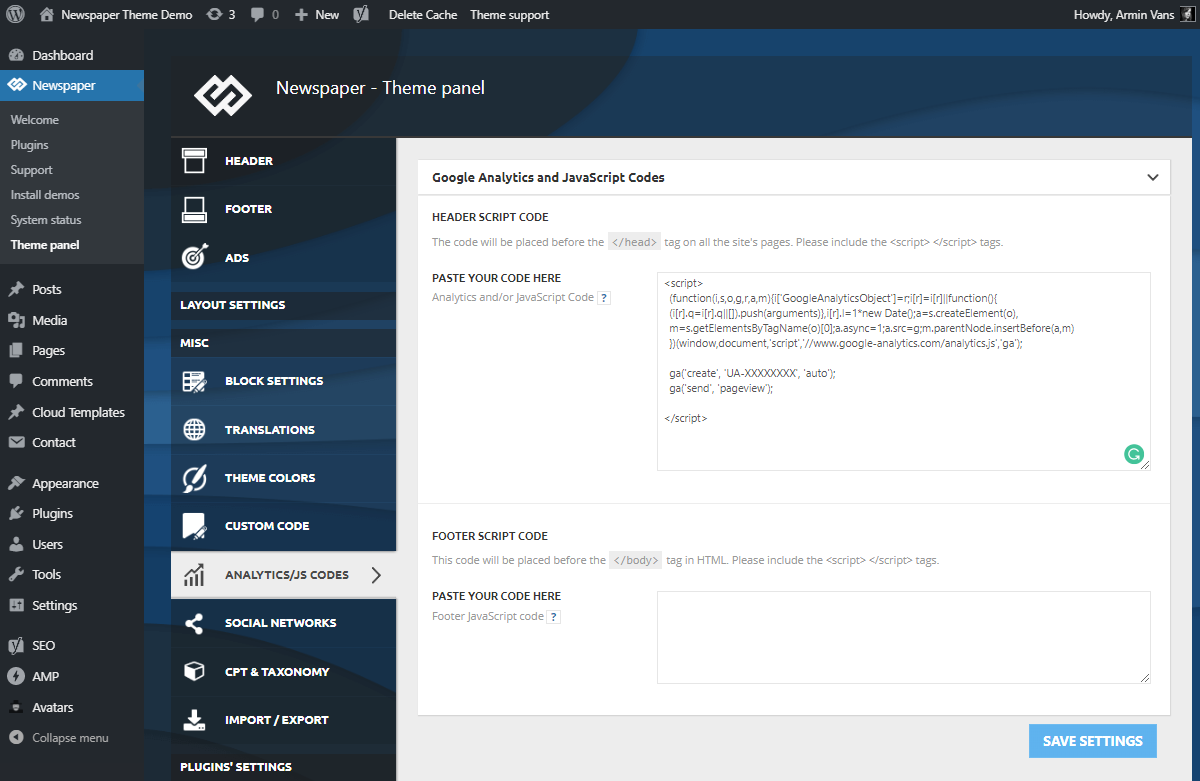
Many WordPress themes come with built-in options for ads. These options let you place ads without coding. First, find the theme’s ad settings. Look under the Appearance or Theme Options menu. Once there, choose the ad type. It could be a banner or a sidebar ad. Next, paste the ad code in the provided box. Save the changes to see your ad live. Easy, right?
Custom placement gives more control. You can use widgets for this. Go to the Widgets section in WordPress. Drag a text widget to your desired location. Paste the ad code inside. Save changes to apply. Now, check your site. The ad should appear where you placed it. Try different spots to see what works best.
Utilizing WordPress Plugins
Choosing the right ad management plugin is important. One popular choice is Ad Inserter. It allows you to insert ads anywhere on your site. Another good plugin is Advanced Ads. This plugin gives you more control over where ads appear. Google AdSense is also a great option. It is easy to set up and use. These plugins help you manage ads smoothly.
First, go to your WordPress dashboard. Click on Plugins, then Add New. Type the plugin name in the search box. Click Install Now when you find it. After installation, click Activate. Next, configure the plugin settings. Follow the instructions provided by the plugin. Make sure to save your changes. Now your ads are ready to display.
Optimizing Ad Performance
Test different ad placements on your site. Try top, side, or bottom positions. Change ad designs to see which gets more clicks. Use simple colors. Keep text easy to read. Check different ad sizes. Try big and small ads. See what works best. Test one change at a time. This way, you know what helps or hurts your ad.
Look at the click-through rate. This shows how many people click your ad. A high number means your ad is good. Check the conversion rate. This tells if people buy or sign up after clicking. Track the bounce rate. See if people leave your site fast. Low bounce rate is better. Use tools to see this data. Google Analytics can help. Watch these numbers every week.
Credit: tagdiv.com
Compliance With Ad Policies
Adding ads to the WordPress Newspaper theme requires compliance with ad policies. Ensure ad placements do not disrupt user experience. Verify ads are compatible with WordPress settings for seamless integration.
Understanding Adsense Rules
AdSense rules help keep websites safe and fair. They make sure ads are good for users. Important rules include not clicking your own ads. Also, you can’t ask others to do so. Ads must not be misleading or trick people. Websites with ads should have original content. This means content is not copied. Ads should not be too many. A website should not look like just ads. Ads need to be in the right places. They should not cover important content.
Ensuring Website Compliance
To keep your website safe, follow all ad rules. Regular checks help find problems. Fix issues quickly to avoid trouble. Use tools like AdSense Policy Center. This tool shows if there are any problems. It tells you how to fix them. Always update your website content. Ensure it’s fresh and original.
Troubleshooting Common Issues
Easily add ads to your WordPress Newspaper theme by navigating to the theme panel. Find the advertisement settings. Insert your ad code in the designated fields and save changes.
Resolving Display Problems
Ads might not show up correctly. Check the ad code first. Make sure it’s right. Clear the cache. This helps refresh the page. Update the theme. Sometimes old themes cause display issues. Review plugin settings. Some plugins block ads. If ads still don’t show, contact support.
Addressing Loading Speed
Slow pages hurt user experience. Optimize images on your site. Large images slow down pages. Minimize plugins. Too many plugins cause delays. Use a caching plugin. It speeds up loading. Check hosting. Some hosts offer better speed. Regular updates are crucial. They ensure smooth operation.
Frequently Asked Questions
How To Add Ads In WordPress Newspaper Theme?
To add ads in the Newspaper Theme, navigate to the theme panel. Use the “Ad Spots” section to insert your ad codes. You can place them in header, sidebar, or between articles. Ensure to save your changes. This feature supports various ad networks like Google AdSense.
Can I Use Google Adsense With Newspaper Theme?
Yes, the Newspaper Theme is compatible with Google AdSense. You can easily integrate AdSense codes into designated ad spots. Navigate to the theme panel and paste your AdSense code in the “Ad Spots” section. This allows you to monetize your site effectively with relevant ads.
Where To Place Ads For Best Results?
For optimal results, place ads in high-visibility areas like the header, sidebar, or within article content. These spots attract more clicks and engagement. Balancing ad placement with user experience ensures better performance. Test different placements to find what works best for your audience.
How To Ensure Ads Don’t Slow Down The Site?
To prevent ads from slowing down your site, use asynchronous ad loading. This technique loads ads without affecting page speed. Choose lightweight ad formats and limit the number of ads per page. Regularly test site speed and optimize images and scripts for faster loading times.
Conclusion
Adding ads to your WordPress Newspaper theme is straightforward. Follow the steps above to boost your website’s revenue. Remember to choose ad placements wisely. This ensures a good user experience. Test different ad formats. Find what works best for your audience.
Regularly review your site’s performance. Make adjustments as needed. This will keep your ads effective. Consistent effort leads to better results over time. Happy blogging and good luck with your ads!


