
Ever wondered what makes a WordPress site both stylish and responsive? If you’ve been searching for a way to enhance your website’s design and functionality, you’re about to discover a game-changer.
Introducing Bootstrap—a powerful front-end framework that can elevate your WordPress site to new heights. As you dive into this article, you’ll learn how Bootstrap can revolutionize your site’s appearance without requiring you to be a coding expert. Imagine having the tools to make your site look sleek, professional, and adaptable on any device.
Your journey to an improved website experience starts here, and by the end, you’ll be equipped with the knowledge to seamlessly integrate Bootstrap into your WordPress setup. Ready to transform your site into something extraordinary? Let’s get started.
Credit: www.elegantthemes.com
WordPress Basics
WordPress helps you make websites easily. It is simple to use. Themes let you change the look of your site. Plugins add extra features. You can add a contact form. Or maybe a shop. WordPress is customizable. Change colors, fonts, and layouts. Many people use it.
People use WordPress for blogs. Also for business sites. Even online stores. Schools use it for e-learning sites. Artists use it for portfolios. It is popular because it is flexible. You can make any site you want. Just like magic.
Credit: www.youtube.com
Bootstrap Essentials
Bootstrap is a toolkit for building websites. It helps make web pages look nice. It is free and open-source. Many people use it to make web pages. It has many features. These features make it easy to use. You can create responsive designs with Bootstrap. This means your website looks good on all devices. From phones to computers. Many developers love Bootstrap. It saves them time. It makes their work easier.
Bootstrap has many parts. These parts are called components. They help build web pages. Some important components are buttons and forms. Buttons make websites interactive. Forms help collect information. Bootstrap also has grids. Grids help arrange content. They make websites look neat. Navigation bars are another component. They help users find information. Every component is easy to use. You can mix them to build your site.
Integrating Bootstrap With WordPress
First, download the Bootstrap files from the official site. Next, add these files to your WordPress theme folder. Open your theme’s functions.php file. Add code to include Bootstrap’s CSS and JS files. Use wp_enqueue_style for CSS. Use wp_enqueue_script for JS. Check if it loads correctly. Use inspect tool in your browser.
Sometimes, themes conflict with Bootstrap styles. This affects the site’s design. Fix by adjusting CSS. Another issue is jQuery conflicts. Ensure jQuery loads before Bootstrap scripts. Custom styles might also clash. Use specific selectors to avoid this. Always backup before changes. Test on different browsers for consistency.
Benefits Of Using Bootstrap In WordPress
Bootstrap makes websites look good on all devices. It uses a grid system. This helps to arrange content neatly. Images and text adjust themselves. They fit the screen size automatically. No more zooming in or out. This saves time and effort for developers. Users get a smooth browsing experience. Mobile visitors are happy too.
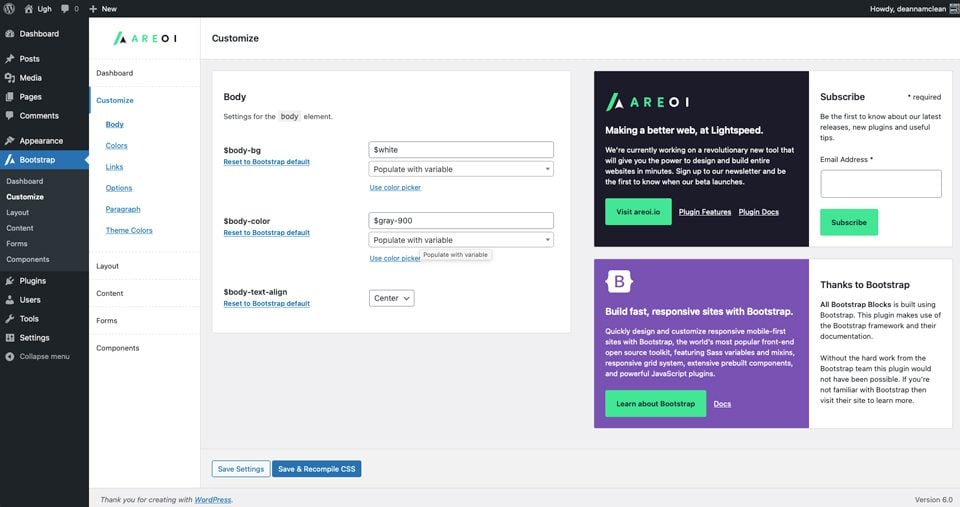
Bootstrap offers many ways to change the look of a website. Developers can tweak colors, fonts, and layouts. They use simple classes to do this. This allows for personal touch without hassle. The framework is flexible and easy to use. You can add or remove features as needed. Making changes is quick and straightforward. Websites can look unique and professional.
Bootstrap Themes For WordPress
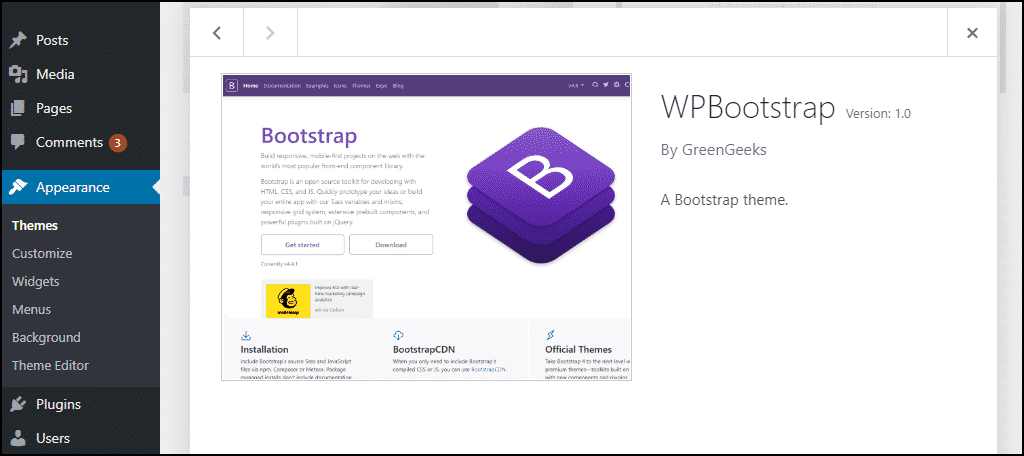
Many people use Bootstrap themes for WordPress sites. These themes are popular. They make websites look good. Divi is a famous theme. It is easy to use. Another theme is Astra. It is fast and simple. OceanWP is great for many types of sites. These themes save time. They help build sites quickly. People like them a lot.
Changing a theme is fun. You can make your site unique. Custom colors are easy to add. Different fonts change the look. Layout options are many. Add pictures and videos. Each theme has settings. Explore these settings. They allow creativity. Make your site special. Themes let you change many things.
Tips For Effective Use
Bootstrap helps in creating responsive designs. Use classes wisely to keep code clean. Start with a mobile-first approach. This means design for small screens first. Then adjust for larger screens. Customize Bootstrap with your own styles. This gives your site a unique look. Test your site on different devices. Make sure it works everywhere. Organize your code well. This makes it easy to update.
Overusing Bootstrap classes can clutter your code. Ignoring mobile users is a big mistake. They are often the largest audience. Failing to customize can make your site look like many others. Skipping tests on different browsers can lead to problems. Forgetting to update Bootstrap can leave security holes. Keep your code simple and organized.
Credit: www.greengeeks.com
Frequently Asked Questions
What Is Bootstrap In WordPress?
Bootstrap is a popular front-end framework. It helps design responsive and mobile-first websites. WordPress themes can integrate Bootstrap for better styling and functionality. It includes CSS and JavaScript components. Many developers use it for faster and efficient website development.
How To Add Bootstrap To WordPress?
You can add Bootstrap to WordPress by enqueuing its CSS and JavaScript files. Use functions. php for this task. Download Bootstrap or use a CDN. Ensure compatibility with your theme. This enhances design and user experience.
Why Use Bootstrap With WordPress?
Bootstrap provides responsive design capabilities. It simplifies theme development with pre-designed components. WordPress sites become more visually appealing. It saves time with reusable code. Many developers prefer it for consistency and efficiency.
Does Bootstrap Work With All WordPress Themes?
Bootstrap can work with most WordPress themes. However, ensure compatibility with your chosen theme. Some themes may have conflicts. Test Bootstrap elements for proper functionality. Always back up your site before making changes.
Conclusion
Understanding Bootstrap in WordPress is essential for modern web design. It simplifies creating responsive and attractive websites. With Bootstrap, you can customize layouts easily. This toolkit offers flexibility and efficiency. Developers find it a valuable resource. You don’t need to be an expert to use it.
Just basic knowledge can get you started. Bootstrap saves time and effort. It integrates seamlessly with WordPress themes. So, explore its features and enhance your site. It’s a practical choice for many users. Try Bootstrap today and improve your WordPress experience.



