
Are you setting up a WordPress site and feeling overwhelmed by database privileges? You’re not alone.
Navigating the maze of database permissions can be tricky, especially if you’re not a tech guru. But don’t worry—understanding the right database privileges is crucial for your site’s security and performance, and it’s easier than you think. Imagine your website as a house.
The database is the foundation, and the right privileges are your keys. Give out too many keys, and your security is compromised. Too few, and your site might not function properly. So, how do you strike the perfect balance? In this guide, we’ll demystify the concept of WordPress database privileges. You’ll learn what they are, why they matter, and how to set them up just right. By the end, you’ll have the confidence to manage your WordPress site’s database like a pro. Ready to unlock the secrets of database privileges? Let’s dive in!
WordPress And Database Privileges
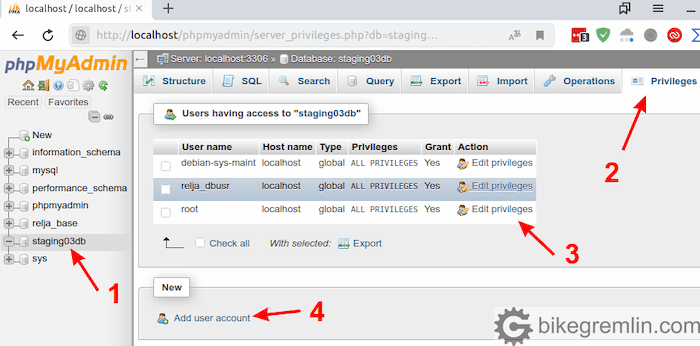
WordPress needs a database to store data. This database keeps all site information. It holds posts, pages, comments, and settings. To work with the database, WordPress uses specific privileges. These privileges are like special keys. They help WordPress read and write data. Without proper privileges, WordPress can’t work well.
Some important database privileges include SELECT, INSERT, UPDATE, and DELETE. SELECT lets WordPress read data. INSERT allows adding new information. UPDATE changes existing data. DELETE removes unwanted data. These privileges ensure WordPress functions smoothly. Correct setup is necessary for secure and efficient operation.
Credit: io.bikegremlin.com
Role Of Database In WordPress
A database in WordPress stores all the important content. This includes posts, pages, and comments. Every piece of your site’s content lives in the database. Without it, your site would be empty.
WordPress databases also manage user data. They hold information about each user. This includes usernames, passwords, and profiles. User roles and permissions are also stored here. Thus, the database keeps track of who can do what.
Configuration settings are another key part of the database. These settings include site name and URL. Themes and plugins settings are saved here too. So, the database helps WordPress remember important details.
Essential Database Privileges
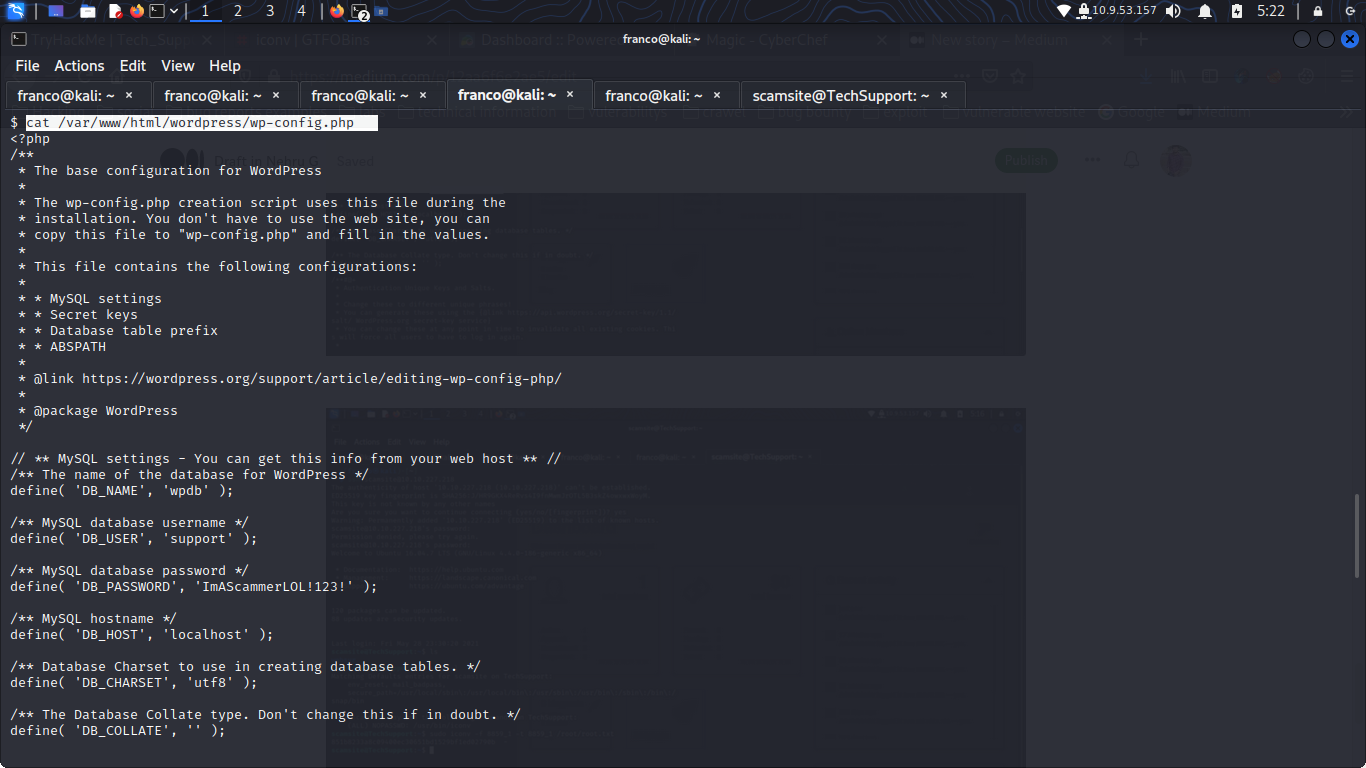
WordPress needs certain database privileges to work well. It requires SELECT to read data. The INSERT privilege allows adding new data. With UPDATE, changes to existing data are possible. DELETE helps remove unwanted data. These are the basic privileges needed for smooth operation.
Developers might need more privileges. The CREATE privilege lets them add new tables. ALTER allows changes to table structures. INDEX helps in creating faster search options. DROP can remove tables. These privileges help in more advanced tasks.
Credit: 0xnehru.medium.com
Impact Of Incorrect Privileges
Incorrect database privileges can lead to security risks. Hackers might gain access. They could steal data or cause damage. This can affect your WordPress site. Sensitive information may be exposed. You don’t want this to happen. Always check your settings. Keep them updated and secure.
Wrong privileges slow down your site. This affects user experience. Pages may take longer to load. Visitors might leave your site. That’s not good for business. Ensure the right settings are in place. Your site should run smoothly. This keeps users happy and coming back.
How To Assign Database Privileges
cPanel is a tool for managing websites. It helps set database privileges. Open cPanel and find “MySQL Databases”. Click it. Look for “Add User to Database”. Choose the user and database. Select the privileges you want. Click “Add”. This grants the user access. Always check your settings. Make sure they are correct. Avoid giving too many privileges. It keeps data safe.
Command line is another way to set privileges. Open the terminal. Type `mysql -u root -p`. Enter your password. Use the command `GRANT ALL PRIVILEGES ON database_name. TO ‘username’@’localhost’;`. This gives full access. To limit access, use `GRANT SELECT ON database_name. TO ‘username’@’localhost’;`. This only allows reading data. Always remember to update changes. Use `FLUSH PRIVILEGES;`. It refreshes settings. This method is fast. But be careful. Mistakes can cause problems.
Best Practices For Database Security
Auditing user permissions is important. It helps find unnecessary access. Check who can see the database. Remove users who do not need access. This keeps data safe. Make audits a regular task.
Access should be limited to only those who need it. Give users the least privilege they need. This reduces risk if an account is misused. Always use strong passwords. Change them often to keep accounts secure.
Common Mistakes And Solutions
Selecting incorrect database privileges in WordPress can lead to security issues. Grant only essential privileges like SELECT and INSERT to maintain security while ensuring functionality. Regular checks help identify and correct misconfigurations, keeping your website safe.
Over-privileged Accounts
Many users give their database accounts too many rights. This can be a big problem. Fewer privileges mean better security. Only give the database account what it needs. If it just needs to read data, don’t give it rights to delete data. This keeps your site safe from mistakes and bad actions.
Neglecting Updates
Updates are important for security. Old versions can have bugs and issues. These can be used by hackers to break into your site. Always make sure your WordPress and plugins are up-to-date. Updates help in fixing bugs and improving site safety.

Credit: melapress.com
Frequently Asked Questions
What Database Privileges Does WordPress Need?
WordPress requires specific database privileges to function optimally. These include SELECT, INSERT, UPDATE, and DELETE. It also needs CREATE, DROP, ALTER, and INDEX to manage tables. These privileges ensure WordPress can install, update, and run smoothly.
How To Set WordPress Database Permissions?
Setting WordPress database permissions involves using a database management tool. Grant SELECT, INSERT, UPDATE, DELETE, CREATE, DROP, ALTER, and INDEX privileges. This allows WordPress to operate efficiently. Use SQL commands or a tool like phpMyAdmin for this task.
Why Are Database Privileges Important In WordPress?
Database privileges are crucial for WordPress security and functionality. They allow WordPress to manage content, plugins, and themes. Proper privileges ensure smooth updates and installations. Limiting privileges reduces security risks and potential data breaches.
Can I Limit WordPress Database Privileges?
Yes, you can limit WordPress database privileges for security. Only essential privileges like SELECT, INSERT, UPDATE, DELETE, CREATE, DROP, ALTER, and INDEX are needed. Restricting unnecessary privileges minimizes security vulnerabilities and protects your data.
Conclusion
Understanding WordPress database privileges is crucial. It ensures your website’s security and efficiency. Assign the least privileges necessary to prevent unauthorized access. This helps in safeguarding sensitive data. Always keep your database updated and monitored. Regular checks prevent potential vulnerabilities.
Simple precautions make a significant difference. Use this knowledge to maintain a secure WordPress site. Remember, a secure database means a secure website. Keep learning and stay informed. Your site’s safety depends on it.



