
Are you navigating the vast sea of WordPress features, trying to enhance your website’s user experience? If so, understanding the intricacies of “the_posts_pagination” can be your game-changer.
Imagine your readers effortlessly browsing through your blog posts with smooth pagination, keeping them engaged longer and reducing bounce rates. This feature not only organizes your content but also boosts your site’s SEO by encouraging more page views. Curious to learn how this can transform your WordPress site into a user-friendly powerhouse?
Let’s dive into the details and unlock the potential of the_posts_pagination for your website’s success.

Credit: www.jotform.com
WordPress Pagination Basics
WordPress pagination helps users navigate through multiple pages. Pagination is very useful for blogs with lots of posts. It splits content into manageable chunks. It avoids long pages that overwhelm readers. Users see numbered links at the bottom of a page. Clicking these links moves them to other pages. Pagination improves user experience. It makes content easier to find. It also helps search engines index your site.
The_Posts_Pagination is a WordPress function. It displays pagination links for posts. It is easy to use. Developers can add it to theme files. This function helps manage large content. It ensures visitors find all posts easily. It is important for user engagement. It keeps readers on your site longer. Proper pagination is a key part of a well-organized blog.

Credit: www.jotform.com
The Role Of The_posts_pagination
The_Posts_Pagination is a useful tool in WordPress. It helps to show posts in parts. This makes reading easy. Long lists of posts can be hard to view. Pagination divides them into smaller parts. Users can click through pages. This helps them find what they need. It saves time and effort.
Pagination improves site speed. Pages load faster with fewer posts. This keeps users happy. It also helps with SEO. Search engines like clear paths. Pagination provides these paths. It helps sites rank better. Easy navigation is key for users and SEO.
Key Features Of The_posts_pagination
The The_Posts_Pagination function is handy for WordPress sites. It helps users see more posts. You can break content into many pages. This makes reading easier.
Customizable links are a great feature. You can style them as you like. This helps match your website’s theme. It ensures a smooth look.
Navigation is simple and clear. Visitors find it easy to move around. They can see older and newer posts quickly. This keeps users engaged longer.
SEO benefits are included too. Search engines can crawl your site better. This can improve your site’s ranking. It helps more people find your site.
Integrating The_posts_pagination
Ensuring your theme works well with The_Posts_Pagination is important. Check the theme’s functions.php file. Make sure it supports pagination. Some themes have built-in pagination support. If not, you might need to add it. This ensures smooth navigation between pages.
Use simple code snippets to integrate pagination. This helps users find older posts easily. Test your theme after adding pagination. See if it works smoothly without errors. A small tweak in your theme can enhance the user experience.
The_Posts_Pagination offers various customization options. You can change the pagination style. Options include numeric or previous/next links. Customize the look to match your website design. Adjust colors, fonts, and sizes. This makes your site look unique and neat.
Also, you can limit the number of links shown. This keeps the pagination section clean. Play around with settings to find what fits best. A good pagination setup helps users explore more content. It’s essential for a user-friendly site.
Enhancing User Experience
Visitors find websites easier to use with better navigation. The_Posts_Pagination helps with this. It creates numbered page links. Users click these links to see more posts. This keeps users on your site longer. They can find content quickly. This makes browsing fun and easy.
Search engines love well-organized sites. The_Posts_Pagination improves site structure. It helps search engines understand your site. More pages mean more chances to get indexed. Your site’s ranking can improve. Visitors find your content easier. This can lead to more traffic.
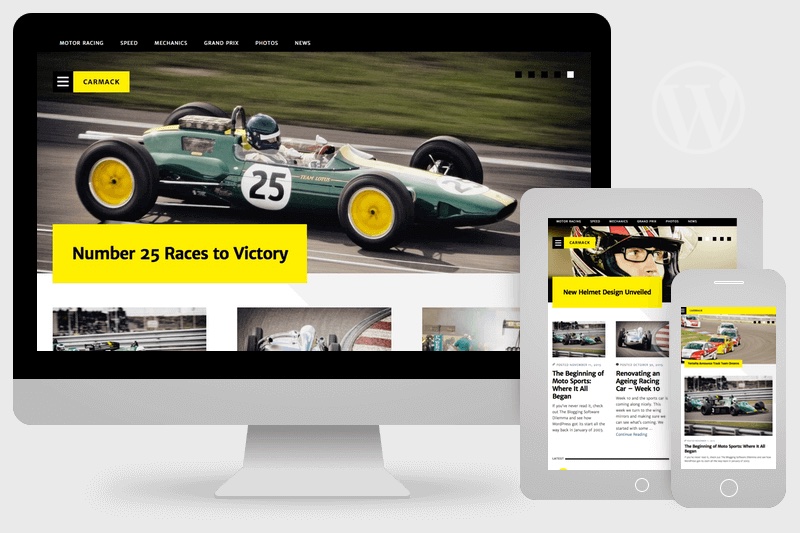
Credit: www.binarymoon.co.uk
Common Challenges And Solutions
Pagination can break if the code is wrong. Check if the theme supports pagination. Some themes might not have built-in support. The_Posts_Pagination function needs to be used properly. Make sure the function is placed in the right file. The pagination might not work with a custom query. Use WP_Query and reset post data after the loop. Permalink settings can also cause issues. Update them in the WordPress settings.
Use the default query for better results. Avoid hardcoding pagination links. They might not work with all themes. Ensure that URL structure is correct. Check for any conflicting plugins. They can affect pagination. Always update themes and plugins. This helps fix pagination problems.
Best Practices For Implementation
Understanding how to implement the_posts_pagination is crucial. It helps users find content easily. Pages should be well-organized and clear. This makes navigation simple. Use consistent styles for your pagination links. This ensures they are visible. A clear style also makes them more user-friendly. Consider adding numbers to your pagination. Numbers help users know where they are. Use arrows or next/previous links. These guide the user through pages smoothly. Mobile-friendly design is essential. More people use phones to browse. Ensure your pagination adapts to different screens. Test your pagination regularly. This ensures it works well for all users. Keep your code clean and simple. Clean code is easier to maintain.
Frequently Asked Questions
What Is The_posts_pagination In WordPress?
The_Posts_Pagination is a WordPress function that creates pagination links. It helps users navigate through multi-page posts easily. This function enhances user experience and improves site navigation. It is an essential tool for blogs with lengthy articles.
How Does The_posts_pagination Work?
The_Posts_Pagination works by generating numbered links for paginated posts. It automatically detects the number of pages in a post. Users can click these links to view different pages. This makes content more accessible and organized.
Why Use The_posts_pagination In WordPress?
Using The_Posts_Pagination improves site navigation and user engagement. It helps break down long content into manageable sections. This can lead to longer site visits and reduced bounce rates. It’s beneficial for SEO and user experience.
How To Implement The_posts_pagination?
Implement The_Posts_Pagination by adding the function in your theme’s template files. Customize it with available parameters for better design. Ensure your theme supports pagination. This makes your content more user-friendly.
Conclusion
The_Posts_Pagination enhances your WordPress site. It makes navigation simple. Users find content easily. This feature organizes posts neatly. No clutter. Visitors enjoy a better browsing experience. Your site looks professional. Readers stay longer. More engagement. Implementing The_Posts_Pagination is straightforward. Beginners can do it.
No need for coding skills. It’s a practical solution for blog owners. Boosts user satisfaction. Consider adding this to your site today. Improve your blog’s usability. Your readers will appreciate it. It’s a smart choice for any WordPress site. Simple and effective.
Make your content accessible with ease.



