
Are you trying to make your WordPress site look just right, but struggling with the layout? Ever felt like your content is too cramped or needs a bit more breathing space?
That’s where the “Spacer” in WordPress Gutenberg comes into play. Imagine having the power to adjust your website’s layout with just a few clicks, making it more visually appealing and easier to navigate. This tool can be your secret weapon to enhance user experience, ensuring visitors stay longer and engage more.
Curious to learn how this simple tool can transform your website’s aesthetics? Let’s dive in and explore the magic of the Spacer block in WordPress Gutenberg.

Credit: www.youtube.com
Spacer Block Basics
Spacer block helps make space between content in WordPress. It is a simple tool. You can add it to your page or post. It gives space where you need it. This makes your content look clean. Readers find it easy to understand.
You can make the space big or small. Just drag the block up or down. This helps control the look of your page. Spacer block is easy to use. Even beginners can try it. This tool helps make a web page look better. It is important for neat design.
Adding Space Between Elements
Spacer block helps to create space between elements in WordPress. It is easy to use and adds visual appeal. You can adjust the size of the space. Just drag the bottom of the block to resize it. This helps separate content neatly.
Sometimes, elements look crowded together. Spacer block fixes this issue. It makes your webpage look clean and organized. You can place the spacer block wherever you need it. It is a useful tool for designers.
Using spacer blocks can improve readability. Content looks less cluttered. Readers can focus better on important parts. It enhances user experience and keeps visitors engaged. Spacer blocks are simple yet effective.
Customization Options
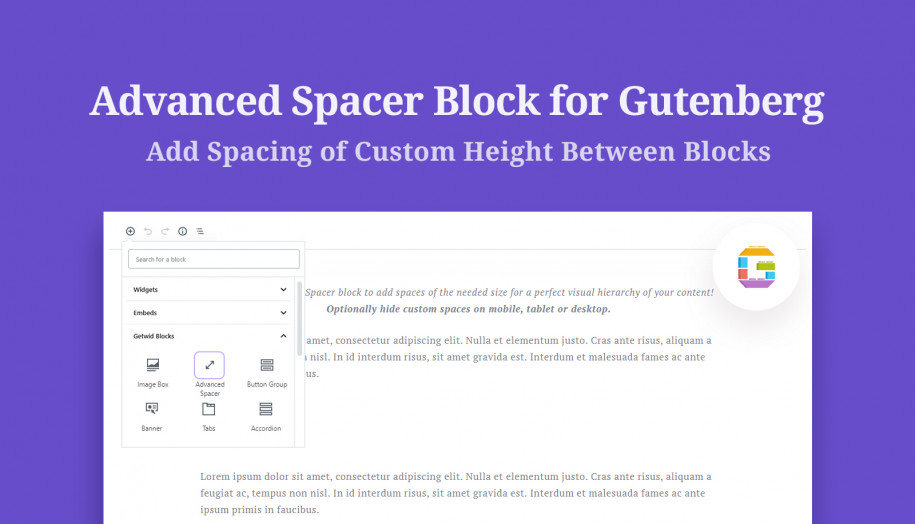
WordPress Gutenberg offers a useful tool called Spacer, allowing users to control layout by adjusting space between blocks. Easily customize page design without coding, enhancing the visual appeal and functionality of your website.
Adjusting Height
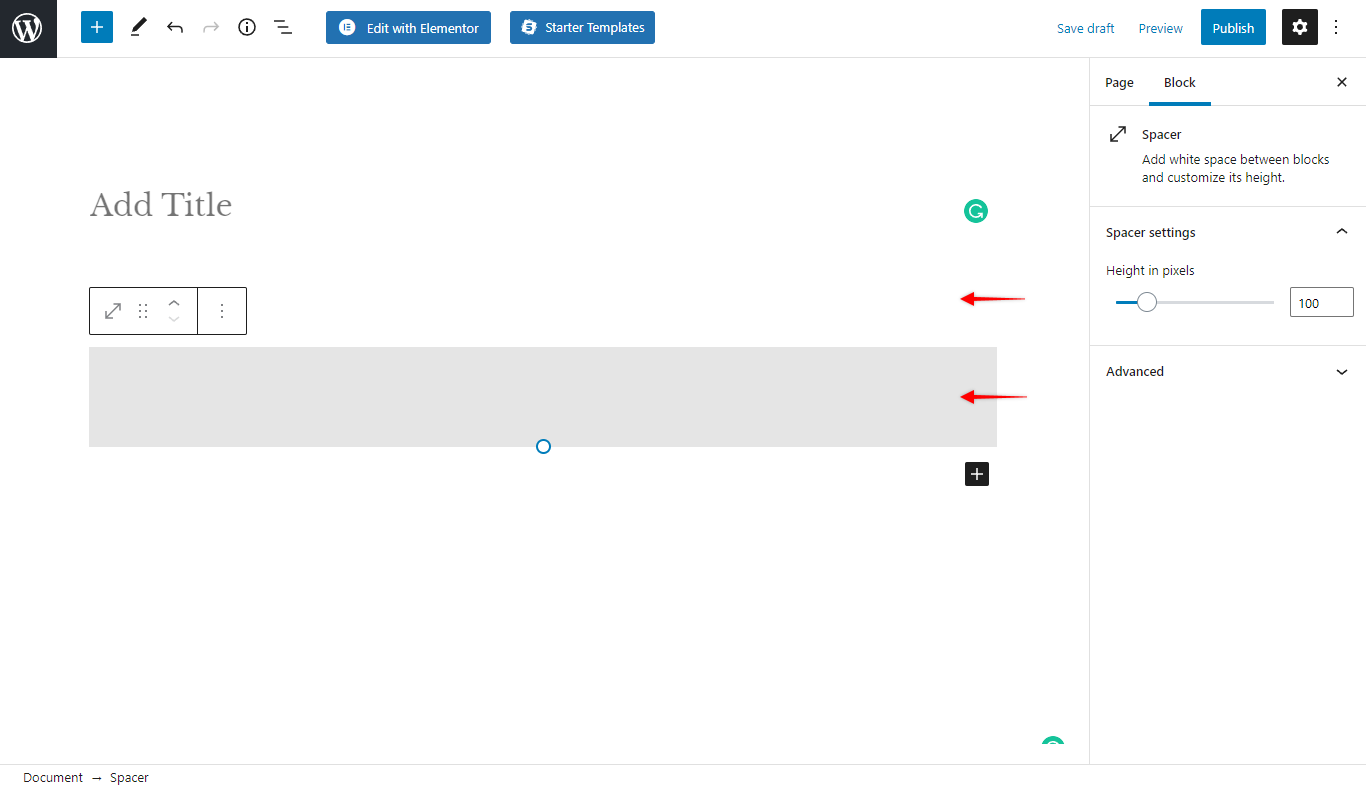
Spacers help create space between elements. They can be adjusted in height. This makes pages look neat. You can set the height in pixels. Simply use the slider tool. Or, type the number in the box. A larger number means more space. Smaller numbers make the space less. This helps in organizing content. It gives a clean look to your site.
Responsive Design
Responsive design ensures your site looks good on all devices. Spacers play a big role here. They adjust automatically on different screens. This means your content stays well-organized. No matter if viewed on a phone or a computer. This helps users have a good experience. They find your site easy to navigate. Happy users are likely to return.
Practical Uses
The Spacer in WordPress Gutenberg helps make text easy to read. It adds space between lines. This makes the content look less crowded. Readers can follow ideas better. Small breaks help the eyes. They give a moment to rest. Readability matters for all ages. Kids and adults both benefit. Text should not be too close together. Spacing helps this issue.
Visual breaks make a page look nice. They use space to separate ideas. This can be a simple line or gap. It gives structure to the page. It helps users find information fast. This keeps them engaged. Spacers are like pauses. They guide the reader’s eyes. They create sections. Each idea feels distinct. This helps with understanding content.
Common Mistakes
Spacers help in organizing content. They add white space between blocks. But, too many spacers can make a page look empty. It might confuse readers. Also, it can slow down the loading speed. People might leave if the page loads slowly. Use spacers wisely.
Most people use phones to browse. So, always check how spacers look on phones. Sometimes, they look different on smaller screens. It can ruin the design. Make sure your page looks good on all devices. Test it before publishing. This keeps readers happy and engaged.
Advanced Techniques
Spacer blocks can work with other blocks. This helps in creating unique layouts. For example, you can place a spacer between text and image blocks. This adds more space around them. It makes the page look neat. You can also combine spacers with columns to balance the space. This method helps make a design look professional.
Custom CSS is for adding special styles to spacer blocks. You can change the size or color of the spacer. CSS helps in making the design look just right. For example, you can use CSS to add a background color. This makes the spacer stand out more. You can also adjust the width and height easily. This gives you more control over the layout.
Troubleshooting Issues
Understanding the ‘Spacer’ block in WordPress Gutenberg helps design seamless layouts. It adjusts the space between elements, enhancing visual appeal. Troubleshooting involves checking block settings and ensuring compatibility with themes.
Spacer Not Showing
A spacer might not appear in WordPress Gutenberg sometimes. This can be confusing. Check if the theme supports the spacer block. Some themes may not support it well. Ensure the block settings are correct. Sometimes, the spacer block may be hidden in the editor. Make sure the block is not accidentally deleted. Refresh the page to see changes.
Inconsistent Spacing
Sometimes, spacing might be uneven. This can affect the layout. Check the block settings again. Ensure all blocks have the same settings. Inconsistent spacing can occur due to CSS issues. Use Custom CSS to fix this. You can also try changing the theme. Sometimes, themes have specific styles that affect spacing.
Credit: motopress.com
Credit: wpastra.com
Frequently Asked Questions
What Is A Spacer In WordPress Gutenberg?
A spacer in WordPress Gutenberg is a block element. It is used to add empty space between content blocks. This helps in creating visually appealing layouts. By adjusting the height of the spacer, users can control the amount of space.
This improves readability and design flow.
How Do I Add A Spacer Block?
To add a spacer block, click the “+” icon in the Gutenberg editor. Search for “Spacer” and select it from the block options. Once added, you can adjust its height using the block settings. This allows for precise control over the space between content.
Can I Customize The Spacer Height?
Yes, you can customize the spacer height in Gutenberg. After adding the spacer block, use the block settings to adjust its height. This customization allows for flexibility in design. It ensures content is spaced according to your preference, enhancing visual appeal and user experience.
Why Use Spacers In WordPress Gutenberg?
Spacers improve the visual layout of your content. They help separate blocks, making content easier to read. By strategically adding space, you can guide the reader’s eye flow. This improves the overall user experience on your site. It also allows for a more professional appearance.
Conclusion
Spacers in WordPress Gutenberg are useful for organizing your content. They help in separating sections, creating a clean look. Easy to use. Drag and drop them where needed. Perfect for beginners and experts alike. Improve your page’s readability and visual appeal.
No coding skills required. Just a few clicks to enhance layout. Keep your site engaging and user-friendly. Explore different spacer options and styles. Experiment with various placements. Make your content more inviting. Enjoy crafting beautiful pages with Gutenberg spacers. Happy designing!



