
Have you ever wondered how to effectively organize and showcase your WordPress content? Imagine a tool that can effortlessly sort your posts, make navigation a breeze, and enhance the user experience on your site.
That’s precisely what an archive page on WordPress can do for you! Whether you’re a seasoned blogger or a novice just starting out, understanding the power of archive pages can transform your website. By the end of this article, you’ll discover how these pages can streamline your content, boost your SEO, and keep your readers coming back for more.
Curious to unlock this potential? Let’s dive in and explore how archive pages can become your new secret weapon.
Purpose Of Archive Pages
Archive pages help in organizing content. Old posts and articles find a home here. Easy to find and browse. Keeps your site neat and tidy.
Users get better navigation with archive pages. Quick links to past content. Makes browsing fun and simple. Users stay longer on your site.
Archive pages boost SEO. Search engines love organized sites. More links mean better search rankings. Helps your site get noticed.
Credit: www.smashingmagazine.com
Types Of Archive Pages
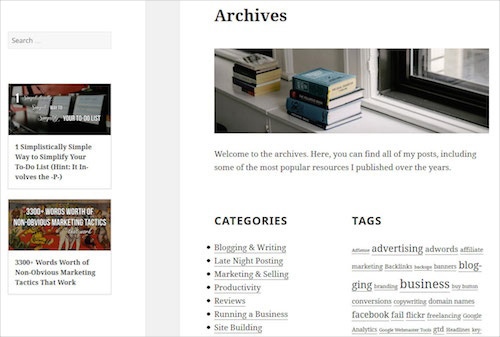
Category archives show posts from a specific group. These groups are called categories. WordPress helps you organize content. Each category has its own page. This makes finding topics easy. For instance, a cooking blog might have different categories. Like desserts, main courses, and snacks. Readers can click on any category. They’ll see all related posts. This keeps the blog organized.
Tags are like labels. They help group similar posts together. Tag archives display posts with the same tag. This is useful for broad topics. For example, a travel blog might use tags. Like beaches, mountains, or cities. Clicking a tag shows all related posts. This helps readers find what they love. Tags make navigation simple.
Date archives sort posts by time. It could be by year, month, or day. This helps track older posts. Readers can see what was published when. For instance, a tech blog might have posts from 2023. Clicking the year shows all 2023 posts. This helps readers follow the timeline. Date archives are great for history buffs.
Author archives list posts by a writer. Each author has a dedicated page. This is useful for blogs with many writers. Readers can find all posts by an author. For instance, a news site might have multiple journalists. Clicking an author’s name shows their stories. This builds a connection with readers. Author archives highlight individual voices.
How Archive Pages Function
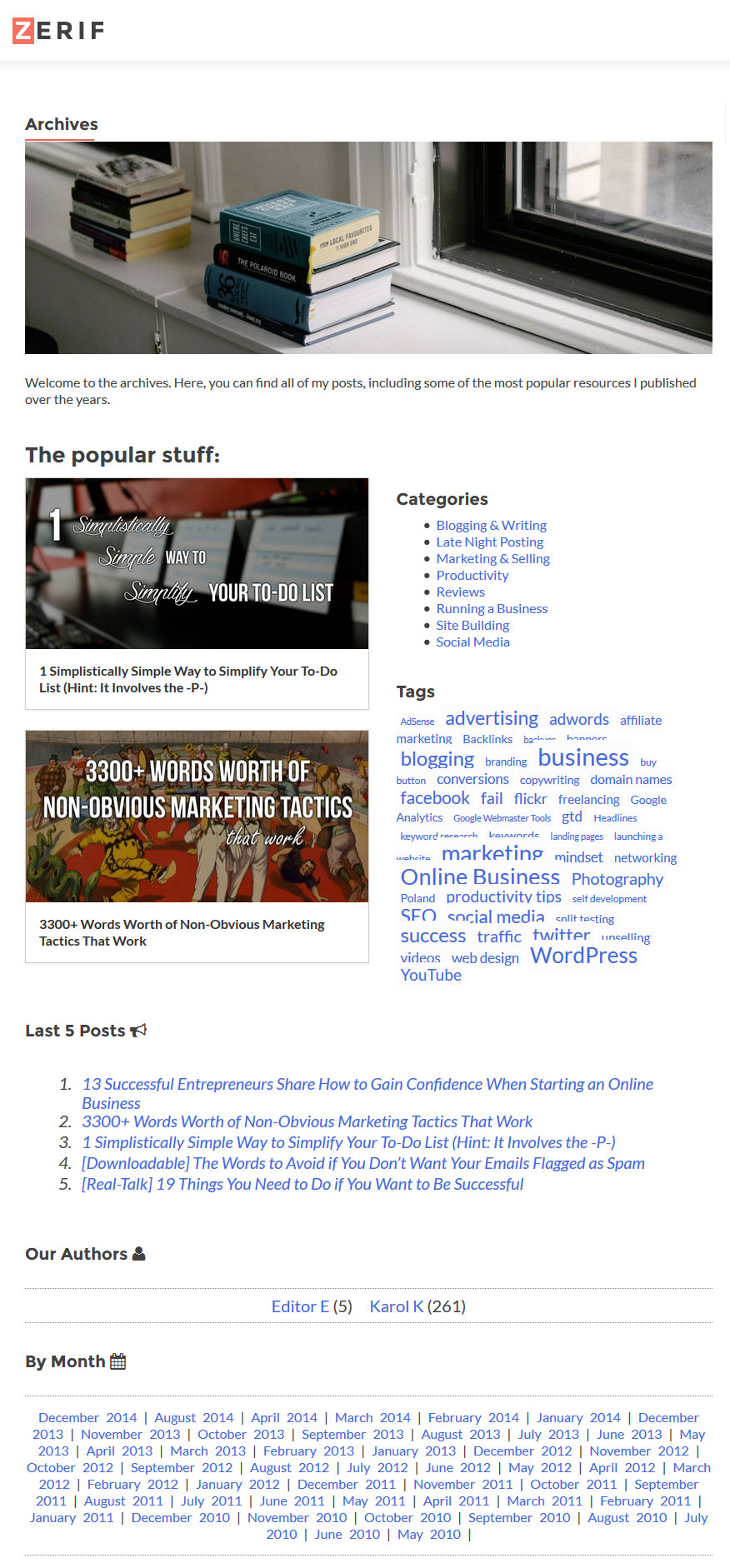
Archive pages are made by WordPress on its own. These pages show posts from a specific time. They also show posts from a category. This helps users find old posts easily. You do not need to make these pages yourself. WordPress saves your time.
Archive pages show posts by date. They can also show posts by author or category. This helps users see posts in order. Users can find the posts they want quickly. The display is simple and easy to understand.
Credit: www.smashingmagazine.com
Customizing Archive Pages
Many WordPress themes offer options to customize archive pages. These themes provide easy settings for layout and style changes. Explore theme settings to make your archive pages look unique. Pick colors, fonts, and sizes that suit your site.
Plugins add more customization features. Some plugins allow you to tweak archive page settings easily. Install plugins to change layout, design, and functionality. Plugins are helpful for users who want more control. They offer easy-to-use tools for customization.
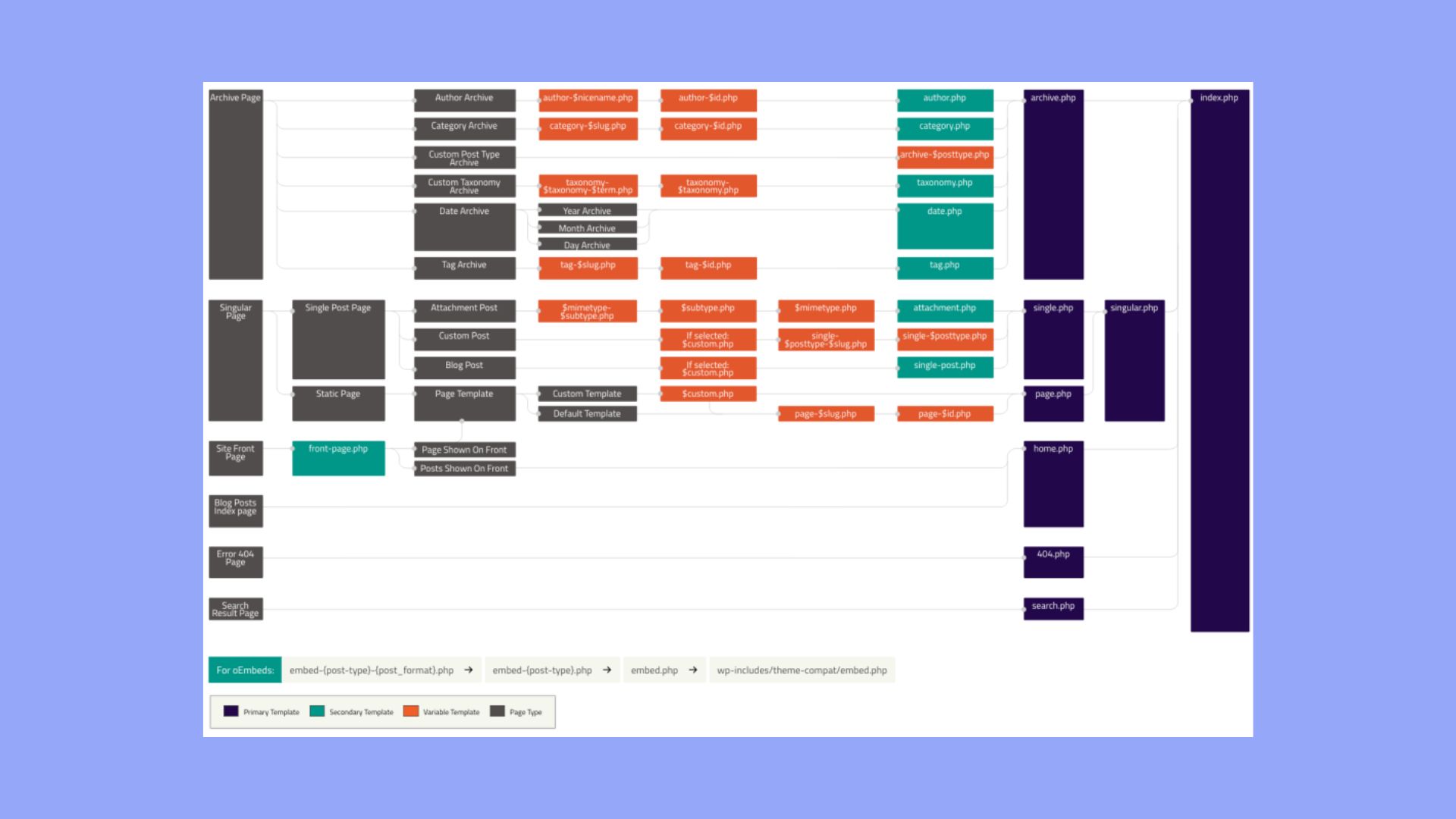
Some users prefer coding custom templates. This method gives full control over design and functionality. Create templates using HTML, CSS, and PHP. Coding lets you design archive pages exactly how you want. This option is best for those with coding skills.
Benefits Of Archive Pages
Archive pages boost user engagement. They provide easy access to past content. Users can explore older posts. This keeps them on your site longer. Engaged users return often. They may share content with friends. This boosts site traffic and visibility.
Common Challenges
WordPress archive pages can sometimes show the same content many times. This creates duplicate content issues. Search engines get confused. They might not know which page to show first. This can hurt your SEO efforts. Keep an eye on your content. Make sure each page is unique. Use tools to check for duplicates. Fix them quickly.
Archive pages can make navigation hard. Too many links can confuse visitors. Simple navigation helps visitors find what they want. Use clear titles for links. Group similar topics together. This makes browsing easy. Happy visitors stay longer on your site.
Design consistency is key for archive pages. Pages should look the same. Visitors expect a neat layout. Different styles can distract them. Use the same fonts and colors. This makes pages look professional. Consistent design helps users trust your site.
Best Practices
Keywords help pages rank higher. Use them wisely. Place keywords in titles and headings. Write natural sentences. Avoid stuffing keywords. Search engines prefer clear content.
Navigation should be simple. Use menus for easy access. Link to important pages. Avoid cluttering with too many links. Simple paths improve user satisfaction. Keep labels clear and short.
Users like easy-to-read pages. Use short paragraphs and clear headings. Page speed matters. Slow pages frustrate users. Compress images for faster loads. Test site speed regularly. Keep design simple and neat.
Credit: 10web.io
Frequently Asked Questions
What Is An Archive Page In WordPress?
An archive page in WordPress displays a collection of posts. These posts are grouped by categories, tags, dates, authors, or other criteria. It helps users find content more easily. Archive pages enhance site navigation and improve user experience. They are automatically generated by WordPress themes.
How Do I Create An Archive Page?
To create an archive page, use WordPress’s built-in features. Most themes automatically generate them for categories, tags, authors, and dates. Customize them by editing the theme files or using plugins. This ensures the archive page aligns with your site’s design and functionality.
Why Are Archive Pages Important For Seo?
Archive pages improve your site’s SEO by organizing content efficiently. They help search engines index your site better. By grouping related posts, they enhance user navigation and engagement. Well-structured archive pages also increase the chances of users finding relevant content, boosting page views and reducing bounce rates.
Can I Customize My WordPress Archive Pages?
Yes, you can customize WordPress archive pages. Use theme settings or page builder plugins for easy customization. You can change the layout, style, and content displayed. Customizing archive pages allows you to match them with your site’s design and improve user experience.
Conclusion
Archive pages in WordPress help organize and display posts. They make navigation easier. Visitors find related content quickly. This enhances user experience on your site. Search engines also benefit from well-structured archives. They improve your site’s SEO. Categories and tags are key elements.
They group similar posts effectively. Customizing archive pages offers more control. You can match them to your site’s design. Regular updates keep them relevant. Always check their functionality. This ensures smooth navigation. Your site stays user-friendly and efficient. Understanding archive pages boosts your WordPress skills.
Keep learning and exploring new possibilities.



