
Ever stumbled upon a website and wondered, “What WordPress template does this site use?” You’re not alone.
Many find themselves captivated by the sleek design or seamless functionality of a site, sparking curiosity about its underlying structure. This intrigue isn’t just about satisfying your curiosity; it could be the key to transforming your own website. Imagine having access to the same design tools and features that caught your eye.
By uncovering the template secrets of your favorite sites, you can elevate your own online presence, captivate your audience, and achieve your digital goals. Dive in to discover how this knowledge can empower you to create a website that not only looks stunning but also performs at its best. Your journey to a more compelling digital identity starts now.
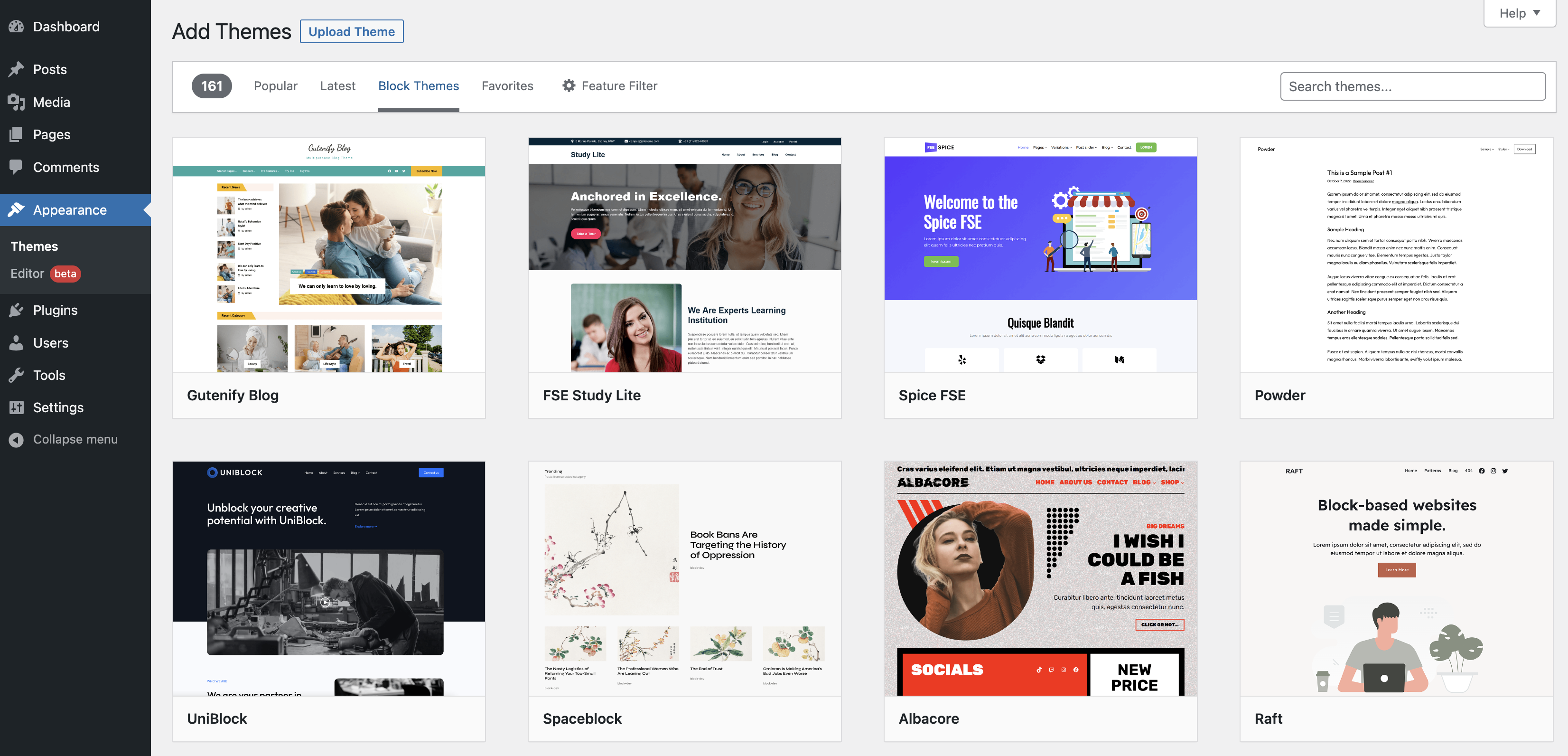
Credit: wordpress.org
Identifying WordPress Templates
WordPress templates help make websites look good. They control the design and layout. Templates decide how things show on the site. Every page can use the same template. Or, different pages can have different templates. This makes websites look nice and unique.
Many tools can find what template a site uses. Some tools are Wappalyzer and BuiltWith. These tools check the site’s code. They tell you what template is active. Some tools are free. Others might need money. Most tools are easy to use. Just enter the website address. The tool will do the rest.

Credit: docs.themeisle.com
Using Online Services
Many tools help find WordPress templates. These tools are easy to use. They save time for website owners.
Popular Tools For Template Identification
Sites like WP Theme Detector are useful. They show template names and versions. They help users know what theme is active.
BuiltWith is another option. It reveals technologies behind a site. This helps in understanding a site’s structure.
Advantages And Limitations
These tools offer quick results. They show theme details with ease. Users can find templates without coding skills.
Yet, they have limits. Some sites hide their themes. This makes tools less effective sometimes.
Accuracy may vary. Not all tools show correct data always. Users should try multiple tools for better results.
Manual Inspection Techniques
A great way to find a website’s WordPress template is by checking the source code. Open the website in a web browser. Right-click on the page and choose “View Page Source.” Look for lines that start with “<link "="" "<script="" **theme=""
Another method involves examining the theme directory. This requires access to the website’s files. Use FTP software to connect to the server. Navigate to the wp-content/themes directory. Here, you will see folders named after installed themes. Each folder contains theme files, including the style.css file. Open this file and check for comments at the top. These comments often mention the template name, author, and version. This method provides direct confirmation of the theme used.
“`Browser Extensions For Detection
Some extensions help find WordPress themes. They are easy to use. Choose extensions with good ratings. Check user reviews. Trust is important. Some extensions may not work well. Always read about them first. Verify if they match your needs. Some popular ones are WordPress Theme Detector and Wappalyzer.
Install extensions from trusted stores. Follow the steps on the screen. Enable them after installing. Check if they work on your browser. Test them on a website. Open a WordPress site. Click the extension icon. It shows the theme name. Explore its features. Some extensions offer extra details. Always update them for better results.
Common Challenges
Some websites hide their template names. This can make finding them hard. Developers may change code to hide details. This adds mystery. Visitors can’t easily see what theme is used. The template name might be in a different file. It isn’t always in the obvious place. This makes it tricky to find. Knowing where to look is key. Tools can help but aren’t always perfect.
Many websites use custom modifications. This means they change the original theme. New features can be added. Old features can be removed. This changes the look a lot. Visitors might not see the base template. Custom code can be hard to identify. It mixes with the original theme code. This makes things confusing. It’s like a puzzle with extra pieces. Finding the template is a challenge.

Credit: themeforest.net
Leveraging Developer Tools
Developer tools help find the WordPress template a site uses. Open the browser’s developer tools. Go to the Network tab. Reload the page. Look for files with a .css or .js extension. These files often show the theme name. Check for theme-related files. This may give clues about the template.
Use developer tools to view page elements. Right-click on a page area. Choose “Inspect” to open the panel. Look at the HTML and CSS code. Spot the theme name in class or ID names. This method helps find the template. Checking meta tags can also help. Some sites list the theme in these tags.
Alternative Methods
Webmasters know a lot about websites. Asking them can help you find WordPress templates. They might share details or even suggest better options. Reaching out is simple and can save time. Many are willing to assist if you ask kindly.
Online forums are great for finding information. Many users discuss WordPress templates there. You can ask questions and get quick responses. People on forums love to help each other. It’s a friendly place to learn more about templates.
Ensuring Accurate Detection
Cross-verifying helps ensure a template detection is correct. Check if the website’s design elements match the known template. Use online tools to compare website features with popular templates. Look for unique elements like headers or footers. Sometimes, websites use a mix of templates. This makes detection tricky. Ensure the website is using the template alone. Compare the website code with template code. Look for template-specific files in the website source. If you find these files, the template is likely used.
False positives can confuse users. Use multiple checks to avoid them. First, check the website’s source code. Look for template-specific CSS or JavaScript files. Use template detection tools. They can help confirm the template. Check the website’s backend settings. Sometimes, similar designs use different templates. Look for distinctive elements that match the template. Always double-check findings. This ensures correct detection. Remember, careful checks prevent mistakes.
Frequently Asked Questions
How To Identify A WordPress Theme On A Website?
You can identify a WordPress theme using tools like What WordPress Theme Is That or WPThemeDetector. These tools scan the website and provide theme details. Alternatively, you can check the website’s source code. Look for the theme’s name in the CSS file URL, usually under “/wp-content/themes/”.
Can Browser Extensions Detect WordPress Themes?
Yes, browser extensions like Wappalyzer or BuiltWith can detect WordPress themes. These extensions analyze the website’s technologies and display the theme and plugin information. They are handy tools for developers and curious users. Simply install the extension and click on it while browsing a WordPress site.
Is It Possible To Find A Theme Without Tools?
Yes, you can manually find a theme by inspecting the website’s source code. Use your browser’s “Inspect” feature and search for the “/wp-content/themes/” directory. The directory name usually reveals the theme name. This method requires some familiarity with HTML and CSS structure.
Are WordPress Theme Detectors Always Accurate?
WordPress theme detectors are generally accurate but not infallible. Sometimes, custom themes or heavily modified themes might not be detected correctly. These tools rely on identifying typical theme structures. For best results, use multiple tools to cross-verify the detected theme information.
Conclusion
Finding the WordPress template used by a website can be simple. Tools and techniques help you discover the theme quickly. Knowing the theme offers insights into design and features. You can create a similar look for your site. Experiment with different templates for the best results.
Keep exploring to find the perfect fit. Each theme offers unique possibilities. Make your website stand out. With the right theme, enhance user experience and functionality. Stay updated with new themes for fresh ideas. Enjoy building your website with these insights.
Happy designing!



