
Have you ever wondered how to give your WordPress site the visibility it deserves on Google? You’re not alone.
Understanding which sitemaps to submit to Google Console can be a game-changer for your website’s search engine performance. Imagine effortlessly guiding Google to all the valuable content on your site, ensuring none of your hard work goes unnoticed. The secret lies in knowing exactly which sitemaps to submit.
This guide will uncover the essentials you need to know to make your WordPress site shine on Google. Stick around to discover how a few strategic moves can lead to a surge in your site’s traffic and visibility.
Importance Of Sitemaps In Seo
Sitemaps help search engines find your pages faster. They act like a map. Google uses them to explore your site. This boosts your site’s indexing speed. Missing pages get indexed quickly. This means they show up in search results faster. Your site’s content gets noticed. More pages indexed means more traffic. Your site gains popularity. Sitemaps make this possible.
Sitemaps improve how your site appears in searches. They guide Google to your important pages. Every page gets a chance to be seen. More visibility leads to more clicks. Visitors find your site easily. This helps your site grow. Good visibility equals more chances to attract users. Sitemaps are vital for this.
Types Of Sitemaps For WordPress
XML sitemaps help search engines find your site pages. They list all important pages. This makes it easy for Google to crawl your site. Search engines use these sitemaps to know when pages change. They also show how often pages are updated.
HTML sitemaps are for people visiting your site. They show a map of your site pages. Visitors can easily find information. An HTML sitemap improves user experience. It helps people navigate your site better. This keeps them on your site longer.
Video sitemaps tell search engines about videos on your site. They include video title, description, and duration. This helps videos rank in search results. It makes your videos easier to find. Video sitemaps are crucial if you have lots of videos.
Image sitemaps help search engines find images on your site. They include image location and title. This helps images appear in search results. Image sitemaps are useful for sites with many images. They improve your site’s visibility.
Creating Sitemaps In WordPress
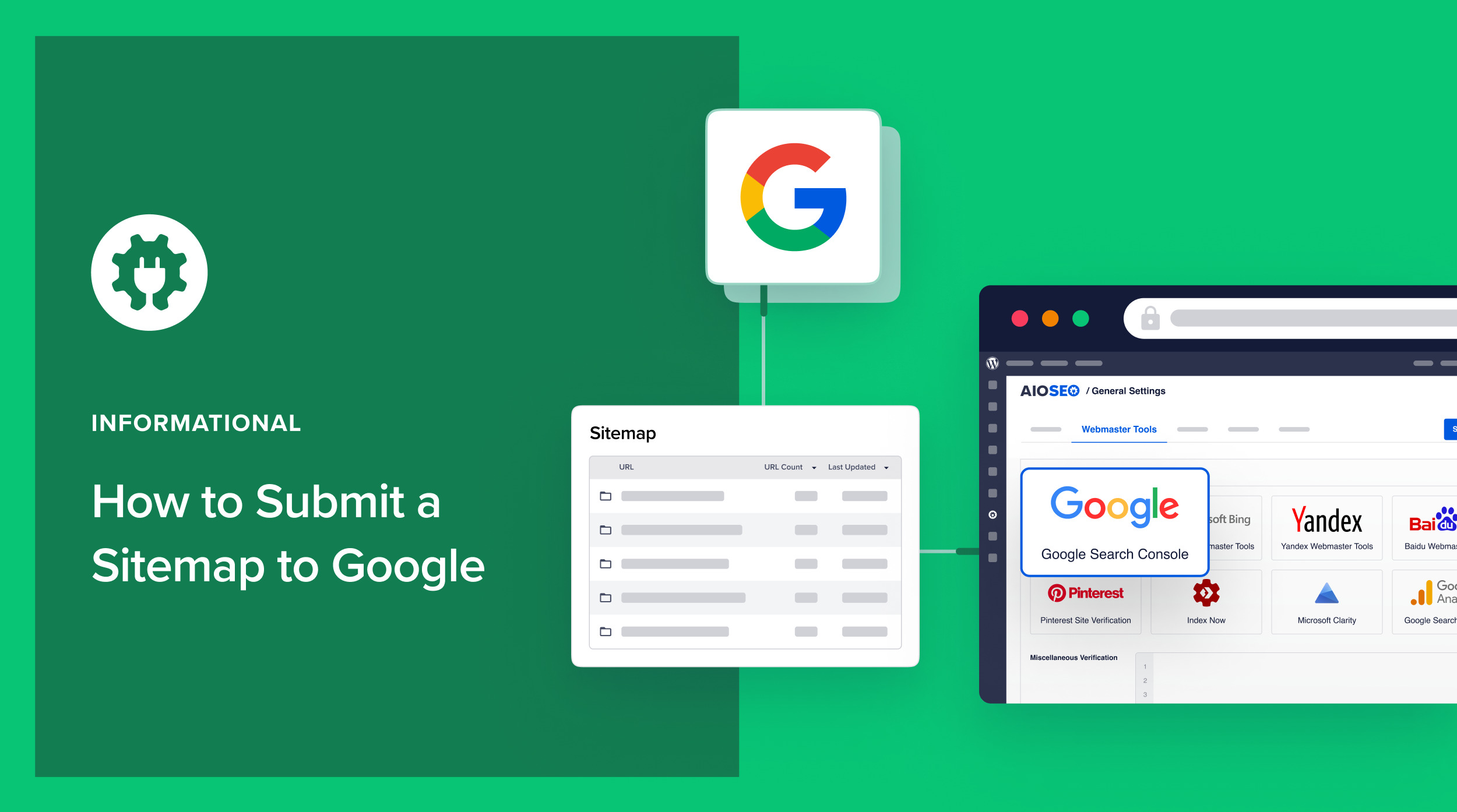
Submitting WordPress sitemaps to Google Console helps improve website visibility. XML sitemaps guide search engines to important pages. Ensure you submit all relevant sitemaps for better indexing.
Using Plugins
Plugins make sitemaps easy to create. Popular plugins like Yoast SEO and Google XML Sitemaps are useful. They automatically build sitemaps for your site. You don’t need coding skills. Just install the plugin. Set up the settings. Your sitemap is ready. Plugins are handy tools. They save time and effort. They ensure your sitemap is correct. You can update it easily. Plugins also help with SEO. They improve your site’s visibility. They keep your sitemap up-to-date. This means search engines find your pages faster.
Manual Generation
Creating a sitemap manually needs more work. You list all pages and posts yourself. Use simple tools to write XML files. This method is suitable for small sites. It helps understand the sitemap process. You control every detail. You decide what to include. This can be time-consuming. But it gives you full control. You learn a lot about your site. Manual sitemaps may need frequent updates. Keeping them correct is important. An updated sitemap helps your site get indexed correctly.
Submitting Sitemaps To Google Console
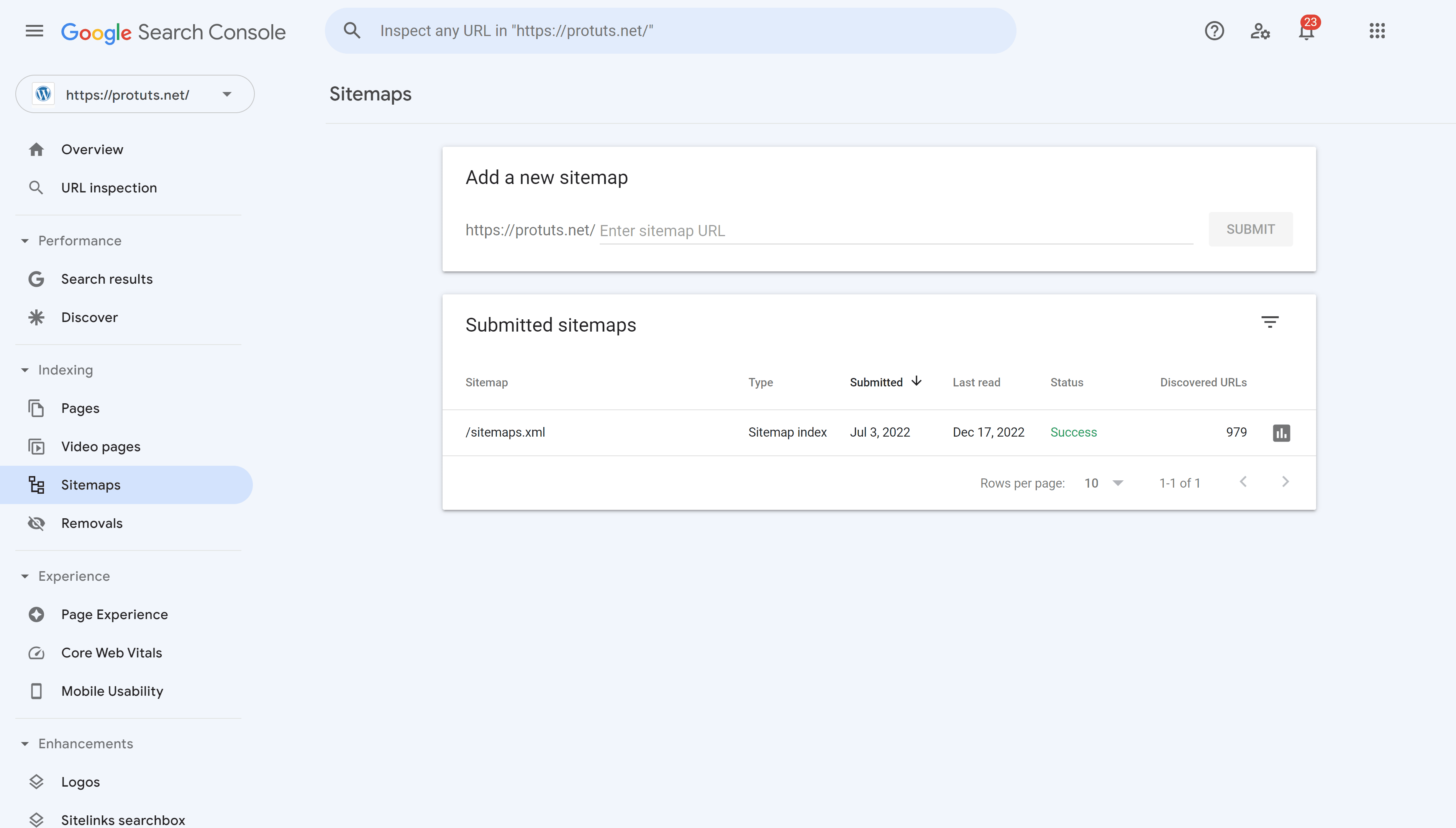
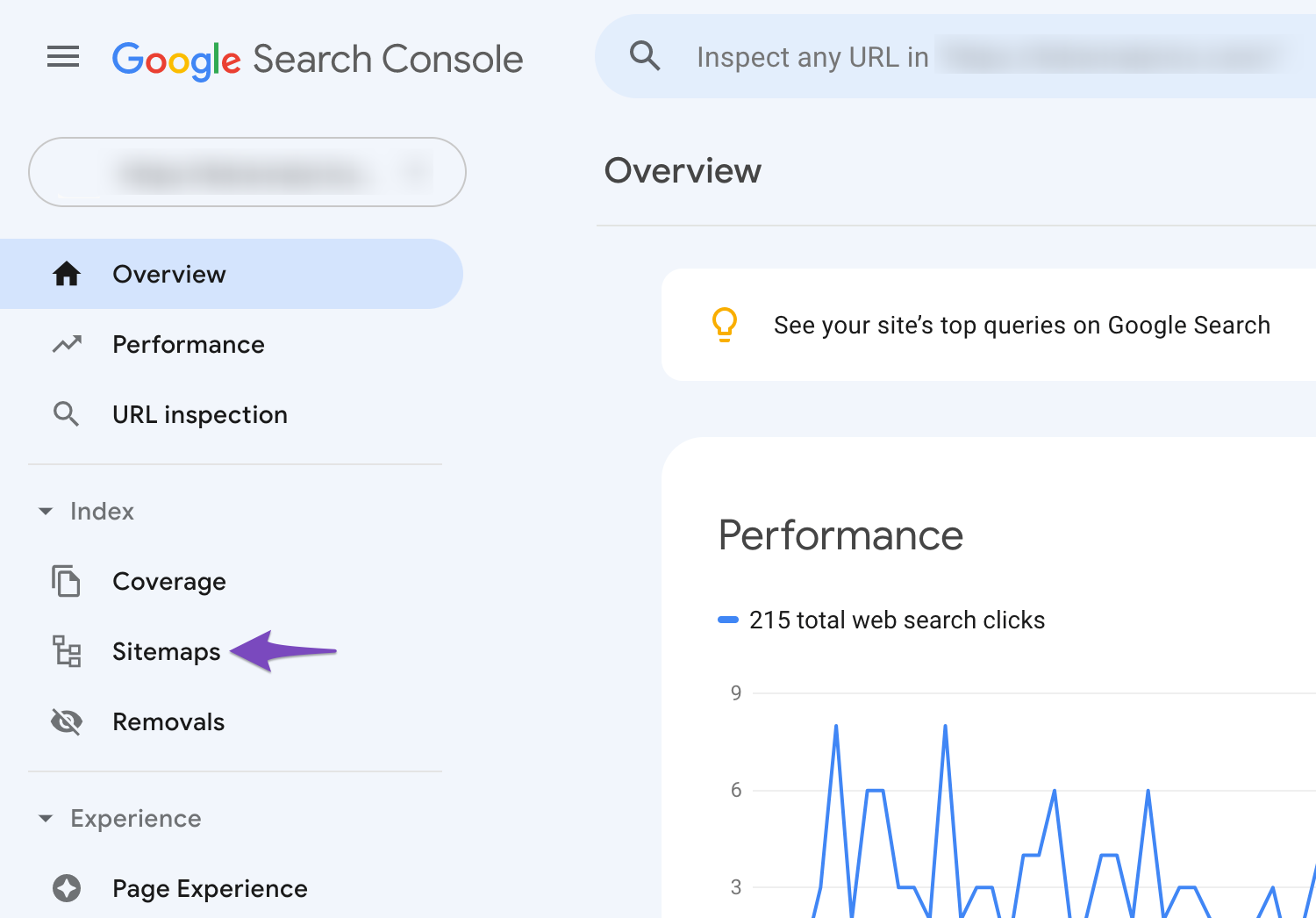
Open your browser and visit the Google Search Console. Use your Google account to log in. After logging in, you’ll see your dashboard. This is where you can manage your website’s health. Look for the section labeled “Sitemaps”. This is where you’ll upload your files.
Find the Sitemaps option on the left menu. Click on it to open. You’ll see an input box labeled “Add a new sitemap”. Enter your sitemap URL here. Make sure the URL is correct. Click the “Submit” button. Your sitemap is now submitted. Check the status to ensure it uploaded properly.
Optimizing Your Sitemaps
Sitemaps need updates often. Frequent changes help search engines. They see new content faster. Update your sitemap with each new post. This keeps your website fresh. Regular updates mean better visibility. Search engines like active sites. They rank them higher.
Important pages should come first in sitemaps. Place your main pages at the top. This helps search engines find them. Prioritize content that matters most. This boosts your site’s presence. Make sure key pages are easy to find. This helps users and search engines.
Fix sitemap errors quickly. Errors confuse search engines. Correct mistakes to improve ranking. Check your sitemap for broken links. Fix them fast. This makes your site better. Users find your pages easily. Error-free sitemaps are important. They ensure smooth navigation.
Credit: www.seopress.org
Monitoring Performance
Submitting WordPress sitemaps to Google Console boosts website performance. XML sitemaps guide search engines through site content. Include posts, pages, and categories for optimal indexing.
Analyzing Indexing Reports
Google Console shows how your site is doing. It gives you reports on indexing. These reports help you know what pages are seen by Google. Checking these reports often is important. It lets you see if there are any problems. You can find pages that are not shown on Google. Fixing these issues will help your site. You want all your pages to be easy to find. This makes more people visit your site.
Adjusting Strategies
After seeing the reports, you can change your plan. Adjust your strategies to make your site better. Maybe some pages need better keywords. Or some pages need more links. Changing these things can help. It can make your site easier to find. This helps your site grow and reach more people.
Common Mistakes To Avoid
Duplicate URLs can confuse search engines. This can affect your site’s ranking. Make sure to remove duplicate URLs from sitemaps. Use tools to spot these duplicates. Keep your sitemaps clean and tidy. This helps Google understand your site better.
Sitemaps need regular updates. Every time you add a new page, update the sitemap. Forgetting this step can leave new content out. This means Google might miss it. Check your sitemaps often. Keep them fresh and relevant. This helps in better indexing of your site.
Credit: aioseo.com
Credit: rankmath.com
Frequently Asked Questions
What Is A WordPress Sitemap?
A WordPress sitemap is a file listing all your website’s pages. It helps search engines understand your site’s structure. Submitting it to Google Console improves indexing efficiency. WordPress often generates sitemaps automatically, but plugins can enhance functionality.
Why Submit Sitemaps To Google Console?
Submitting sitemaps to Google Console ensures efficient crawling of your site. It helps Google discover pages and understand your site’s structure. This leads to better indexing and improved search visibility. Ensuring all important pages are indexed can boost your site’s SEO performance.
How To Find WordPress Sitemap Url?
To find your WordPress sitemap URL, go to yoursite. com/sitemap. xml. If using an SEO plugin, check its settings. Plugins like Yoast and Rank Math generate sitemaps automatically. Ensure the sitemap is enabled and accessible for search engines to crawl.
Can Plugins Help With Sitemap Creation?
Yes, plugins like Yoast and Rank Math assist with sitemap creation. They automatically generate and update sitemaps. These plugins offer customization options for better control. You can prioritize pages and exclude unnecessary ones. This enhances your site’s SEO strategy.
Conclusion
Understanding WordPress sitemaps is crucial for your website’s success. Submit the right sitemaps to Google Console. Ensure they’re clear and accurate. This boosts your site’s visibility. Regular updates are essential. Keep your content organized. A well-structured sitemap helps search engines find your pages.
This leads to better indexing. As a result, your website can rank higher. Don’t overlook this simple yet effective step. It’s a small task with big impact. Stay on top of it. Your efforts will pay off in improved search results.
Keep your site user-friendly and search engine-friendly.



