
Have you ever stumbled upon a stunning WordPress site and wondered, “What theme is that site using?” You’re not alone.
The design, layout, and functionality of a website can captivate you so much that you want to replicate it for your own. Knowing the theme used can save you countless hours of trial and error. It opens a world of possibilities for your website, giving you a head start in creating something equally impressive.
Stay with us as we unveil the secrets to discovering the themes behind your favorite WordPress sites, equipping you with the tools to enhance your digital presence effortlessly.
Credit: www.hostinger.com
Identifying WordPress Themes
Finding the theme of a WordPress site can be simple. Many websites use themes for design. These themes control the look of the site. To identify a theme, you can check the website’s source code. Right-click on the page and select “View Page Source.” Look for the line with “/wp-content/themes/”. This line shows the theme’s name. Sometimes, the theme name appears in the footer. Check the bottom of the website page. It may say “Powered by” followed by the theme name.
Some tools online can help find themes. Websites like “What WordPress Theme Is That” can scan sites. They show the theme and plugins used. These tools are free and easy to use. Knowing the theme can help you create a similar design.
Credit: kinsta.com
Popular Theme Detection Tools
Online analyzers help find the theme on a WordPress site. These tools scan the site fast. You enter the website URL. They show the theme name. Some tools even show plugin details. WP Theme Detector is a popular choice. Another tool is What WordPress Theme Is That. They work well and are free. Easy for beginners to use. Results come in seconds.
Browser extensions help detect WordPress themes quickly. They are easy to install. Once installed, click the extension icon. It shows the theme name right away. Wappalyzer is a useful extension. Library Sniffer also works great. These extensions are handy and save time. They work on most browsers. Useful for web developers. Simple and efficient.
Manual Theme Identification
You can find the theme by looking at the source code. Right-click on a page and select “View Page Source.” A new tab will open with a lot of code. Don’t worry; you only need a small part. Press “Ctrl + F” and type “theme” in the search bar. The code will highlight any instances of the word “theme.” Look for phrases like “wp-content/themes”. This part usually shows the theme’s name. This method is simple and quick.
Another way to identify the theme is through the stylesheet. The stylesheet contains important details about the theme. Type “/wp-content/themes/theme-name/style.css” in the browser’s address bar. Replace “theme-name” with the name found in the source code. This file often provides the theme’s author and version. It’s a useful resource for more theme information.
Credit: wordpress.org
Common WordPress Themes
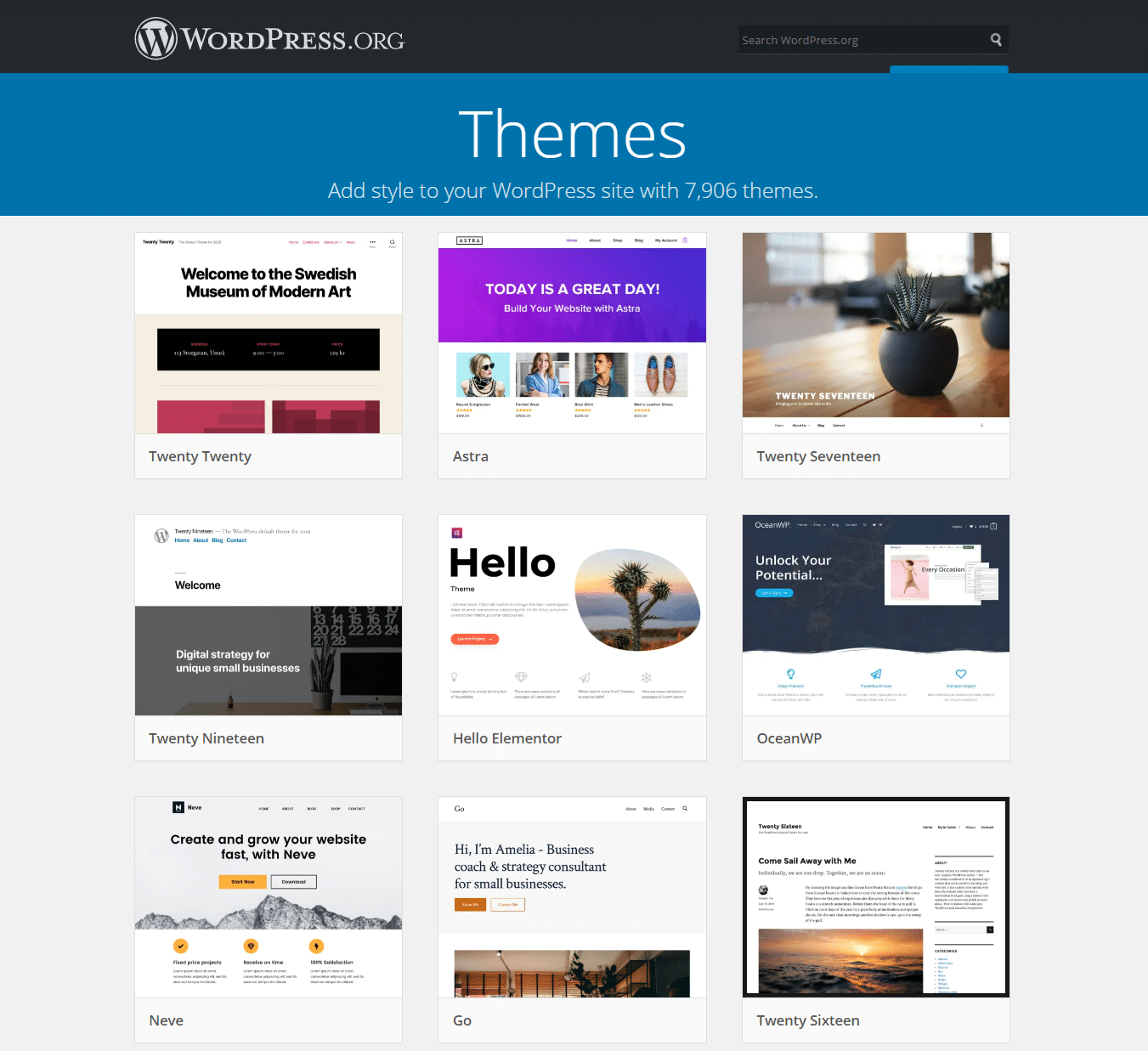
Many WordPress sites use free themes. These themes look nice and work well. One popular theme is Twenty Twenty-One. It is simple and clean. Another is Astra. Astra is fast and easy to use. Neve is also a favorite. It works with most plugins. These free themes are popular for a reason.
Premium themes cost money but offer more features. Divi is a favorite. It has many design options. Avada is another top choice. It works well with many page builders. GeneratePress is lightweight and fast. These themes give more control over your site. Many choose premium themes for their extra benefits.
Benefits Of Knowing Themes
Finding the right theme can spark creative ideas. It helps in shaping a unique look for your site. You can explore different designs and pick what suits your taste. Themes often show the latest trends in web design. They can guide you to make your site attractive and modern. Knowing themes helps you discover what works well visually.
The right theme offers more than just looks. It provides features that improve your site. Some themes come with built-in tools for ease of use. They might include options for faster loading and mobile compatibility. Understanding the theme’s features can help in choosing what meets your needs. It makes your site functional and user-friendly.
Potential Limitations
Discovering the theme of a WordPress site can be challenging. Some sites use custom themes, making identification difficult. This process may require technical knowledge and tools to uncover the theme details effectively.
Accuracy Concerns
Sometimes, tools can guess wrong. They might show a theme that is not correct. Themes can change over time. Updates might make them look different. Some sites use tricks to hide their theme. This means the tool might miss it. Always double-check the theme name. Visit the site’s source code. Look for theme details. This helps ensure accuracy.
Advanced Customizations
Many websites use advanced customizations. These tweaks make them unique. Even if you find the theme, the site might look different. Custom code can change parts of a theme. This makes it hard to know what theme they use. Some themes are heavily modified. This adds challenges for the tools. They might not see the true theme.
Future Of Theme Detection
New tools are making theme detection easier. They help find a site’s theme quickly. This is because of smart software. These tools check code and tell the theme name. It saves time and effort. Many people like these tools. They are getting better each day.
Theme detection tools are easy to use now. Even beginners can use them. Simple steps show the theme name. No tech skills needed. This makes it easy for everyone. Clear design helps users understand. The tools guide users step by step.
Frequently Asked Questions
How Can I Identify A WordPress Theme?
You can identify a WordPress theme by using online tools like “What WordPress Theme is That” or “WP Theme Detector. ” These tools analyze the site and reveal the theme name, author, and version. Alternatively, check the site’s source code for clues in the style.
css file.
Are Theme Detectors Always Accurate?
Theme detectors are generally reliable but may not always be accurate. Sometimes, custom themes or heavily modified themes might not be correctly identified. It’s also possible that some themes hide their information intentionally. For best results, try multiple tools and cross-check the findings.
Do Plugins Affect Theme Detection?
Yes, plugins can affect theme detection. Some plugins modify the site’s appearance or functionality, which might confuse theme detectors. If a plugin significantly changes the site’s look, it may lead to incorrect theme identification. Always consider the potential impact of plugins when identifying themes.
Can I Find Theme Details In Source Code?
Yes, you can find theme details in the source code. Check the style. css file in the site’s HTML code. This file often contains the theme’s name, author, and version information. However, accessing the source code requires some technical know-how.
Conclusion
Discovering a WordPress theme is simpler than you might think. Use online tools to identify the theme quickly. Check the page’s source code for theme information. Visit forums and communities for expert advice. Choosing the right theme enhances your website’s look and feel.
Explore different themes that match your style. Experiment to find what works best for your site. Keep your audience in mind when selecting a theme. A well-chosen theme boosts user experience and engagement. Stay curious and keep learning about themes.
Your WordPress journey can be exciting and rewarding.



