
Have you ever wondered what makes WordPress tick? As you dive into crafting your perfect website, understanding the technology behind WordPress can give you an edge.
It’s like peeking under the hood of a powerful engine. By knowing the tools and systems WordPress uses, you can make smarter choices and enhance your site’s performance. Imagine having the confidence to improve your site’s speed, security, and functionality.
Stick around to uncover the technology that powers WordPress and see how it can work wonders for your online presence.

Credit: www.gsplugins.com
Core Technologies Behind WordPress
WordPress uses PHP to create web pages. PHP runs on the server. It helps in building the structure of the site. PHP makes it easy to add features. It is like the glue. It connects different parts together.
MySQL stores all the data for WordPress. It keeps track of posts, comments, and users. MySQL is like a big digital library. It helps you find what you need quickly.
JavaScript makes websites more interactive. It adds fun elements to web pages. JavaScript runs in the browser. It makes pages dynamic and fast. Clicking buttons and moving pictures, all thanks to JavaScript.
WordPress Architecture
WordPress uses themes to change the site’s look. Themes are like clothes for websites. They make sites look nice. Templates are part of themes. They decide how each page looks. You can change templates to fit your needs. Themes and templates are easy to use. Many options are available. Some themes are free. Others cost money.
Plugins add extra features to WordPress. They help make the site better. Extensions are like plugins. They give more options. Plugins can help with SEO. They can improve security. Some plugins are small. Others are big. You can choose which ones to use. Many plugins are free. Some need payment.
Widgets are small blocks. They add content to sites. You can use widgets for menus. You can add calendars. Shortcodes are simple words. They create special content. Shortcodes are easy to use. They save time. Widgets and shortcodes make sites better. They give more options. Both are handy tools.
WordPress Content Management
WordPress makes it easy to manage posts and pages. Users can create new posts with just a few clicks. Editing is also simple and quick. Drafts can be saved to work on later. Pages and posts can be organized with categories and tags. This helps users find them fast. The WordPress editor is user-friendly. It does not need any coding skills.
Handling media in WordPress is a breeze. You can upload images, videos, and audio files. The Media Library stores everything neatly. From there, you can manage and insert media into posts. Media files can be resized and edited right in WordPress. This keeps the content looking great.
WordPress supports custom post types. These allow different types of content. Beyond just posts and pages. Users can create content types like portfolios or testimonials. Custom fields add extra details. This makes content more flexible and tailored. Developers love this feature for building unique sites.
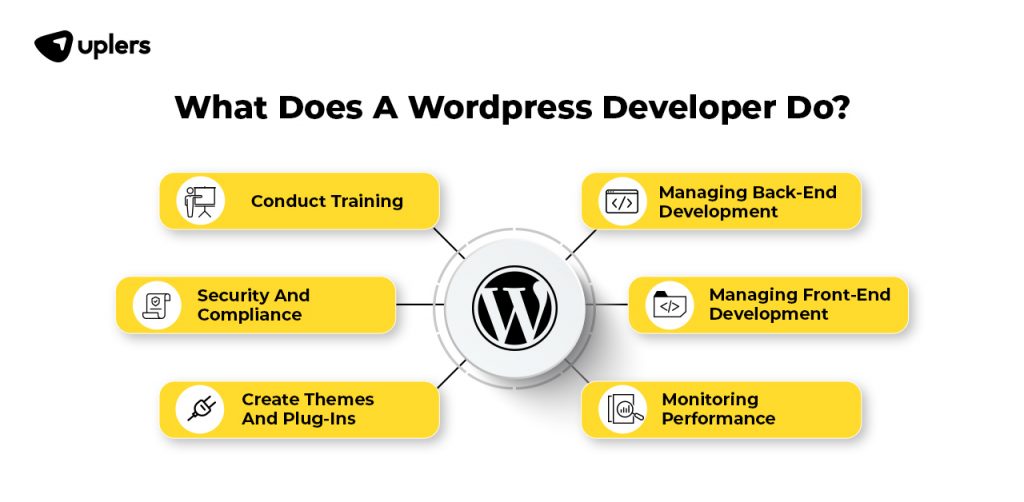
Credit: www.uplers.com
Security Measures In WordPress
WordPress uses strong passwords for safety. It asks users to create unique passwords. These passwords should be hard to guess. Two-factor authentication adds extra security. Users need a code sent to their phone. This keeps accounts safe from hackers. Only trusted people get access to important areas.
Data encryption keeps information secret. WordPress uses HTTPS. This makes sure data travels safely. No one can see it without permission. Encryption protects login details and personal info. It acts like a secret code. Only the sender and receiver know it.
WordPress updates often. These updates fix bugs and improve safety. Developers work hard to keep it secure. Users should install these updates right away. This helps stop new security threats. Keeping WordPress updated is very important. It keeps websites safe and running well.
Optimization Techniques
Caching makes websites faster. WordPress uses caching to store data. This reduces server load. It saves time for users. Plugins like WP Super Cache help. They make pages load quickly. Browser caching is important too. It saves files in the user’s browser. This means fewer requests to the server. Websites become smoother and quicker.
The database stores all site data. Optimizing databases keeps them fast. Use plugins like WP-Optimize. They clean up old data. Removing unnecessary data helps speed. Keep your database tidy and small. Regular maintenance is key. It ensures smooth performance.
Images can slow sites down. Optimizing images is vital. Use tools like TinyPNG. They reduce image size without losing quality. Smaller images load faster. Lazy loading helps too. Images load only when needed. This saves bandwidth and speeds up pages.
Future Trends In WordPress Technology
WordPress embraces future trends by integrating PHP, MySQL, and JavaScript, ensuring flexibility and efficiency. Regular updates enhance its core, adapting to new web standards, improving user experience, and enabling seamless customization. As technologies evolve, WordPress continues to innovate, leveraging cutting-edge tools to meet modern digital demands.
Headless WordPress
Headless WordPress separates the front end from the back end. This means better flexibility. Developers can use any technology for the front end. Content creators still use WordPress for managing content. This approach allows faster websites. It gives a smooth user experience.
Integration With Ai
AI integration brings smart features to WordPress. AI helps in creating content faster. It can suggest improvements. AI tools can enhance SEO. They analyze user behavior. This helps improve website engagement. AI aids in personalizing content for visitors.
Enhanced Mobile Experience
Mobile experience is key for WordPress sites. More people use phones than computers. WordPress focuses on making sites mobile-friendly. Themes are responsive. Plugins optimize speed. Good mobile design keeps users happy. It improves site accessibility for everyone.

Credit: en.wikipedia.org
Frequently Asked Questions
What Programming Language Powers WordPress?
WordPress is primarily powered by PHP. PHP is a server-side scripting language. It is widely used for web development. PHP works seamlessly with WordPress to create dynamic web pages. It interacts with databases to fetch and display content. This makes WordPress flexible and customizable.
Which Database System Does WordPress Use?
WordPress uses MySQL as its database system. MySQL stores all site data, including posts and user information. It is efficient and fast, ideal for handling large amounts of data. MySQL works with PHP to retrieve and manage content. This ensures smooth operation of WordPress websites.
Is Javascript Used In WordPress?
Yes, JavaScript is used in WordPress. It enhances interactivity and user experience on websites. JavaScript powers features like sliders and pop-up messages. WordPress themes and plugins often incorporate JavaScript. It works alongside PHP and CSS to create dynamic pages.
Does WordPress Rely On Html And Css?
WordPress relies heavily on HTML and CSS. HTML structures the content on web pages. CSS styles and visually enhances these pages. Together, they define the layout and design. WordPress themes use HTML and CSS extensively. They help create aesthetically pleasing and functional websites.
Conclusion
WordPress technology offers flexibility and ease for website creation. It uses PHP and MySQL. This combination powers dynamic web pages. JavaScript and CSS enhance interactivity and design. Its open-source nature allows custom modifications. Users find this adaptable for varied needs.
Plugins expand functionality further. With WordPress, anyone can build sites efficiently. Its community support is vast. Updates keep it secure and reliable. For beginners and experts alike, WordPress remains a popular choice. Simple to use. Wide range of features. Perfect for diverse projects.
Embrace WordPress for your next web endeavor.



