
Are you looking to enhance your WordPress website but not sure where to start? Adding a skilled developer to your team might be the game-changer you need.
Imagine transforming your site into a powerful tool that not only looks great but also functions seamlessly. You’ve probably heard how crucial it is to have a site that stands out and offers an exceptional user experience. But how do you make that happen?
By integrating a developer who can tailor your WordPress site to meet your specific needs, you can achieve that edge. Keep reading to discover why hiring a developer could be your best decision yet, and how it can unlock limitless possibilities for your website. Don’t miss out on the insights that could revolutionize your online presence.
Choosing The Right Developer Role
The Administrator role gives full control over the website. This role can add and remove users, change settings, and install plugins. It’s the most powerful role. The Editor role allows editing posts and pages. Editors can manage content but cannot change site settings. Choosing between these roles depends on what tasks your developer will perform. If they need full control, Administrator is the best fit. If they only need to manage content, choose Editor.
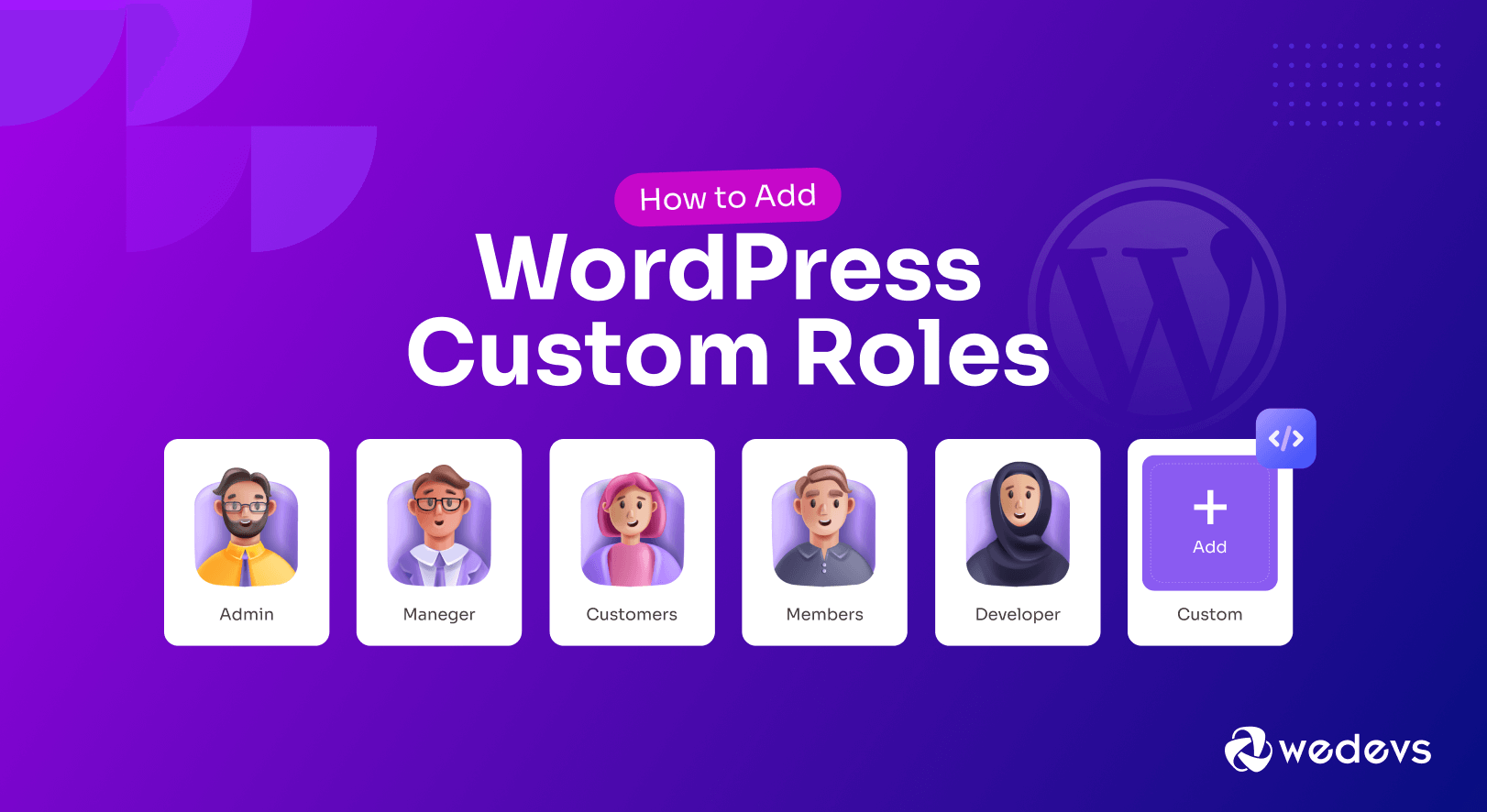
You can create custom roles for developers. Custom roles let you define specific capabilities. For example, you might allow a developer to access certain plugins. Or, you can let them manage specific pages. This provides flexibility. Custom roles are useful when default roles are too limiting. They ensure developers have the exact access they need. WordPress makes it easy to set up these roles. Consider what tasks developers will do before creating a custom role.
Understanding Developer Needs
Developers need to change theme files often. They use these files to make your site look good. With access, they can customize the design. This makes the site unique. Keeping the site updated is important. Developers ensure the theme matches your brand.
Plugins add new features to your site. Developers need the right to manage plugins. They install, update, and remove plugins. Some plugins might not work well together. Developers fix these issues. They make sure your site runs smoothly. A well-managed site offers a better user experience.
Security Considerations
Protecting data is crucial. Developers should have limited access. Sensitive data must be secured. Only trusted individuals should see critical information. User permissions need careful management. Always check who can view or edit data. Regular updates help keep systems secure. Encryption is a good option. It keeps data safe. Strong passwords are necessary. Change them often.
Audit roles regularly. This ensures security. Check who has access. Remove unnecessary permissions. This prevents breaches. Review roles every month. Keep track of changes. Always update user roles. Make sure roles are current. Keep an eye on access logs. They show who accessed data. Regular audits improve safety.
Best Practices For Assigning Roles
WordPress allows you to control who can do what. This is called Role-Based Access Control. Each role has specific permissions. Developers usually get more access. They need it for their work. They can update and fix things. But they should not have too much power. It can be risky. Keep their access to what is needed. This keeps your site safe. Choose roles wisely.
Access needs regular checks. This helps keep roles up to date. Developers might need new permissions. Sometimes, old ones are not needed. Update roles often. This keeps everything working well. It stops problems before they start. Regular reviews are important. They keep your site secure.
Tools For Managing Roles
Role editor plugins help manage user roles. These plugins are easy to use. You can add, edit, or delete roles. Some popular plugins are User Role Editor and Members. User Role Editor is very popular. You can change roles with a few clicks. Members is another option. It has many features. Both plugins are helpful for beginners. No coding needed.
WordPress has built-in features for roles. Admins can assign roles to users. There are default roles like Admin, Editor, and Author. Each role has different permissions. Admins have full control. Editors can publish and manage posts. Authors can write and manage their posts. These features help in organizing tasks. It’s simple and effective.
Credit: resumaker.ai
Common Mistakes To Avoid
Choosing the right developer role in WordPress is crucial. Avoid roles with excessive permissions, which might compromise site security. Ensure the developer has access only to essential tools for efficient work.
Over-permitting Access
Giving too much access can be risky. Developers might see private info. Always check what they need. Limit access to important parts only. This keeps your site safe. Think before you allow permissions.
Ignoring Role Changes
Roles need updates sometimes. Not updating can cause issues. Developers may have old permissions. They should have the right access. Remember to change roles when needed. This helps in managing your site better.
Case Studies Of Successful Role Assignments
Exploring successful role assignments on WordPress reveals effective strategies for adding developers. Assign developer roles carefully to enhance website functionality. Ensure clear permissions and responsibilities to optimize performance and collaboration.
Small Business Websites
Small business websites often need simple role assignments. Owners like to add developers for specific tasks. These tasks can be updating plugins or fixing bugs. A developer role can be limited to these actions. This way, owners keep control over the main site functions. They only share what is necessary. This setup helps keep the site secure. It also makes sure no one changes important settings by mistake.
Large E-commerce Platforms
Large e-commerce platforms require more complex role setups. Developers on these sites handle major updates and new feature additions. They need access to many parts of the site. Yet, their role should still be controlled. This prevents any accidental errors. Assigning specific roles to developers helps maintain a seamless workflow. It also keeps the site running smoothly. These structured roles protect the business and its customers.
Credit: resumaker.ai
Credit: wedevs.com
Frequently Asked Questions
How Do I Add A Developer To WordPress?
To add a developer, access your WordPress dashboard. Navigate to ‘Users’ and select ‘Add New. ‘ Fill in the details, assign the ‘Developer’ role, and click ‘Add New User. ‘ Ensure the developer role has appropriate permissions to manage site functionalities.
This process enhances collaboration efficiently.
What Permissions Does A WordPress Developer Need?
A WordPress developer needs permissions for theme customization, plugin management, and site settings alterations. Providing access to code editing tools is essential for advanced tasks. Ensure their role allows debugging and system updates, facilitating seamless site development and maintenance.
Can A Developer Customize WordPress Themes?
Yes, a developer can customize WordPress themes. They use coding languages like PHP, CSS, and JavaScript to modify theme appearance and functionality. Customizations can enhance user experience, improve site performance, and align design with brand identity effectively.
Is Adding A Developer Safe For WordPress?
Adding a developer is safe if proper permissions are managed. Use strong passwords and secure access protocols. Regularly audit user roles to prevent unauthorized changes. Collaborating with trusted developers ensures your site’s integrity and security remain intact.
Conclusion
Choosing the right developer role enhances your WordPress site. It ensures smooth functionality and personalized features. A dedicated developer can address unique business needs. This adds value to your website. A skilled developer boosts user experience and site performance. They can also improve security.
Hiring the right developer streamlines updates and maintenance. This saves time and resources. Remember, a good developer is an investment in your website’s success. So, choose wisely. Your site deserves the best.



