
Have you ever stumbled upon the term “xmlrpc.php” while exploring your WordPress site and wondered what it actually does? You’re not alone.
This seemingly mysterious file can be both a powerful tool and a potential security headache for your website. Understanding it could be the key to unlocking new functionalities or safeguarding your site against threats. So, why should you care? Because knowing how xmlrpc.
php works and affects your WordPress setup can save you time, stress, and even money. Let’s dive into what xmlrpc. php is all about and why it matters to you. By the end of this article, you’ll be equipped with the knowledge to make informed decisions about whether to enable, disable, or optimize it for your unique needs.
Understanding Xmlrpc.php
Xmlrpc.Php is a file in WordPress. It helps with remote communication. This file allows external apps to talk to WordPress. For example, mobile apps use it. They can post new blogs. They can edit old ones too. It’s like a bridge. It connects WordPress and other tools.
WordPress added Xmlrpc.Php in the early days. They wanted more functionality. Back then, blogging was new. People used different devices. Xmlrpc.Php made it easier. It was a big help for users. They could manage their sites from anywhere. This was important for bloggers. They could write on the go.
Credit: blog.wpsec.com
Role In WordPress
Xmlrpc.php helps WordPress talk to other sites. It uses XML and HTTP to send messages. This file is very important. It allows users to post from outside. For example, from mobile apps. It makes WordPress more flexible. Remote publishing is possible with this. Users can write posts without logging in. It supports WordPress apps. This helps in easy management.
Plugins use Xmlrpc.php for more functions. This file helps in plugin communication. Some plugins need this to work. It makes WordPress more powerful. Plugins can fetch data from far away. Xmlrpc.php acts as a bridge. It connects plugins with other services. This improves WordPress features. But be careful. It can have security risks too.
Security Concerns
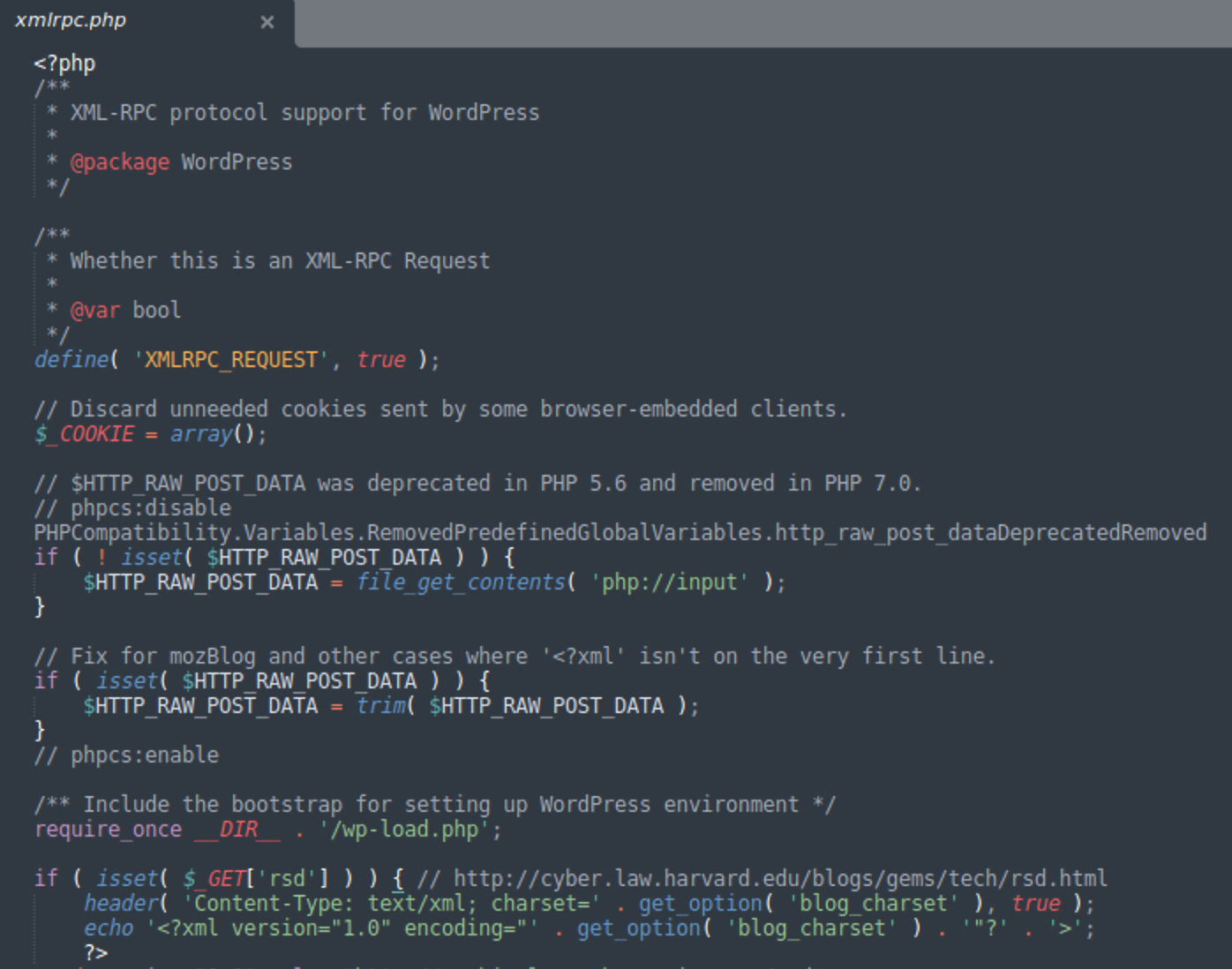
Xmlrpc.php is a part of WordPress. It helps with remote connections. But it can have security risks. Hackers use it for DDoS attacks. They send many requests to slow down a site. Another problem is password guessing. Hackers try many passwords to break in. This is called a brute force attack. These issues make websites unsafe.
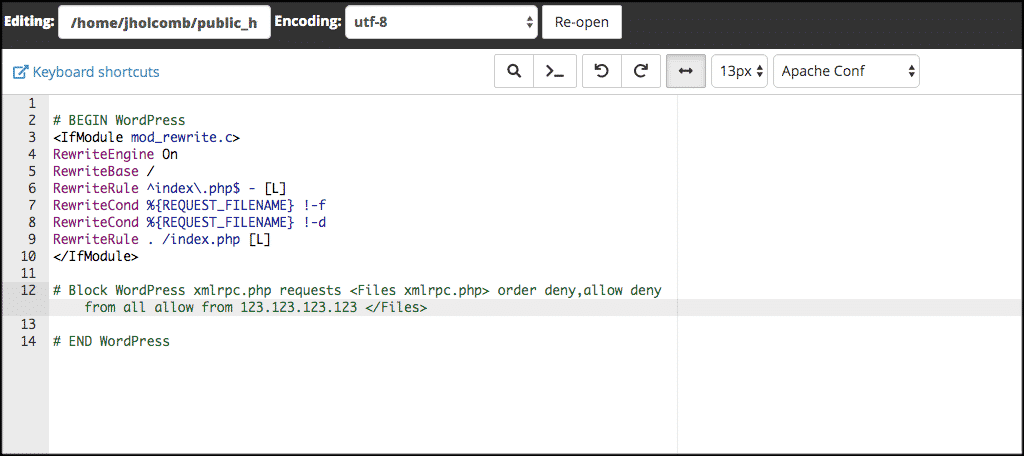
It’s important to protect your site. First, you can disable xmlrpc.php if not needed. Use plugins to block bad requests. Keep your WordPress updated. Updates fix security holes. A strong password is also important. Change it often. Use a mix of letters and numbers. Security plugins can help too. They monitor your site for threats.
Credit: blog.sucuri.net
Troubleshooting Issues
Xmlrpc. php in WordPress enables remote communication between systems. It can pose security risks if not properly managed. Troubleshooting involves identifying vulnerabilities and implementing protective measures to ensure site safety.
Identifying Problems
Xmlrpc.php can cause problems. Slow website speed is a common issue. Sometimes, it leads to security risks. Hackers may attack using xmlrpc.php. Frequent error messages also indicate a problem. The site might crash or become unreachable. Check logs for unusual activity. Website performance may drop significantly. Users often face login issues. Monitoring site traffic helps in identifying issues. Regular updates can prevent many problems.
Effective Solutions
Several solutions exist for xmlrpc.php issues. Disabling xmlrpc.php can be effective. Use plugins to manage xmlrpc.php. Security plugins block unwanted access. Update WordPress regularly. Keep themes and plugins up-to-date. Strong passwords protect from attacks. Limit login attempts to secure your site. Monitor your site for suspicious activity. Use firewalls for extra security. Backup your site often. Regular checks ensure smooth operation.
Alternatives To Xmlrpc.php
The REST API is a powerful alternative to Xmlrpc.Php in WordPress. It offers a more modern way to interact with your site. REST API uses HTTP requests to access and update data. This makes it easier to integrate with various web services. Security is enhanced as it avoids many vulnerabilities present in Xmlrpc.Php. Developers find REST API more flexible. It supports JSON format, which is widely used in web applications. REST API is also known for better performance. It allows smoother and faster data transfer. Many modern applications prefer REST API for its simplicity.
| Feature | Xmlrpc.Php | REST API |
|---|---|---|
| Security | Less Secure | More Secure |
| Data Format | XML | JSON |
| Performance | Slower | Faster |
| Flexibility | Limited | High |
Credit: www.greengeeks.com
Future Of Xmlrpc.php
More websites use Xmlrpc.Php for communication. It helps in connecting apps. Many experts see a rise in its usage. This tool makes things simpler. People look for ways to make it faster. Security is also a big focus. Developers want to make it safe. They add new features. These features help to protect data.
New updates come often. They aim to improve performance. Developers plan to add more tools. These tools will help users a lot. Many users hope for better user-experience. They wish for easy-to-use options. Safety is important. So, future updates may focus on this. Users need to stay updated. This helps them use Xmlrpc.Php better.
Frequently Asked Questions
What Is Xmlrpc.php Used For In WordPress?
Xmlrpc. php enables remote communication with WordPress sites. It allows external applications to interact with your site, like posting content or retrieving data. Despite its usefulness, it can be a target for security vulnerabilities if not properly managed or secured.
How Does Xmlrpc.php Affect WordPress Security?
Xmlrpc. php can be exploited for brute force attacks, leading to unauthorized access. Hackers often target it to overload servers. It’s crucial to monitor its use and consider disabling it if not needed to enhance security measures on your WordPress site.
Can Xmlrpc.php Be Disabled Safely?
Yes, xmlrpc. php can be disabled safely if you’re not using it for integrations. Disabling it can prevent potential security risks. Use plugins or code snippets to disable it, ensuring your site remains secure without losing essential functionalities.
How Do I Secure Xmlrpc.php?
To secure xmlrpc. php, limit its access using firewall rules or plugins. Regularly update WordPress and its plugins to patch vulnerabilities. Consider restricting its use to trusted applications, ensuring only authorized interactions occur with your site.
Conclusion
Understanding Xmlrpc. Php in WordPress is crucial. It handles remote connections. This can be a security risk if unchecked. Regular updates to WordPress help secure this feature. Simple security plugins can also protect your site. Always monitor for unusual activity.
This ensures your site stays safe. Xmlrpc. Php offers remote publishing benefits. Yet, it needs careful management. Use it wisely for best results. A safe WordPress site is a successful one. Stay informed and proactive. Keep learning about WordPress features.
Your website deserves it.



