
Are you curious about how WordPress operates on a Linux system? You’re not alone.
Many people like you are eager to understand this powerful combination that fuels countless websites across the globe. WordPress is a flexible, user-friendly platform that makes creating and managing websites a breeze. And when paired with the stability and security of Linux, it offers a robust solution for web hosting.
We will unravel the mysteries of using WordPress on Linux, helping you see why this duo is a top choice for many tech enthusiasts and businesses. Stay with us, and you’ll discover how to harness the full potential of WordPress in a Linux environment, making your online presence not just possible, but powerful.
Credit: www.cloudways.com
WordPress Basics
WordPress is a tool to build websites. It is free and open-source. Many people use it for blogs and business sites. You can also make online stores with WordPress. The tool is easy to use. It helps in creating websites without coding.
WordPress started in 2003. It began as a simple blog tool. Over time, it grew. Now, it is a powerful platform. Many people and companies use it. Developers keep improving it. They add new features often. WordPress is now one of the most popular website tools.
Linux And WordPress
Linux is safe and reliable. WordPress runs smoothly on it. Many web servers use Linux. It is free and open-source. People trust Linux for their websites. Updates are easy and quick. Linux has a strong community. They help with problems. Linux uses less resources. This makes it faster. Many businesses choose Linux for their WordPress sites.
| Distribution | Features |
|---|---|
| Ubuntu | Popular, user-friendly, and good support |
| CentOS | Stable, long-term support, and enterprise-friendly |
| Debian | Stable, secure, and large package support |
| Fedora | Cutting-edge, frequent updates, and community-driven |
Installation Process
WordPress needs a Linux server. Check your server has PHP and MySQL. PHP version must be 7.4 or newer. MySQL version must be 5.6 or newer. You also need a web server like Apache or Nginx. Ensure your server has enough RAM. More RAM means smoother WordPress.
First, download WordPress from its website. Next, unzip the downloaded file. Move the unzipped files to your web server. Open your browser and type your website link. Follow the setup instructions on the screen. Provide your database info when asked. Set up your site name and admin username. Click the install button. Your WordPress site is ready to use.
Configuring WordPress On Linux
Start by setting up your database. This is where WordPress stores information. Choose a strong password for the database. This keeps it safe. Next, edit the wp-config.php file. Enter your database name here. Add your username and password too. These details are crucial. Without them, WordPress won’t connect.
Set your site name and email address. These are easy to change later. But start with something simple. Finally, select your site language. WordPress supports many languages. Pick one that suits you.
Security is very important. First, update WordPress regularly. Updates fix known issues. Use strong passwords for your admin account. This makes it hard for hackers. Limit login attempts to your site. This stops multiple tries.
Install a security plugin. It adds extra protection. Backup your site data often. This way, you won’t lose important info. Consider using SSL certificates. They encrypt data sent to and from your site. These steps keep your site safe.
Managing WordPress On Linux
Keeping WordPress updated is very important. New updates fix bugs and improve security. Updates make sure your site works well. Use Linux commands to update WordPress easily. This helps your site stay safe and fast.
Maintenance is more than updates. Plugins and themes need checking too. Outdated plugins can cause trouble. Keep everything current for a smooth site. Regular checks help avoid big problems.
Backups are like safety nets. They protect your site data. Linux offers ways to backup WordPress. Use tools to save important files. Store them in a safe place. If something goes wrong, backups help you restore your site.
Restoring brings back lost data. Follow steps carefully. Restoring is easier with good backups. Make backups often to be safe. Your site can be fixed quickly. Always keep backups ready for use.

Credit: ubuntu.com
Troubleshooting Common Issues
Sometimes, error messages confuse users. A frequent message is “Error establishing database connection.” This means WordPress can’t access the database. Check your database credentials in the wp-config.php file. Another error is “The site is experiencing technical difficulties.” This could be due to a plugin issue. Try disabling plugins one by one to find the problem.
When facing issues, always backup your site first. This keeps your data safe. For database connection errors, verify your host and username. If plugins cause trouble, use FTP to rename the plugin folder. Renaming deactivates all plugins. This helps identify the faulty plugin. For theme issues, switch to a default theme. This can solve display problems.
Optimizing Performance
Speed is very important for websites. Faster sites keep users happy. Slow sites can make users leave. Efficiency helps reduce server load. It makes everything run smoother.
WordPress in Linux can be fast. It needs the right setup. Linux provides tools to help. Use these tools to make WordPress faster. Faster sites use less resources. This saves money and time.
Caching And Compression Techniques
Caching stores a copy of pages. It helps pages load quickly. This reduces the load on servers. Compression makes files smaller. Smaller files load faster. Use tools like Gzip for compression. It can make pages 70% smaller.
Both caching and compression are easy to set up. They are important for a better user experience. With them, WordPress runs smoothly on Linux.
Leveraging Plugins And Themes
Plugins help extend WordPress features. Some are perfect for Linux users. Jetpack offers security and site performance tools. Yoast SEO helps improve site visibility. WooCommerce is great for selling products online. UpdraftPlus allows you to backup your site. It is always good to have a backup. WPForms lets you create forms easily. Forms help collect user information.
Themes change how your WordPress site looks. Astra is a fast and simple theme. OceanWP offers many customization options. Both work well on Linux. GeneratePress is lightweight and easy to use. It gives your site a clean look. Hestia is another theme with a modern style. It helps make your site attractive. Themes make a big difference in user experience.

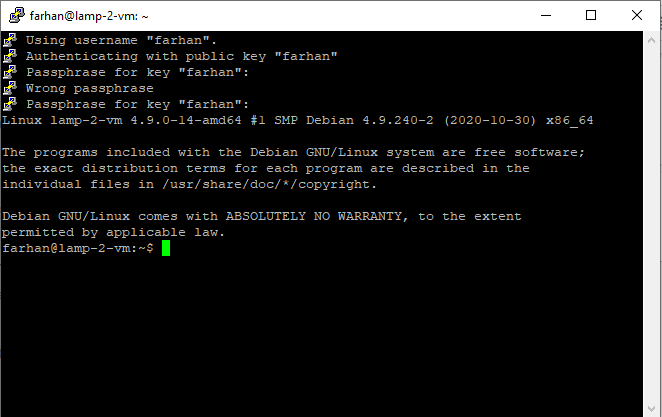
Credit: linuxconfig.org
Frequently Asked Questions
What Is WordPress In Linux?
WordPress is a popular open-source content management system (CMS). It is often used to create websites and blogs. On Linux, it can be installed and managed using tools like Apache, MySQL, and PHP. This setup provides a stable and secure environment for hosting WordPress sites.
How To Install WordPress On Linux?
To install WordPress on Linux, you need a LAMP stack. This includes Linux, Apache, MySQL, and PHP. First, set up the LAMP stack. Then, download WordPress and configure it. Finally, use the WordPress installer to complete the setup. Ensure all components are updated for security.
Why Use WordPress With Linux?
Using WordPress with Linux offers stability and flexibility. Linux is known for its security and performance. WordPress pairs well with Linux for managing websites efficiently. It allows customization and scalability, which is ideal for growing websites. Many hosting providers prefer Linux for its reliability and cost-effectiveness.
Is WordPress Free On Linux?
Yes, WordPress is free to use on Linux. It is open-source software, meaning anyone can download and install it. You can use it without purchasing a license. However, costs may arise from hosting services, themes, and plugins. Always check for hidden costs before setting up your site.
Conclusion
WordPress on Linux offers flexibility and control. It’s a great choice for those seeking customization. Linux provides a stable environment for WordPress. Plus, it’s open-source and cost-effective. You gain more security and performance. Learning WordPress on Linux is worth the effort.
It suits both beginners and advanced users. The setup process is straightforward. Many resources are available online. With practice, managing WordPress becomes easier. Your website can grow with you. It’s a smart investment for the future. Enjoy the journey of creating and managing your site.
It’s rewarding and fulfilling.



