
Are you thinking about creating a website but don’t know where to start? WordPress.com might be exactly what you need.
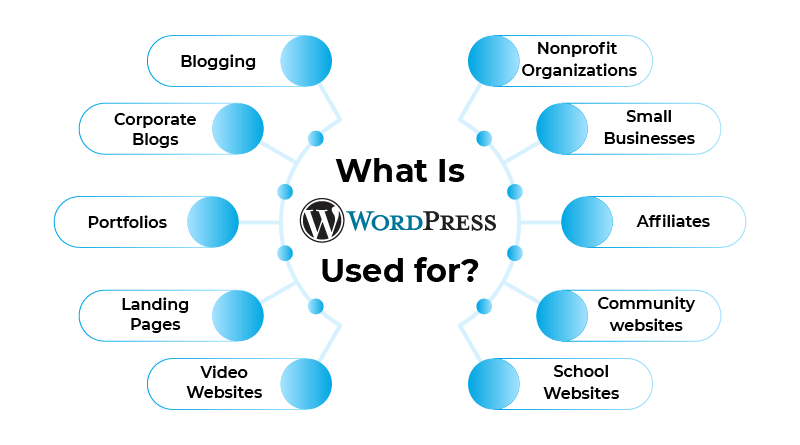
It’s a powerful platform that helps you build and manage your site without any technical hassle. Whether you want to share your ideas, showcase your work, or start an online store, understanding what WordPress. com is used for can open new doors for you.
Keep reading, and you’ll discover how this tool can turn your ideas into a real, functioning website—quickly and easily.
WordPress.com Basics
WordPress.com is a popular platform for creating websites and blogs. It offers tools that help anyone build a site without coding skills. Many people choose WordPress.com for its simplicity and wide range of options.
Platform Features
WordPress.com provides many features to create and manage websites. It includes customizable themes to change your site’s look. You can add posts, pages, images, and videos easily. The platform also supports plugins to add extra functions. Security and backups are handled automatically by WordPress.com. This lets users focus on content, not technical details.
User-friendly Interface
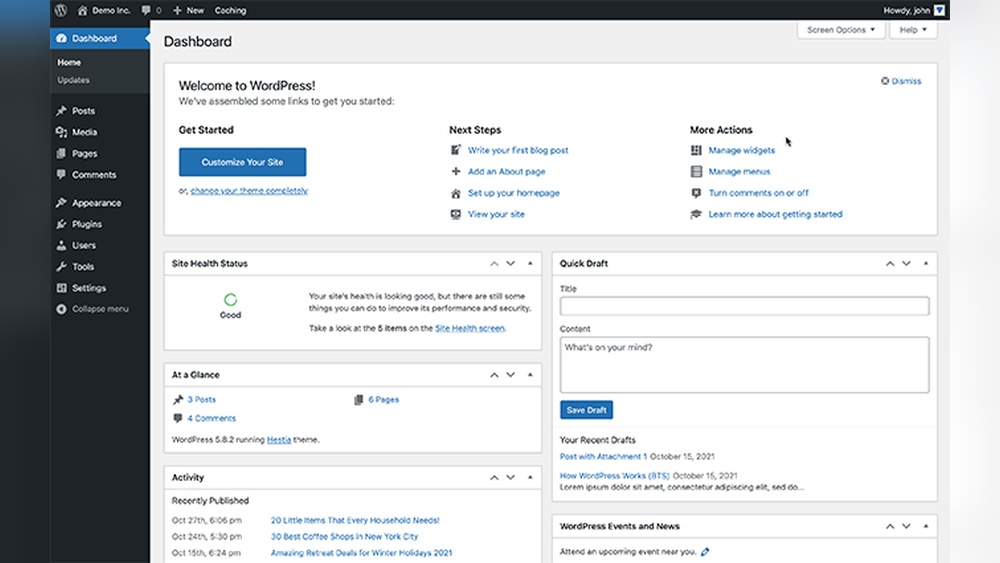
The interface is designed to be simple and clear. Users see a dashboard with all important tools in one place. Editing content is like writing a document, with easy options for formatting. Beginners find it straightforward to upload media and organize pages. The platform guides you step-by-step, reducing confusion and mistakes.
Free Vs Paid Plans
WordPress.com offers both free and paid plans. The free plan lets you create a basic website with a WordPress.com domain. Paid plans provide custom domains, more storage, and advanced design options. Higher-tier plans allow monetization and removal of WordPress ads. Choosing a plan depends on your website needs and goals.
Credit: webfor99.com
Creating A Website
Creating a website on WordPress.com is simple and fast. It helps people build sites without needing coding skills. You can share your ideas, sell products, or start a blog. The platform guides you through the key steps to make your site look great and work well.
Choosing A Domain
The first step is picking a domain name. This is your website’s address on the internet. It should be short, easy to remember, and related to your content. WordPress.com lets you select a free domain with their branding or buy a custom one. A custom domain looks more professional and helps visitors find you easily.
Selecting Themes
Themes control how your website looks. WordPress.com offers many free and paid themes. Each theme has different styles and layouts. Choose one that fits your website’s purpose. Themes are designed to work well on phones and computers. This ensures your site looks good everywhere.
Customizing Design
After selecting a theme, you can change colors, fonts, and images. WordPress.com has easy tools to customize your site without technical skills. You can add your logo and create menus to help visitors navigate. Customizing makes your website unique and reflects your style.
Content Management
Content management is the heart of WordPress.com. It helps users create and organize their website easily. This platform allows managing different types of content in one place. The tools are simple and made for everyone. No need for coding skills.
Publishing Posts And Pages
WordPress.com makes publishing posts and pages quick. Users can write articles or create static pages for their sites. The editor is easy to use, with options to format text and add links. Scheduling posts for future dates is also possible. This keeps the website active and fresh.
Media Integration
Adding images, videos, and audio is simple on WordPress.com. Users can upload media files directly from their devices. The platform supports many file types for rich content. Media can be placed inside posts or pages to make them interesting. This helps keep visitors engaged.
Seo Tools
WordPress.com offers built-in SEO tools to improve website visibility. Users can set titles, descriptions, and keywords for each post. These tools help search engines understand the content better. Simple SEO settings guide users to optimize their pages. This increases chances of appearing in search results.
Credit: www.youtube.com
Business Applications
WordPress.com serves many business needs. It helps small and medium businesses build an online presence. The platform offers tools that support sales, marketing, and earning money online. Simple setup and easy management make it a good choice for many business owners.
E-commerce Capabilities
WordPress.com allows users to create online stores. It supports product listings, shopping carts, and secure payments. Businesses can sell physical or digital goods. The platform integrates with popular payment gateways for smooth transactions. Managing orders and inventory is straightforward and user-friendly.
Marketing Integration
WordPress.com connects easily with marketing tools. Businesses can use email marketing, social media sharing, and SEO plugins. These features help attract visitors and keep customers engaged. Tracking visitor behavior and campaign results is simple. This integration supports growing a business’s audience effectively.
Monetization Options
Monetizing a website on WordPress.com is flexible. Users can add ads, memberships, or paid content. Subscription services and donations are also possible. The platform supports various payment methods to suit different needs. This variety helps businesses generate income in multiple ways.
Community And Support
WordPress.com offers a strong community and support system. This helps users solve problems and learn new skills. The support network is friendly and easy to access. It suits beginners and experienced users alike.
User Forums
User forums are a place to ask questions and share ideas. Many people from around the world join these forums. They give advice and tips based on their experience. Reading forum posts can help you fix issues quickly. It’s a great way to connect with others using WordPress.com.
Customer Support
Customer support helps users with technical problems. You can contact support through email or chat. The support team answers clearly and politely. They guide you step-by-step to solve your issue. Fast response times reduce waiting and frustration.
Learning Resources
WordPress.com provides many learning resources for all users. Tutorials and guides explain how to use features clearly. Video lessons show each step visually. These resources help users improve their websites. Learning at your own pace is easy and stress-free.
Scaling Your Website
Scaling your website on WordPress.com means growing its size and features smoothly. As your site gets more visitors or content, it needs more resources and options. WordPress.com offers ways to help your site handle growth without problems.
Upgrading Plans
WordPress.com has different plans for different needs. Start with a free or basic plan. Upgrade to a higher plan to get more storage and tools. Higher plans let you use custom domains and remove ads. You also get access to premium themes and plugins. Upgrading plans helps your site grow without limits.
Advanced Customization
Basic plans have limited design options. Higher plans let you customize your site deeply. Use custom CSS and advanced design settings. Add plugins to increase your site’s functions. Customization helps your site look unique and fit your brand. It also improves user experience for visitors.
Performance Optimization
Fast websites keep visitors happy. WordPress.com offers tools to speed up your site. It uses reliable servers and content delivery networks (CDNs). These reduce loading time for your visitors. Higher plans provide better performance options. Optimizing performance helps your site handle more traffic smoothly.
Credit: kinsta.com
Frequently Asked Questions
What Is WordPress.com Primarily Used For?
WordPress. com is used for creating websites and blogs without coding. It offers hosting, themes, and customization for personal and business sites. It suits beginners and those wanting a simple, reliable platform for online presence.
Can WordPress.com Support Ecommerce Websites?
Yes, WordPress. com supports eCommerce with built-in tools and plugins. Users can set up online stores, manage products, and process payments easily. It’s ideal for small to medium businesses seeking an integrated selling platform.
How Does WordPress.com Differ From WordPress.org?
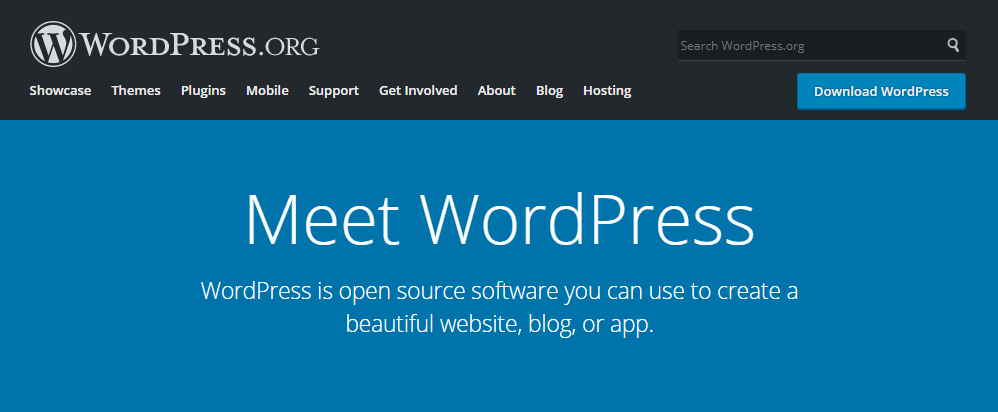
WordPress. com is a hosted service with maintenance handled for you. WordPress. org requires self-hosting and offers full control and customization. WordPress. com is easier for beginners, while WordPress. org suits advanced users needing flexibility.
Is WordPress.com Suitable For Professional Portfolios?
Absolutely, WordPress. com offers customizable themes perfect for showcasing portfolios. It helps creatives display work, add contact info, and attract clients. It’s a cost-effective way to build a polished, professional online presence.
Conclusion
WordPress. com helps you create websites without coding skills. It suits blogs, business sites, and online stores. The platform offers easy tools and hosting included. You can choose themes and customize your site quickly. Many use it to share ideas or sell products.
It keeps your site secure and updated for you. WordPress. com is a simple way to start online. Try it if you want a fast, easy website.



