
Imagine navigating a website with ease, knowing exactly where to find the information you need. This is the experience you can offer your visitors by mastering the use of parent pages in WordPress.
You might be wondering, “What are parent pages and why should I care? ” These pages play a crucial role in organizing your site’s content, making it more user-friendly and efficient. When your website is structured properly, it not only enhances user experience but also helps search engines understand your site better, potentially boosting your rankings.
If you’re looking to optimize your WordPress site, understanding the significance of parent pages is essential. Stick around as we delve into how these pages can transform your website into a more navigable and appealing destination for your audience.
Role In Website Hierarchy
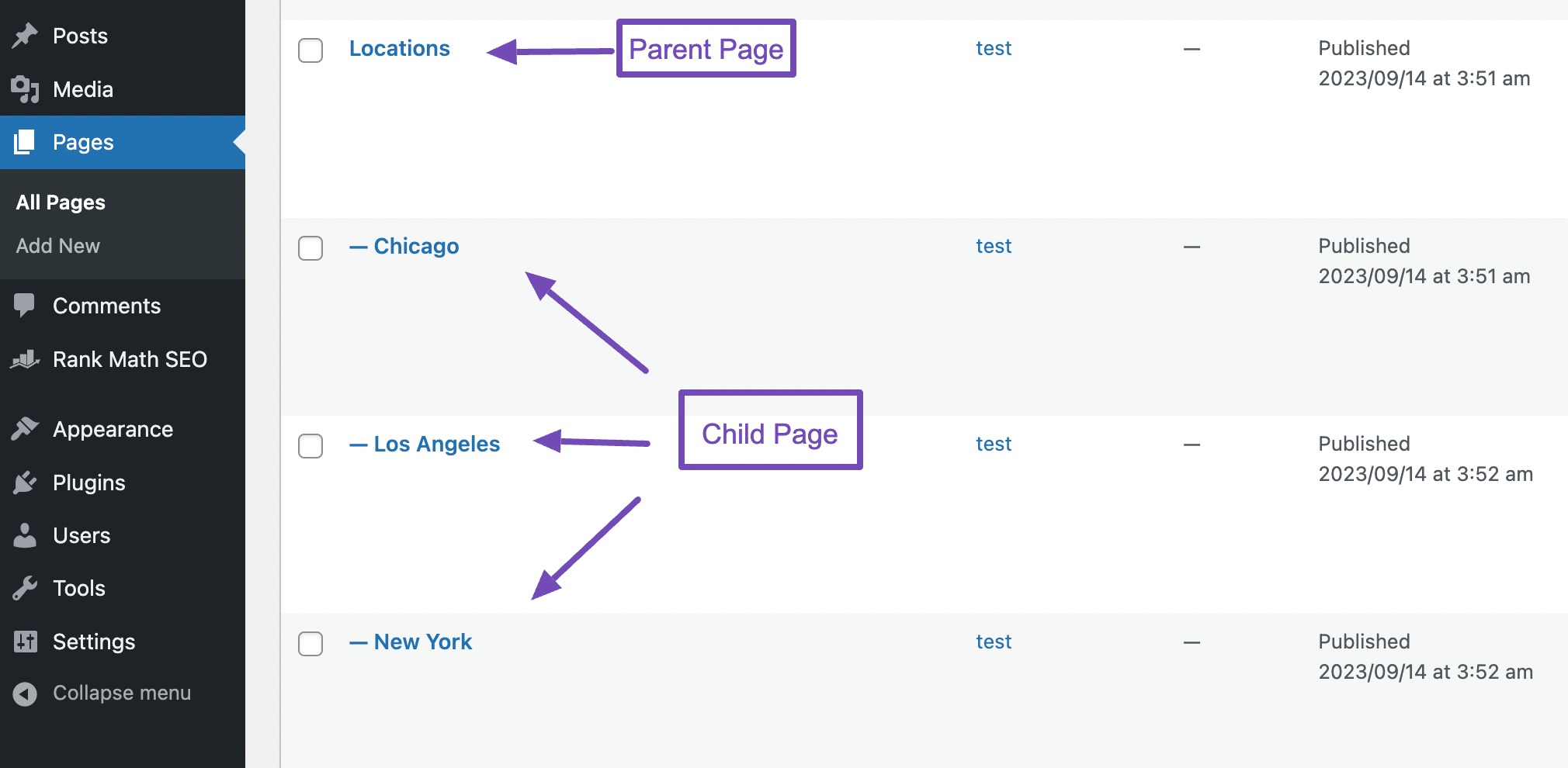
Parent pages help organize your website’s content. They act like a big folder. Each folder holds smaller folders or files. This makes it easy to find information. Visitors can see how pages are related. This helps them understand your site better.
Parent pages create a clear structure for your content. They group related topics together. This helps visitors find what they need fast. Your site looks tidy and professional. Search engines like organized content. This can improve your site’s ranking.
Good navigation is crucial for websites. Parent pages make navigation simple. Users can click on a parent page to see related pages. It saves time and reduces confusion. Visitors spend more time on well-organized sites. This can lead to higher engagement.
Credit: rankmath.com
Seo Benefits
Parent pages help search engines understand your site better. They organize content in a clear way. This makes crawling easier for search engines. When pages are organized, search engines index them faster. This helps your site show up in searches. Good organization also helps users find content. A happy user is more likely to return.
Parent pages allow for better keyword optimization. They group related topics together. This helps you focus on main keywords. Each page can target specific sub-keywords. This strategy boosts your site’s visibility. Search engines notice keyword patterns. Better patterns mean better rankings. In the end, your site gets more visits.
User Experience Enhancement
Parent pages help users find information quickly. They create a clear path to follow. Imagine walking through a library with signs that show you where to go. This is what parent pages do for a website. They make it easy to move from one section to another. Users enjoy visiting sites with smooth navigation. It saves time and reduces frustration.
Websites with parent pages offer simple navigation. Users can easily locate related content. This means less clicking around and more finding what they need. Parent pages act like roadmaps. They guide users to the right place. Users feel more satisfied and stay longer on the site.
Parent pages ensure a website looks the same everywhere. This makes users feel comfortable and familiar. They help keep the design clean and neat. Every page looks connected and organized. Users trust sites with consistent design. It feels professional and well-planned.
Credit: www.hostinger.com
Content Organization
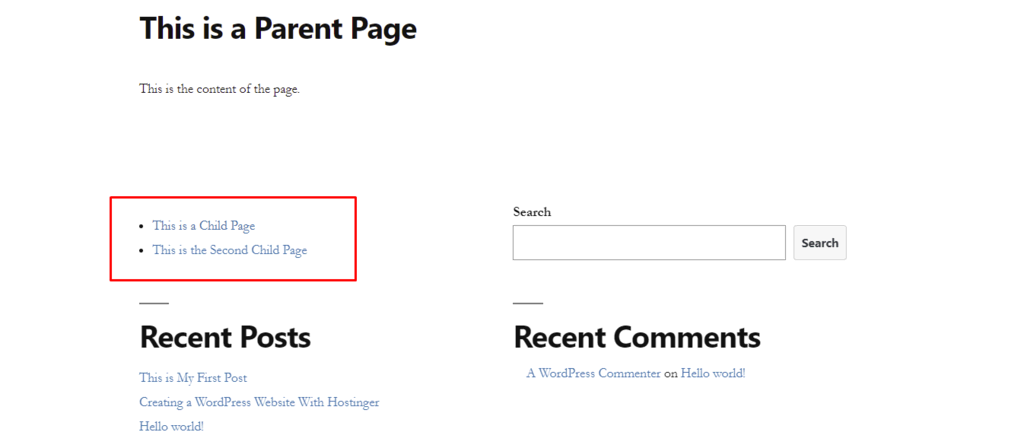
Parent pages in WordPress help in organizing content neatly. They allow grouping of related content under one umbrella. This creates a structured and easy-to-follow website. Visitors find information faster. They don’t get lost in a sea of pages. For example, a parent page named “Fruits” can have child pages like “Apples” or “Oranges”. Each child page gives specific details about the fruit. This keeps the site tidy and orderly.
Logical flow is crucial. It guides visitors from general to specific topics. Each page should have a clear path. This makes the site user-friendly. Visitors enjoy clear and simple navigation. They stay longer, explore more, and return often. Websites need good structure. It helps both users and search engines understand the site.
Impact On Url Structure
Parent pages help create clean URLs. These URLs are easy to read. They look neat and tidy. Clean URLs are good for users. They are also good for search engines. A tidy URL shows the content’s main topic. This helps in easier understanding.
Hierarchical URLs show the content’s structure. They tell a story. Each part of the URL has a purpose. Parent pages make this possible. They act like a guide. They help users know where they are. Hierarchical URLs improve navigation. They make websites user-friendly.
Credit: rankmath.com
Page Management Efficiency
Parent pages offer centralized control of your website. These pages act like main folders. They help keep everything organized. Simplified updates are possible with parent pages. You can change many pages from one place. This saves time and energy. Updates become easier for everyone. Even beginners can manage pages well. Parent pages reduce confusion. They make navigation smooth. Visitors find information faster. Website looks clean and neat.
Changes can be made without hassle. One update affects many pages. Website stays fresh with less effort. No need to change each page separately. This feature is useful for big websites. Saves effort and keeps content updated. Parent pages help in quick edits. Content stays relevant and accurate. Easy updates mean better user experience. Your site remains engaging and current.
Control of pages is in one spot. Parent pages make management easy. They create a structure for your site. You can organize content effectively. They provide a clear hierarchy. This helps in tracking pages. Everything is easy to find. Visitors enjoy a seamless experience. Parent pages enhance site performance. They help in smooth operations.
Custom Template Utilization
Parent pages let you use custom templates in WordPress. They help you create unique layouts. Each page can have its own style. This is great for websites with different sections. Users see different designs. This makes the site look professional.
Parent pages give a tailored user experience. Visitors find what they need easily. Each section feels special. This keeps visitors happy. They stay longer on your site. This is good for your business or blog. It builds trust with your readers.
Best Practices
Understanding parent pages in WordPress enhances website organization, aiding user navigation and improving SEO. They serve as a hierarchical structure, linking related content for better user experience. Creating parent pages groups similar topics, making sites intuitive and easy to explore.
Choosing Parent Pages
Selecting the right parent page is important. It helps in organizing content. Always think about the main topic. Choose a parent page that matches it. This keeps everything neat. It makes navigation easy for everyone. Plan before you decide. This saves time later.
Avoiding Overcomplication
Too many parent pages can confuse users. Keep the structure simple. Use only the necessary pages. This helps users find what they need. Simple is always better. It makes websites easy to use. Remember, less is more.
Frequently Asked Questions
What Are Parent Pages In WordPress?
Parent pages are top-level pages that can have child pages under them. They help organize site structure, improving navigation and user experience. By grouping related content, they provide a hierarchical structure, making your site more SEO-friendly and easier for visitors to explore.
How Do Parent Pages Affect Seo?
Parent pages enhance SEO by creating a clear site hierarchy. This structure helps search engines understand content relevance and relationships. Well-organized parent and child pages can improve internal linking, user experience, and search engine rankings, driving more organic traffic to your site.
Can Parent Pages Improve Website Navigation?
Yes, parent pages improve navigation by organizing content hierarchically. They allow users to easily find related information, enhancing the user experience. This logical structure guides visitors through your site, reducing bounce rates and increasing the time spent on your site.
How To Create A Parent Page In WordPress?
To create a parent page, go to your WordPress dashboard. Select “Pages” and click “Add New. ” In the “Page Attributes” section, assign a parent page. This action will organize the new page under the designated parent page, creating a hierarchical structure.
Conclusion
Parent pages in WordPress hold great importance. They structure your site effectively. This helps users navigate content easily. Better organization enhances user experience. Visitors find information quickly. This boosts engagement and satisfaction. Parent pages also improve SEO. Search engines understand site hierarchy better.
This can lead to higher rankings. They also simplify content management. You can update related pages effortlessly. Use parent pages wisely. They create a logical flow in your site. This is crucial for any WordPress website. Focus on thoughtful page organization.
It benefits both users and search engines.



