
Are you curious about WordPress and Instant WordPress? You’re not alone.
Many people wonder what sets these two apart and how each can benefit your website. You’ll discover the key differences between WordPress and Instant WordPress, helping you make an informed choice for your web needs. Whether you’re looking for flexibility, speed, or simplicity, understanding these distinctions is crucial.
Imagine having the power to choose the right tool that perfectly matches your goals. You’ll learn how each platform can impact your site’s performance, functionality, and ease of use. So, let’s dive in and explore how these two options can transform your online presence.
WordPress Overview
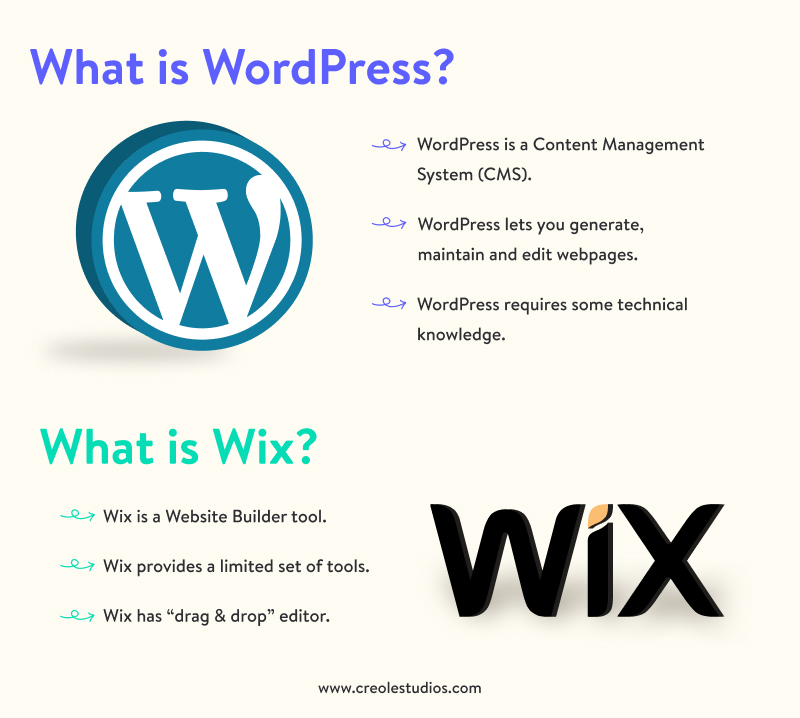
WordPress started in 2003. It was a blogging tool at first. Now, it is a full content management system. Many developers around the world help improve it. They add new features often. WordPress is open-source. This means anyone can use or change it. It is free to use. Many websites today use WordPress.
WordPress offers many themes and plugins. These help make your site look unique. It is easy to use. You do not need to know coding. It has a user-friendly dashboard. Users can add text, images, and videos easily. WordPress supports SEO. This helps sites rank better in search engines. Security is strong with regular updates.
WordPress is very popular worldwide. It powers over 40% of all websites. Many big companies use it for their sites. Bloggers and small businesses love it too. Its popularity grows every year. A large community supports WordPress. They offer help and share tips online. Many tutorials make learning WordPress easy.
Credit: www.creolestudios.com
Instant WordPress Overview
Instant WordPress allows users to run a local version of WordPress without a web server. It differs from WordPress by providing a portable and easy setup, ideal for testing and development.
Purpose And Design
Instant WordPress is a portable tool for testing WordPress. It is easy to use. You can run it from a USB drive. It creates a local WordPress environment on your computer. This means you don’t need an internet connection. Developers can test themes and plugins quickly. Beginners can learn WordPress without risk.
Features And Limitations
Instant WordPress offers a pre-configured setup. It includes Apache server and MySQL. Users do not need to install anything. But it has some limits. It is not for live websites. It is for testing only. No support for updates or backups. It is not as powerful as real WordPress hosting.
Use Cases And Audience
This tool is perfect for students and beginners. They can explore WordPress in a safe way. Developers like it for quick tests. Teachers use it in classes for demos. It is best for learning and practice. Not for businesses or big projects.
Installation And Setup
Installing WordPress can take time. First, you need to choose a hosting provider. Then, download the WordPress software. After that, upload it to your web server. Connect it to a database. Finally, run the installation script. Each step needs attention. Mistakes can happen easily.
Instant WordPress is quick. It is a software you install on your computer. No need for a web server. It is perfect for testing and learning. With a few clicks, your site is live. No complex setup needed. It is simple and fast. Anyone can do it.
WordPress is powerful. But it needs more steps to set up. Instant WordPress is easier. It works like a toy version of WordPress. Great for beginners. No need to worry about hosting. Instant WordPress is like a mini playground. Easy to explore and learn.
Customization And Flexibility
WordPress offers a vast range of themes and plugins. Users can choose from thousands of options. This makes WordPress very versatile. You can change the look of your site easily. Plugins add extra features to your website. These can help with things like SEO and social media. This makes WordPress very popular with many users.
Instant WordPress is different. It is a standalone software. This means fewer options for customization. Themes and plugins are limited. It’s great for learning WordPress offline. But, it lacks the vast options of the online version. Still, it’s a good tool for beginners. Easy to set up and use.
WordPress offers great flexibility for users. You can build blogs, stores, or forums. Instant WordPress is less flexible. It is mainly for testing and learning. Ideal for trying out ideas offline. But, it lacks the full features of WordPress. Choose based on your needs and goals.
Performance And Security
WordPress offers robust performance and security features suitable for large-scale websites. Instant WordPress is a simplified version, ideal for testing and offline development. While WordPress requires regular updates and plugins for enhanced security, Instant WordPress provides a quicker setup with limited security measures.
WordPress Performance Insights
WordPress is a popular website builder. It runs many websites. It can be slow sometimes. Too many plugins make it slow. A good hosting plan helps. Regular updates improve speed. Fast websites are important. Users like fast websites.
Security Features In WordPress
Security is very important for WordPress. Many websites use it. Hackers attack popular sites. WordPress has security plugins. They help protect sites. Regular updates fix security issues. Always update WordPress. Strong passwords keep accounts safe.
Instant WordPress Performance
Instant WordPress is a special tool. It runs WordPress on your computer. It is fast because it is local. No internet is needed. Good for testing. It is not for live websites. Instant WordPress is easy to use. It is helpful for learners.
Security Aspects Of Instant WordPress
Instant WordPress runs offline. It is safe from online hackers. It is not for real websites. It is just for learning. Keep your computer safe. Use antivirus software. Protect your files. Be careful with downloads. Instant WordPress is secure for practice.
Credit: sites.muscogee.k12.ga.us
Scalability And Growth
WordPress can grow with your needs. It supports many users at once. Themes and plugins help your site get bigger. You can change your website’s look easily. Hosting options can handle more visitors. This is important for big websites. WordPress is a good choice for expanding sites.
Instant WordPress is a smaller tool. It is great for beginners. Easy to set up on your computer. But, growth is limited. Not for big websites or many users. It is ideal for learning and testing. Perfect for practice and small projects.
| Feature | WordPress | Instant WordPress |
|---|---|---|
| Scalability | High | Low |
| Usability | Complex | Simple |
| Purpose | Large Websites | Learning & Testing |
Community And Support
WordPress has a large, active community. There are many resources for help. People share tips and tricks. You can find forums, blogs, and videos. Many developers offer free advice. Online courses can help you learn more.
Instant WordPress is different. It is a standalone software. The support community is smaller. Fewer resources are available. You might find some tutorials. But there is less help than WordPress. It is more limited in options.
WordPress offers more help. Instant WordPress has less. Large community versus small one. Many resources versus few. WordPress is better for support. Instant WordPress is more basic. Choose based on your needs.
Credit: www.wpxpo.com
Cost And Accessibility
WordPress can be free to use. Some costs are hidden. Themes and plugins may have fees. Hosting is usually not free. You might spend money for better features. Basic use is affordable.
Instant WordPress is easy to access. It is free to download. No need for hosting. Works on your computer. Great for testing. Can try WordPress without spending money. Easy to install and use.
| Platform | Cost |
|---|---|
| WordPress | Some hidden costs |
| Instant WordPress | Free |
Frequently Asked Questions
What Is WordPress?
WordPress is a popular open-source content management system. It powers millions of websites worldwide. It offers customizable themes and plugins. Users can create blogs, portfolios, and e-commerce sites. It’s user-friendly and requires no coding skills.
What Is Instant WordPress?
Instant WordPress is a standalone, portable WordPress installation. It runs on your local computer without server setup. It’s ideal for testing and developing WordPress sites. It doesn’t require internet access to use. It’s suitable for beginners learning WordPress.
How Do WordPress And Instant WordPress Differ?
WordPress requires web hosting to go live. Instant WordPress is offline and portable. WordPress is for building public websites. Instant WordPress is for local testing and development. WordPress has more customization options online. Instant WordPress is limited to local use.
Can Instant WordPress Host Live Websites?
No, Instant WordPress is for local development only. It’s not meant for live hosting. You need a web host for live WordPress sites. Instant WordPress helps in testing before going live. It’s useful for offline experimentation.
Conclusion
Choosing between WordPress and Instant WordPress depends on your needs. WordPress suits those wanting a versatile, robust platform. It’s great for online growth. Instant WordPress works for offline trials and learning. Ideal for beginners testing ideas. Both offer unique benefits.
One for flexibility and extensive features. The other for simple experimentation and practice. Consider your goals and technical comfort level. Think about your project scale and future plans. Making the right choice helps your website succeed. Understanding these differences aids decision-making.
Make your choice and start building your site today.



