
Navigating the world of WordPress can feel like a journey through a maze, especially when you’re trying to distinguish between categories and pages. You’re not alone if you find yourself wondering, “What exactly sets categories and pages apart?”
Understanding this difference is crucial for organizing your website effectively and enhancing user experience. Imagine your website as a book—categories act like chapters organizing the content, while pages serve as the static, essential details like the introduction or conclusion. By the end of this article, you’ll have a clear grasp of how to utilize both categories and pages to make your website not only more organized but also more engaging for your visitors.
Stick with us to uncover the secrets that can transform your WordPress site into a well-structured, user-friendly masterpiece.

Credit: www.youtube.com
WordPress Basics
WordPress is a tool to create websites. It uses categories and pages. Categories help organize posts. They group similar topics together. This makes finding information easy. Pages are different. They hold static content. They don’t change often. Examples are “About Us” or “Contact”.
Categories are for posts. Pages are for standalone content. Both are important. They make websites clear and tidy. Readers understand better. WordPress helps manage these elements easily. Users can add or edit them. This keeps the website updated and useful.
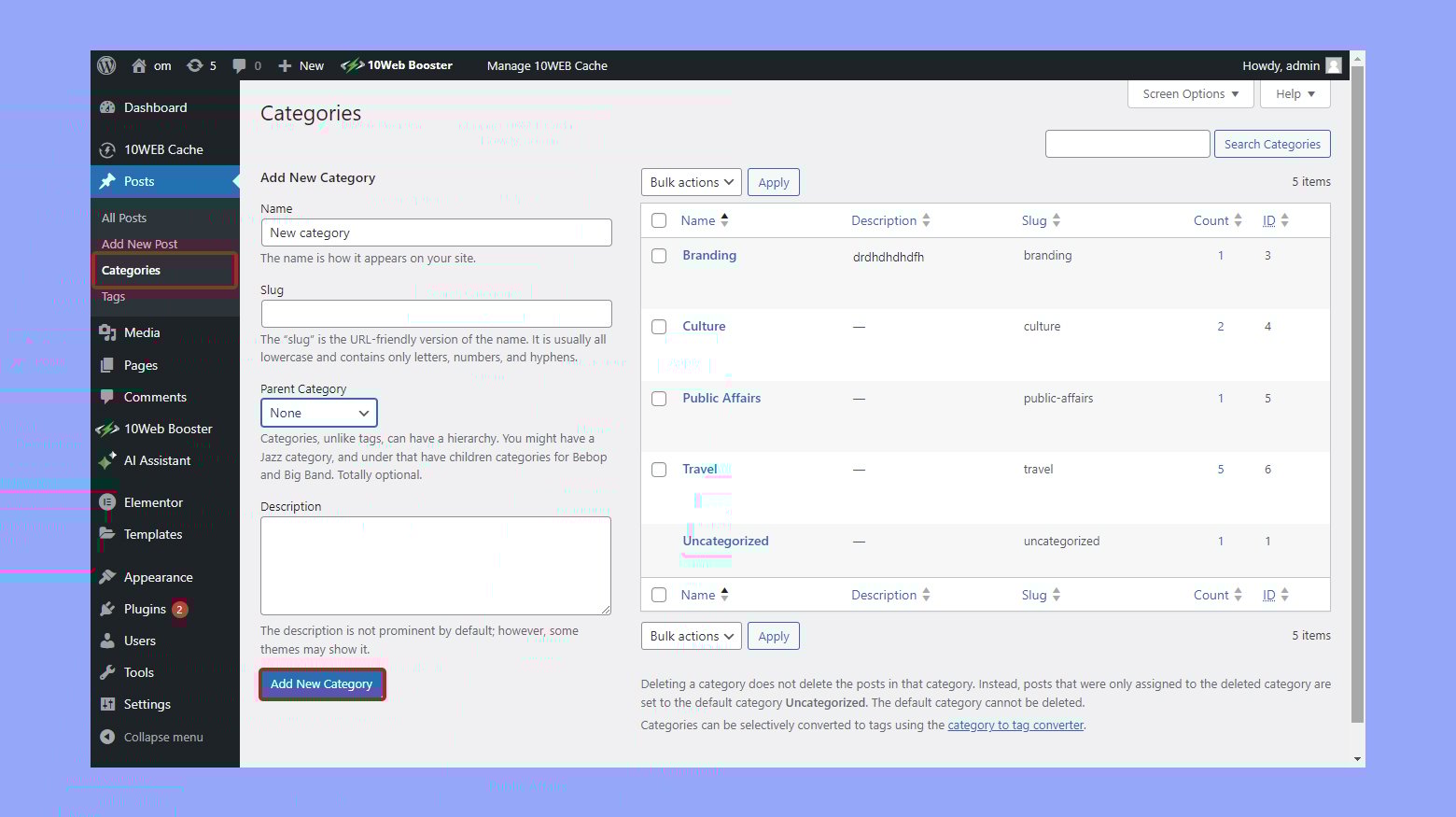
Credit: 10web.io
Categories Overview
Categories help organize your blog posts. They act like folders. Each category groups similar posts together. This makes it easy for readers. They find topics they like quickly.
Categories can have subcategories. This adds more detail. Readers can explore deeper topics. It keeps your site neat and tidy.
Categories are part of your site’s structure. They show up in menus and widgets. Users can click to see all posts in a category. This helps them explore content easily. It also improves your site’s user experience.
Think of categories as sections of a newspaper. Each section has a focus. This helps readers find articles they like. Use categories wisely. It helps your readers and your site.
Pages Overview
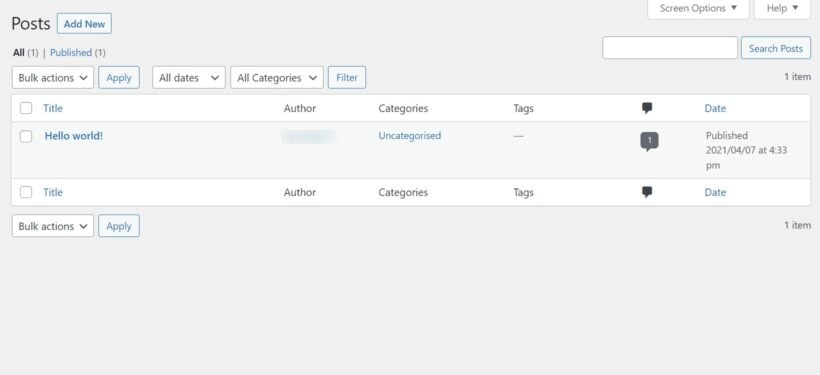
Pages hold static contenttimeless. This means they stay relevant for a long time. Pages do not belong to categories. They stand alone in the site structure. They don’t show up in blog feeds. They are often linked from the main menu. They provide key details about your site.
Pages are ideal for long-term use. They present information that stays constant. Like company history or team bios. Visitors expect these pages to be there always. They offer a stable place for reference. You create them once and update rarely. They need less maintenance than posts. They are good for permanent content. They are crucial for site navigation. They help visitors understand your site.
Credit: barn2.com
Key Differences
Categories organize blog posts, grouping them for easy navigation. Pages are static, showcasing timeless content like “About” or “Contact. ” While categories enhance user experience with structured content, pages provide essential, standalone information. Both play crucial roles in WordPress site organization and functionality.
Content Structure
Categories group similar posts. They help organize content. Pages are static. They do not change often. Pages are for important information. Like “About Us” or “Contact.” Categories make browsing easy. They help find related posts quickly.
Seo Implications
Categories can boost SEO. They make content easy to find. Search engines love organized content. Pages do not change. They are not for SEO. But they are important. They give key information. SEO is about visibility. Categories help with this.
User Navigation
Categories guide users. They help find topics fast. Users can explore more. Pages are simple. They give direct information. Users find what they need. Navigation becomes easy with both. Categories and pages play different roles.
When To Use Categories
Categories in WordPress organize content into groups for easy navigation. They differ from pages, which are static and used for timeless information. Use categories to sort posts and enhance site structure.
Blog And News Sites
Categories help group similar posts together. This makes it easy to find content. Blog and news sites often have many posts. Categories organize these posts into clear sections. For example, a news site might use categories like Politics, Sports, and Entertainment. This helps visitors find what they want quickly.
Content Management
Categories keep your site neat and structured. They make it easy to manage content. By using categories, you can update or change content without confusion. This is helpful for large sites. It ensures all posts are in the right place.
When To Use Pages
Pages are best for static content. This is content that doesn’t change often. Pages are great for About and Contact Information. You can share your story. You can show how to reach you. Pages are perfect for this.
Pages can also show Service and Product Details. People need to know what you offer. They need to know what you sell. Pages help make this clear. They are easy to find. They stay in one spot.
Using pages keeps things simple. It makes finding information easy. It helps people learn about you and your business.
Common Misconceptions
Understanding the difference between categories and pages in WordPress is crucial. Categories group similar posts, helping organize content. Pages, unlike posts, are static and ideal for timeless information like contact or about pages. Misunderstanding these can lead to a cluttered website structure.
Categories As Pages
Categories and pages look similar but serve different roles. Categories group posts with similar topics. They organize content. Pages hold static content like ‘About Us’. They are not for posts.
Using categories as pages can confuse visitors. It mixes up the site’s structure. It can make navigation hard. Categories should not replace pages. Each has its own purpose. Understand their roles.
Misuse In Site Design
Many misuse categories and pages in site design. They think categories work like pages. This leads to poor design. A site with mixed-up categories and pages is hard to use.
Visitors may feel lost. They may leave the site. Keep categories for grouping posts. Use pages for static content. This makes the site easy to follow.
Best Practices
Categories and pages serve different roles in WordPress. Categories organize posts into topics, helping users find related content. Pages, on the other hand, are for static content like “About” or “Contact” and don’t change often. Understanding their functions enhances website navigation and user experience.
Effective Site Organization
Organizing a site well is very important. Categories help group similar posts. Pages are for static content. Use them for important info. Like about us or contact details.
Balance both for better flow. Keep the site neat and clean. Users find info easily. Use clear names for categories. Ensure pages have clear titles.
Balancing Categories And Pages
A good balance makes sites user-friendly. Too many categories can confuse users. Too many pages can clutter the menu.
Plan the site’s structure carefully. Think about what users need. Adjust categories and pages over time. This keeps the site fresh and helpful.
Frequently Asked Questions
What Are WordPress Categories Used For?
WordPress categories organize posts into groups, enhancing site navigation and user experience. They help visitors find related content easily. Categories improve SEO by structuring content for better search engine visibility. They are essential for blogs with diverse topics, ensuring efficient content management and improved accessibility.
How Do Pages Differ From Posts In WordPress?
Pages in WordPress are static, timeless content like About or Contact pages. They don’t appear in chronological order. Pages are used for information that doesn’t change often. Posts are dynamic content, appearing in reverse chronological order. They’re ideal for blog updates, news, and articles, offering more engagement and interaction.
Can Categories Improve Seo In WordPress?
Yes, categories can enhance SEO in WordPress by organizing content efficiently. They help search engines understand site structure and relevance. Proper categorization allows better indexing, improving visibility in search results. Categories also enhance user experience, encouraging longer site visits, which positively impacts search engine rankings.
Why Should You Use Pages In WordPress?
Pages provide a structured way to present essential, unchanging information. They create a polished, professional look for your site. Pages are ideal for showcasing services, contact details, or company information. They are not subject to frequent updates, ensuring consistent content for visitors, enhancing site credibility and user experience.
Conclusion
Categories and pages serve different roles in WordPress. Categories help organize blog posts. They group related content together for easy navigation. Readers find relevant topics quickly. Pages, on the other hand, hold static content. They provide essential information like contact details or services offered.
Unlike categories, pages don’t change often. Knowing these differences helps manage your website better. It keeps your content organized and user-friendly. Remember, categories are dynamic. Pages are static. Each has its unique purpose. Use them wisely for an effective WordPress site.
Your readers will appreciate the clarity and structure.


