
Choosing the best media player for your WordPress site can be a game-changer. You want your visitors to have a seamless experience, whether they’re watching videos, listening to podcasts, or browsing through image galleries.
But with so many options out there, how do you pick the one that’s just right for your needs? Imagine having a media player that loads quickly, looks great on any device, and enhances user engagement. Such a tool could keep visitors on your site longer and encourage them to explore more of your content.
You might be wondering what features make a media player stand out and how to integrate it smoothly into your WordPress site. We’ll dive deep into the world of WordPress media players, evaluating their pros and cons, and helping you identify the best choice for your site. Whether you’re aiming for simplicity or looking to offer advanced features, by the end of this read, you’ll have a clear idea of what will work best for you. Let’s explore how the right media player can elevate your WordPress experience!
Media Player Essentials
A great media player should be easy to use. It must have a simple interface for all users. Speed is another key factor. The player should load quickly without delays. Support for various file types is crucial. It should play videos and music seamlessly.
Customization options enhance user experience. Users like to change settings to fit their needs. Another important feature is mobile compatibility. Many users access WordPress on their phones. So, the media player must work well on all devices.
Compatibility With WordPress
A media player should work smoothly with WordPress. It should be easy to install and update. No complex steps needed. The player must support WordPress themes. It should not conflict with plugins or other site elements. Regular updates ensure it stays compatible. A good media player is reliable and user-friendly.
Popular WordPress Media Players
Audio plugins help play music on WordPress sites. They make websites fun. Compact WP Audio Player is simple. It works with MP3 files. Users like it. PowerPress Podcasting is also popular. It is great for podcasts. Simple Music Widget is easy to use. Add songs quickly. These plugins make listening easy. Websites become more exciting.
Video plugins bring videos to WordPress. They are easy to use. Video.js is a favorite. It supports many video formats. YouTube Embed helps add YouTube videos. Just copy and paste. FV Player offers many features. Videos load faster. These plugins make video viewing easy. Enjoy watching on WordPress sites.
Top Free Media Players
Free media players offer great features without cost. Ease of use is a big plus. Many support various file formats. They often integrate smoothly with WordPress sites. But some may lack advanced features. Free versions might include ads. Updates are not always regular. Limited support can be a downside. Choose wisely for your needs.
Users love flexibility of free media players. Positive feedback highlights ease of use. Video quality impresses many. Users enjoy customizable options. Some reviews mention issues with playback. Others note slow loading times. Overall, many users are satisfied. They appreciate no cost and simple setup.
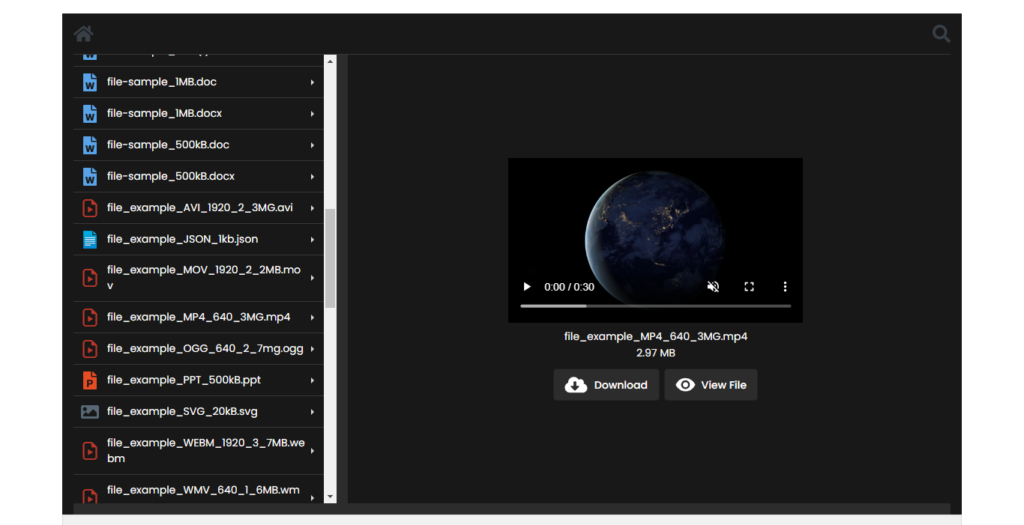
Credit: weplugins.com
Premium Media Player Options
Choosing the best media player for WordPress enhances your site’s multimedia experience. Popular options include Video. js and MediaElement. js. These players offer customizable features and seamless integration, providing a smooth viewing experience for users.
Advanced Features
Some media players offer advanced features that make them stand out. These features might include customizable skins to change how the player looks. Another feature could be playlist support, allowing users to play a list of videos or songs. Responsive design ensures the player works on all devices. Some players even support multiple formats, so you can play any type of media file. Analytics tracking lets you see how your audience interacts with your media. These features can enhance the user experience.
Pricing Considerations
Pricing is important when choosing a media player. Some players are free, while others require a one-time payment or a subscription. A free player might not have all features. A paid player often offers more advanced features. Think about your budget and what features you need. Some players offer a free trial to test before buying. Always check if there are hidden costs.
Customization And Flexibility
Media players with different themes and skins offer a unique look. This helps in matching the website’s design. Users can pick from many styles. Some players even allow custom colors. This makes the media player blend seamlessly with the site. A good media player gives many options. This is great for those who want a personal touch.
A media player should work well with other plugins. This makes it more versatile. For example, integrating with SEO plugins boosts visibility. Some players work with social sharing plugins. This helps in spreading content easily. Proper integration saves time and effort. It also enhances the site’s functionality. Choosing the right player makes a big difference.
Performance And Load Speed
Media players can slow down websites. Page load speed is important. Slow pages frustrate users. Fast loading keeps visitors happy. Choose a media player wisely. Lightweight players are best. They use less resources. This helps your site load quickly.
Optimize media files. Compress images and videos. Smaller files load faster. Use lazy loading. It loads media only when needed. Choose plugins that are updated. Updated plugins have better performance. Test your website speed regularly. This helps find problems early.
Security And Privacy
Choosing a media player for WordPress involves balancing security and privacy features with user experience. Popular options include players with strong encryption and customizable privacy settings. Prioritizing security ensures safe media consumption without compromising personal data.
Data Protection Features
Choosing the right media player means prioritizing data protection. Many media players offer strong data encryption. This keeps user data safe from hackers. Some players also provide regular updates. Updates fix security holes quickly. It is important to pick a player that complies with GDPR standards. This ensures user data is handled well. Look for media players that limit data collection. Less data collected means less risk of misuse.
User Access Controls
User access controls are essential for safety. Good media players let you set user permissions. This controls who can see or change the content. Some players offer role-based access. This means different users have different access levels. For example, admins can make changes, while viewers only watch. This feature helps prevent unauthorized access. It is wise to choose a player with two-step verification. This adds an extra layer of security.

Credit: artiss.blog
User Experience And Support
Choosing the best media player for WordPress enhances user experience and support. Plugins like VideoPress and MediaElement. js offer seamless video playback. They integrate well, ensuring smooth performance and user-friendly interfaces for your audience.
Ease Of Use
The best media player for WordPress should be easy to use. Users like simple controls and a clean interface. The player must load quickly. It should work well on all devices. Drag-and-drop features are a plus. Clear buttons help users navigate easily. The player should not need much setup. A good player saves users time and effort. It should work smoothly with WordPress themes.
Customer Support Options
Good customer support is vital for a media player. Users may have questions or need help. Email support is common and useful. Live chat offers quick answers. FAQ sections can solve simple problems. Some players offer video tutorials. Forums allow users to help each other. Support should be available in many languages. Fast response times are important. Users appreciate friendly support teams.
Making The Right Choice
Choosing a media player for your WordPress site is important. Each player has unique features. Some players support many file types. Others focus on audio quality. Think about what your site needs. Do you want a player that is easy to use? Or do you need advanced customization options? Ease of use can be crucial for beginners. Advanced users may want more control.
Consider your site goals. Do you need a player for videos or audio? Different players offer different compatibility. Some work well with podcasts. Others are better for music playlists. Think about your audience. What do they need? A simple player for easy listening? Or a player with advanced features? User experience should guide your choice.
Choose a player that can grow with your site. Updates and support are key factors. Some players are updated regularly. Others may not be. Look for flexibility. Can the player adapt to new trends? Future-proofing means choosing a player that stays relevant. Scalability is also important. Your site may grow. Make sure the player can handle increased traffic.

Credit: sonaar.io
Frequently Asked Questions
What Features Should A WordPress Media Player Have?
A good WordPress media player should support multiple file formats, have responsive design, and offer easy customization. It should also integrate well with your theme and plugins. Look for features like playlist support, autoplay options, and social sharing capabilities to enhance user experience.
Is There A Free Media Player For WordPress?
Yes, there are several free media players available for WordPress. Popular options include MediaElement. js, FV Flowplayer, and Compact WP Audio Player. These players offer essential features and customization options. They can be easily integrated into your WordPress site without any cost.
How Do I Install A Media Player On WordPress?
To install a media player, go to your WordPress dashboard. Navigate to “Plugins” and click “Add New. ” Search for the media player plugin you want, then click “Install Now” and “Activate. ” Follow any additional setup instructions provided by the plugin.
Can I Customize The Appearance Of A WordPress Media Player?
Yes, most WordPress media players offer customization options. You can change colors, sizes, and control placements. Some plugins allow CSS modifications for more advanced customization. Check the plugin settings for available options to match your site’s design.
Conclusion
Choosing the best media player for WordPress depends on your needs. Explore various options and consider features that matter most to you. Ease of use, compatibility, and customization are key. Some players offer better support for different media types. Others excel in design and user interface.
Always test a few options before making a final decision. Check reviews and user feedback for insights. With the right media player, enhance your WordPress site’s functionality. Improve user experience and showcase your content effectively. Remember, a good media player adds value to your site.



