
Choosing the right cache plugin for your WordPress site is crucial. It can be the difference between a fast, efficient website and one that frustrates your visitors with slow load times.
Imagine your potential customers landing on your page, only to leave because it takes too long to load. You don’t want that, do you? Your website’s speed not only affects user experience but also plays a significant role in your SEO rankings.
But with so many options available, how do you decide which cache plugin is the best for you? In this guide, we’ll break down the top contenders, exploring their features, ease of use, and overall impact on your site’s performance. By the end, you’ll have a clear understanding of which plugin will keep your site running smoothly and your visitors happy. Ready to turbocharge your WordPress site? Let’s dive in.
Importance Of Caching In WordPress
Caching makes websites load faster. Speed is important for users. Slow sites can make visitors leave. Faster sites keep them happy. Caching reduces the time it takes for pages to load. This means a better experience for everyone.
Caching helps servers work less. It stores copies of pages. This way, servers don’t have to work hard every time. Less work for servers means they can handle more visitors. This keeps websites running smoothly even with many users.
A fast site is a good site. Users like quick loading pages. Caching helps achieve this. Happy users stay longer on your site. They might even come back. Good experiences can lead to more visitors and success.
Popular Cache Plugins
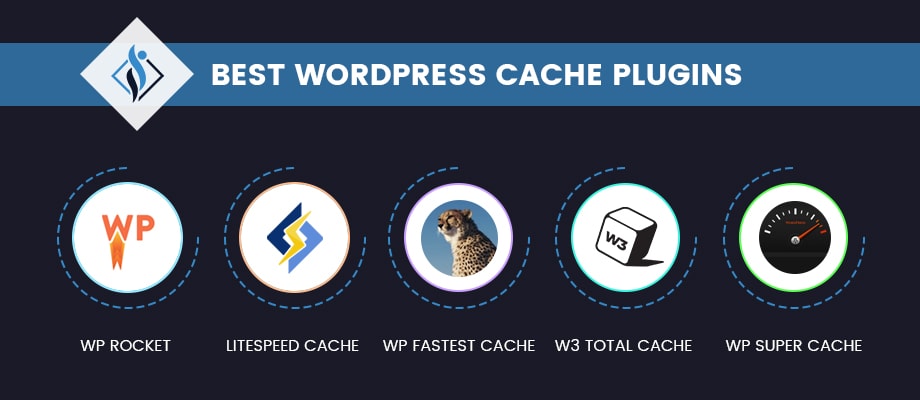
WP Super Cache is a popular choice for WordPress users. It is easy to use and speeds up your website. This plugin creates static files of your pages. Static files load faster than dynamic ones.
W3 Total Cache helps improve your site’s performance. It can handle lots of visitors at once. This plugin offers many settings. Some features might be advanced for beginners.
WP Rocket is a premium plugin. It is simple to set up and use. This plugin comes with many features. It can optimize images and files. WP Rocket is fast and efficient.
Features To Consider
Choose a plugin that is simple to use. Easy setup matters. Many plugins offer one-click installs. This makes it quick to start. A user-friendly dashboard is also important. This helps you manage settings easily. Look for clear instructions. Good support can be helpful if you need it.
Find plugins that allow custom settings. Some plugins offer more flexibility. You can change cache settings. This helps make your site faster. Advanced users might want more control. Look for options to tweak settings. Customization helps fit your needs.
Ensure the plugin works with your theme and other plugins. Check reviews to see if others had issues. Update your theme and plugins. This can prevent problems. Some plugins work better with certain themes. Testing is key to finding the right fit.
Credit: www.elegantthemes.com
Comparing Plugin Performance
Speed matters. Websites load faster with a good cache plugin. Some plugins show amazing results. They make sites load in just one second. A few plugins take more time. They might make your site slow. Choose a plugin that boosts speed. Quick loading is important for users.
Plugins use different amounts of resources. Some need a lot of memory. Others work smoothly with less. Efficient plugins save server power. They keep your site stable. This helps your site run better. Pick a plugin that uses fewer resources.
Users share their thoughts online. Reviews help find the best plugin. Positive feedback means users are happy. Some plugins have low ratings. They might not work well. Read reviews to know what others think. Choose a plugin with good user feedback.
Cost Vs. Benefits
Free plugins are good for small websites. They offer basic features. Paid plugins have advanced options. They cost money but give more speed.
Free plugins need less setup. Paid ones have better support. Free plugins save money. Paid plugins save time.
Paid plugins often provide extra features. This can mean better speed and security. Free plugins are great for beginners. Paid plugins suit bigger sites.
Consider your needs. Think about your budget. Free plugins are great if funds are low. Paid plugins can be a wise investment.
Advanced Features
CDN Integration helps deliver website content faster. It uses servers across the world. This means users get data from a nearby server. This makes the site load quickly. A good cache plugin should support CDN integration.
With Minification and Compression, files become smaller. This includes CSS and JavaScript. Smaller files mean faster loading times. The plugin should make this easy. It should compress files without breaking the site.
Cache Preloading builds the cache before users visit the site. This means the site loads fast for everyone. The plugin should automatically preload pages. This makes sure users have a smooth experience.
Recommendations
WP Super Cache is a good choice for beginners. It is easy to set up. It has a simple interface. Many users find it friendly. It helps speed up your site. No technical skills needed. Just install and activate. Your site will run faster. This makes visitors happy.
W3 Total Cache is for advanced users. It offers many settings. You can tweak each one. This plugin boosts site speed. You need to know some tech stuff. It is not for everyone. For experts, it is great. Your site can load very fast. Many pros love it.
WP Rocket is great for e-commerce sites. It is fast and reliable. This plugin works with WooCommerce. It helps with cart and checkout pages. No need for coding. Your online shop will load quickly. Customers will have a smooth shopping time. Boosts sales and keeps users happy.

Credit: www.shoutmeloud.com
Credit: www.samarpaninfotech.com
Frequently Asked Questions
What Is A Cache Plugin For WordPress?
A cache plugin for WordPress speeds up your website by storing static versions of your pages. This reduces server load and improves load times. Users experience faster page loading, which enhances user satisfaction and can boost search engine rankings. Most cache plugins offer features like browser caching and compression.
Why Use A Cache Plugin On WordPress?
Using a cache plugin improves your website’s speed and performance. Faster websites provide a better user experience and can improve SEO rankings. Cache plugins reduce server load, making your site more efficient. They can also help manage traffic spikes, preventing site crashes during high traffic periods.
How Does Caching Improve Website Speed?
Caching stores a static version of your web pages. This reduces the time needed to fetch data from the server. When users visit your site, they receive the cached version, which loads faster. This process minimizes server load and ensures quicker page delivery.
Are Cache Plugins Necessary For All WordPress Sites?
Cache plugins are beneficial for most WordPress sites. They enhance speed and performance, especially for sites with high traffic. However, small sites with minimal traffic might not see significant improvements. Still, implementing a cache plugin is generally recommended for better user experience and SEO benefits.
Conclusion
Choosing the right cache plugin boosts your WordPress site’s speed. Fast loading pages improve user experience and can help SEO. Popular options include W3 Total Cache, WP Super Cache, and WP Rocket. Each plugin offers unique features to suit different needs.
Consider your site’s requirements before deciding. Some plugins are free, while others offer premium features. Test a few to find the best fit. Remember, a faster site can enhance visitor satisfaction. Keep your site updated for the best performance. Happy blogging!



