
Ever stumbled upon a website that displays a list of all its blog posts, recipes, or products in one neat page? That’s the magic of a Post Type Archive in WordPress.
If you’ve ever wondered how to make your content more accessible and organized, you’re in the right place. This concept might sound a bit technical, but understanding it can significantly enhance your website’s user experience and SEO performance. Imagine creating a seamless journey for your visitors, where they can easily find what they’re looking for, all while boosting your site’s visibility.
Intrigued? Let’s dive into what Post Type Archives are and how they can be a game-changer for your WordPress site.

Credit: qodeinteractive.com
Post Types In WordPress
WordPress has some default post types. These are posts, pages, attachments, revisions, and navigation menus. Each serves a different purpose. Posts are for blog entries. Pages are for static content like “About Us”. Attachments hold files like images. Revisions help to track changes. Navigation menus organize your site’s links.
Custom post types let you create unique content. They can be anything like products, reviews, or events. This feature makes WordPress flexible. You can tailor your site to fit your needs. Plugins or code can create these post types. They help organize special content. Custom post types make your site more interesting.
Understanding Archives
Archives help keep WordPress content tidy. They group similar posts. This makes finding old content easy. Users enjoy browsing archives. They find past topics and learn more. Archives act like a library. They store many types of content. This is useful for visitors. It saves time when searching. Websites feel organized.
WordPress has different archive types. These include category, date, and author archives. Category archives group posts by topic. This helps users find related content. Date archives sort posts by time. Users can explore content from specific periods. Author archives group posts by the writer. This allows users to follow their favorite authors. Custom post type archives group special content. Each archive serves a unique purpose.
Post Type Archive Explained
Post Type Archives are special pages in WordPress. They list posts of a specific type. Think of them like a library section. Each section has a different book category.
These archives help organize content. They make it easy to find similar posts. Imagine searching for all your movie reviews. Post Type Archives group them together.
A Post Type Archive displays posts of one type. This could be blog posts or products. It helps users find related posts quickly. You see titles, dates, and summaries on this page.
Each archive has its own URL. This makes it easy to share and link. You can also customize how it looks. Change the layout or add filters. This improves the user experience.
Regular archives show posts by date. Post Type Archives show posts by type. Regular archives are like calendars. Post Type Archives are like categories.
Post Type Archives help categorize posts. Regular archives help find posts by month or year. Each has a different purpose. Both are important for organizing content.

Credit: www.wpbeginner.com
Creating A Post Type Archive
WordPress lets you create custom post types. These are not regular posts. They have their own settings. You can make them for any purpose. This feature helps organize content better. It is very useful for websites. For example, you can have a custom post type for books.
Setting Up Custom Post Types
First, you need to go to your WordPress admin. Find the menu for custom post types. You can choose a name for your post type. Then, select labels and settings. Make sure to enable the archive option. This lets your custom post type have an archive page. It helps users find content easily.
Enabling Archive Feature
Check your post type settings. Find the ‘has_archive’ option. Turn it on. This makes your post type have an archive. Users can see all items of this type. It makes browsing easy. You can also customize the archive page. Use templates to make it look good.
Customizing Post Type Archives
A post type archive in WordPress displays a collection of posts grouped by type. Customizing these archives allows tailored presentation, improving user experience and site navigation. Adjust layouts, filters, and content display to suit your website’s needs effectively.
Using Templates
Templates can change how archives look. They help to display posts in a unique way. Each post type can have a different template. This makes the site look organized. Templates are files in the theme folder. Editing them is easy with WordPress. Even beginners can use these templates with some practice. Templates make the site feel special. They let users see posts in a clear way.
Adding Custom Queries
Custom queries help fetch specific posts. They use the WP_Query class. This class is a part of WordPress. With it, you can show only certain posts. Like only showing recent posts. Or showing posts from a specific category. Custom queries make archives more useful. They give visitors what they want to see. This is very helpful on busy sites. Custom queries are powerful tools. They make post type archives better.
Seo And Post Type Archives
URLs are like addresses on the web. They help search engines find your content. Using clear and simple URLs makes it easier for people to understand. Each URL should describe the content of the page. Keywords in URLs can help improve search ranking. They make your content more visible. Avoid long URLs that confuse readers. Always use hyphens to separate words in URLs. It makes them easier to read. Keep URLs short and meaningful.
Visibility means how often people find your site. Good visibility leads to more visitors. Post Type Archives can improve visibility. They group similar content together. This helps search engines understand your site structure. Organized content makes it easier for people to find what they need. Make sure archives are easy to navigate. Use clear labels for each archive. This helps users and search engines.
Common Issues And Solutions
Post type archives in WordPress can confuse beginners. These are pages listing all posts from a specific type. To fix display issues, adjust settings in the WordPress dashboard or use plugins for customization.
Troubleshooting Archive Pages
Archive pages can have problems sometimes. One common issue is with permalinks. Permalinks are the web addresses of your pages. If they don’t work, your archive pages might not show up. This can be frustrating.
To fix permalink problems, you can do a few things. First, go to the WordPress dashboard. Click on “Settings,” then “Permalinks.” Choose a new structure and save the changes. This can reset the permalinks and fix the problem.
Another solution is to update your WordPress. Sometimes, older versions have bugs. Updating can solve many issues. Also, check your plugins. Some plugins might cause conflicts. Deactivate them one by one to find the culprit. Once found, look for an update or a replacement.
Plugins For Enhancing Archives
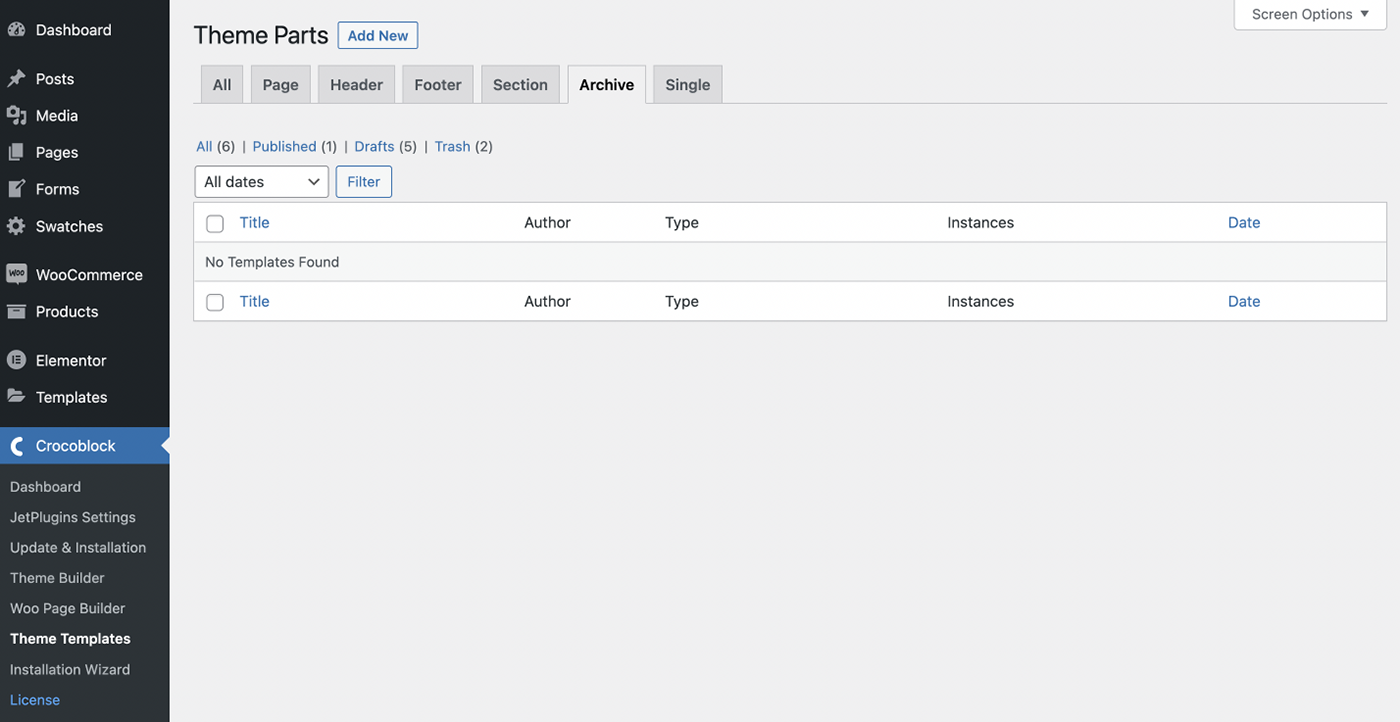
WordPress post type archives display collections of posts. These archives help users find related content easily. Enhancing archives with plugins can improve navigation and user experience on your site.
Top Plugins For Archive Management
Archives help organize content on WordPress sites. Some plugins make this task easy. Simple Archives is one great choice. It makes posts easy to find and browse. Another good plugin is Category Archives. It groups posts by category. This helps users find related content fast. WP Extended Archives offers more features. It lets you display archives in different ways. These plugins improve user experience. They also make sites look neat and tidy.
Features To Look For
- Easy Setup: Choose plugins that are simple to install.
- Customization: Look for options to change archive styles.
- Compatibility: Make sure the plugin works with your theme.
- User-Friendly: The plugin should be easy for visitors to use.
- Regular Updates: Check if the plugin gets updates often.
Credit: crocoblock.com
Frequently Asked Questions
What Is A Post Type Archive In WordPress?
A post type archive in WordPress is a collection of posts of a specific type. It displays all entries related to a custom post type. This feature allows users to easily navigate through grouped content, enhancing user experience and site organization.
How Do I Enable Post Type Archives?
To enable post type archives, modify the `register_post_type()` function in your theme’s functions. php file. Set `’has_archive’` to `true` for the desired post type. After saving changes, the archive page will be accessible, allowing users to view all entries.
Can I Customize Post Type Archive Pages?
Yes, you can customize post type archive pages in WordPress. Use custom templates or page builders to change layouts and styles. This ensures your archive pages align with your website’s design, offering a cohesive experience for users.
Why Use Post Type Archives?
Post type archives improve content organization and accessibility on your site. They allow users to browse through related posts easily. This enhances user experience and boosts SEO by providing structured content pathways for search engines to index.
Conclusion
Understanding post type archives in WordPress enhances your site organization. They help categorize content effectively, improving user experience. Easy navigation keeps visitors engaged longer. This boosts your site’s search rankings. Remember, WordPress offers flexibility with post types. Tailor them to suit your site’s needs.
Experiment and refine your approach. Make your site structure clear and intuitive. Visitors appreciate easy access to information. A well-organized site aids in retaining users. It ensures they find what they seek quickly. Keep exploring WordPress features. Optimize your site for better performance and user satisfaction.



