
Are you diving into the world of WordPress and stumbled upon PHP files? You might be wondering what these mysterious files are and why they matter to your website.
Understanding PHP files is crucial because they power the dynamic features of your WordPress site. Imagine them as the engine under the hood, making everything run smoothly. By getting to know PHP files, you can unlock new possibilities for customization and functionality on your site.
Stick around to learn how these files can enhance your WordPress experience and boost your website’s performance effortlessly.

Credit: jetpack.com
WordPress And Php Files
WordPress uses PHP files to make websites work. Every WordPress site has many PHP files. These files tell the site what to do. PHP is a programming language. It helps create pages and posts. It also connects to the database to show content.
PHP files are like the engine of a car. They power the site to run smoothly. If a PHP file breaks, the site might not work. So, it is important to keep these files safe and updated. PHP files can be found in themes and plugins. Themes make the site look nice. Plugins add extra features.
Credit: 10web.io
Role Of Php In WordPress
PHP makes WordPress work smoothly. It handles important tasks. It connects the database with your site. This is where all the data lives. PHP processes this data. It shows it to your visitors. Without PHP, WordPress wouldn’t function properly. It is the engine of the system.
PHP helps create WordPress themes. These themes control how your site looks. Developers use PHP to build the design. It also manages features of the site. PHP allows themes to be dynamic. This means they change based on user actions. PHP ensures that themes are flexible and customizable.
Plugins add extra features to WordPress. PHP is used to make these plugins. It makes them work with the core system. Plugins can do many things. They improve site performance. They add new functions. PHP ensures plugins integrate well. This keeps the site running smoothly.
Structure Of A Php File
PHP files start with <?php and end with ?>. These tags tell the server to execute code inside. Every PHP file has a mix of PHP code and HTML. The code can do many things. It can show messages or connect to databases. Variables store data. They start with a $ sign. Comments help explain code. Use // for single lines and / / for many lines.
Functions in PHP are blocks of code. They perform specific tasks. echo prints text on the screen. strlen counts letters in a word. array creates a list of items. Functions save time. They make code neat and easy to read. Use them wisely to avoid errors.
A PHP file often has many sections. Each section has a purpose. The top part has settings. Middle part may connect to a database. The end part shows content. Organizing files helps find errors fast. It also makes files easy to read. Keep code simple and clean. This makes editing easy later.
Php Files In WordPress Themes
PHP files are essential in WordPress themes, acting as the backbone of the website’s functionality. They help manage dynamic content and allow for customization, making your site interactive and responsive. Understanding PHP files is key to effectively tweaking your WordPress theme’s behavior and appearance.
Template Files
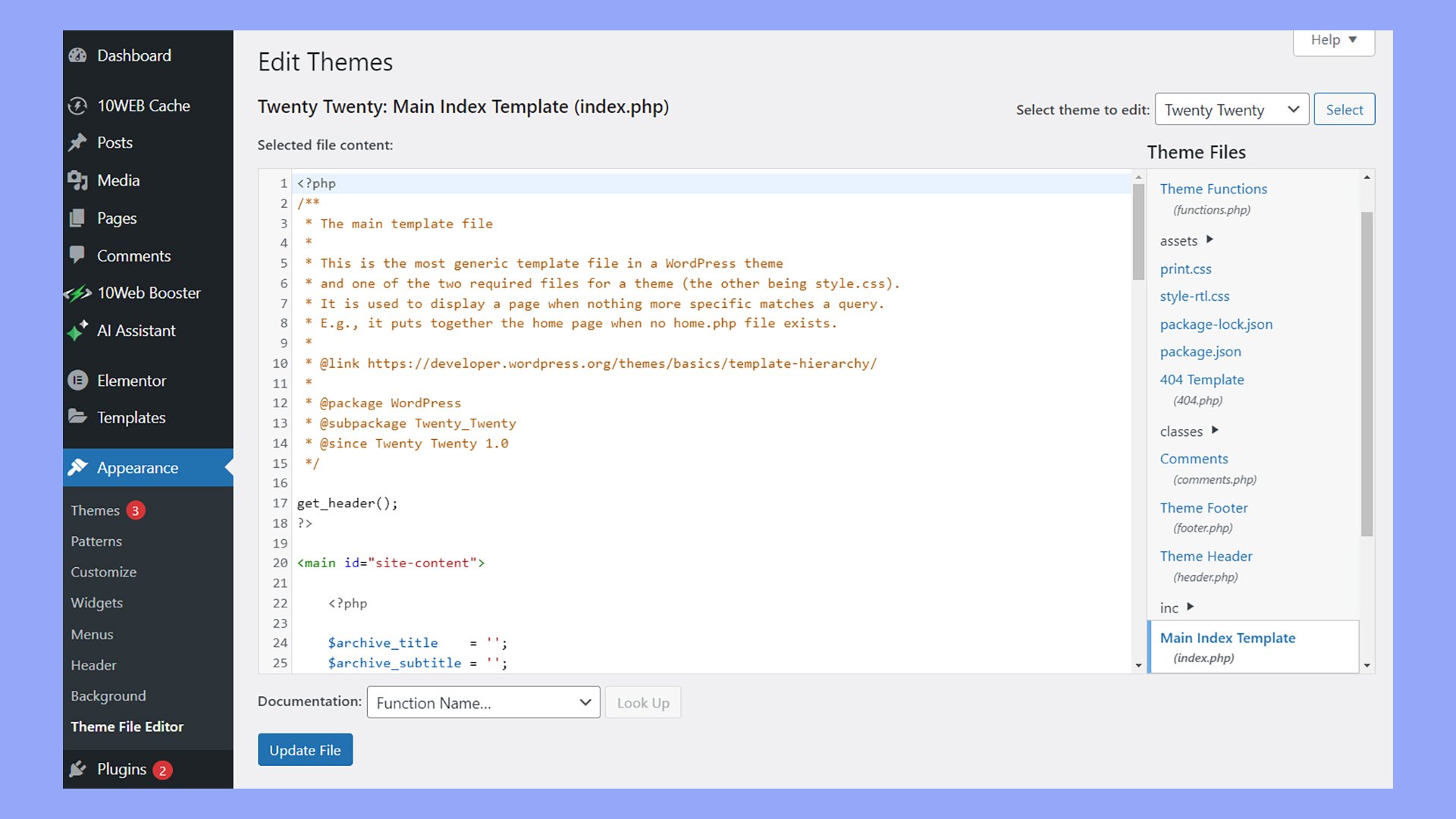
Template files help create the website’s look. Each file shows a part of a page. For example, one file shows the header. Another file shows the footer. These files use PHP code. This code fetches data from the database. The data then displays on the website. The index.php file is very important. It acts as the main template. All these files work together. They make the site look nice and functional.
Functions.php
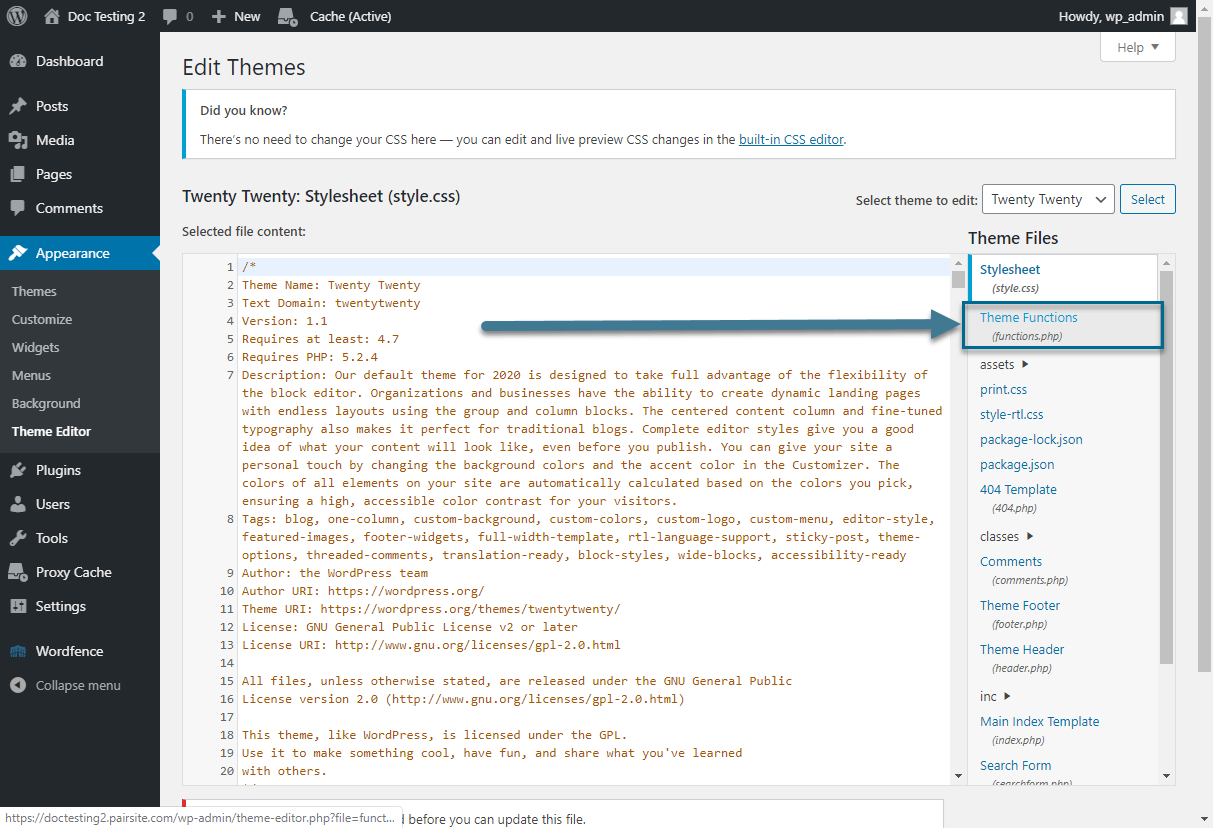
The functions.php file is a special file. It adds extra features to a theme. Developers use it to add custom code. This code can change the theme’s behavior. For example, it might add new widgets. Or, it might change how posts are shown. This file is like a toolbox. It helps make the theme more flexible.
Style And Layout Integration
PHP files also work with CSS. CSS controls the style of the site. It changes colors, fonts, and layout. PHP files call CSS files. They make sure the page looks right. Without CSS, the site might look dull. Together, PHP and CSS create a beautiful design. This makes the site attractive to users.
Php Files In WordPress Plugins
PHP files help plugins work. They make the plugin start. Activation code tells the plugin what to do. Each plugin has its own activation code. These codes are in PHP files.
Hooks and actions are in PHP files. They help plugins change things in WordPress. Hooks let you add or change features. Actions make things happen at specific times.
PHP files allow changes. You can add new features. You can also change how things look. This makes your website unique. PHP helps you do this easily.
Editing Php Files Safely
Backing up your files is very important. Always save a copy of your site. Use plugins like UpdraftPlus. They are simple and easy. Backups protect your work. Mistakes happen. Be prepared.
Child themes keep changes safe. They do not affect the main theme. Create a child theme before editing. This keeps your site updated. Child themes are smart tools. Use them to avoid errors.
Code editors are like special pens. They help write PHP easily. Notepad++ and Sublime Text are popular. They highlight code. This makes it easy to spot mistakes. Use tools for safe editing. They make your job easier.
Troubleshooting Php Errors
PHP files sometimes cause problems. Syntax errors are common. They happen when code is written wrong. A missing semicolon can stop your site. Another error is undefined variable. This means a variable is not set. Fatal errors are severe. They can crash the site. Understanding these errors is important.
Debugging helps find errors. Turn on WordPress debug mode. It shows errors on the screen. Use print_r to see variable values. This helps find where things go wrong. Another tool is var_dump. It shows more details. These techniques help fix problems.
Error logs keep track of problems. They show what went wrong. Check logs in the wp-content folder. Look for error_log files. They give clues to solve issues. Use the log to find solutions. Fix errors by reading the log. This makes your site work better.
Best Practices For Php In WordPress
Writing clean and efficient code is important. Keep code simple and avoid unnecessary functions. Use comments to explain complex parts. This helps others understand your code. Reuse code instead of writing new code from scratch. It saves time and reduces errors.
Security is crucial for WordPress sites. Use secure plugins and themes. They help protect your site. Validate user input to prevent harmful actions. Never trust user data. Keep code up to date to fix security issues.
Always update your WordPress site. Updates fix bugs and improve security. They also add new features. Check for updates regularly. Use the latest PHP version for better performance. Back up your site before updating. This saves your data.
Credit: www.pair.com
Frequently Asked Questions
What Is A Php File In WordPress?
A PHP file in WordPress is a script containing code. It helps in creating dynamic and interactive websites. PHP files execute server-side tasks, like fetching data from databases. They’re crucial for WordPress themes and plugins to function properly.
How Does Php Work In WordPress?
PHP processes server-side code to generate HTML output. It retrieves data from WordPress databases and displays it to users. This dynamic interaction allows content updates without altering HTML files directly. PHP is essential for WordPress’s flexibility and functionality.
Why Are Php Files Important In WordPress?
PHP files are vital for WordPress because they enable dynamic content. They handle server-side operations and data management. PHP files ensure seamless integration of themes and plugins, enhancing website functionality and user experience.
Can I Edit Php Files In WordPress?
Yes, you can edit PHP files directly in WordPress. Use the built-in Theme Editor or a code editor. Always back up files before editing to avoid errors. Editing requires knowledge of PHP to ensure your site remains functional and secure.
Conclusion
Understanding PHP files in WordPress boosts your site’s functionality. These files control how your site operates and looks. PHP helps customize themes and plugins. It offers flexibility to tailor your site to your needs. Learning PHP basics can enhance your WordPress experience.
This knowledge can solve common issues. It also aids in optimizing site performance. PHP files are essential for efficient WordPress management. Explore PHP to fully utilize WordPress features. With practice, you’ll handle PHP with confidence. Remember, PHP files keep your WordPress site running smoothly.
Keep learning for a better website experience.



